Crove Integration is failing
Status: Closed · Asked by Chintan Shah on · 0 views
Hello Chintan,
Thanks for contacting us.
You are receiving this error because you are using Crove Legacy actions, which are now deprecated by the Crove application. Crove has released the updated version of the actions. Kindly update all the Crove actions in your workflow with the latest version. When you click the Action event dropdown, old actions will carry (Legacy) note with the old actions, select the new actions like Create Document.
Also, you have to establish a new connection with the Crove application. You can update the connection from Settings-> Connections as shown in the screenshot below:-
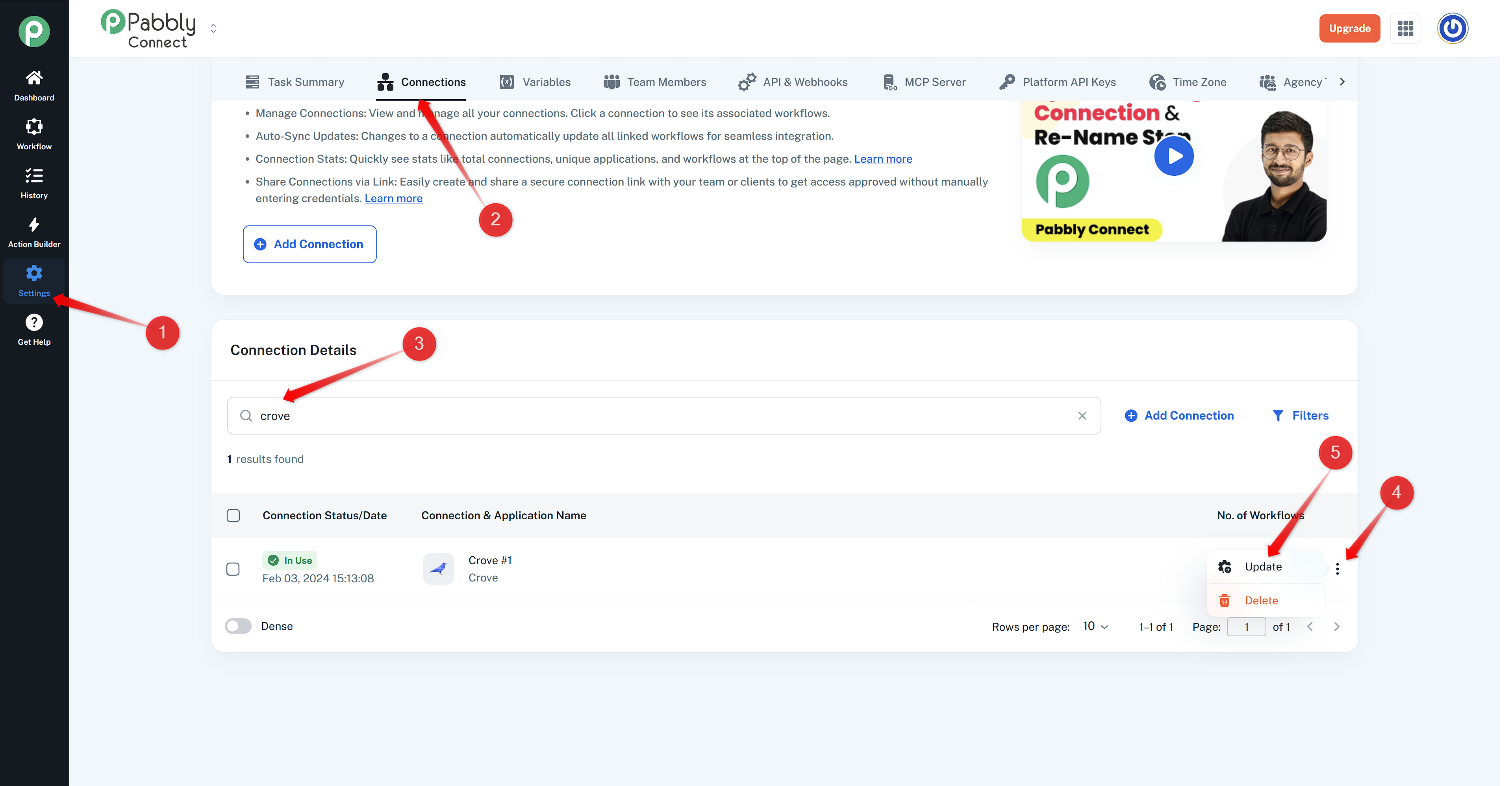 The above method will update the connection across all the workflows with a single update, but the Action events need to be updated manually, along with settings and mapping.
Thanks & Regards,
Adeel Akhtar
🌐 Pabbly.com