CSV to Excel
Status: Open · Asked by Pieter on · 0 views
Hi, I am quite new to pabbly and would like some help please. I am sending a csv file to pabbly via mail parser and would like to convert this file to excel. How do I do this?
Hello @Pieter Oberholzer,
You can upload the CSV file received through the email parser on OneDrive to convert it into an Excel file. Please refer to the attached image for more details on the process.
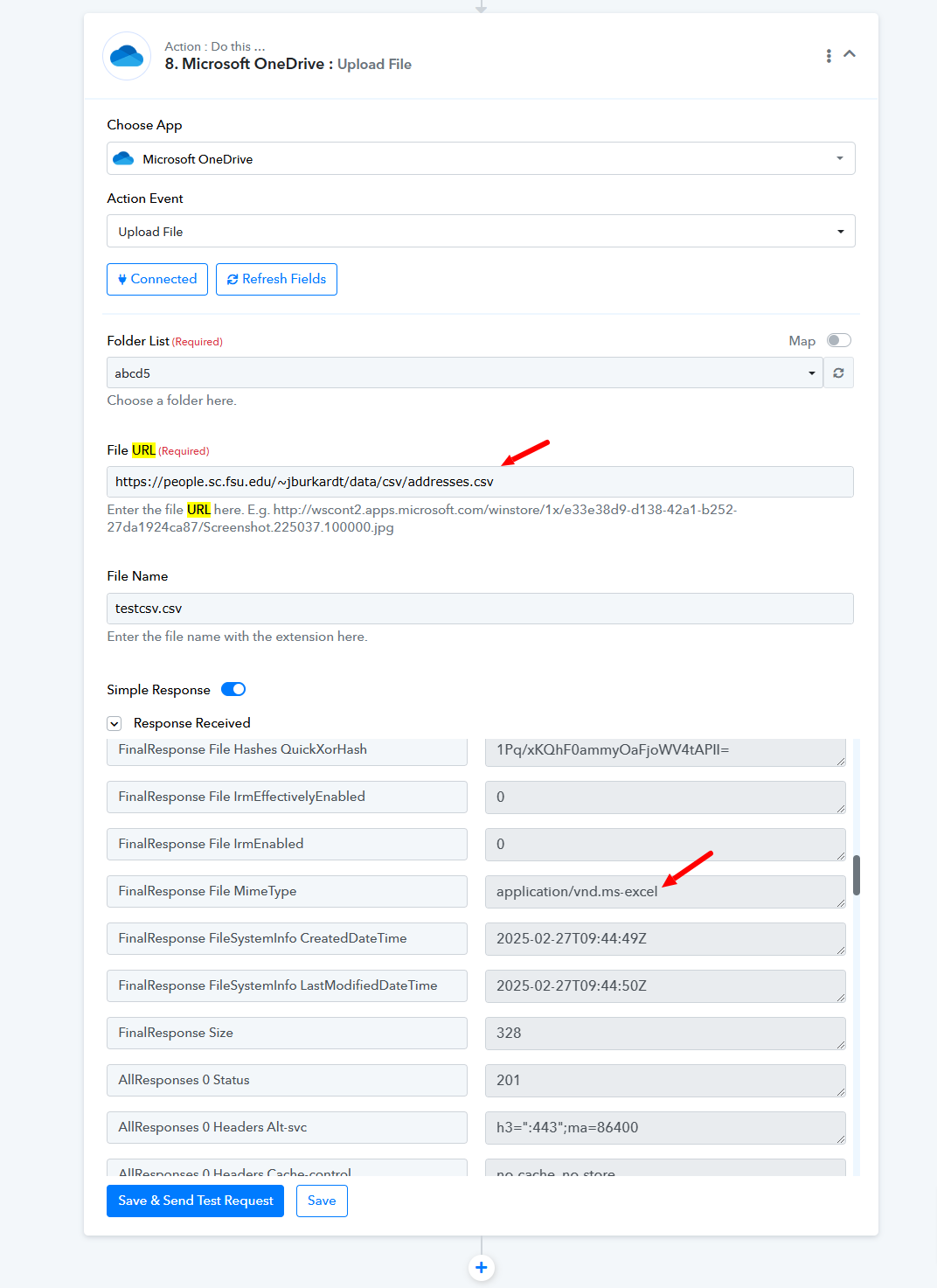
Let us know if you need any further assistance!
Thanks Preeti, when the conversion is done I would like to sort the fields in a specific order by coulomb A as a example. How would I do that?
Hello @Pieter Oberholzer,
Sorry, we are unable to understand your query could you elaborate a bit so we can better understand and assist you further?
Hello @Pieter Oberholzer,Sorry, we are unable to understand your query could you elaborate a bit so we can better understand and assist you further?
The rows on the csv is in a specific order. I would like to change the order or sort the rows in a specific order when the sheet is created. I would like to sort the result by Coulomb A as a example so when the export is done, the sheet is sorted automatically.
Hello @Pieter Oberholzer,
Thank you for reaching out. Currently, there is no direct option to automatically sort the rows in the Excel file when the CSV is uploaded to OneDrive.
If you require this feature, you may consider sorting the data manually after export or using a script/macro to automate the sorting process. Let us know if you need any further assistance.