Custom variable not evaluating as expected in filter action
Status: Closed · Asked by JoshBeall on · 0 views
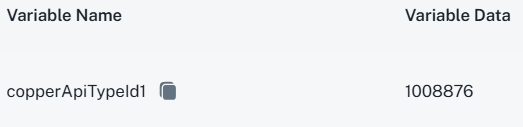
I have the following custom variable defined:
I am attempting to use it in a filter action, as follows:
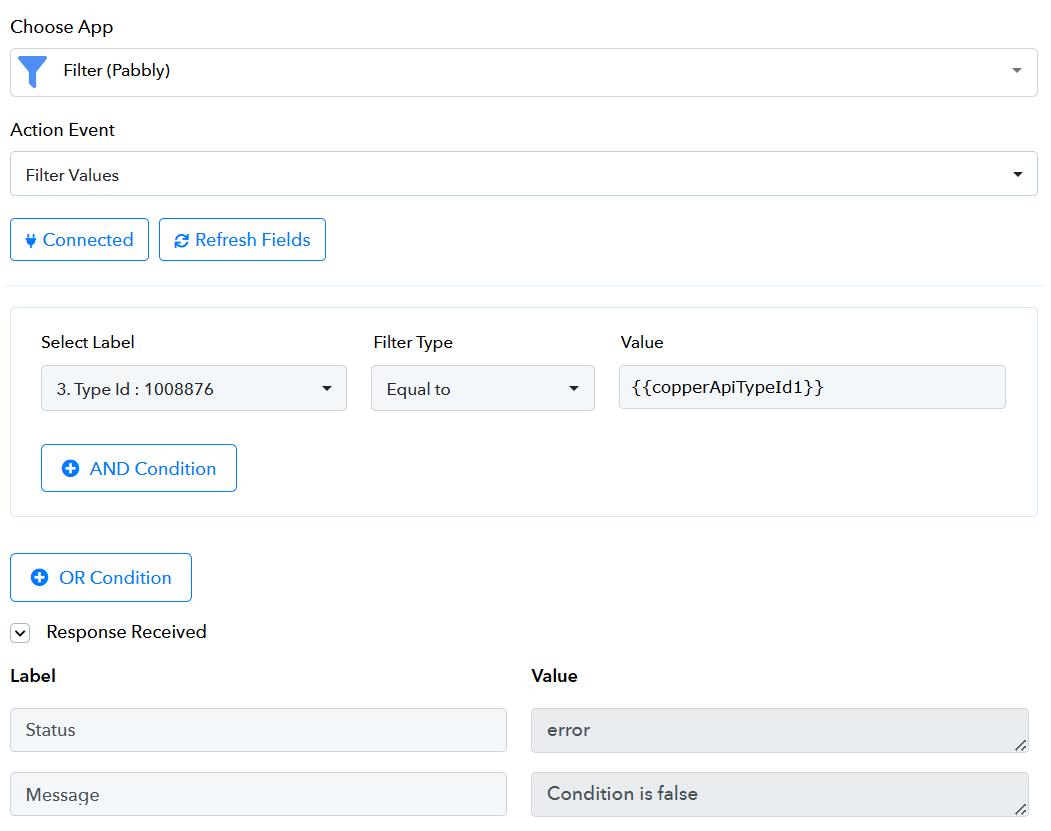
As you can see, the result status is "error" and the message is "condition is false". However, the Type Id is 1008876, which should be equal to the variable I've specified.
If I copy/paste the same value that I specified for the copperApiTypeId1 variable into the filter, I get a success status: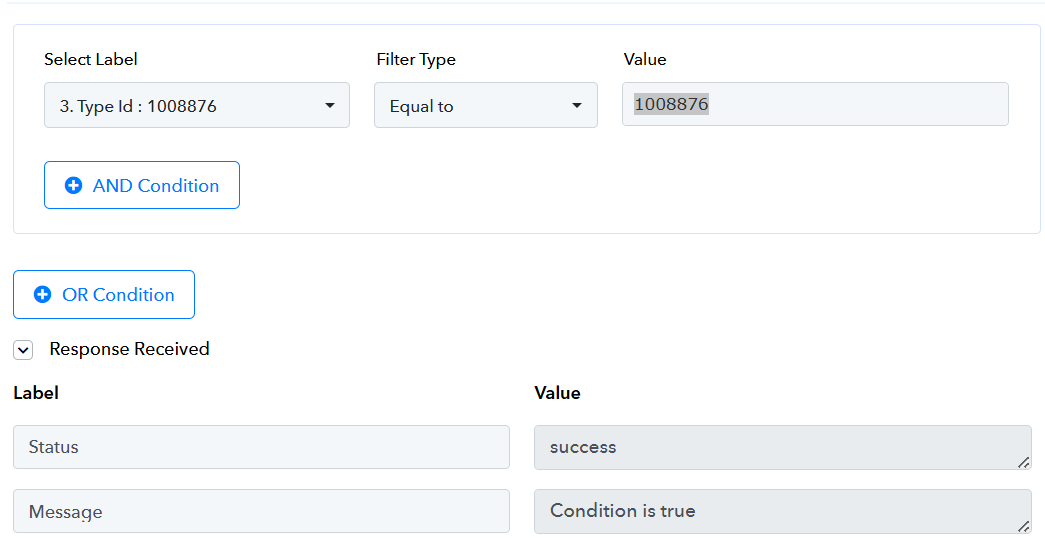
Why is this? How can I use a variable in this case to avoid having to embed this numeric type ID in all my workflows that have to filter on this ID?
I have the following custom variable defined:
I am attempting to use it in a filter action, as follows:
As you can see, the result status is "error" and the message is "condition is false". However, the Type Id is 1008876, which should be equal to the variable I've specified.
If I copy/paste the same value that I specified for the copperApiTypeId1 variable into the filter, I get a success status:
Why is this? How can I use a variable in this case to avoid having to embed this numeric type ID in all my workflows that have to filter on this ID?
Hello @JoshBeall ,
This is a known issue in Pabbly Connect, and their team is already working on it.
In the meantime, you can try this workaround:
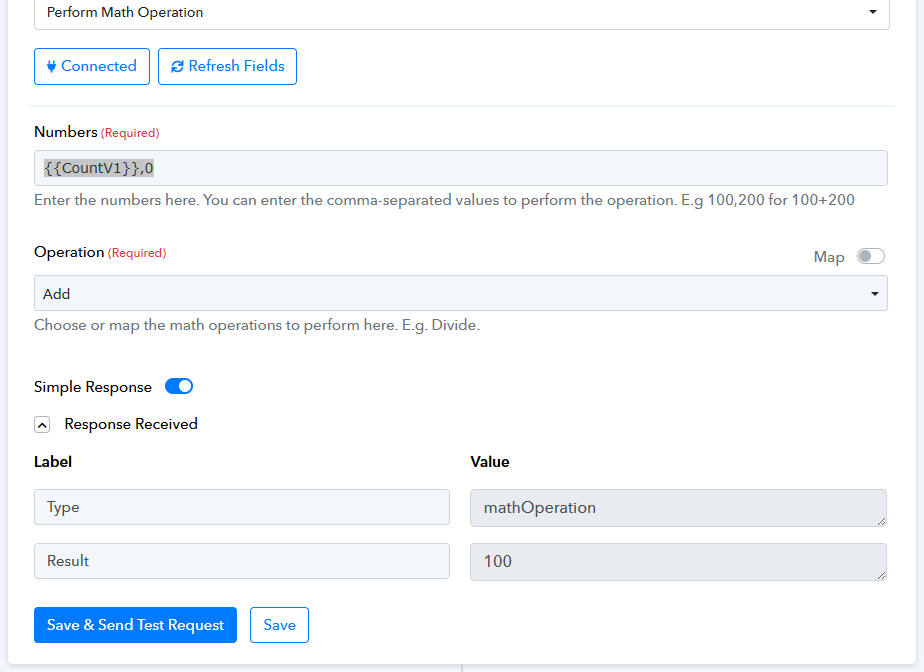
- Before the filter step, use Number Formatter (Pabbly) → Perform Math Operation.
- In the Numbers field, enter your value like this: {{YourVariableName}},0.
- For the Operation, select Add.
This will return the exact number defined in your variable.
Note: If it’s a string variable, you can instead use Text Formatter (Pabbly Connect).
Please refer to the screenshot below for reference. If you are still not able to solve this on your own feel free to DM me and we can do a free zoom call. FYI I'm not from Pabbly Connect team, just a freelancer who helps other Pabbly users.