data coming through as a long string
Status: Open · Asked by andrear on · 0 views
Response comes through from emailOctopus as a long string (with all fields) when creating a new client. See below. Was in fields before. So cannot select individual data to send. Please let me know how to deal with this. Thanks
[{"id":"b2c67abe-c565-41cf-8f69-a7963c8e89a5","type":"contact.created","list_id":"8b602f7a-fc31-11ef-91d1-3f9b575f27d1","contact_id":"acba5342-10dc-11f1-a1e8-1b4d501b40b6","occurred_at":"2026-02-23T17:25:40+00:00","contact_fields":{"Date":"2026-02-23","Address":null,"LastName":"rosen","FirstName":"andrea"},"contact_status":"SUBSCRIBED","contact_email_address":"[email][email hidden][/email]"}]
Hi @andrear,
Upon reviewing your setup, it appears that the response has been captured in Advanced Format, which is why the output is appearing in a single line (raw JSON format).
To receive the response in a structured key-value format, please follow the steps below:
- Open your workflow.
- Go to the Trigger step.
- Change the response format from Advanced to Simple.
- Click on Re-capture Webhook Response.
- Perform the trigger event again from your trigger application.
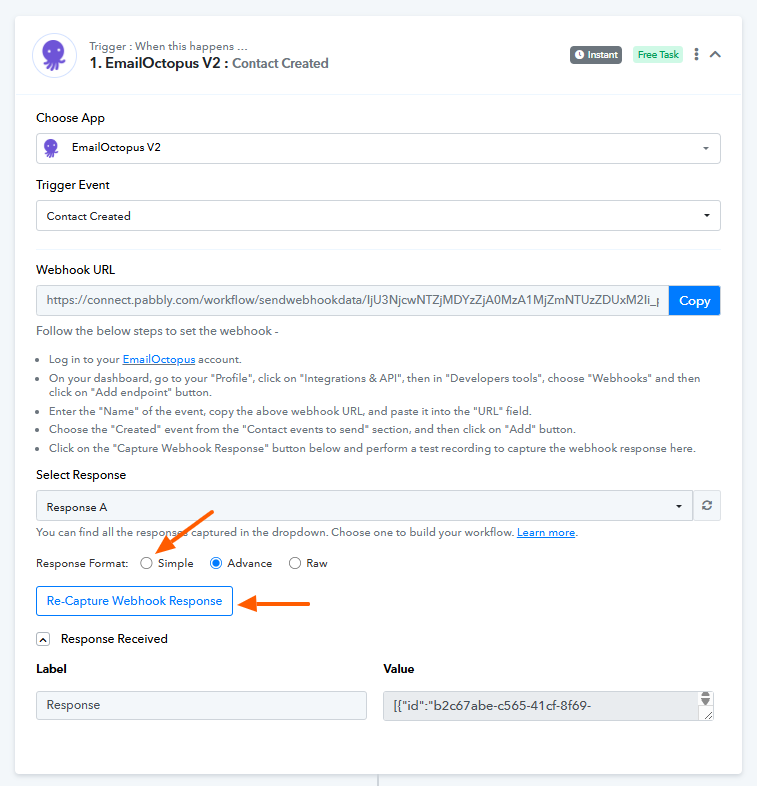
Once done, the response should be captured in a proper key-value structure.
Please try this and let us know how it goes.
Thank you. I had changed it to advanced because simple was doing this as well. I created a new workflow and selected "Simple", not Advanced and the same thing happened. This is the link to the new workflow. Thank you for your time.
https://connect.pabbly.com/workflow/mapping/IjU3NjcwNTZmMDYzNjA0MzA1MjZhNTUzNTUxMzci_pc
You need to select Simple Response, then click on the Re-Capture Webhook Response button and create a new contact in EmailOctopus to fetch the response in separate fields. Please follow these exact steps, and it should help you capture the response in the desired format.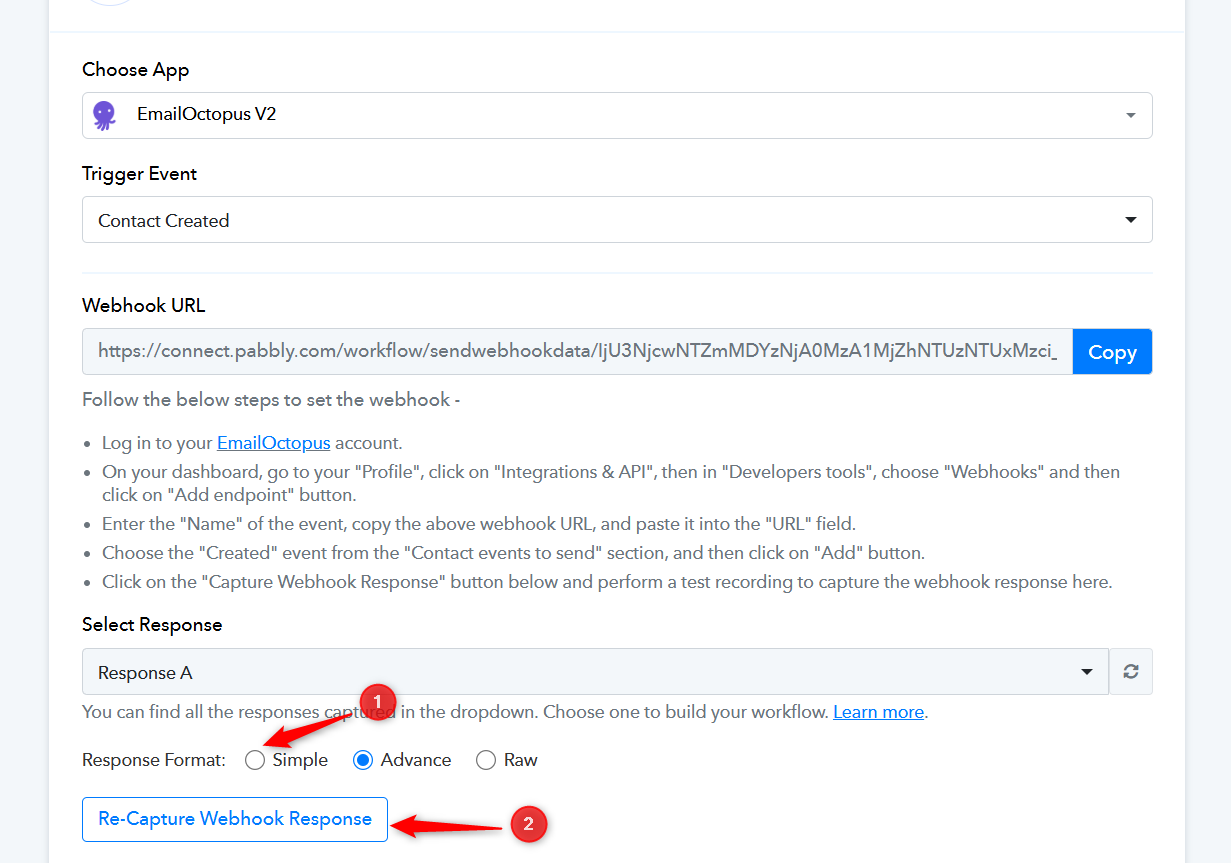
Thanks & Regards,
Arshil Ahmad
Customer Support Associate
? Pabbly.com
?Rate your support
Thank you but I mentioned that I just created a new workflow and used simple. It doesn’t work.
Please hard refresh your browser, then select Simple Response, click the Re-Capture Webhook Response button, and capture a new contact.
Thanks & Regards,
Arshil Ahmad
Customer Support Associate
? Pabbly.com
?Rate your support
Thanks again. Cleared the cache and once again created a new workflow and made sure to select simple response. It definitely stayed on the simple response format, but came through as a single string. See attached
The response is still captured in Advanced Format.
https://connect.pabbly.com/workflow/mapping/IjU3NjcwNTZmMDYzNjA0MzI1MjY4NTUzNzUxMzIi_pc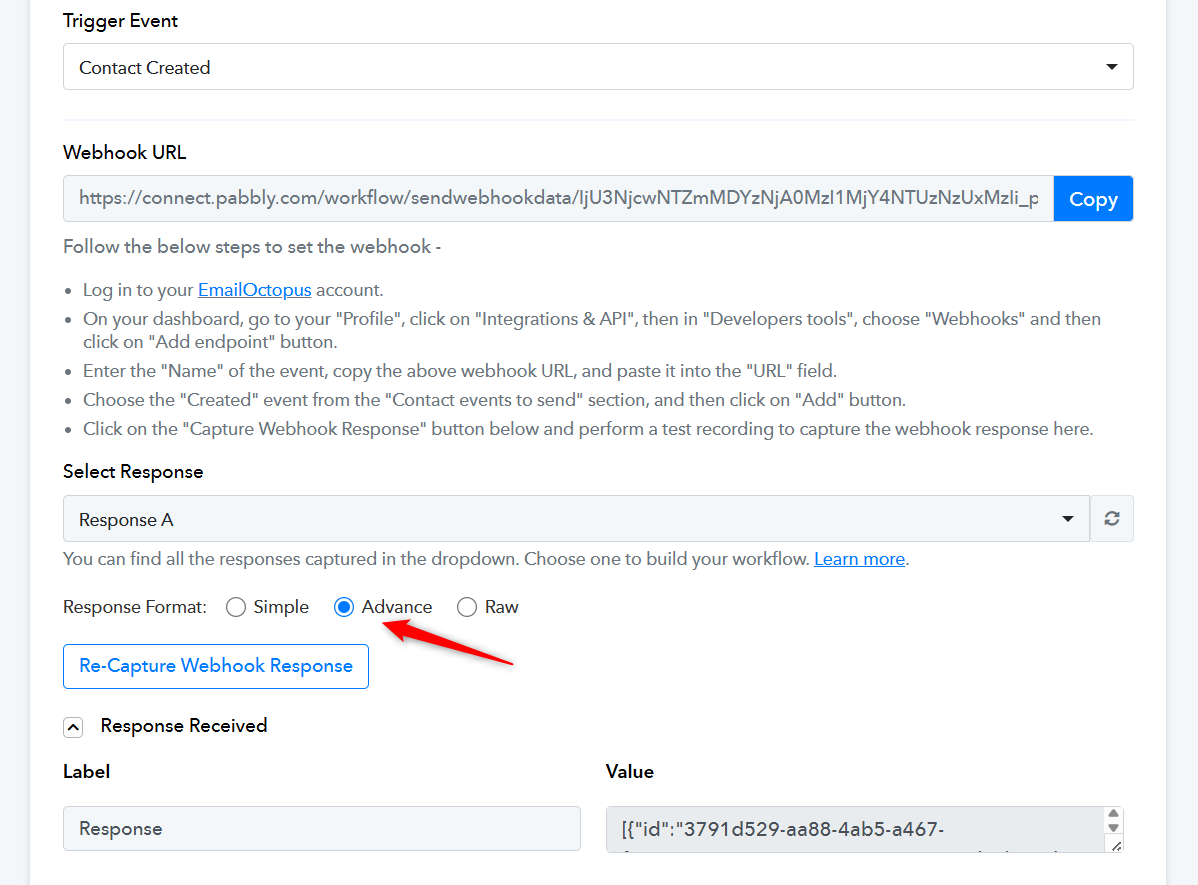
Anyway, we have added a JSON Extractor as step 2 of your workflow. You can map the data from this step wherever you want.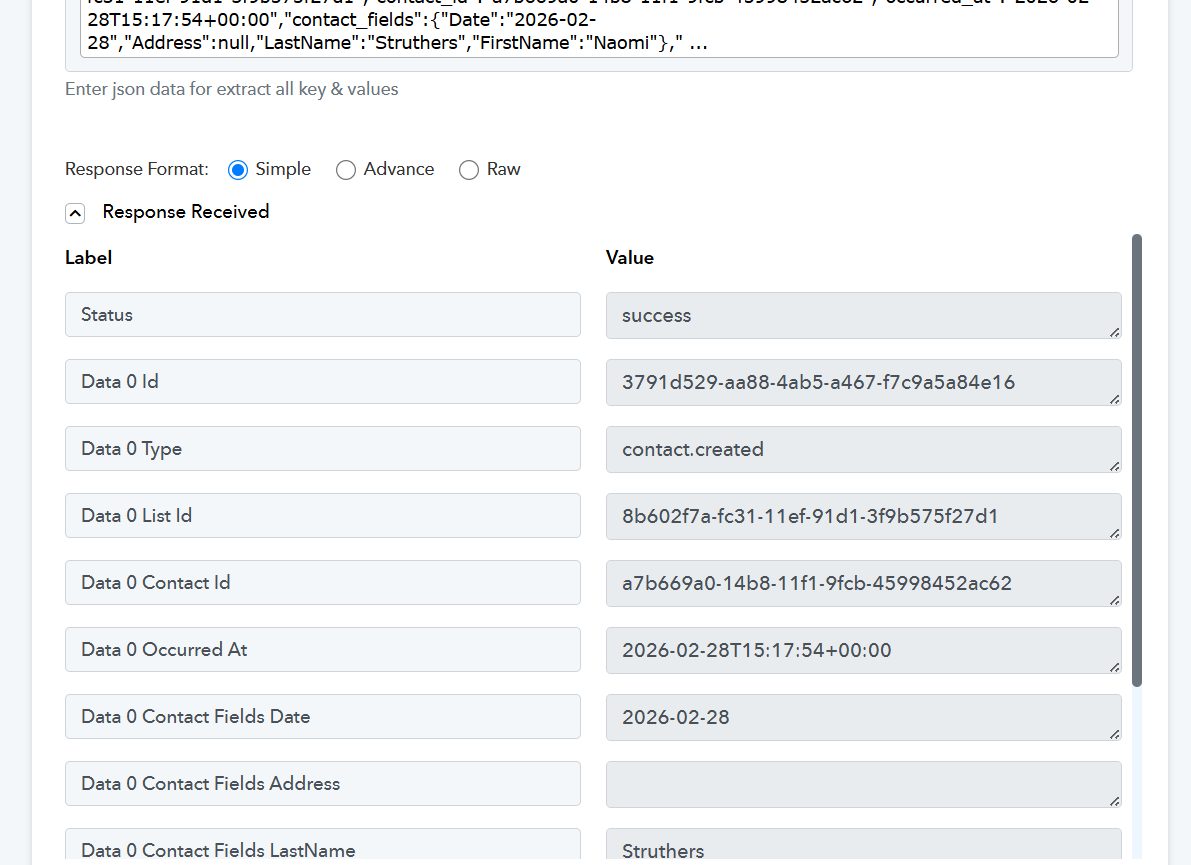
Thanks & Regards,
Arshil Ahmad
Customer Support Associate
? Pabbly.com
?Rate your support
thank you very much. I wonder why it started doing that? Any thoughts.
Also, once again, in the last step defaulted to advanced. Not sure why but when I selected simple seems ok, but then when I hit refresh it switches to advanced.
Could you please make a short screen recording showing this issue?
Thanks & Regards,
Arshil Ahmad
Customer Support Associate
? Pabbly.com
?Rate your support