Data sync issue
Status: Closed · Asked by Marketing King on · 0 views
- Hello. I am linking my google sheet and shopify through Pabbly to sync the stock data. According to the website, I should enter the product ID, e.g. gid://shopify/Product/7680415629411. However, I cannot find the buttom of it. How should I do?
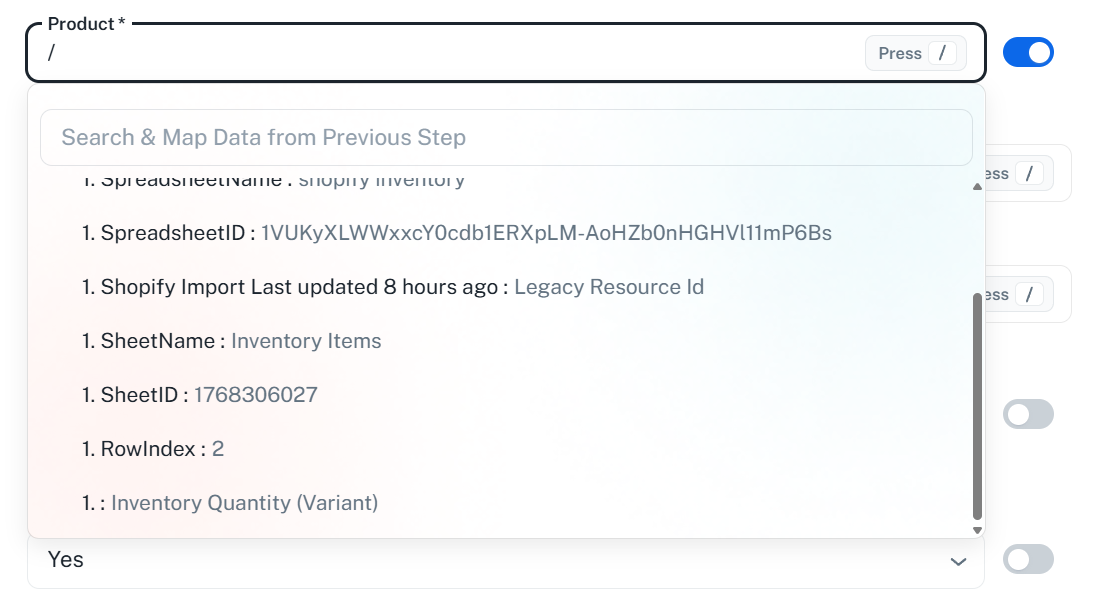
I have also checked the connection between google sheet, Pabbly and Shopify. All of them is successful. The main problem is that I cannot match the names of the factors and columns.
Thanks.
Hello,
Thank you for providing the details and screenshots of your setup.
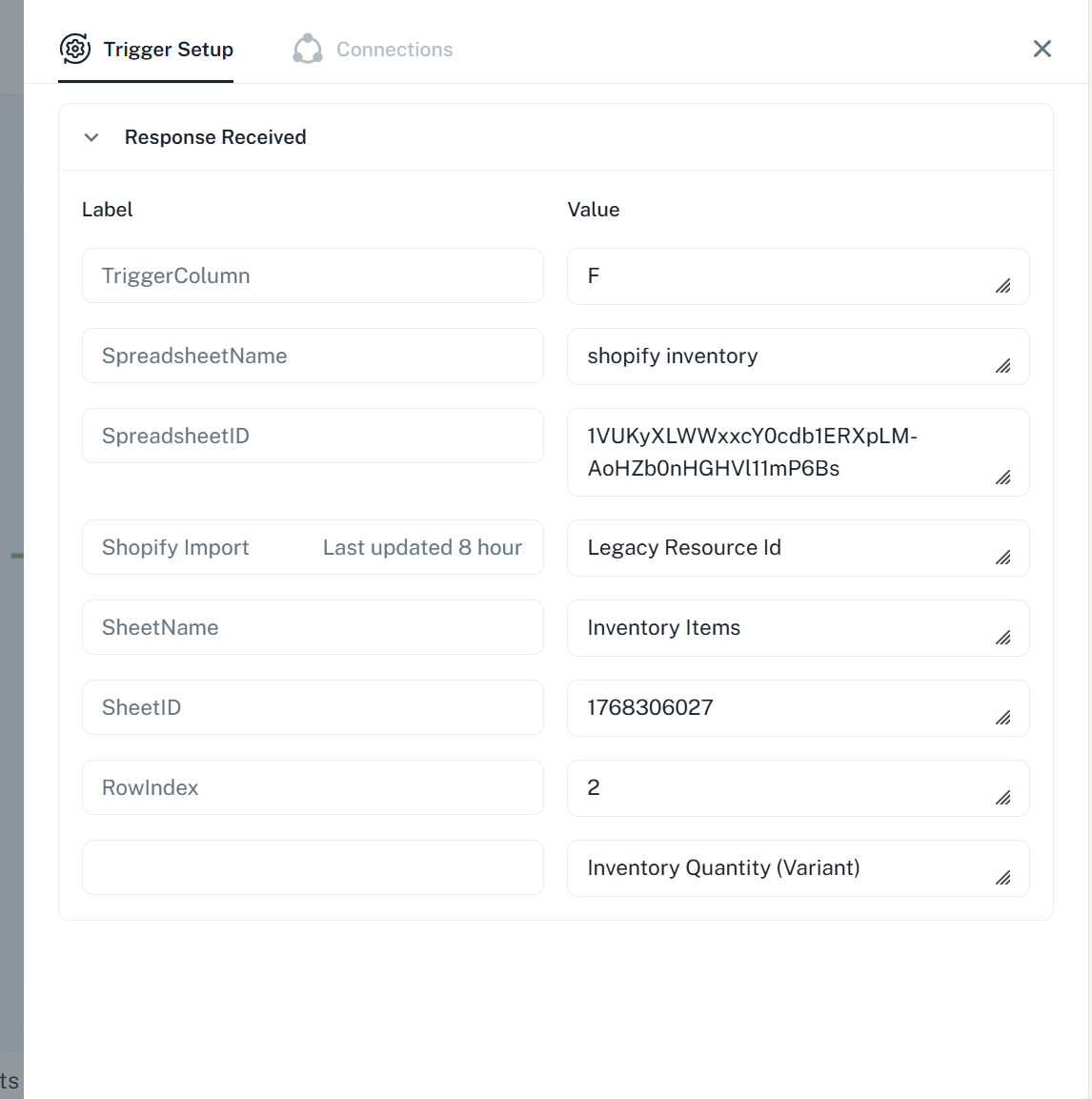
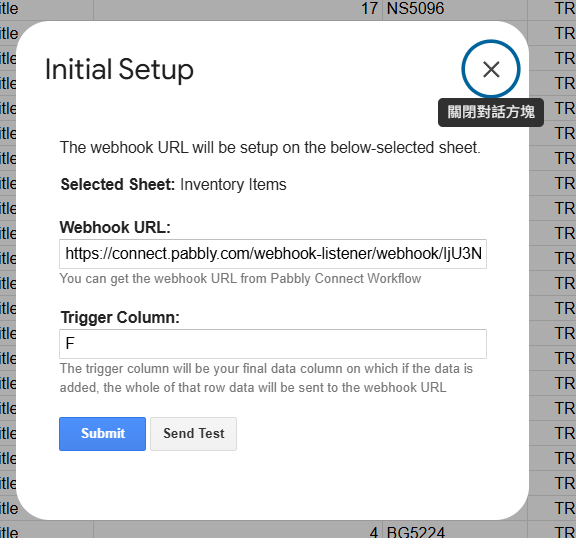
We can see from your current configuration that you have set Column F as your Trigger Column. This means Pabbly Connect will only capture and send data to your workflow once data is entered up to Column F.
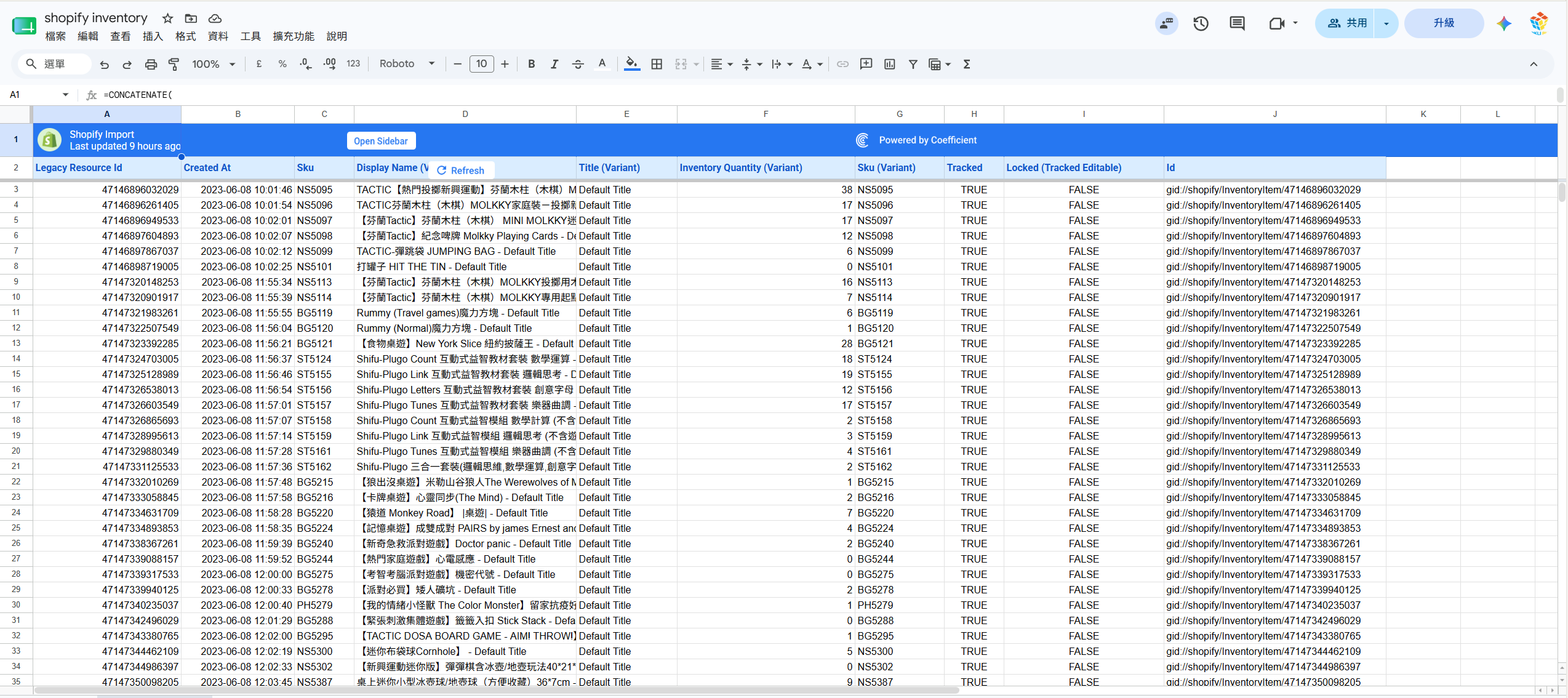
To ensure that your stock data synchronizes properly and all necessary factors are sent to Shopify, please set your Trigger Column as the very last column of your Google Sheet that contains data. For example, if your final data column is Column G or H, update the Trigger Column field to that specific letter.
Regarding the mapping issue, once your Trigger Column is correctly set to the last column, please click "Send Test" in your Google Sheets add-on. This will bring all your columns as clear labels into your Pabbly Connect dashboard, allowing you to easily match and map your Google Sheet column headers to the Shopify Product ID and inventory fields.
Please update the trigger column, send a new test response, and let us know if you face any issues mapping the fields
Thanks & Regards,
Hrishabh
Customer Support Associate
🌐 Pabbly.com
👉 Rate your support