Date/Time format issue
Status: Closed · Asked by Tippers on · 0 views
When I capture a requested appointment date and time from an email, and then try to format it so GoHighLevel can use the data I get the wrong time. this is the format I get from the email: May 13, 2024, 6:00:00 p.m. The choices for date and time input do not correspond with what I have to use. Is there a way to change am/pm time to military time? I would like to input the date/time into the formatter with MMM DD YYYY hh:mm:ss A but that isn't an option in the formatter. Does anyone have any ideas on how I could get this achieved?
Hey @Tippers
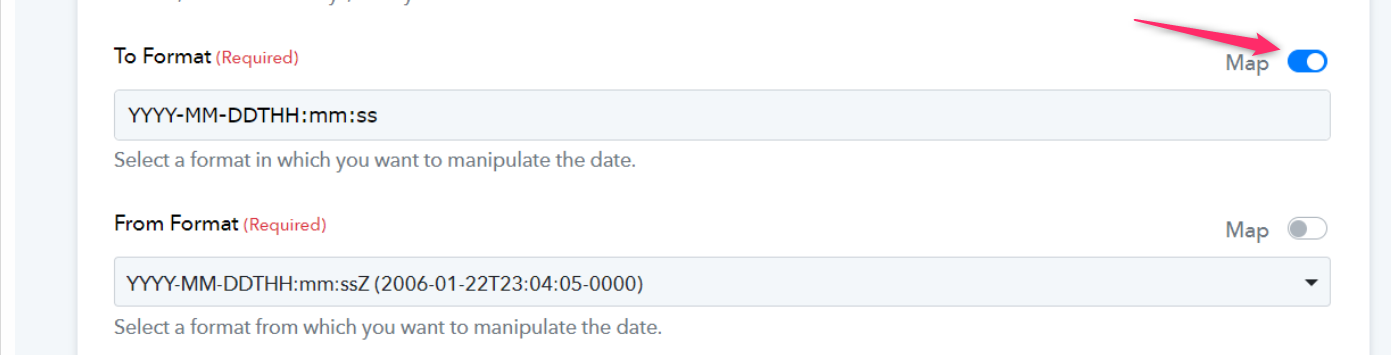
Indeed, you can toggle the Map button and add the 'To' and 'From' formats in the Date Time Formatter to process the date according to your requirements.
E.g. -
Thanks @Supreme
Now it does not return an invalid output. However, it is returning the current date and time.
Here is my result from the email parser, and the formats I tried to use.
Where did I go wrong?
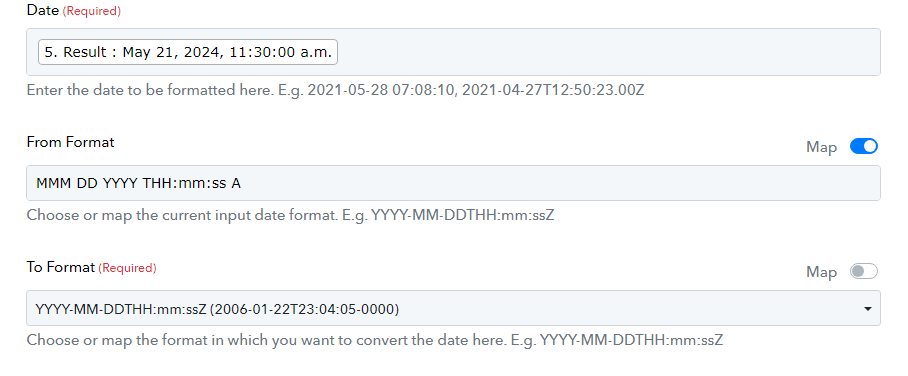
You can achieve the desired result in this manner:
https://connect.pabbly.com/workflow/share/DkZUZgNUBmVWHFI4BlUEI19LBAAJUFMyUktTQVxTAnoDTgN4VBUIYglFByVXFARlVB0BawNfBj1cSFdTUwVVJlNJCAoAA1ErVRhUZwFECjkOUFR8A2I#
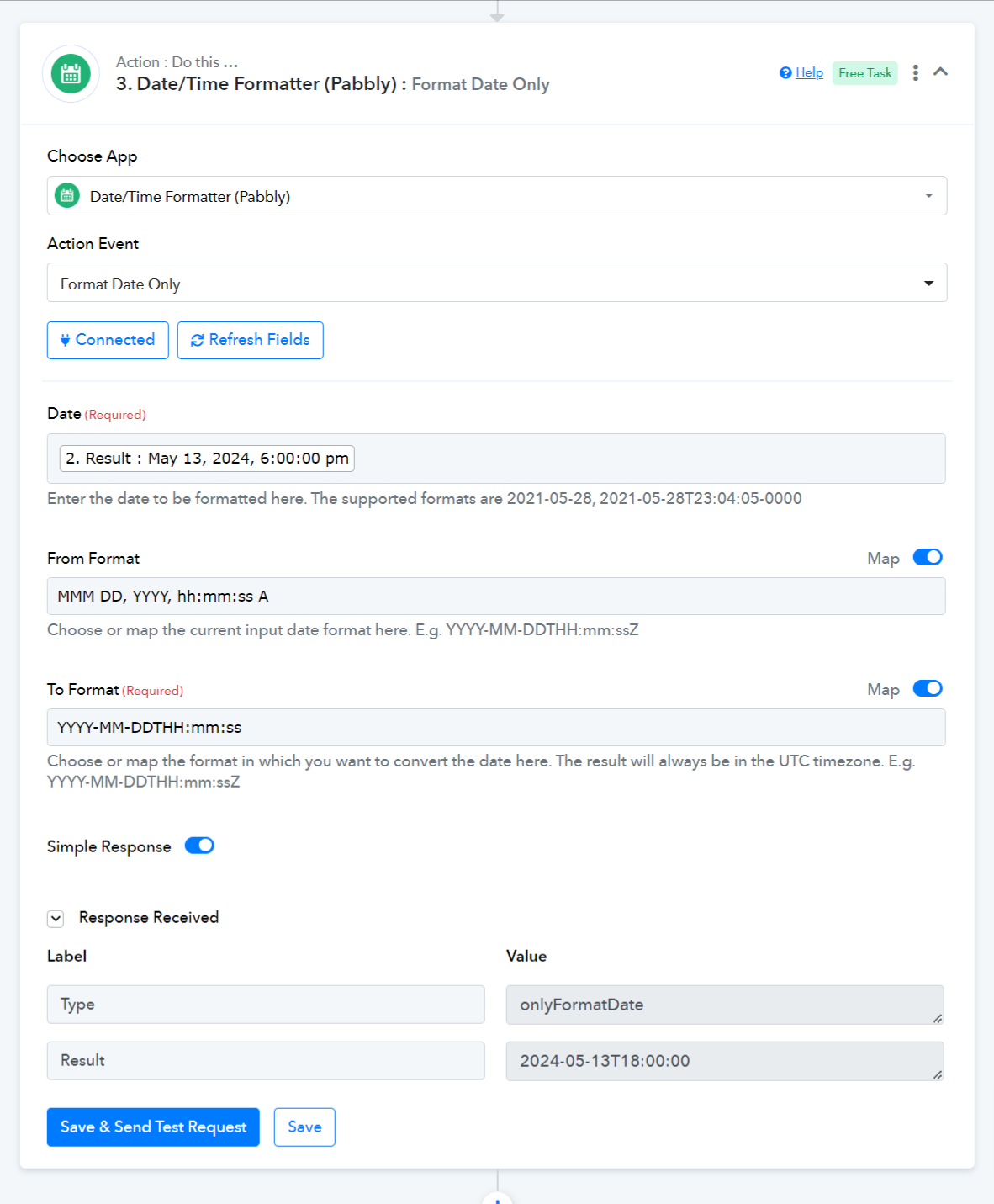
Hi, I have a question about Date formatter too: I'd like to transform a DD/MM/YYY into a DD/MM format. What are the steps to follow?
Thank you for your help
Hello @Bomeline
You can use the date/time formatter and use the event as format date only or any event as per your requirement and then under the "To Format" field you can add the required format by turning on the map toggle button as per your requirement and you will get the required results. Please refer to the attached screenshot for more info.
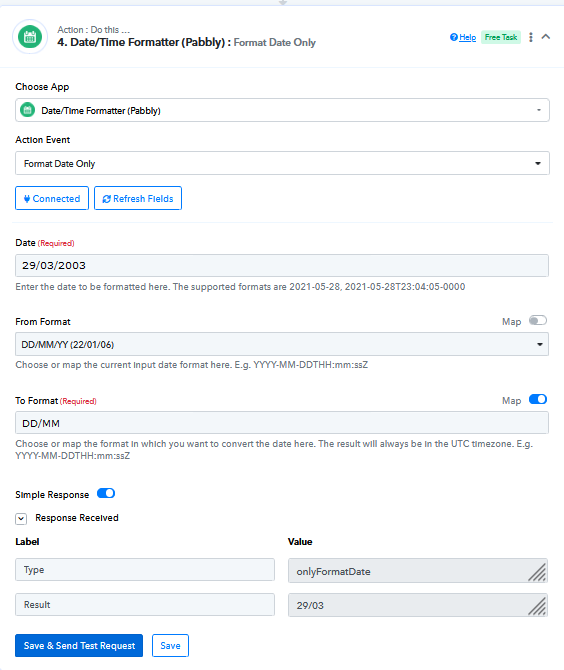
It's working thanks Preeti!
Hello @Bomeline
Thanks for the update, we'd love to hear your thoughts! If you have a moment, please rate us on Google. Your feedback helps us improve.