Disable 2FA verification
Status: Open · Asked by balaaustin20 on · 0 views
hi,
I never have any 2FA authentication option, but when I login it’s asking for a code. I have Authenticator app but not connected with pabbly. Hence I wanted to disable it. Pls help. Having this issue for the last one week. Couldn’t login my account.
hi,
I never have any 2FA authentication option, but when I login it’s asking for a code. I have Authenticator app but not connected with pabbly. Hence I wanted to disable it. Pls help. Having this issue for the last one week. Couldn’t login my account. Trying to get in touch with the chat but no response. Pls help.
Hey @balaaustin20,
To disable the 2FA (Two-Step Verification), follow the steps below:
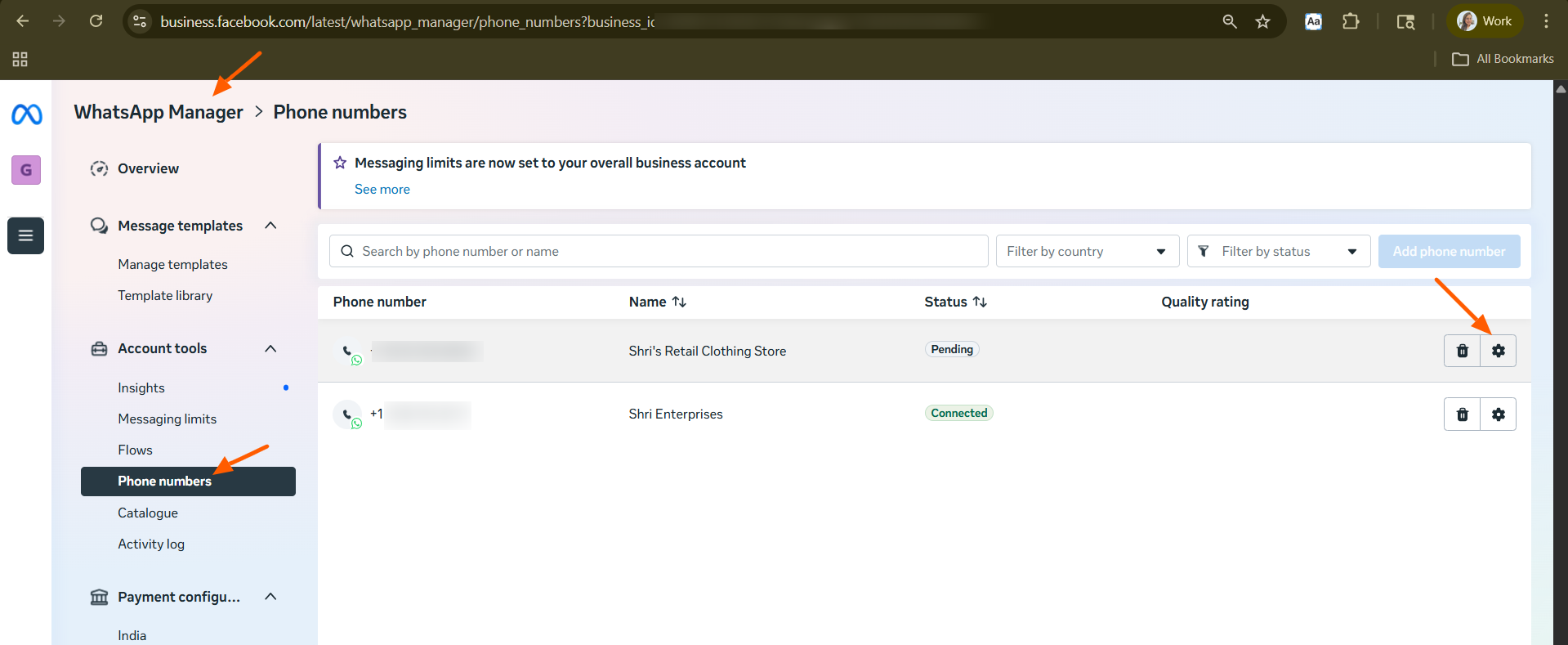
- Navigate to business.facebook.com/wa/manage.
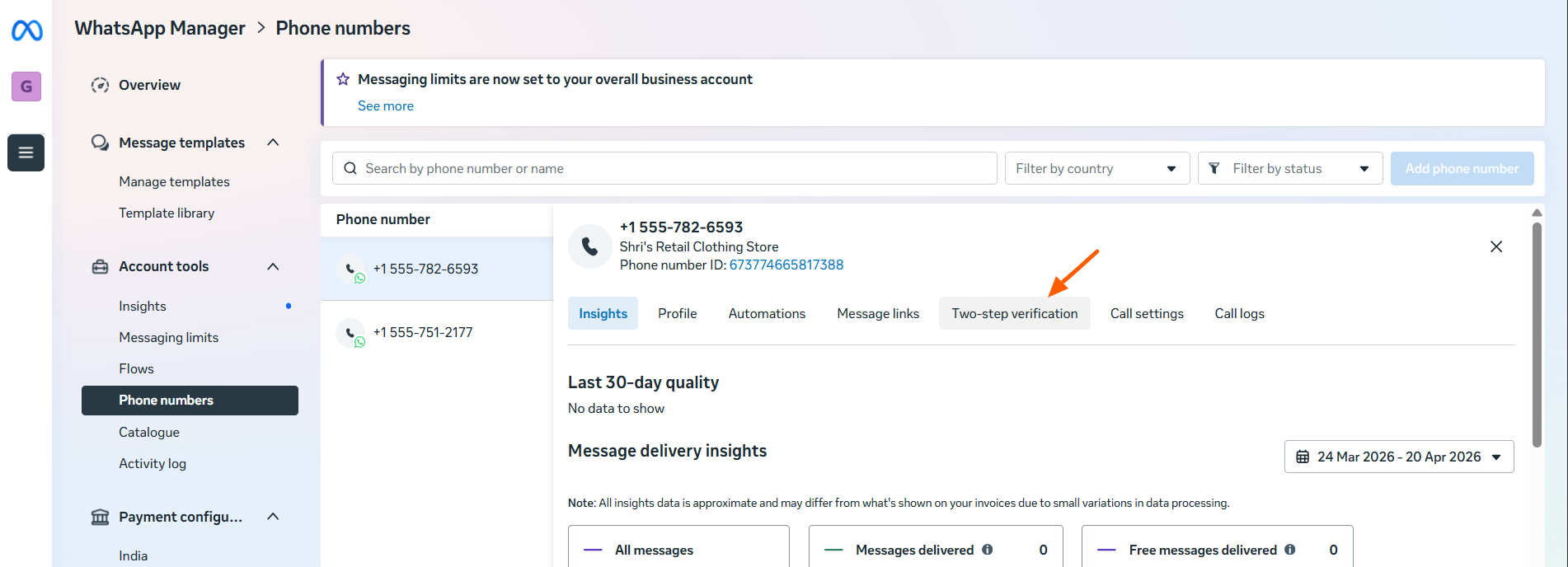
- Select the phone number associated with your API.
- Click Settings and choose Two-step verification.
- Click Turn off two-step verification.
- Check the email associated with your Meta Business Manager to confirm the disabling of 2FA via the link sent by WhatsApp.
Hey @balaaustin20,To disable the 2FA (Two-Step Verification), follow the steps below:
- Navigate to business.facebook.com/wa/manage.
- Select the phone number associated with your API.
- Click Settings and choose Two-step verification.
- Click Turn off two-step verification.
- Check the email associated with your Meta Business Manager to confirm the disabling of 2FA via the link sent by WhatsApp.
Than you Preeti ! I tried but it gives the below message. Also, I couldn't locate an option for "Two-Step Verification." under settings category. Please help.
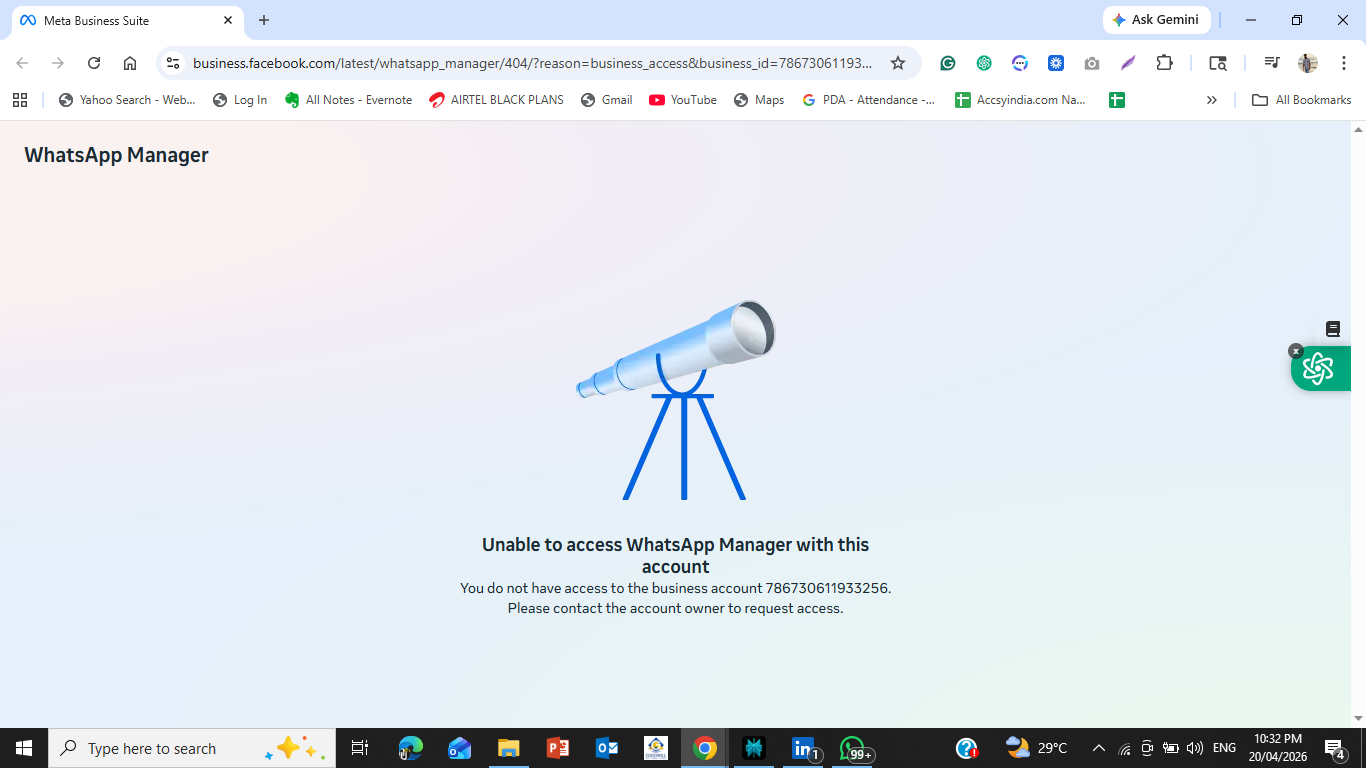
Unable to access WhatsApp Manager with this account
You do not have access to the business account 786730611933256. Please contact the account owner to request access.
Hello @DEH1,
Thank you for sharing the details and screenshots.
The error message you are encountering — “Unable to access WhatsApp Manager with this account” — typically indicates that the currently logged-in email ID does not have access to the respective WhatsApp Business account.
Kindly ensure the following:
- Correct Login Credentials
Please confirm that you are logged in with the same email ID that is associated with the concerned WhatsApp Business account. If not, we recommend switching to the correct account or requesting access from the account owner. - Required Permissions
Access to WhatsApp Manager (including settings like Two-Step Verification) is only available if your email ID has the necessary permissions. - Two-Step Verification (2FA) Access
Please note that to disable or manage Two-Step Verification, you must have Owner/Admin-level access to the respective Facebook Business account.
For your reference, please follow the highlighted sections in the screenshots below to locate the Two-Step Verification option: