Disable quantity option from checkout page using the customizer
Status: Closed · Asked by Pabbly Team on · 0 views
[Customer Query]-
Hey There! In Checkout page there is product quantity change option. You can increase and decrease that quantity. Is there anyway we can disable that functionality?
Yes, the quantity option could be disabled using the checkout customizer. The same option could be seen under the plan section of the Pabbly account.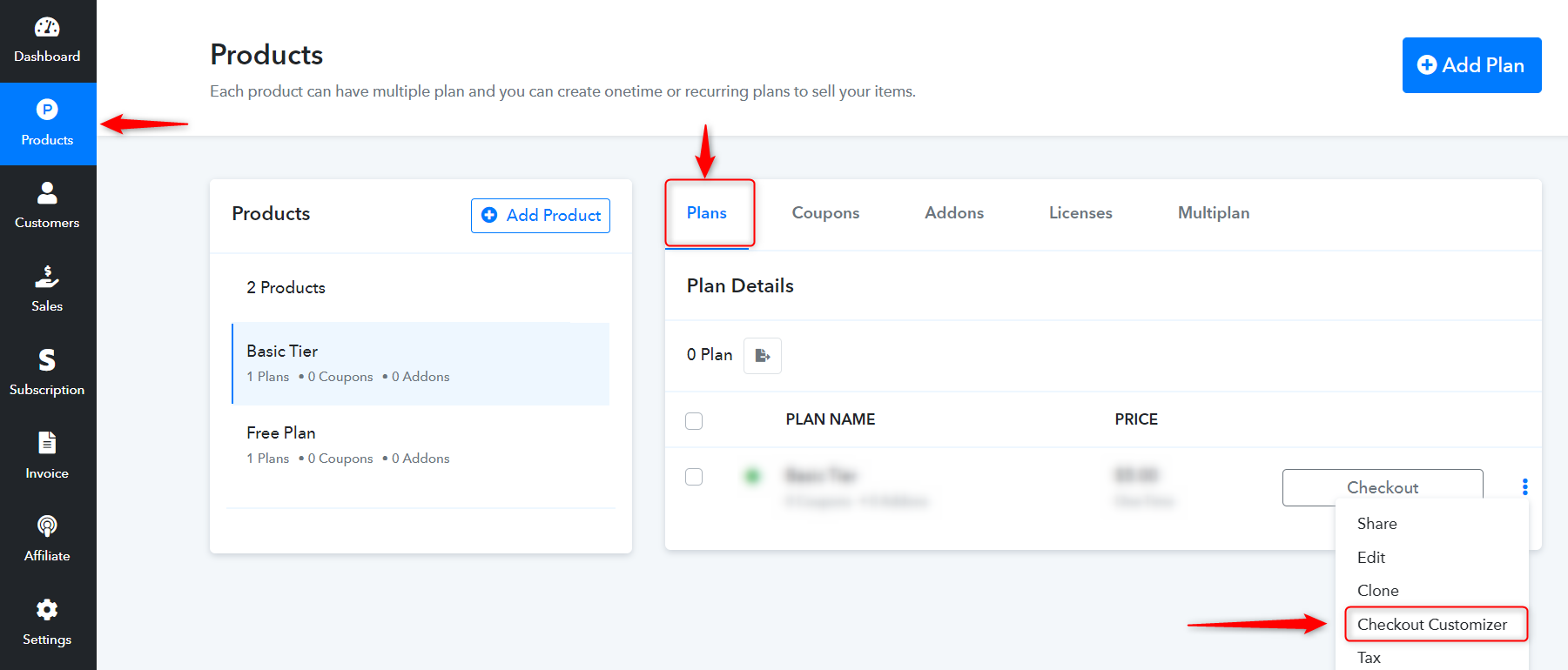
After selecting the above option, it'll then redirect to the customizer from where the quantity option could be disabled. For reference, please check below - 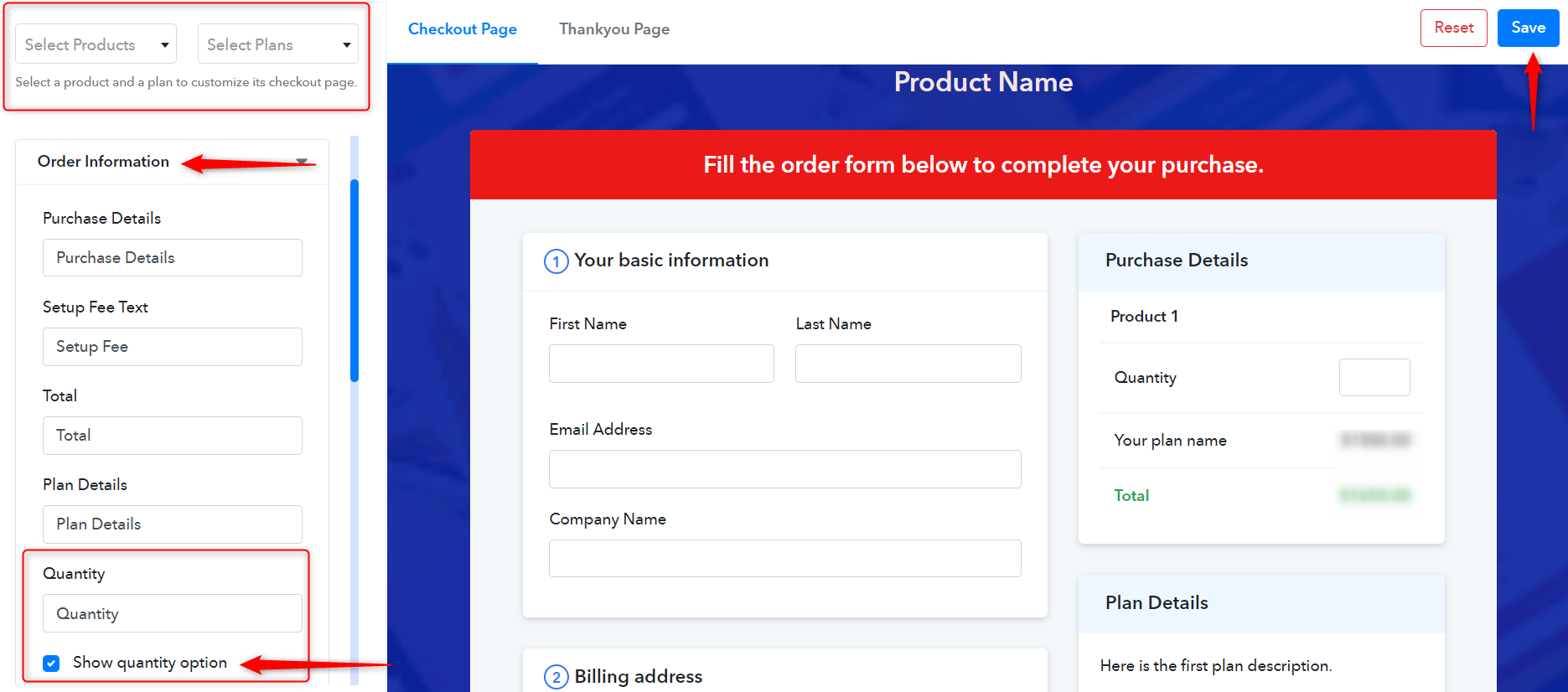
Similary, there is one more advantage of this setting that you can customize all the checkout pages of a specific plan in a different manner. For precise clarity, please follow this documentation - https://www.pabbly.com/subscriptions/docs/customize-checkout-page/#section1