Drip to Prefinery
Status: Open · Asked by DannyJames on · 0 views
Hi,
I'm trying to connect what I perceived was a simple New Subscriber trigger in Drip, with Create User in Prefinery. What do I put in the required 'email address' and status' fields in Prefinery? I'm getting the following error messages. 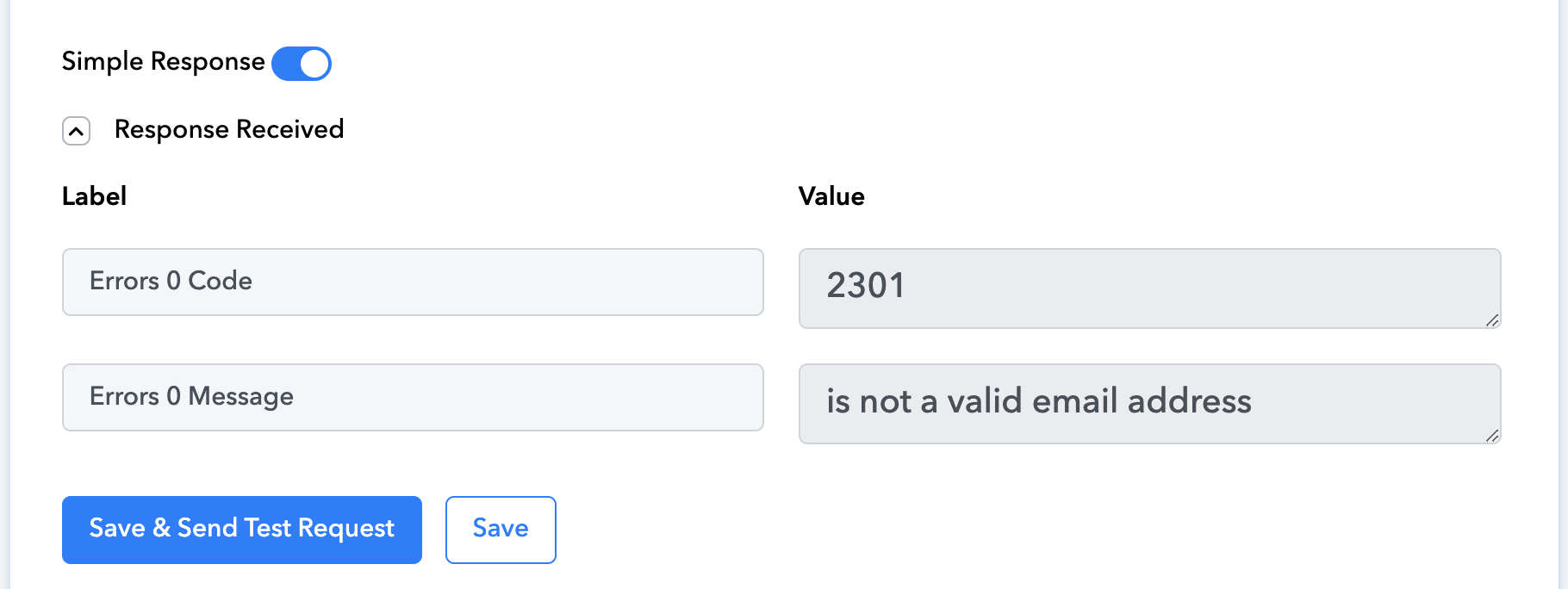
Hello @DannyJames,
Could you please provide us with the Workflow URL where you are facing this issue? This will help us investigate the problem more effectively and assist you accordingly.
[IMG width="572px" height="172.333px"]https://lh7-rt.googleusercontent.com/docsz/AD_4nXfN-WTJZ80xdIevWRQlJmWxrEW_wCVOAG3Onu7jNw-y_vKrmRocQMrMIaBl7H0-kxc-2OGw0dtx29Bsti1f9zMmvS_rKxm6elD-XxeDTCO5n999WKmbgB_aMUMawk6seRmiPZZL?key=PL4GUVQWZ8u13PditD4i_cYb[/IMG]
Hi and thank you!
Here it is: https://connect.pabbly.com/workflow/mapping/IjU3NjYwNTY4MDYzNTA0MzY1MjZmNTUzNjUxMzIi_pc
Hello @DannyJames,
Thank you for sharing the workflow URL. Upon checking, we noticed that the trigger response hasn’t been captured yet, and the email field in Prefinery is not mapped correctly.
We’ve attached a tutorial to guide you through the process. It explains how to capture the response from Drip and demonstrates the correct way to map data from one step to another.
Please refer to the video and update the mapping accordingly. If you face any issues, feel free to reach out—we’re here to help!
Thank you.
I'm not sure which of the options below I'm meant to be using? 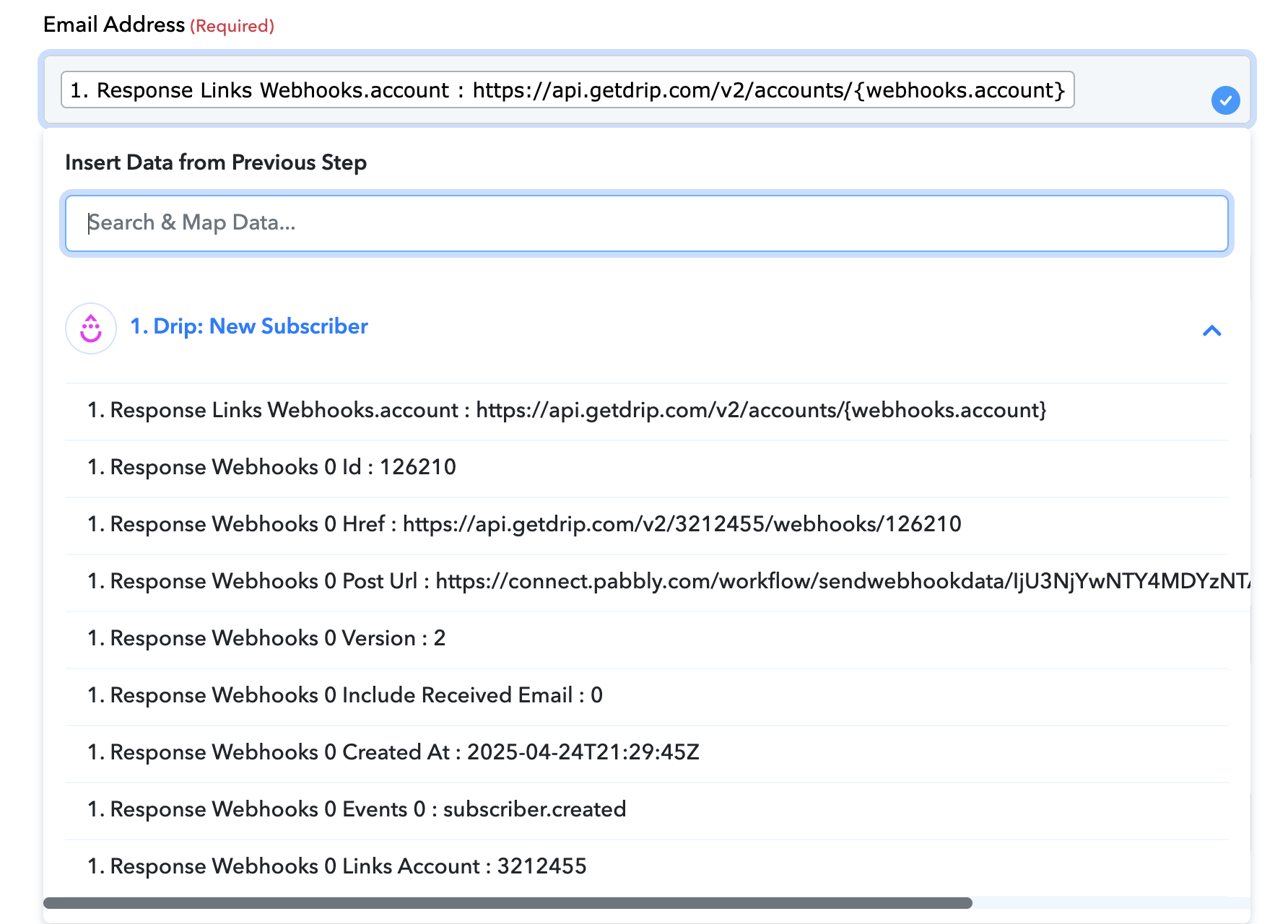
It appears that you've deleted the workflow where you encountered this issue. Please create a new workflow from scratch and set up Drip as the trigger step by following the instructions in this video. Once the subscriber details are captured in the trigger step, you can map the email address in the Prefinery action step.