Dubb integration: Create contact works via API module, but how to UPDATE existing contacts with new data?
Status: Open · Asked by Iseluleko Ma'at El 0 on · 0 views
Hi Pabbly team ?,
I’m currently integrating Dubb CRM using Pabbly Connect and I’ve run into an issue with updating existing contacts.
What’s working
- The native Dubb app action to create/update contacts keeps returning Bad Request.
- As a workaround, I successfully used the API module with:
POST https://api.dubb.com/api/v2/contacts
This creates new contacts correctly when they don’t exist.
The problem
Once a contact already exists in Dubb, I need to update that same contact with:
- New tags (tier upgrades)
- Possibly other fields (phone, custom fields, etc.)
However:
- Using the same POST endpoint either fails or attempts to create duplicates
- The Dubb API docs aren’t clear on the correct endpoint or method to update contacts
- The Pabbly Dubb app doesn’t expose an “Update Contact” action that works reliably
What I need help with
- What is the correct API endpoint + method to update an existing Dubb contact?
- Should it be PUT or PATCH?
- Is the contact updated via email, contact ID, or another identifier?
- How can this be implemented properly inside Pabbly Connect?
- Should we first search/find the contact in Dubb?
- Then update it using the returned contact ID?
Use case
A user purchases different tiers over time:
- Free → Rising Father → Council → VIP
Each purchase should: - Add a new tier tag
- Remove the previous tier tag
- Keep the same Dubb contact record
Any guidance or working example would be greatly appreciated ?
Thanks in advance!
Hi @Iseluleko Ma'at El 0,
You would need to use the Get Contact by Email action step to fetch the contact ID.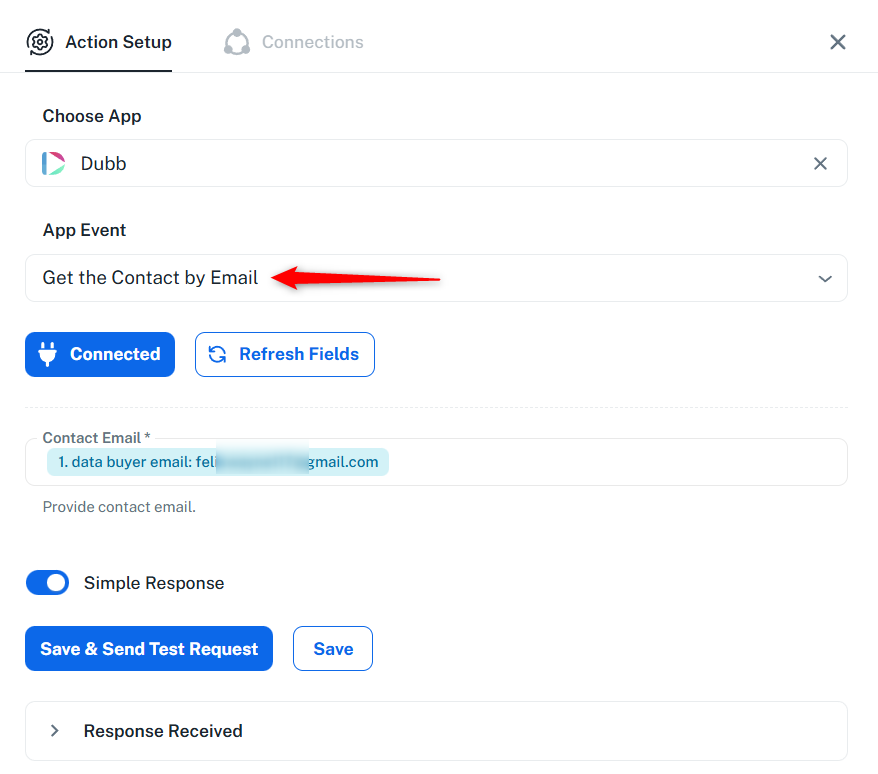
Then pass that contact ID to the Update a Contact action step. This will allow you to update the details of an existing contact.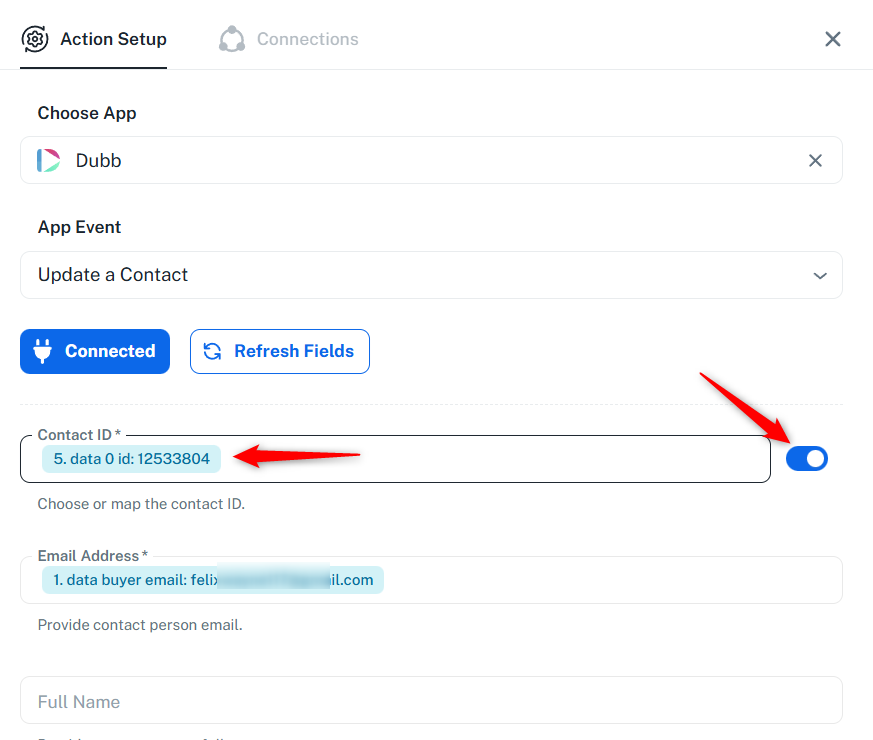
===============================================================
For some reason, you are encountering a Bad Request error in the Dubb: Update a Contact action step. Please allow our technical team some time to look into this issue. We will get back to you with an update soon.
Our technical team has made some changes to the Dubb: Update a Contact action step, which should resolve the Bad Request error. Please check this on your end.
Thanks & Regards,
Arshil Ahmad
Customer Support Associate
? Pabbly.com
?Rate your support