Duplicate runs of the Workflow [Gmail to Telegram Notification]
Status: Open · Asked by Hasan Jubair on · 0 views
Hi,
My website's platform does not have a new order alert webhook available, so I rely on the email that I receive on my Gmail account.
I've created the workflow for getting a Telegram notification when a new order email is received.
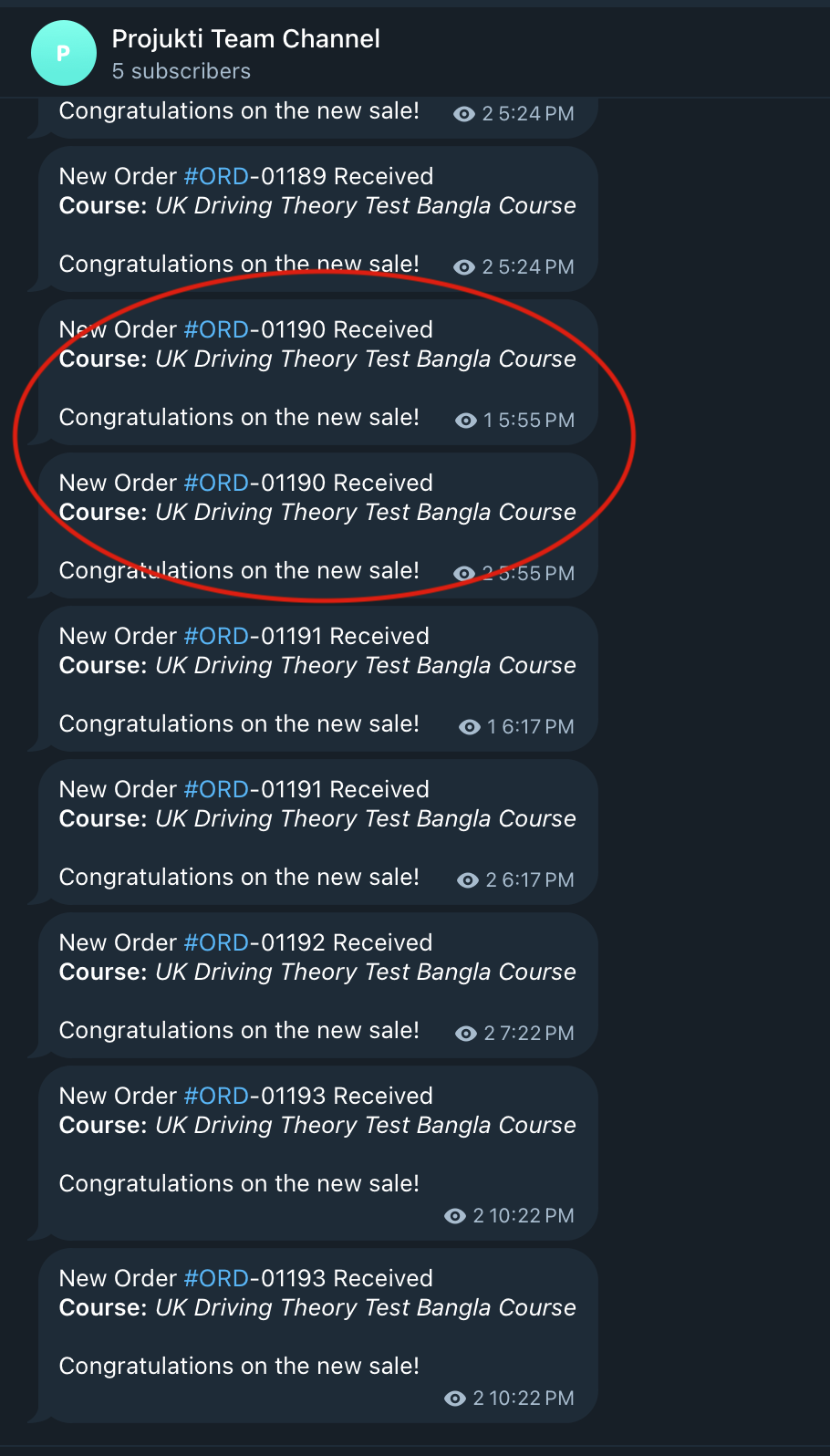
Everything is working fine. Except I randomly get double notification, sometimes I get only one unique notification, but I randomly get double notifications for some orders.
To clarify, I do not get double email on my Gmail, The workflow just triggers twice sometimes.
You can check the workflow history for the double runs.
Hi @Hasan Jubair,
The issue you are encountering occurs when the “Save & Send Test Request” button is clicked multiple times in the Gmail trigger step.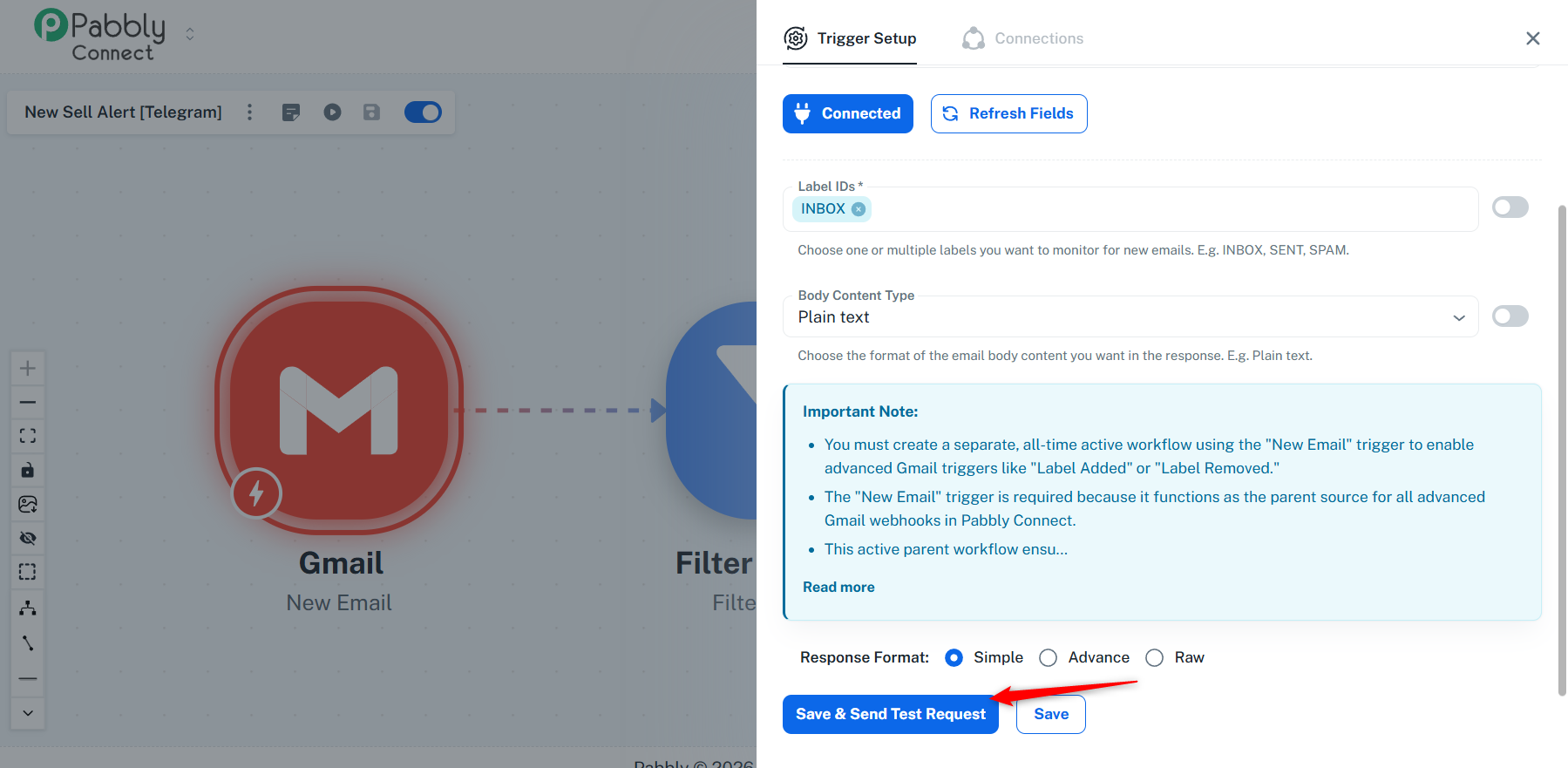
To fix this issue, you need to set up a new workflow with Gmail as the trigger step.
Please note that the Gmail trigger can only be used in one workflow at a time. So, you’ll first need to remove the connection from your current workflow using the “Gmail: Remove New Email Trigger” action step.
After removing the connection, create a new workflow and set up Gmail as the trigger step. Also, make sure to click the “Save & Send Test Request” button only once.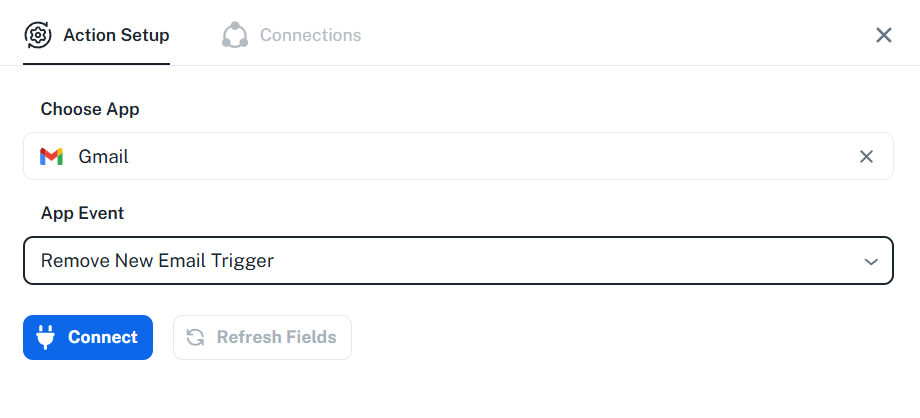
Thanks & Regards,
Arshil Ahmad
Customer Support Associate
? Pabbly.com
?Rate your support