Dynamic URL - WA Template
Status: Open · Asked by sportinvest on · 0 views
Hello,
can you explain how to set up a dynamic URL with Chatflow and then work with connect?
Hi @sportinvest,
Could you please elaborate a bit more on your exact use case? Do you want to add a Call to Action button to your WhatsApp template with a dynamic URL?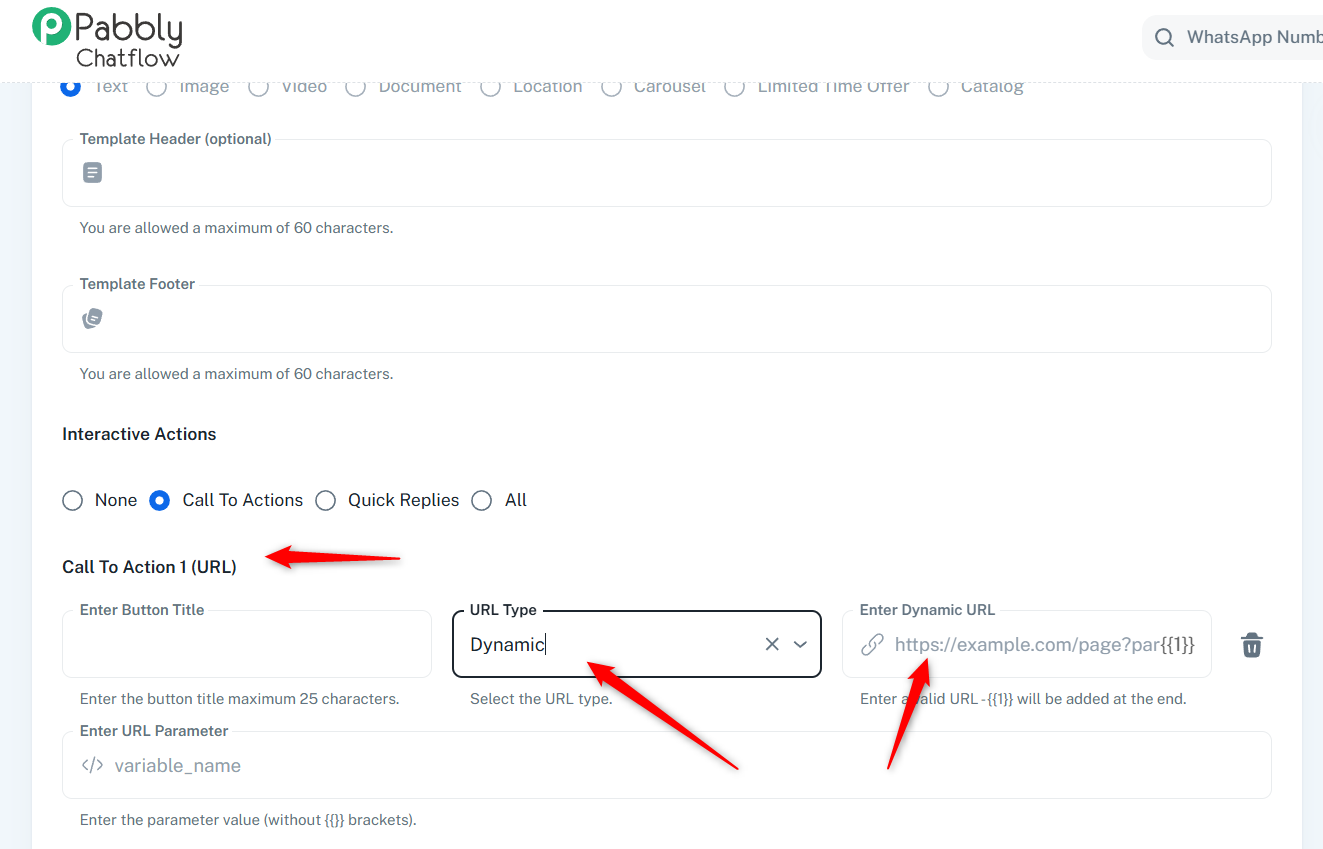
youtube.com/watch?v=lmXyI79aENQ
Watch the video shared below to understand how you can send data from Pabbly Chatflow to Pabbly Connect.
youtube.com/watch?v=TMu35XAOK0A
Thanks & Regards,
Arshil Ahmad
Customer Support Associate
? Pabbly.com
?Rate your support
Hello,
I have Active Campaign who has this contact field, which it is variable because is a link
https://forum.pabbly.com/linka
https://forum.pabbly.com/linkb
https://forum.pabbly.com/linkc
Project is to receive webhook from AC to Pabbly connect (or if I can directly on Pabbly ChatFlow), then send a template with that variable link
But to be honest I did not understand what should I fill insert in the "Enter Dynamic URL" and "Enter Url Parameter field"
and then in Pabbly connect how to setup the same link
Hope this is clear
Can you help?
Hi @sportinvest,
Thanks for explaining your use case.
Could you please share the workflow URL if you have already set one up in Pabbly Connect so we can review it?
Also, this guide should help you understand how to configure a dynamic URL in a WhatsApp template:
https://docs.pabbly.com/s/f3b40ae7-4846-4110-8cf3-cdd0cf3467c2/doc/template-creation-cta-button-guide-bV4wh7lApr#h-example-sending-a-dynamic-url-template
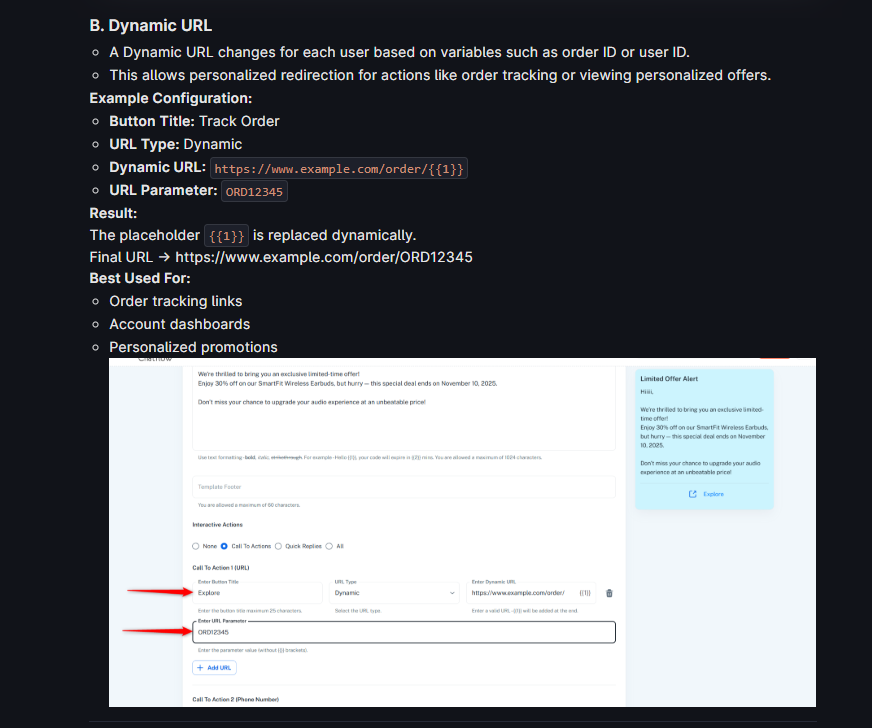
Hello workflow is
https://connect.pabbly.com/workflow/mapping/IjU3NjUwNTZiMDYzZjA0MzM1MjY5NTUzMzUxMzIi_pc
Let's say for example this link
https://event.webinarjam.com/31zmn/go/live/31zmnhrh29bmu3v8
I should use as {{1}} -> 31zmnhrh29bmu3v8
But how can I setup on Connect
Hi @sportinvest,
Could you please confirm whether the base URL for the video or page you want to add to the CTA button will remain the same, and only a unique part of the link changes for each webhook response from ActiveCampaign?
If that is the case, then your understanding is correct — you would place the variable/unique part in the parameter (for example 31zmnhrh29bmu3v8), while the base URL remains fixed in the dynamic URL field.
You can refer to the following tutorial to understand how to set up the CTA button, configure the template, and pass the parameter from Pabbly Connect:
youtube.com/watch?v=-heayocBoBA:842
If you still face any difficulty while setting this up in Connect, please let us know, and we will guide you further.