Ecwid trigger not working automatically for live orders (Works in Test Mode)
Status: Open · Asked by Danny yoon on · 0 views
I have set up a workflow with the following steps:
1. Ecwid (New Order Trigger)
2. Iterator
3. Text Formatter (Parser)
4. AppSheet (Update Row) The workflow status is currently "Enabled" (Turned ON). When I manually click "Save & Send Test Request" inside the workflow editor, it works perfectly and updates the data in AppSheet. However, when a real/live test order is placed in my Ecwid store, the workflow does not trigger automatically. There are no logs or records appearing in my Task History for these live orders. It seems like Pabbly is not receiving the live webhook signal from Ecwid when the workflow is active. Could you please check why the automatic trigger is not working for Ecwid live orders? Thank you!
Hey @danny524,
Could you please provide us with the Workflow URL where you are facing this issue? This will help us investigate the problem more effectively and assist you accordingly.
Please be aware that to assist you effectively, we may need to access your Pabbly Connect account. If you're comfortable with this, please grant us permission by stating in your next reply:
"You have my permission to log into my Pabbly Connect account and edit the workflow, if required. Here is the registered email address associated with it."
Looking forward to assisting you further.
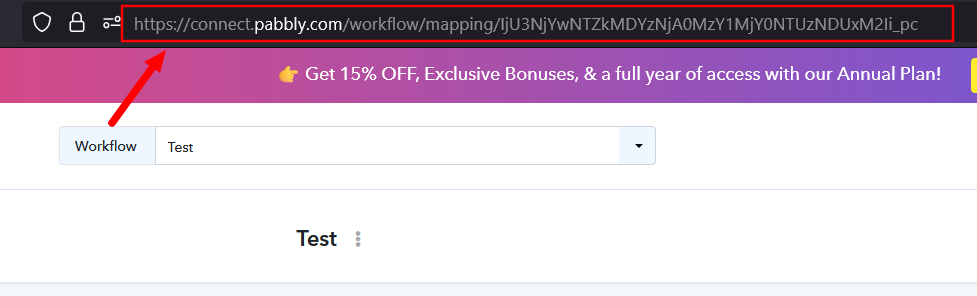
i have updated my workflow link at original question. thank you^^
Hey @danny524,
Thanks for sharing the workflow URL.
However, when we tried to access your account, we noticed that your profile setup has not yet been completed. Because of this, we are currently unable to access your Pabbly Connect account and review the workflow.
Please complete the profile setup as shown in the screenshot below and let us know once it has been done. After that, we'll be able to check the workflow and assist you further.
Hey @danny524,Thanks for sharing the workflow URL.
However, when we tried to access your account, we noticed that your profile setup has not yet been completed. Because of this, we are currently unable to access your Pabbly Connect account and review the workflow.
Please complete the profile setup as shown in the screenshot below and let us know once it has been done. After that, we'll be able to check the workflow and assist you further.
I just update my profile^^
Can you check ?^^
Hey @danny524,
Thank you for updating your profile.
We checked your workflow and it appears that the Ecwid trigger is working correctly. We can see recent task history entries being created, which confirms that live orders are reaching the workflow.
Regarding the latest failed task history, the issue is occurring in the Text Formatter (Parser) step. The key/value that is mapped in the Text Formatter was not received in the trigger data for that particular order, causing the step to fail.
You can review the affected task history here:
https://connect.pabbly.com/v2/app/history/task-history?workflowId=IjU3NjcwNTZlMDYzZTA0M2M1MjZlNTUzMTUxM2Ii_pc
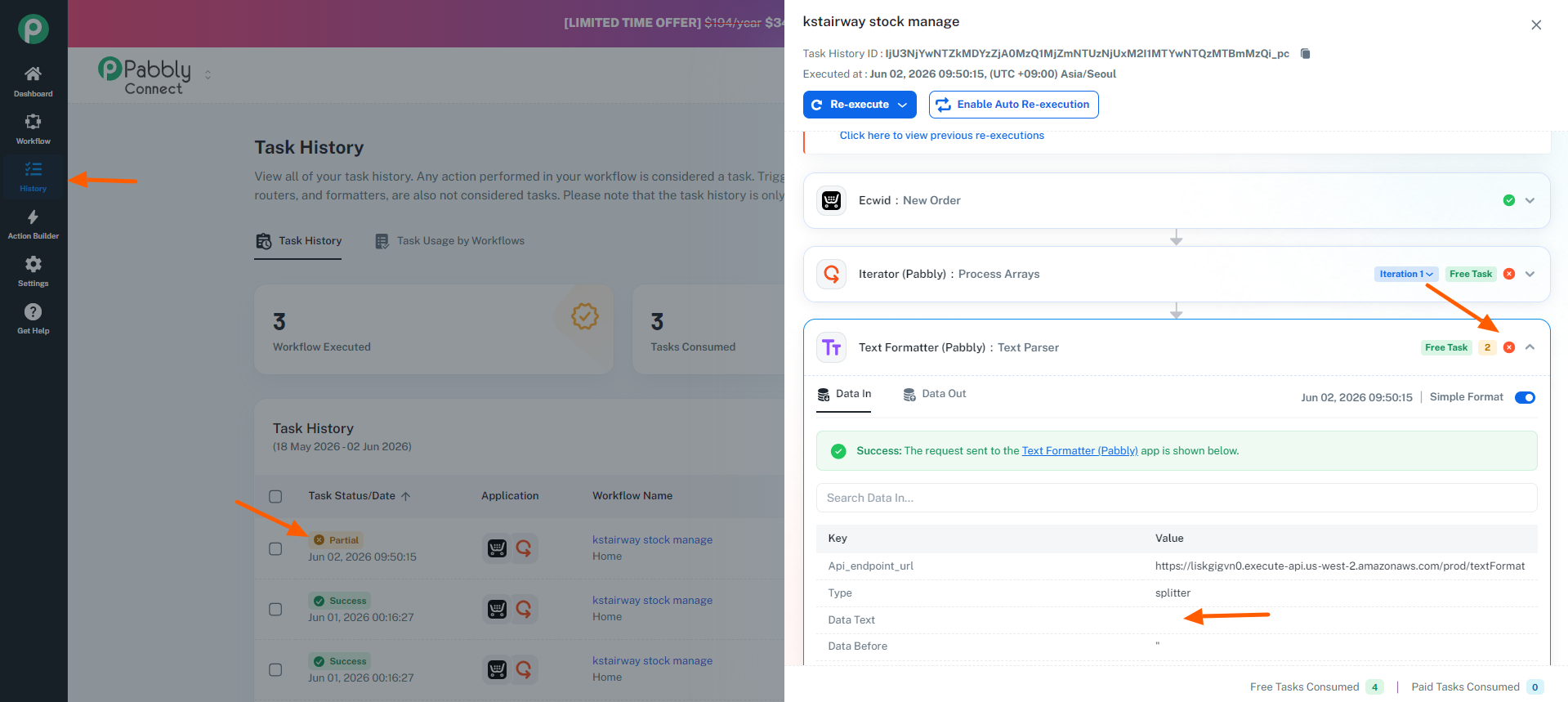
We recommend checking the data received from Ecwid for the failed order and verifying whether the expected field/key is present. If the field may not always be available, you can add conditional handling in the workflow to prevent such failures.
ah sorry that order ignore ok. cuz that order doesnt have sku number
I ordered again myself right item. can check please
#KS.WBGAA
1. Ecwid (New Order Trigger)
2. Iterator
3. Text Formatter (Parser)
4. AppSheet (Update Row)
when i click the test is working, but if i don't click, it is not working
ah sorry that order ignore ok. cuz that order doesnt have sku numberI ordered again myself right item. can check please
#KS.WBGAA
1. Ecwid (New Order Trigger)
2. Iterator
3. Text Formatter (Parser)
4. AppSheet (Update Row)when i click the test is working, but if i don't click, it is not working
It doesn't look like your latest order has triggered the workflow, which is why it isn't appearing in your task history.
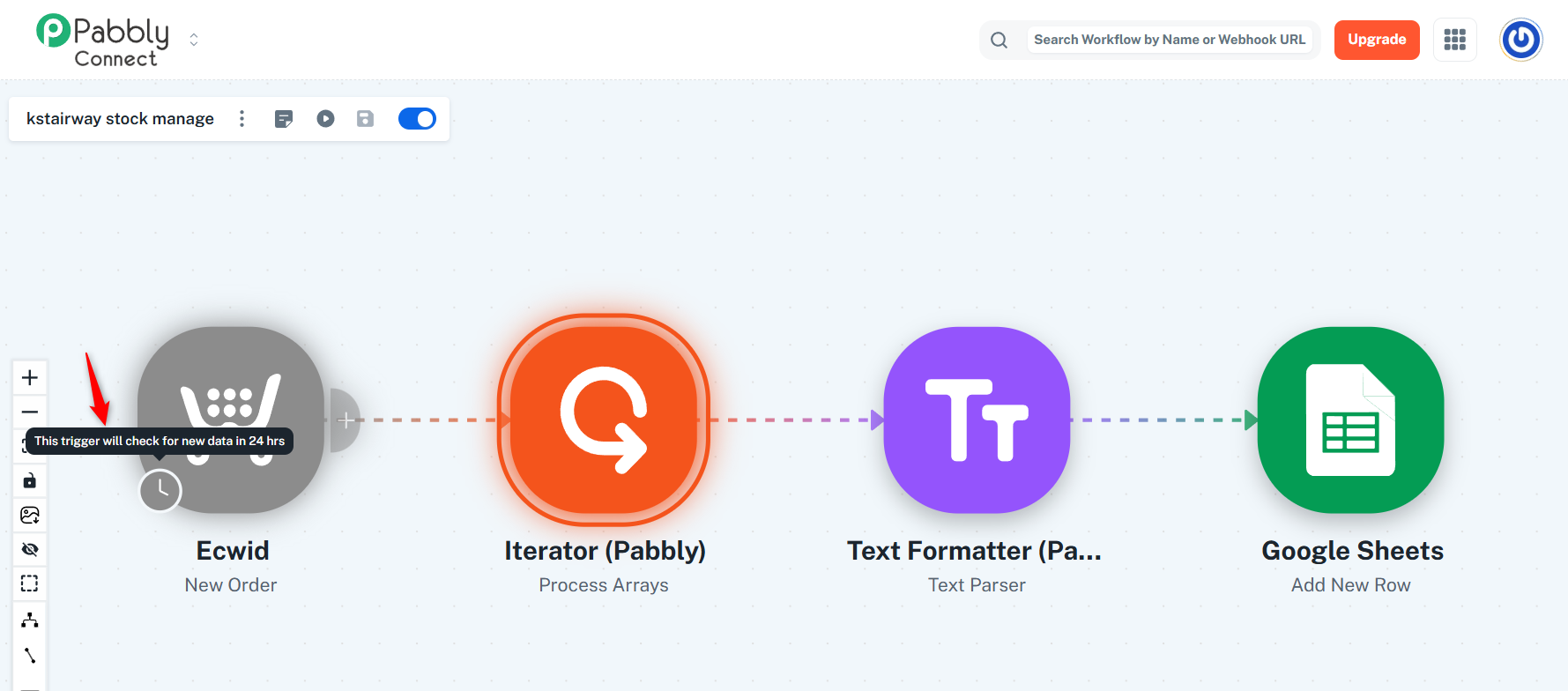
Please note that the Ecwid trigger application has a trigger interval of 24 hours, so it may take up to 24 hours for the workflow to be triggered for a new order.
For users on paid plans, we can reduce the trigger interval to 10 minutes, meaning the workflow will be triggered within 10 minutes of an order being placed.
If you'd like to upgrade, you can purchase a plan here:
https://buy.pabbly.com/connect/
Thanks & Regards,
Arshil Ahmad
Customer Support Associate
? Pabbly.com
ah understand! thank you so much^^
i will upgrade!