Email not triggering from Google Sheets
Status: Open · Asked by Girish on · 0 views
Hi,
I have set up a Pabbly workflow to trigger an email when new row is added in a Google Sheet. But the email is not getting triggered, when a new row is added. But when I manually do a 'Send Custom Data' is works fine. Why could this be happening?
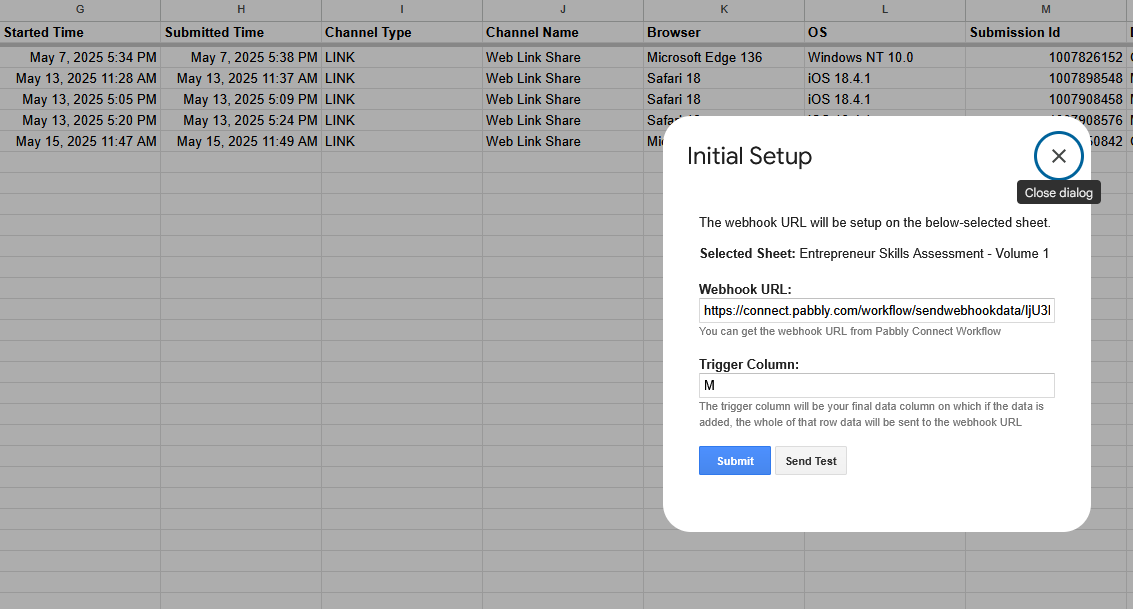
Attached is the screen shot of the page where the details are presented. The trigger is set on Column M. There are a few more columns after M, but they are irrelevant for this particular workflow.
Hello @Girish,
To make automation work, you need to enable 'Send On Event' if you're manually entering data into your Google Sheets. If the data added to your Google Sheets comes from another API or third-party application, you also need to enable 'Auto Send on Schedule'.
Note: If your data is being added from an external source/API, your workflow will take up to 1 hour to get triggered.

Hello @Girish,To make automation work, you need to enable 'Send On Event' if you're manually entering data into your Google Sheets. If the data added to your Google Sheets comes from another API or third-party application, you also need to enable 'Auto Send on Schedule'.
Note: If your data is being added from an external source/API, your workflow will take up to 1 hour to get triggered.
I have the 'Send on Event' enabled, but not the other one. Will do that and try. Thank you.
I have the 'Send on Event' enabled, but not the other one. Will do that and try. Thank you.
Hi.. so I did 'Auto Send on Schedule' as well. It triggered the emails for the existing records. I then added a new row using an external form around 6PM. Now it is close to 7PM and I still have not received an email. What could be the reason?
Below is the screen shot of the set up. Expecting an email for the last record which was added at 5:58PM (Submitted Time - column)
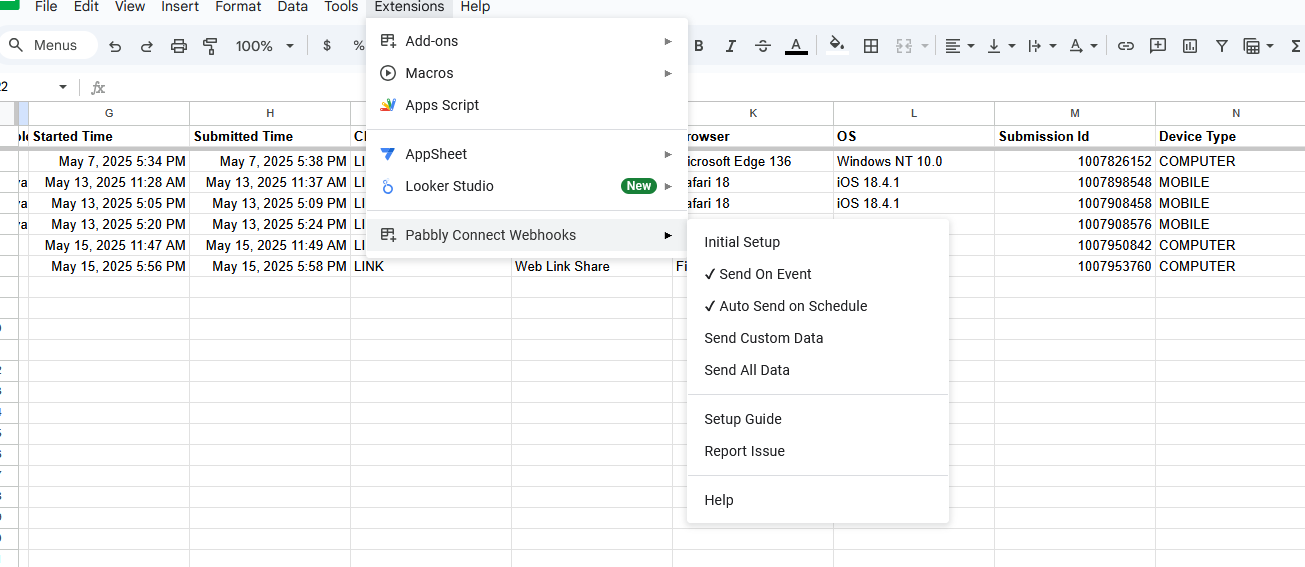
Hi.. so I did 'Auto Send on Schedule' as well. It triggered the emails for the existing records. I then added a new row using an external form around 6PM. Now it is close to 7PM and I still have not received an email. What could be the reason?Below is the screen shot of the set up. Expecting an email for the last record which was added at 5:58PM (Submitted Time - column)
Interestingly, I just got the email after I sent the above reply :). I had gone into the Pabbly workflow, just to make sure all was good and I got an email. I did not trigger it from Pabbly. Will test again and keep you posted. Thank you.
Yes, it can take up to 1 hour for the workflow to trigger when the spreadsheet is updated through an external form.