Email Template Personalization Not Working While Sending Single Emails Using Pabbly Connect Workflow
Status: Open · Asked by Abhijeet Prakash on · 0 views
Email Template Personalization Not Working While Sending Single Emails Using Pabbly Connect Workflow
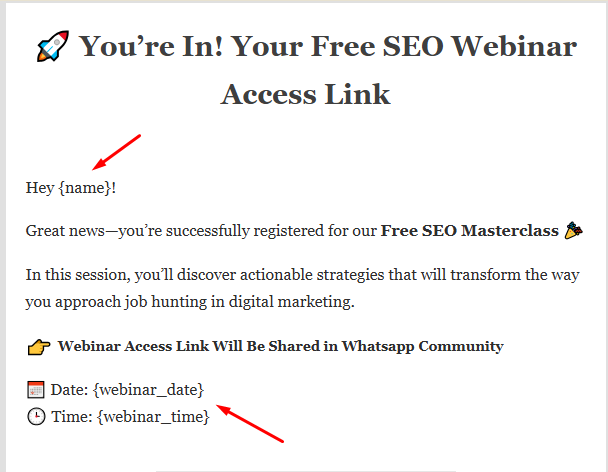
There is no option to add personalization in email like names, city or more details which is available in pabbly subscriber list or captured from trigger.
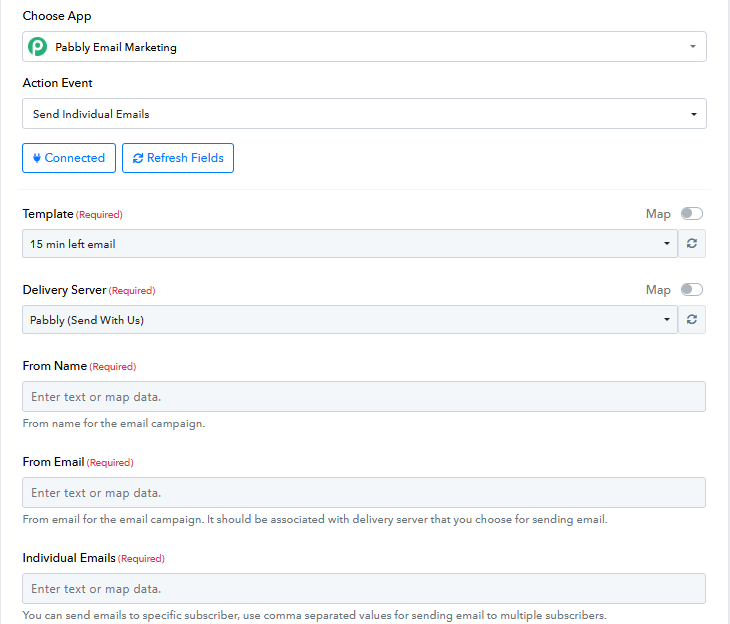
I want to send personalized email using pabbly connect.
Hi @abhijeetprakash,
Could you please share the Workflow URL where you have this concern?
Thanks & Regards,
Arshil Ahmad
Customer Support Associate
? Pabbly.com
?Rate your support
Here is the workflow URL- https://connect.pabbly.com/workflow/mapping/IjU3NjYwNTY1MDYzMjA0MzY1MjY0NTUzNTUxMzEi_pc
Check step 6
Thanks for Helping.
Hello @abhijeetprakash,
Our team has already fixed this issue and everything is good to go.
Marking this thread as closed now. Please let us know if you need anything further.
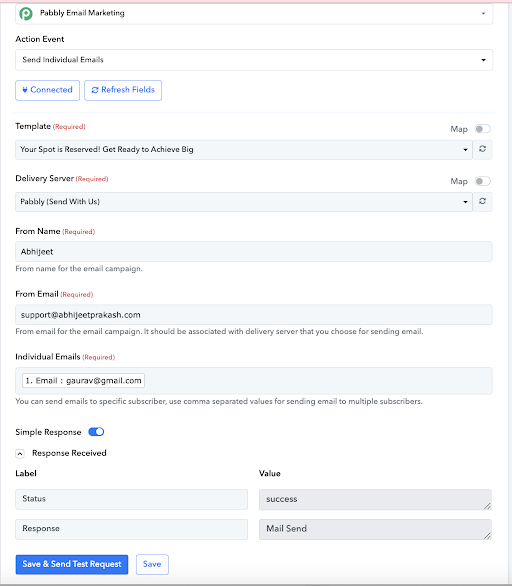
Mail is sending but it's not adding personalization in email template.
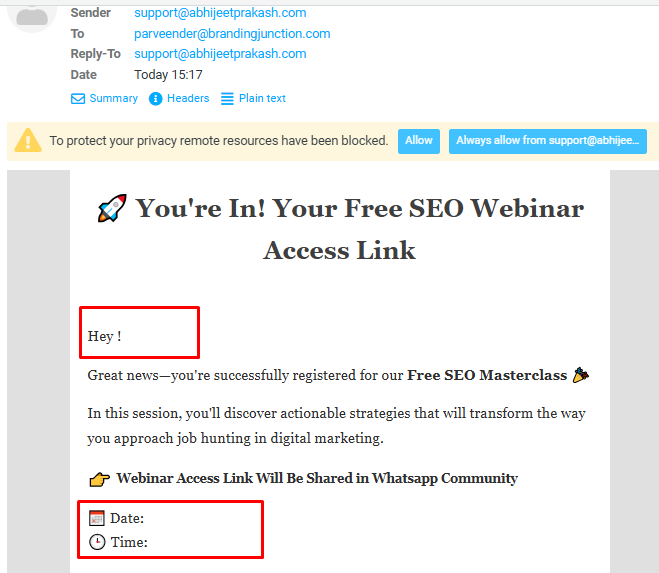
Check the above screenshot.
and now check the below screenshot of the template where I used personalization option: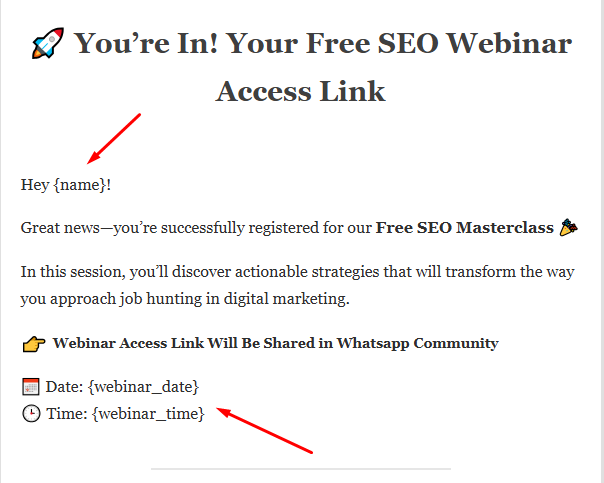
Template preview link- https://emails.pabbly.com/email_list/preview/IjM4NjExNyI_3D
Now check the subscriber details in the below screenshot:
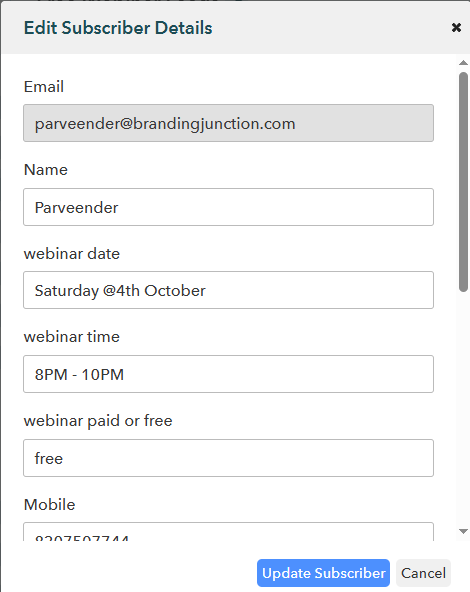
These details are adding in following workflow in step 5
[ https://connect.pabbly.com/workflow/mapping/IjU3NjYwNTY1MDYzMjA0MzY1MjY0NTUzNTUxMzEi_pc ]
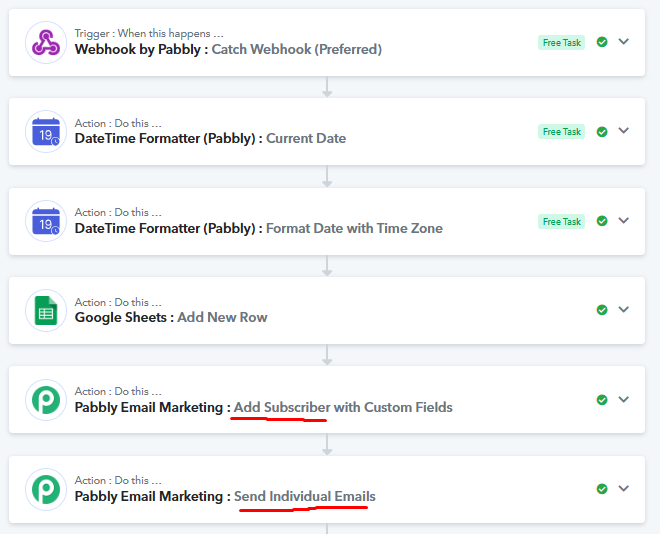
Now in the step 6 I want to send emails to these user with personalization details.
Hello @abhijeetprakash,
Upon checking your workflow, we found that in Step 6, when you are using the “Send Individual Emails” step, the email details are added, but custom fields are not being mapped correctly.
We recommend the following approach:
- Run the workflow up to the “Add Subscribers” step in Pabbly Connect.
- After that, connect to Pabbly Email Marketing and share the emails via automation there.
- This ensures that all custom fields are mapped properly.
In short: connect up to subscribers in Pabbly Connect, then use Pabbly Email Marketing automation for the remaining steps to ensure correct custom field mapping.