Email Template Variable not working with pabbly connect
Status: Open · Asked by Himesh Soni on · 0 views
Hi Team my variable is not coming in email received can you please help me out.
refer below video.
https://drive.google.com/file/d/1fLpihI8I2P368LM5RbOwND91hxV-S1HJ/view?usp=sharing
It's been more than 24 hours can I get atleast one reply from team.
Hello @Himesh,
Could you please confirm if you have added the parameter from the Personalized section? If not, please try creating the parameter using that option.
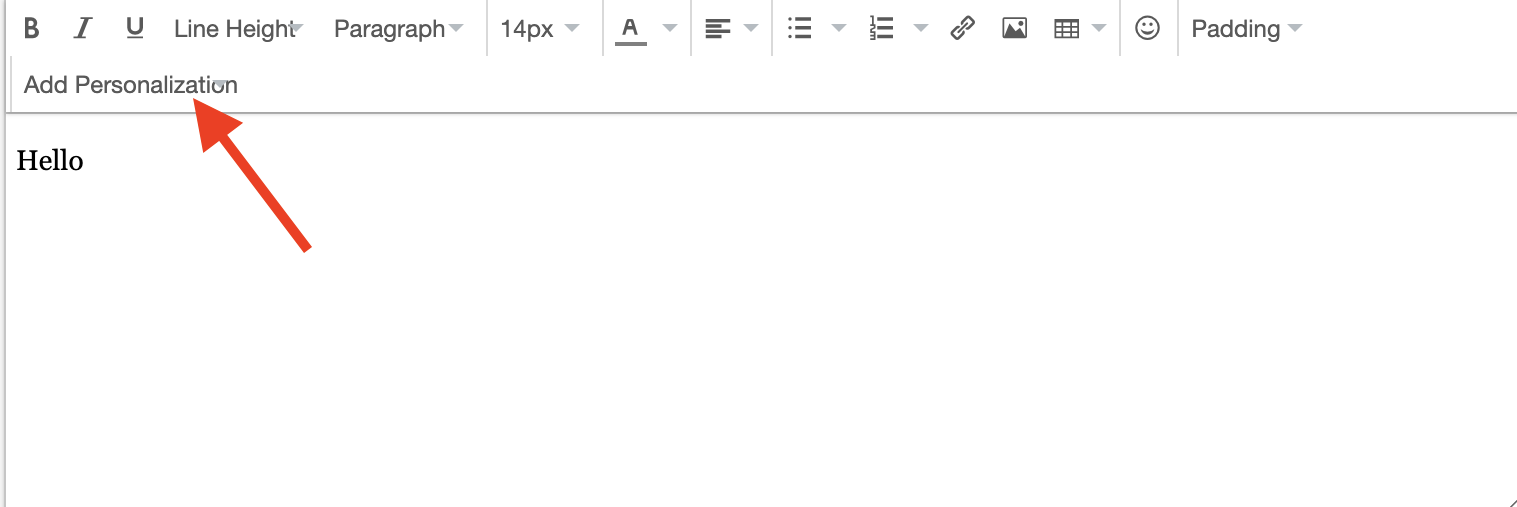
If the issue persists, kindly provide us with the email associated with your Pabbly Email Marketing account, so we can investigate further.
Hello @Himesh,Could you please confirm if you have added the parameter from the Personalized section? If not, please try creating the parameter using that option.
If the issue persists, kindly provide us with the email associated with your Pabbly Email Marketing account, so we can investigate further.
Yes already added this this
please find email id of the account:- [email hidden]
Hello @Himesh,
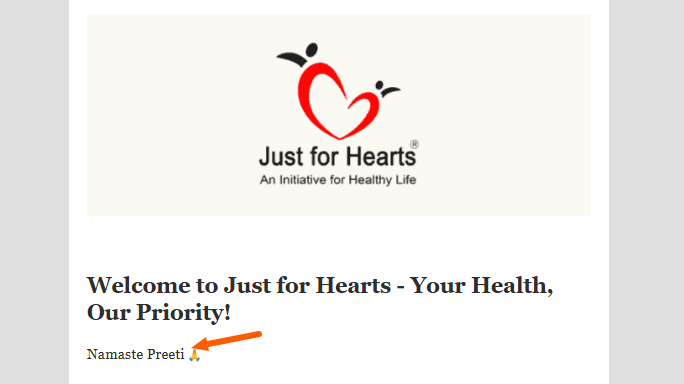
I have created a list of subscribers in your account using two of our emails, and the emails were received successfully with the names displayed correctly.
Please refer to the attached images for more details. Let me know if you need any further assistance!

Hello @Himesh,I have created a list of subscribers in your account using two of our emails, and the emails were received successfully with the names displayed correctly.
Please refer to the attached images for more details. Let me know if you need any further assistance!
Sure Let me check
Hello @Himesh,I have created a list of subscribers in your account using two of our emails, and the emails were received successfully with the names displayed correctly.
Please refer to the attached images for more details. Let me know if you need any further assistance!
Still facing the same issue. you can check in this video. You can check user [email hidden] has subscribed with name as Himesh.

Hello @Himesh,
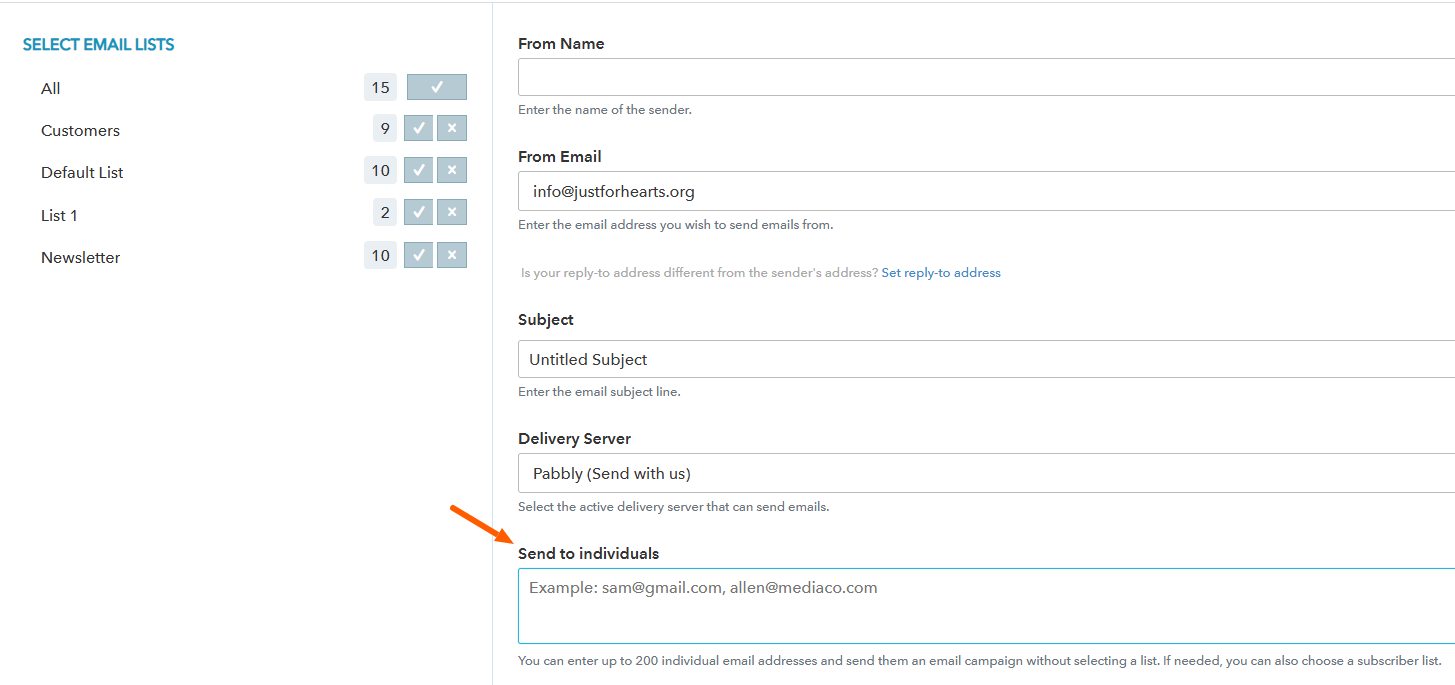
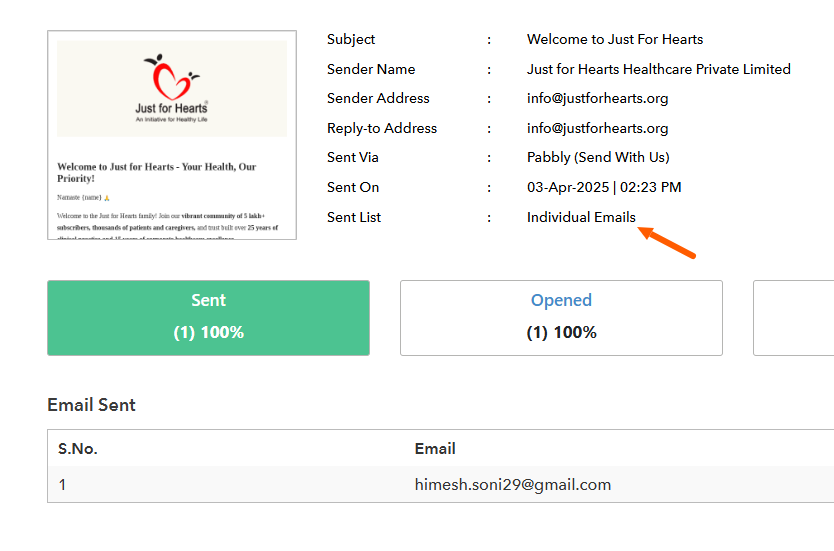
It appears that you attempted to send the email using the "Send to Individuals" option. Please note that when this option is used, the recipient’s name is not passed, as it is only available when sending to a list.
Kindly refer to the attached images for more details.
Hello @Himesh,It appears that you attempted to send the email using the "Send to Individuals" option. Please note that when this option is used, the recipient’s name is not passed, as it is only available when sending to a list.
Kindly refer to the attached images for more details.
Is there any way I can pass the name? I need to send the messages individually via Pabbly Connect Automations.
Hello @Himesh,
If you're using the "Send to Individuals" option directly from the dashboard, please note that it does not include the recipient's name in the email.
However, the Pabbly Email Marketing: Send Individual Emails action does allow you to map and include the recipient's name. Have you had a chance to try this option? If so, please let us know whether it works as expected for your use case, so we can assist you further.
Hello @Himesh,If you're using the "Send to Individuals" option directly from the dashboard, please note that it does not include the recipient's name in the email.
However, the Pabbly Email Marketing: Send Individual Emails action does allow you to map and include the recipient's name. Have you had a chance to try this option? If so, please let us know whether it works as expected for your use case, so we can assist you further.
Yes but it's not allowing me to map the name you can check here.
this is my wokrflow ID:- IjU3NjYwNTY5MDYzMTA0MzM1MjY0NTUzMDUxMzEi_pc
Let me know if I'm doing something wrong.
Hello @Himesh,
Apologies for the confusion caused due to the oversight. The system currently does not allow you to add the subscriber name, but only the "From Name".
I did discuss the possibility of achieving this with the team, but unfortunately, it's not supported at the moment.
Please let us know if there's anything else we can assist you with.
Hello @Himesh,Apologies for the confusion caused due to the oversight. The system currently does not allow you to add the subscriber name, but only the "From Name".
I did discuss the possibility of achieving this with the team, but unfortunately, it's not supported at the moment.
Please let us know if there's anything else we can assist you with.
Thank you for your support preeti. Please let me know when it's available. You can close this ticket if you want.