Emails not sending to snov.io
Status: Open · Asked by olimckenna on · 0 views
I am sending data from Google sheets to snov.io, the column for emails stores the email in a typical fashion, e.g. [email][email hidden][/email], no spaces after etc. >> https://prnt.sc/Tflkc0yB9NOb
Yet I am getting an error the email format is invalid: https://prnt.sc/pFUirFIpn2Do
What is the problem?
Thanks
Hey @olimckenna,
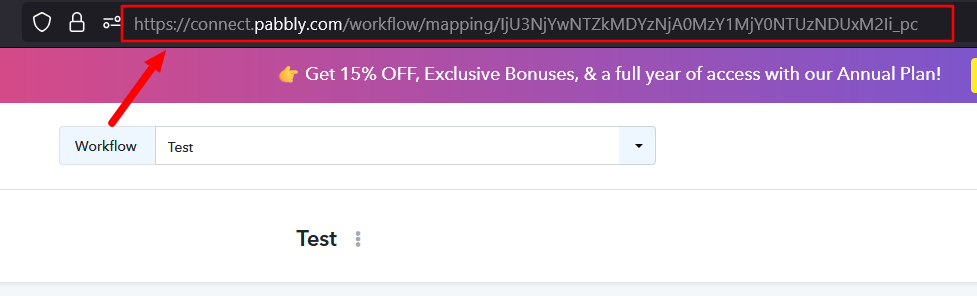
Could you please provide us with the Workflow URL where you are facing this issue? This will help us investigate the problem more effectively and assist you accordingly.
Please be aware that to assist you effectively, we may need to access your Pabbly Connect account. If you're comfortable with this, please grant us permission by stating in your next reply:
"You have my permission to log into my Pabbly Connect account and edit the workflow, if required. Here is the registered email address associated with it."
Looking forward to assisting you further.
Hey @olimckenna,
Thank you for sharing the workflow.
We have checked it, and it appears that the issue is related to the mapping configuration. We have escalated this to our technical team for further review.
Kindly allow us some time, and we will get back to you with an update as soon as possible.
Hey, ok thanks - waiting
Any ETA on this? I'd hope that something like this would work fine?
Currently, we are unable to provide an exact ETA. However, rest assured that our team is looking into this concern, and we will let you know as soon as we have any updates.
Thanks & Regards,
Arshil Ahmad
Customer Support Associate
? Pabbly.com
?Rate your support
Hey, thanks but any indication if days / weeks / months? Obviously if longer time horizon I need to use an alternative (such as Zapier). Secondly, can you share with your team that the snov automation in Pabbly could also include referencing custom fields we create in Snov? Zapier does this now and it's very important for personalziation
Hi @olimckenna,
It seems the issue is occurring due to extra spaces in the email value.
We recommend using the Text Formatter (Pabbly) – Text (Basic Formatting) action and selecting the “Trim White Space” transform (as shown in the attached images). This will remove any leading/trailing spaces from the email.
Alternatively, you can also use the Replace Text action to remove spaces if needed.
Once trimmed, please map the cleaned response in the subsequent steps and test the workflow again.
Let us know how it goes or if you still face any issues.
Could you please specify which action(s) in Snov you would like the custom fields to be available in? This will help us better understand your requirement and share it with our team accordingly.
Hello, even after applying the text formatter to trim white space, I get the same error in the Snov step, Email format is invalid
BUT, after "extract email address" it worked!
Regarding the custom fields, I mean that it would be ideal if the Snov step can fetch not only the default variables such as FN, LN, email, country, Li profile, company, but also fetch custom variables we create, for example: https://prnt.sc/TnzlgwbcOph1
Hi @olimckenna,
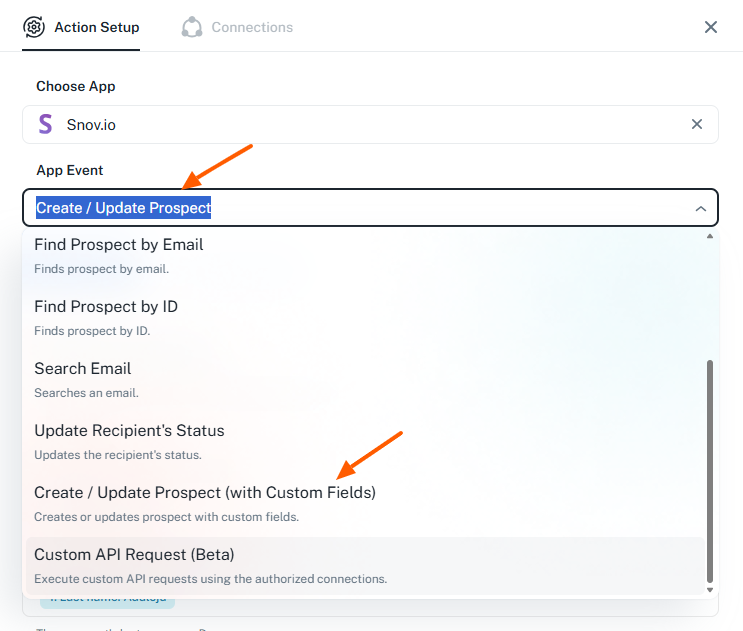
It appears that you are currently using the Create/Update Prospect action. We recommend switching to Create/Update Prospect (with Custom Fields) instead.
This will allow you to properly map and update custom fields along with the prospect data.
Please try this and let us know how it goes.