Encoding data into a query string
Status: Closed · Asked by RoCrow on · 0 views
I'm using the Text Formatter > URL Parameter encode Action module, but it's not quite working. For example, it's not replacing a {space} with '%20' in the output, which is breaking the string.
It's using live client data, so I'll share the workflow privately.
I'm using the Text Formatter > URL Parameter encode Action module, but it's not quite working. For example, it's not replacing a {space} with '%20' in the output, which is breaking the string.It's using live client data, so I'll share the workflow privately.
Working fine for me you can check below screenshot. Make sure to select "False" in "Convert to plus?" field.
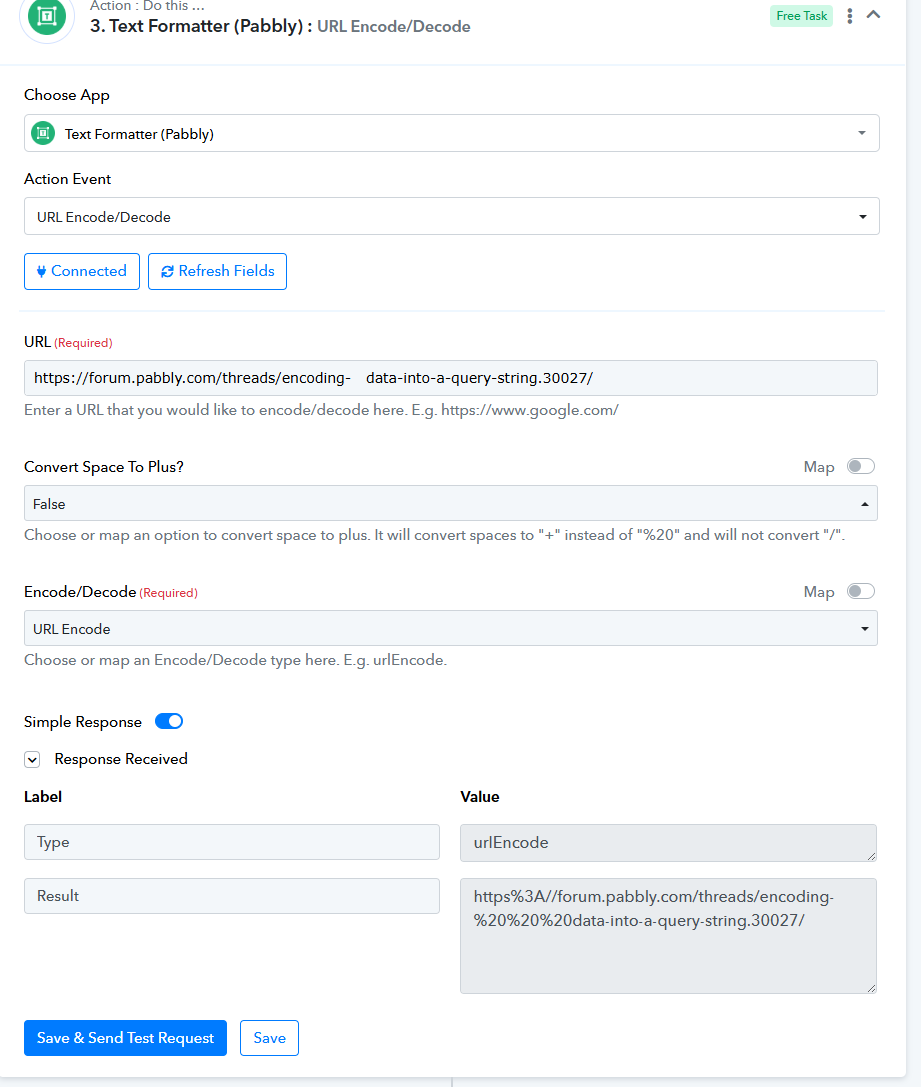
Thanks for that. I was using the 'URL Parameter Encode' Event rather than URL Encode/Decode.
However, even with the latter, the output isn't right - it's replacing '=', '@' and '&' which is preventing the ?string being used by the site
Any ideas what I need to change to get a proper ?string output?
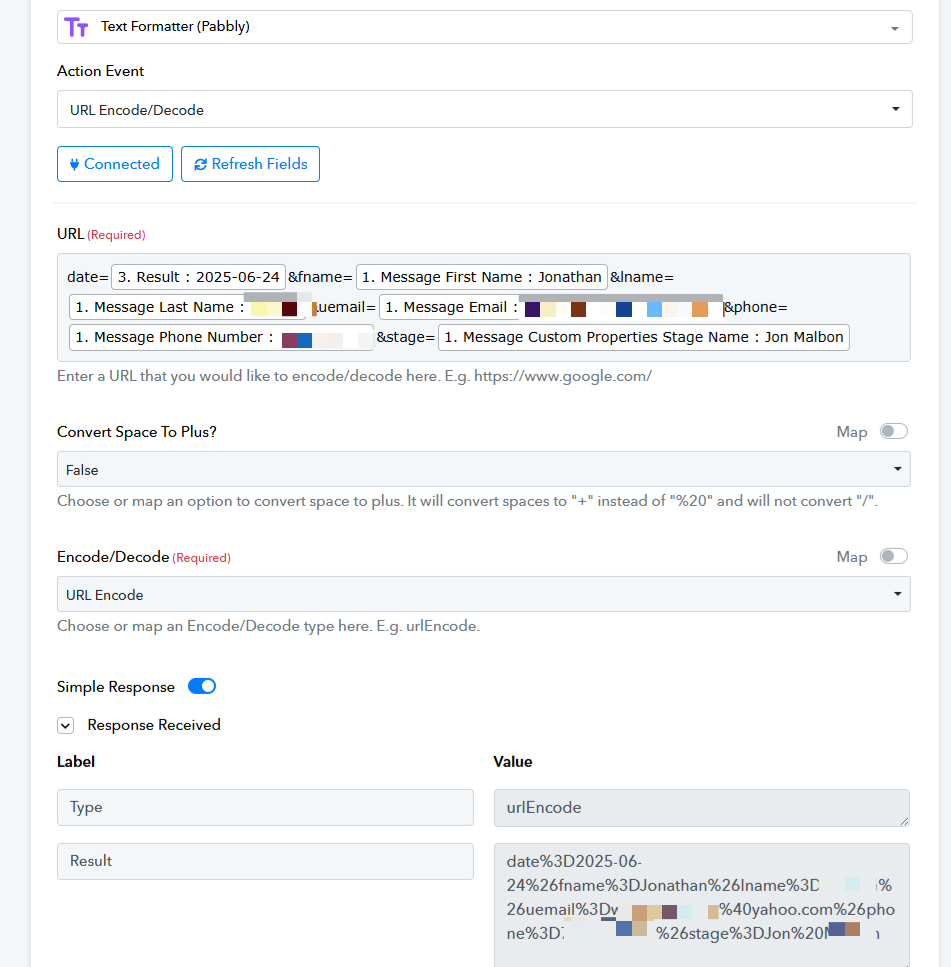
Thanks for that. I was using the 'URL Parameter Encode' Event rather than URL Encode/Decode.However, even with the latter, the output isn't right - it's replacing '=', '@' and '&' which is preventing the ?string being used by the site
Any ideas what I need to change to get a proper ?string output?
Encoding means it'll replace @, =, {space} and special character. If you want to replace just space with %20 then use find and replace method in which put space in find field and replace it with %20
Encoding means it'll replace @, =, {space} and special character. If you want to replace just space with %20 then use find and replace method in which put space in find field and replace it with %20
DOH! I didn't think of that! Thank you for your patience in explaining it to me and helping me improve on my ignorance! I will try that! Cheers :)