Entering my client name into my template
Status: Open · Asked by Robert White on · 0 views
Hello. I get that I need to use {{1}} and then enter a sample for this however, when sending the approved template out how do I get the {{1}} to enter my client's first name dynamically rather than inserting the sample entry? At this time when I send out a template to my client I am having to insert their name in manually and overwrite the sample entry.
Thanks
Hey @robwhite3uk,
Thank you for reaching out.
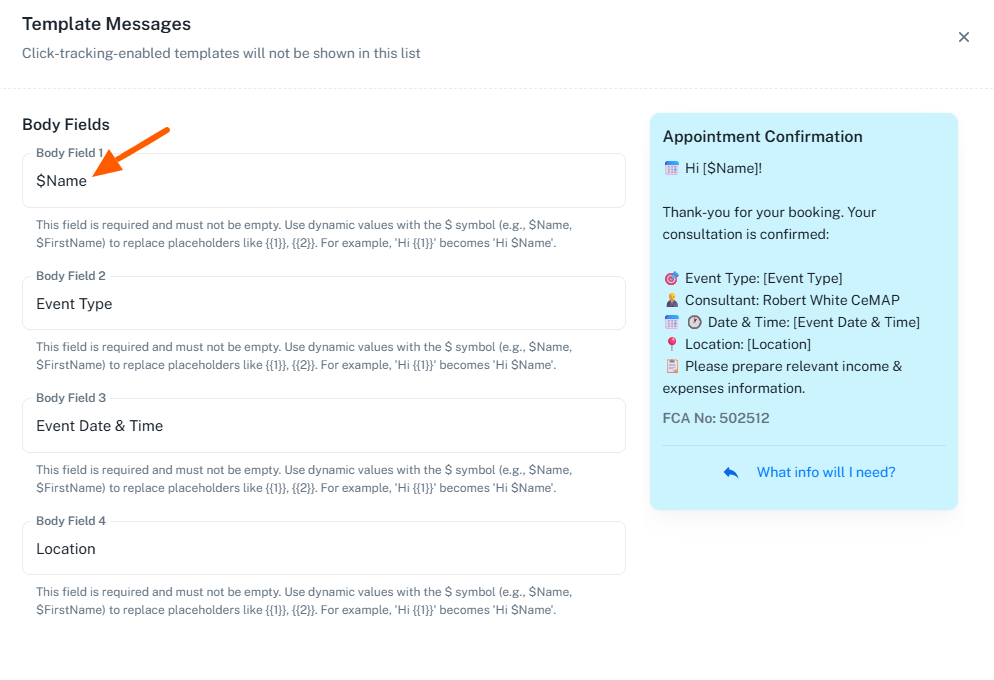
It appears that you are currently sending the template from the Chat Inbox section. In this case, template parameters (like {{1}}) need to be filled in manually each time while sending, which is why you are seeing the sample value.
To make this dynamic, you can:
- Save the client’s name in a Contact Custom Field (e.g., Name)
- Then use that custom field while sending the template instead of manually entering the value
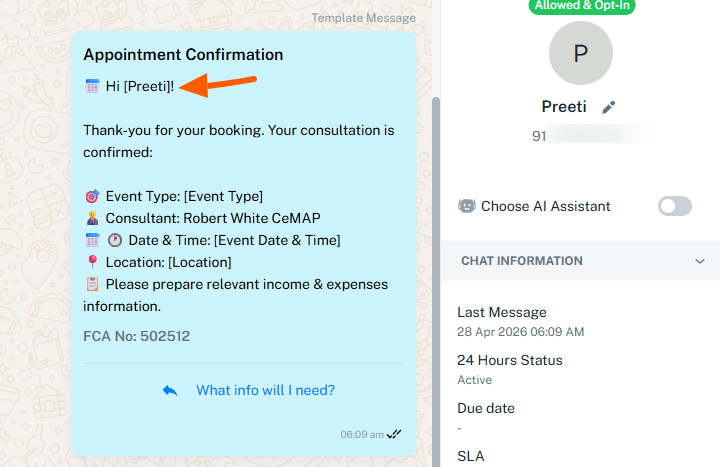
This way, the name will be picked dynamically without needing manual input each time.
If you are planning to send templates via automation (Flows/Campaigns), please let us know so we can guide you accordingly.