Error 400 "Submissions couldn't updated" with Jotform Custom API Request (Beta) to Update Submission Field
Status: Open · Asked by bioviajero on · 0 views
Hello Pabbly Connect Team and Community,
I'm trying to build a workflow that involves Jotform, an external API (Open Exchange Rates), and then updating a field in the original Jotform submission. I'm encountering a persistent "ResponseCode 400 - Submissions couldn't updated" error on the Jotform "Custom API Request (Beta)" step.
Here's my workflow setup:
Trigger: Webhook by Pabbly - Catch Webhook (Preferred)
Receives data from a Jotform submission. This step works correctly, and I can see all the Jotform data, including the SubmissionID.
Example SubmissionID received: 6241109224492777311
Action: API (Pabbly) - Execute API Request
Method: GET
API Endpoint URL: https://openexchangerates.org/api/latest.json?app_id=MY_OPENEXCHANGERATES_APP_ID&base=USD (MY_OPENEXCHANGERATES_APP_ID is replaced with my actual App ID).
This step works correctly and returns the exchange rates, including Rates VES (e.g., 94.873392).
Action: Number Formatter (Pabbly) - Perform Math Operation
Numbers: 100,{{2.Response Received Rates VES}}
Operation: Multiply
This step works correctly and gives a result (e.g., 9487.3392). Let's call this {{3.Result}}.
Action: Number Formatter (Pabbly) - Decimal Conversion
Number (Required): {{3.Result}} (from the math operation step)
Decimal Length (Required): 2
This step works correctly and gives a result formatted to two decimal places (e.g., 9487.34). Let's call this {{4.Result}}.
Action: Jotform - Custom API Request (Beta) (This is where the error occurs)
Connection: Connected successfully using my Jotform API Key (7820bc3fe831b1169a2397584c0c9b07) which has "Full Access" permissions in Jotform.
Request Method: POST
API Endpoint URL: https://api.jotform.com/submission/{{1.SubmissionID}} (mapping the SubmissionID from the initial webhook, e.g., https://api.jotform.com/submission/6241109224492777311)
Payload Type: Form Data (application/x-www-form-urlencoded)
Add Headers:
Header 1 Label: APIKEY
Header 1 Value: 7820bc3fe831b1169a2397584c0c9b07 (my Jotform API Key)
Header 2 Label: Content-Type
Header 2 Value: application/x-www-form-urlencoded
Set Parameters:
Label 1: submission[fields][numero]
(numero is the exact "Unique Name" of the number field in my Jotform form that I want to update).
Value 1: {{4.Result}} (mapping the output from the "Decimal Conversion" step, e.g., 9487.34)
Error Received in Step 5 (Jotform Custom API Request):
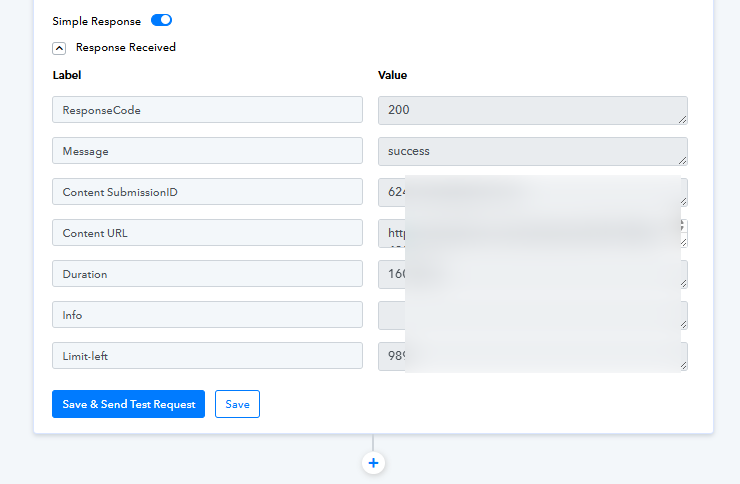
ResponseCode: 400
Message: Submissions couldn't updated
Info: https://api.jotform.com/docs#submission-id
Things I've tried/verified:
The Jotform API Key has "Full Access". I even generated a new one.
The "Unique Name" of the Jotform field is indeed numero.
I've tried sending a static value (e.g., 123.45) in "Value 1" of "Set Parameters", and I still get the same 400 error. This makes me think the issue is not with the calculated value itself.
I've tried using submission[q_numero] (if the field ID was q_numero) but the unique name is just numero.
I tried with just numero as the Label in "Set Parameters" (instead of submission[fields][numero]), but that also resulted in an error. The submission[fields][unique_name] format is what's usually documented for Jotform's API for updating submission fields via POST.
I am trying to update a "Number" field in my Jotform.
Could you please advise on the correct configuration for the Jotform "Custom API Request (Beta)" module to update a specific field in an existing submission? Is there a different "Payload Type" or a different way to structure the "Set Parameters" data that I should be using for Jotform's API endpoint POST /submission/{id}?
Any help would be greatly appreciated!
Thank you.
Hello @bioviajero,
It seems you have managed to resolve the issue on you own.
Please feel free to reach out to us if you are facing any further issues.