Error 404 with Google Drive: Share a File with Anyone Module
Status: Open · Asked by Jemifer on · 0 views
I'm having Error 404 when using Share a File module. The file ID is correct and it even returns the web view link, but then it returns Error 404 and the file remains restricted and not shared with anyone.
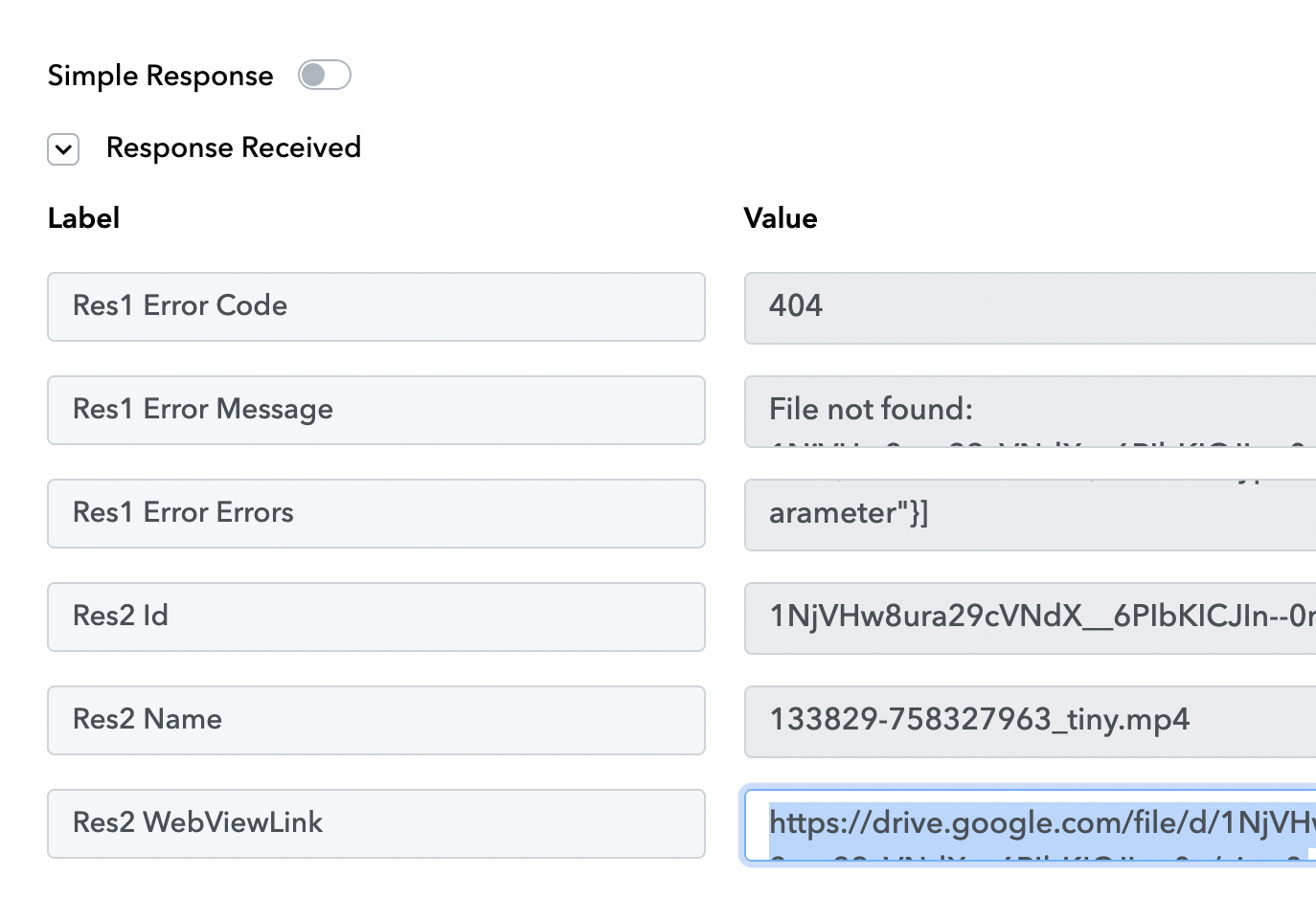
Hi @Jemifer,
Could you please share the Workflow URL in which you have this concern?
Hi @Jemifer,Could you please share the Workflow URL in which you have this concern?
Here https://connect.pabbly.com/workflow/mapping/IjU3NjUwNTY5MDYzNzA0MzM1MjZiNTUzMTUxMzUi_pc. The name of the workflow is New Content.
Hello @Jemifer
As we have checked it seems that the file you are trying to share is a shared file file with insufficient permissions, as other files are working fine with the same action.
Response with the static file ID
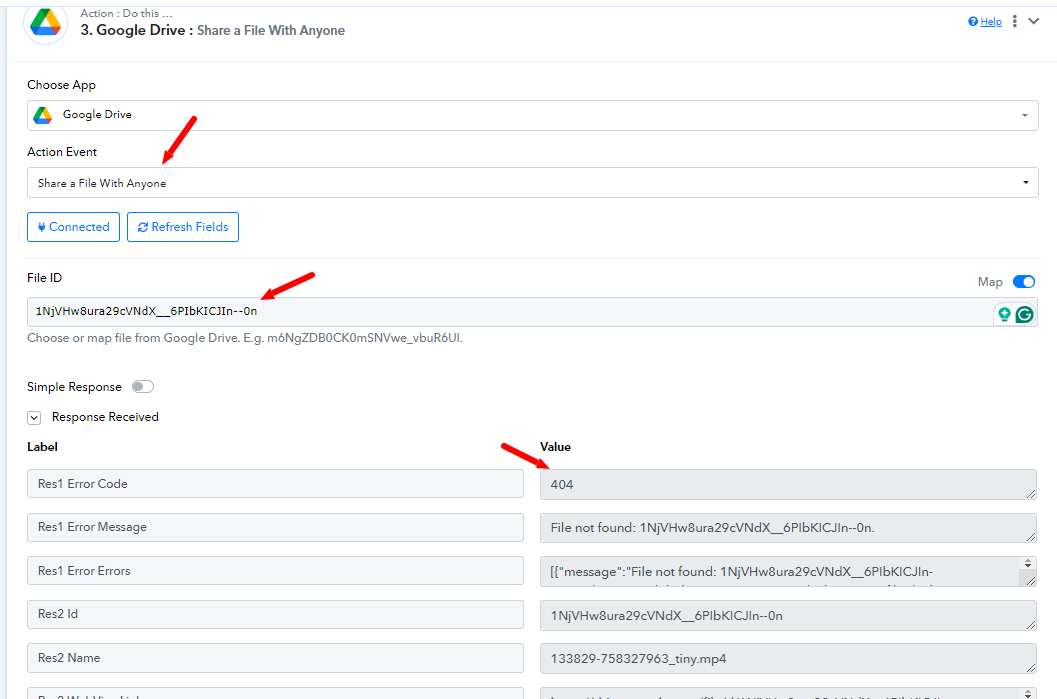
Response with another file ID
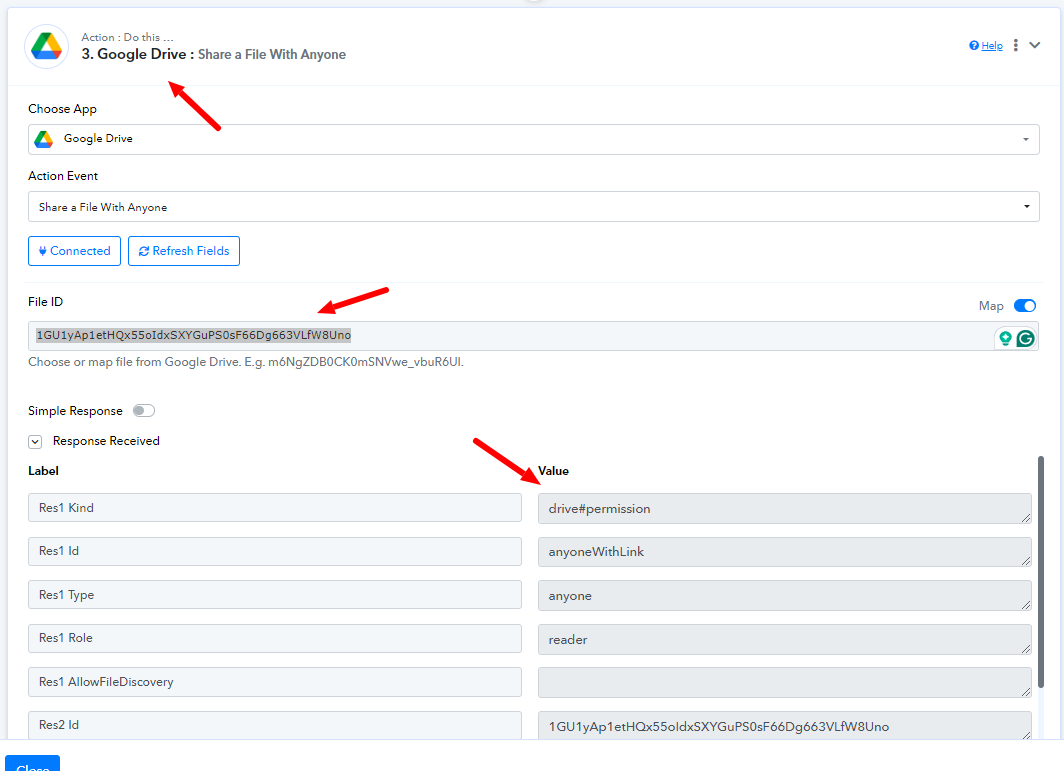
Kindly make sure you are using dynamic data and also with the latest connection.
Hello @Jemifer As we have checked it seems that the file you are trying to share is a shared file file with insufficient permissions, as other files are working fine with the same action. Response with the static file IDThanks for responding. I'm using a dynamic data and that static one is just for testing. I raised the concern because all the files I was trying to share had that problem but I'll check again where the insufficient permission error is coming from.
Hello @Jemifer
Sure check it at your end. Also please make sure the file you are trying to upload in the previous step is uploaded under the email associated with your account, as I'm assuming the file ID from that step is going to be mapped in the Share file with Anyone action step.
I came here with the same question.
I changed the permissions on the source file and the workflow creates the shared link as required.
Thanks for the answer @Preeti Paryani
Hello @Stephen Gordon,
Thanks for the Update!
If you face any further issues please feel free to reach out to us.