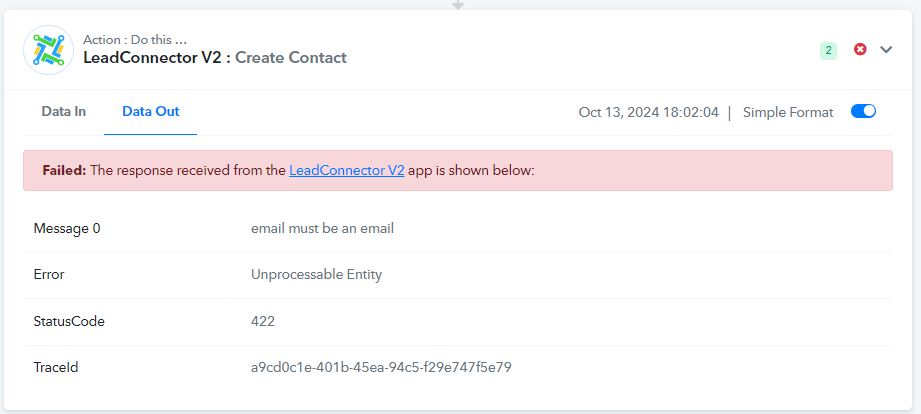
Error: LeadConnector V2 > Create Contact
Status: Open · Asked by markrowan on · 0 views
Received this notice. Not sure what to do with it?
Task History ID: IjU3NjUwNTZkMDYzMDA0M2M1MjZlNTUzYzUxMzA1MTYyNTQzNjBmMzAi_pc
Step Name: LeadConnector V2 > Create Contact
Connection Name: LeadConnector V2 #1
Task Error Detail:
{
"message > 0": "email must be an email",
"error": "Unprocessable Entity",
"statusCode": 422,
"traceId": "4df30b5b-db0a-47f7-b75e-0fc6bca78959"
}
Hello @markrowan
Apologies for the delayed response.
The email you have received is to notify you regarding a failed task history. As I have checked the workflow related to the shared task history it seems that "LeadConnector V2: Create Contact" isn't mapped with the required data. Kindly map the details according to avoid the error.
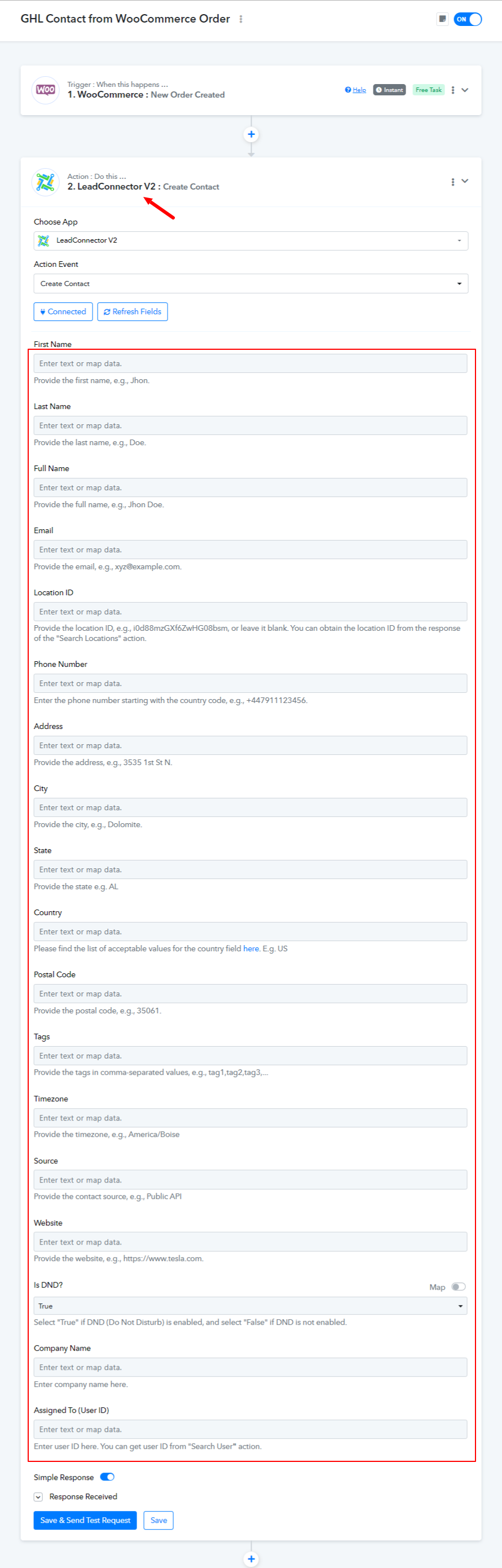
Ok, great ... I think it should be all set now. Can you confirm?
Hello @markrowan
The contact get created successfully, refer to the attached screenshot for more info.
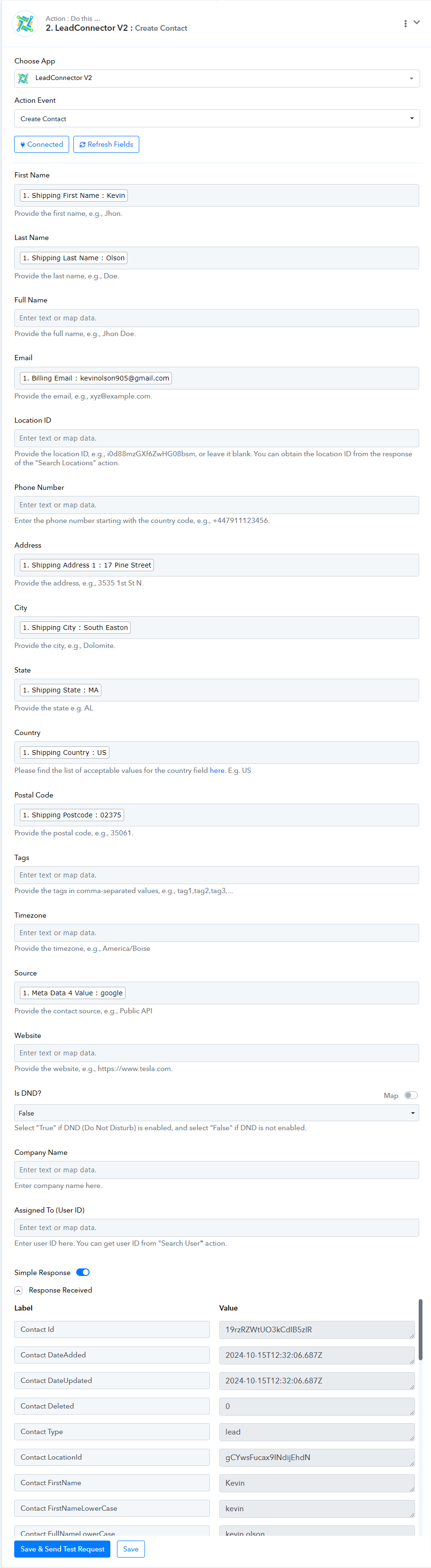
Kindly check at your end in GoHighLevel, if the contact got created as required and let us know.
Yes, it is there ... I had missed mapping the phone number but that is fixed now.
Hello @markrowan
Thanks for the update.
Hello there, I'm receiving an error on a workflow that had worked good for weeks and now is giving the error that in "Update or Create contact" it is missing at least a mail or a phone number. But there is a mail and also a phone number.
The previous step is the Facebook Lead Instant.
I think that you have again some problems with the Facebook Lead.
In fact if I try to receive a test lead form facebook I see what is in the image beklow.
Any other with this problem?
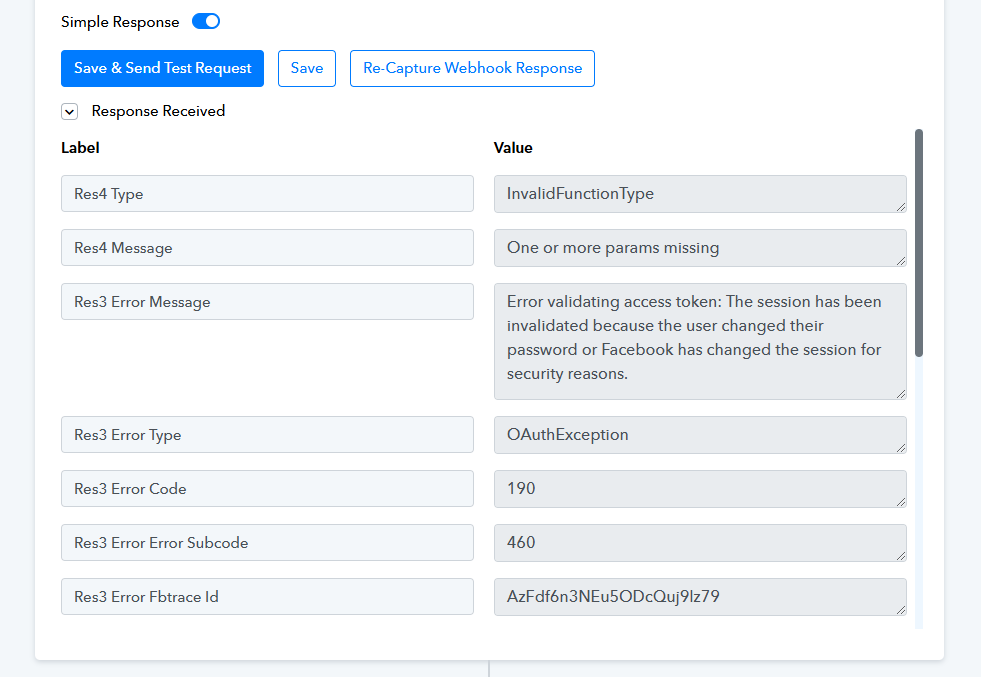
Your concern is being addressed here:
https://forum.pabbly.com/threads/error-with-facebook-lead-please-help.25486/#post-123439