Error posting LinkedIn company text post: “urn:li:organization” not accepted
Status: Closed · Asked by Zonsai on · 0 views
Hi,
I’m encountering an error when trying to create a LinkedIn company text post using Pabbly Connect.
Here’s the error message I’m receiving:
ERROR :: /author :: "urn:li:organization:10347189" does not match urn:li:company:\d+|urn:li:member:\d+
I’ve refreshed my LinkedIn connection, and I am an admin of the company page (Zonsai).
It looks like the LinkedIn API expects urn:li:company:123456, but Pabbly seems to be passing urn:li:organization:10347189 instead.
Could you please advise how to correctly set the author field, or if there’s a workaround to convert the organization URN to a company URN inside Pabbly?
Thanks in advance!
Hello @Zonsai,
Please try creating a new connection with LinkedIn instead of updating or refreshing the previous connection, and let us know if it resolves the issues.
Hi,
Thanks for the suggestion. I’ve just tried creating a completely new LinkedIn connection, instead of refreshing the previous one, and also recreated the step from scratch in my workflow — but unfortunately, I’m still getting the same error:
ERROR :: /author :: "urn:li: organization:10347189" does not match urn:li:company:\d+|urn:li:member:\d+
I'm the admin of the LinkedIn company page (Zonsai), and the ID is correct. However, the urn:li: organization format seems to be rejected by the LinkedIn API for this particular endpoint, which expects urn:li:company.
Is there a way to force the use of urn:li:company instead of organization in the Pabbly LinkedIn integration?
Any further help would be greatly appreciated — thank you!
Hello @Zonsai,
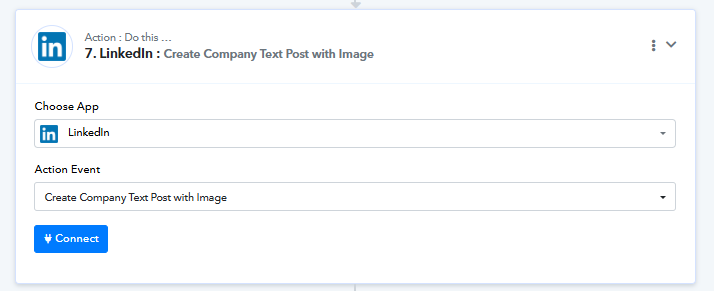
Please try using the action named Create Company Text Post with Image instead, and let us know if it works fine for you.
Hi,
Thanks for the quick follow-up!
I’ve just tested the "Create Company Text Post with Image" action as suggested, and it worked perfectly — even without adding an image, the post was published successfully.
Thanks again for the support.
Best regards,
Hello @Zonsai,
Thanks for the update, we'd love to hear your thoughts! If you have a moment, please rate us on Google. Your feedback helps us improve.