Error Response in AI Assistant (Pabbly)
Status: Open · Asked by Hartamasproperty on · 0 views
The AI response error. Please assist to rectify the problem. Thanks.
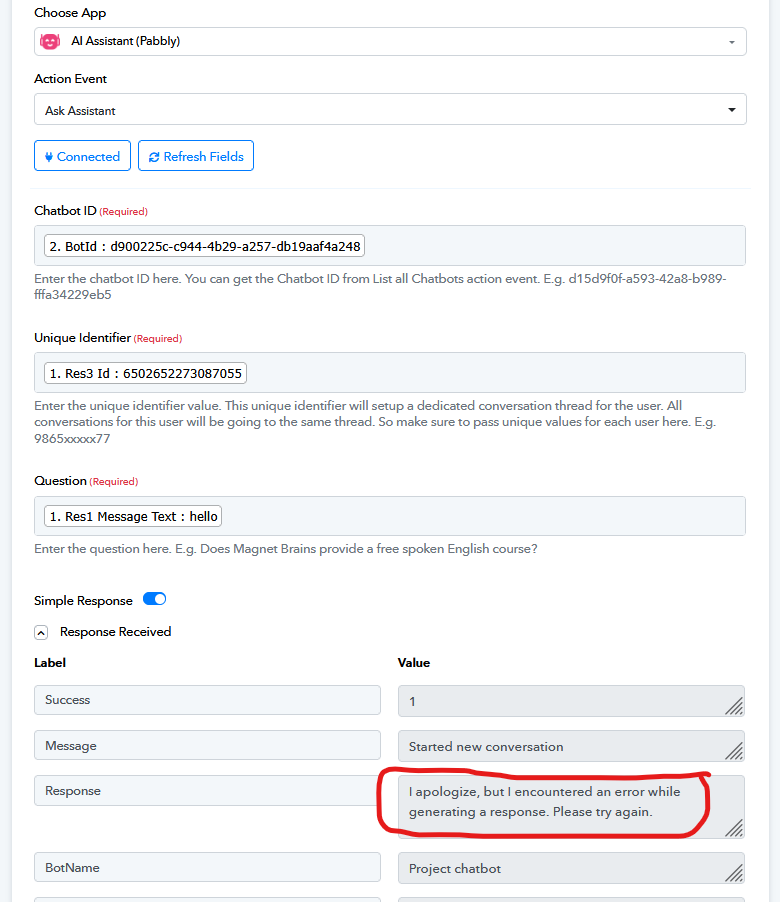
Hello @hartamas,
This appears to be a temporary error from OpenAI itself. Please try performing the action again after some time and let us know if it works.
I tried now same error happened. Please assist to inspect is my workflow correct?
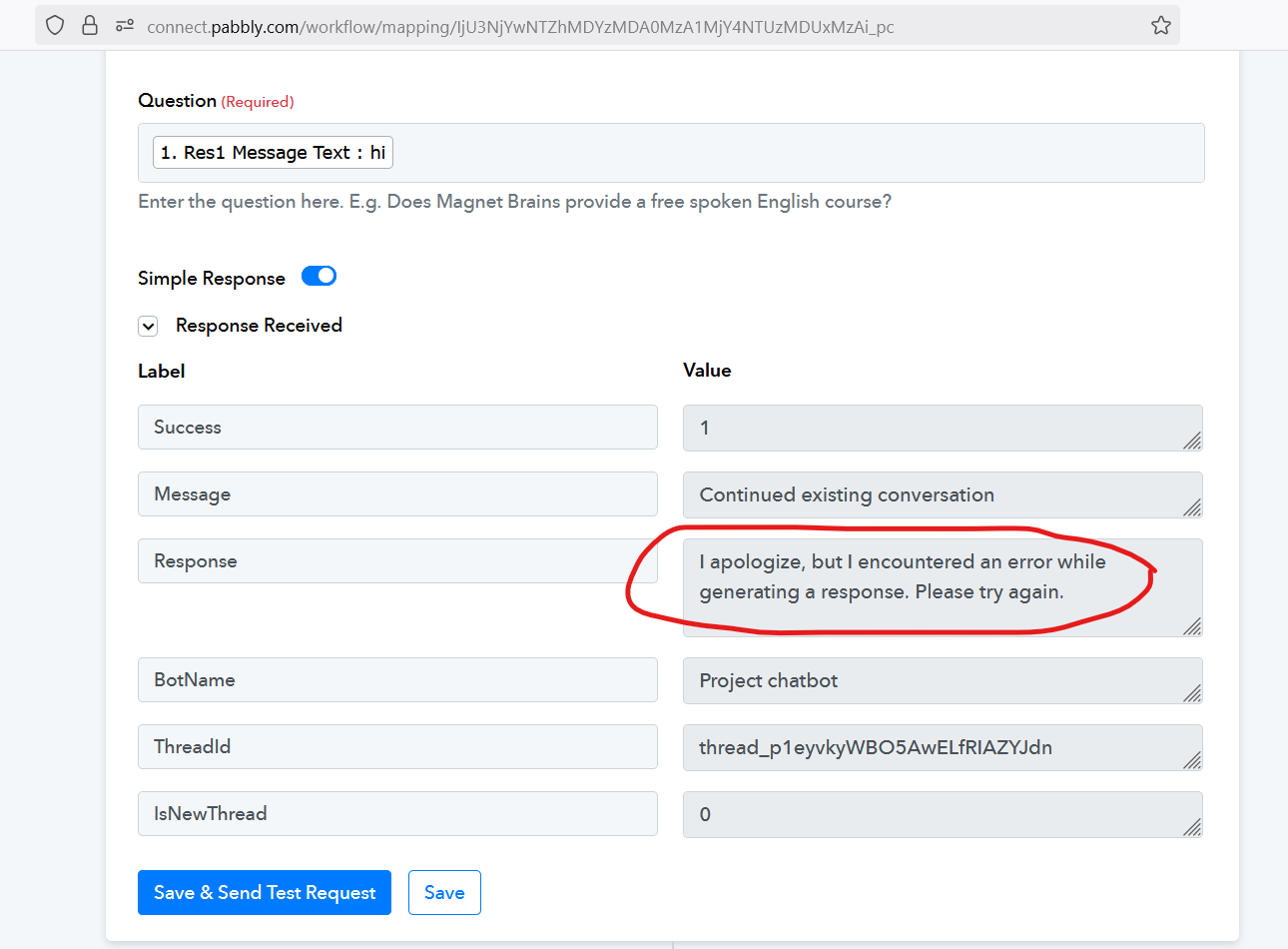
Or other than OpenAI, what other AI agent chat I can use with knowledgebase setting?
Hello @hartamas,
Could you please provide more details about your specific use case? Additionally, it would be helpful if you could share the URL of the workflow you've created so that we can thoroughly review it and provide further guidance.
Please be aware that to assist you effectively, we may need to access your Pabbly Connect account. If you're comfortable with this, please grant us permission by stating in your next email: "You have my permission to log into my Pabbly Connect account, and edit workflow {If required}. Here is the registered email address associated with it."
Looking forward to assisting you further.
I tried now same error happened. Please assist to inspect is my workflow correct?
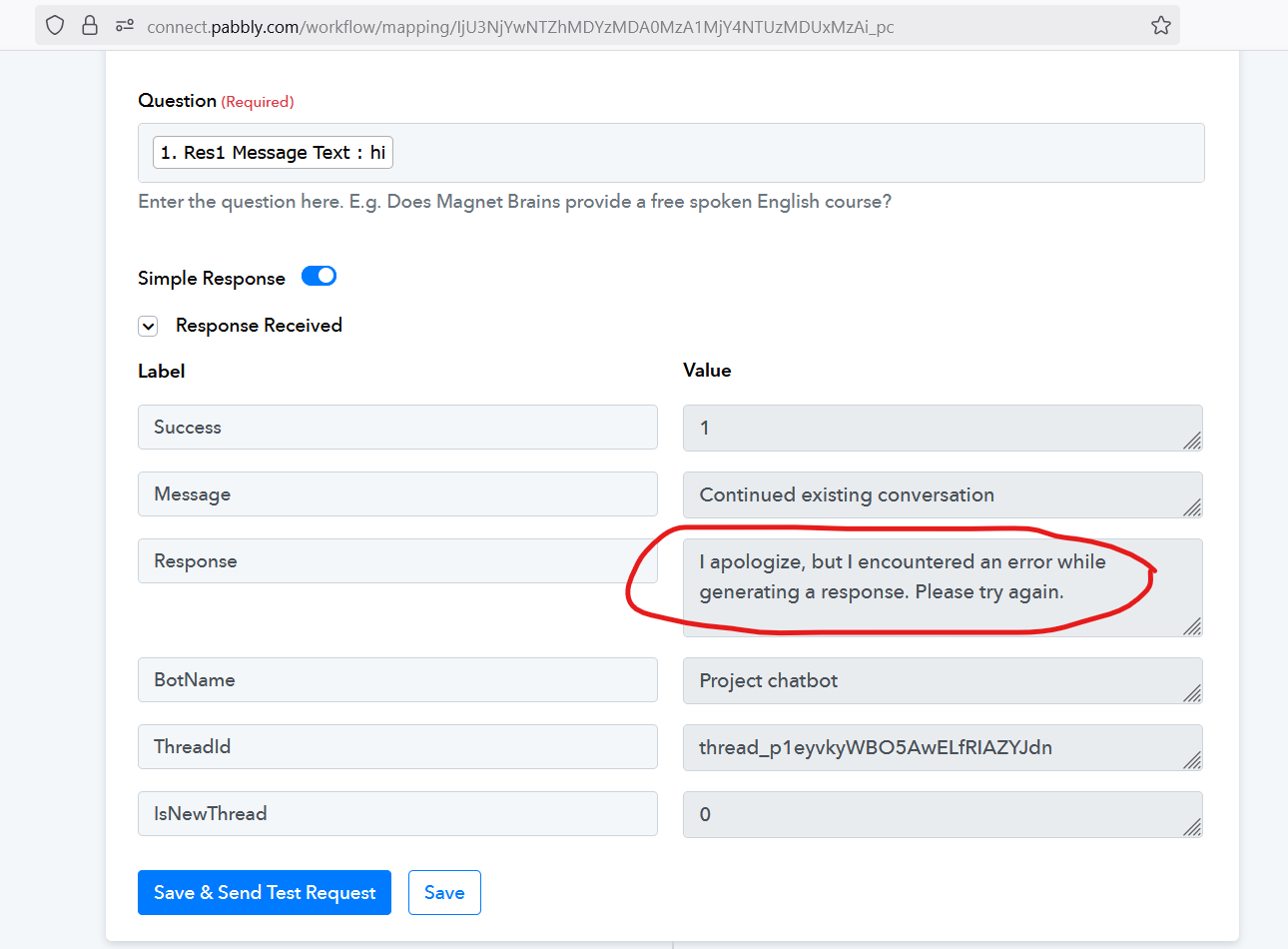
Hello @hartamas ,
Thank you for sharing the screenshot. The error message you’re seeing is coming from the AI Assistant, which is powered by ChatGPT, and it generally means that the AI was unable to process the request successfully.
Please try the following steps:
- Check the Bot ID – Make sure the Bot ID you’ve entered is correct and active in your AI Assistant settings.
- Verify the Unique Identifier – Ensure that the Unique Identifier is being passed correctly from the trigger step and is unique for each user/session.
- Check the Question Field – Confirm that the Question field is mapped correctly from your previous step and is not left empty.
- Re-establish Connection – Disconnect and reconnect your AI Assistant in Pabbly to refresh authentication with ChatGPT.
- Retry after a short wait – Sometimes, temporary service-side issues with ChatGPT can cause this error. Waiting a few minutes and trying again often resolves it.
Please show step by step on how to use API by Pabbly module for Google Gemini. Thanks.
What should I enter for Unique Identifier?
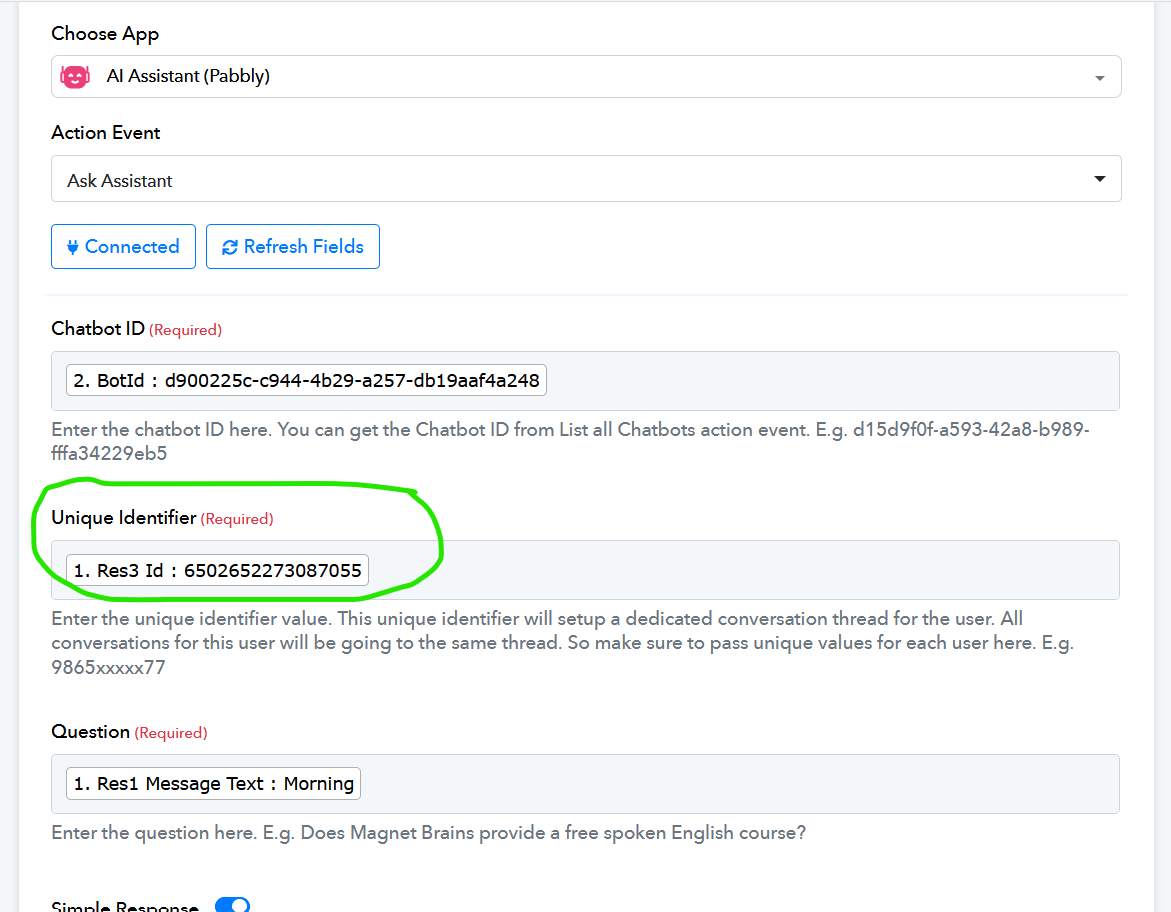
Hello @hartamas,
Could you please provide more details about your specific use case? Additionally, it would be helpful if you could share the URL of the workflow you've created so that we can thoroughly review it and provide further guidance.
Please be aware that to assist you effectively, we may need to access your Pabbly Connect account. If you're comfortable with this, please grant us permission by stating in your next email: "You have my permission to log into my Pabbly Connect account, and edit workflow {If required}. Here is the registered email address associated with it."
Looking forward to assisting you further.
What email should I send to?
Please show step by step on how to use API by Pabbly module for Google Gemini. Thanks.
Hello @hartamas,
You can just state this in your next reply to provide the permission.
"You have my permission to log into my Pabbly Connect account, and edit workflow {If required}. Here is the registered email address associated with it."
This isn't any specific tutorial on how to use the API by the Pabbly module for Google Gemini. However, here's a general intro on how to use the particular module.
Hello @hartamas,Could you please provide more details about your specific use case? Additionally, it would be helpful if you could share the URL of the workflow you've created so that we can thoroughly review it and provide further guidance.
Please be aware that to assist you effectively, we may need to access your Pabbly Connect account. If you're comfortable with this, please grant us permission by stating in your next email: "You have my permission to log into my Pabbly Connect account, and edit workflow {If required}. Here is the registered email address associated with it."
Looking forward to assisting you further.
workflow URL: https://connect.pabbly.com/v2/app/workflow/share/CUFVZ1cAA2AHTQdtA1wAJ1hMUVUGX1MyUEkAElJdXCQESVIXVhddNwBMVnQFRgRlUBlSOFINAWVYTAYCUwUCcQYfCRtSUQZ8BEkAewVECjkJV1V9VzY#
You have my permission to log into my Pabbly Connect account, and edit workflow {If required}. Here is the registered email address associated with it: [email hidden].
My AI Assistant keeps replying Fallback Message only, I have no idea which part is wrong. Please assist.
Hello @hartamas,
Upon reviewing your workflow and the knowledge base document you provided while creating the assistant, it appears that the knowledge base does not contain sufficient details on how to respond to customer messages. At present, it mainly contains certain links, which is why the assistant is unable to generate relevant responses.
To ensure your assistant can reply effectively to the messages it receives, please include specific questions and answers that a customer might ask. This will help avoid frequent fallback messages.
I hope this clarifies that both your knowledge base and the prompt you are providing to the AI require improvement for better performance.