Error while sending message
Status: Open · Asked by Deep Shah on · 0 views
I have connected my existing WhatsApp Business Number to chatflow, but getting this erorr : (#131042) Message failed to send because there were one or more errors related to your payment method.
I have already added Payment info and Business Details.
Hello @peepshah,
Could you please share the email address associated with your Pabbly Chatflow account?
Also, if you've set up the connection using the manual token method, we recommend regenerating the access token and updating it within your Pabbly Chatflow account to ensure everything functions smoothly.
[email][email hidden][/email]
I have not connecetd with Manual Token. Connected with WhatsApp Connect option.
Hello @peepshah,
Thanks for the details. However upon the recent message sent the error doesn't seem to occur. Are there any instances after it where you have the noticed the payment related error?
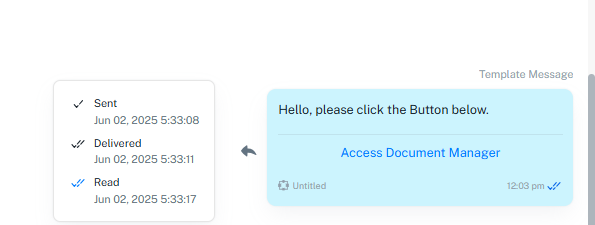
Hello @peepshah,Thanks for the details. However upon the recent message sent the error doesn't seem to occur. Are there any instances after it where you have the noticed the payment related error?
I am facing the same issue with my account!
Could you please share the email address and WhatsApp number associated with the account where you are encountering this issue?
[email][email hidden][/email]
Could you please share the email address and WhatsApp number associated with the account where you are encountering this issue?
[email][email hidden][/email] +919818672515
Hello @brajeshsandilya,
The error you are receiving is related to your payment method. Please note that in order to send templates, you must have a valid payment method added along with your tax details.
When you log in to business.facebook.com, you should also be able to see a warning under the concerned portfolio where your specific number is included. This corresponds to the error message shown below:
Failed due to Meta policy.
(#131042) Message failed to send because there were one or more errors related to your payment method.
Kindly update your payment method and tax details to resolve this issue.