Error while sending whatsapp message from wati.io (hubspot to wati)
Status: Open · Asked by shilpa@nitizsharma on · 0 views
Hi team,
After creating a complete workflow the WhatsApp message is not sent. The Result from server side is 1, but the receiver is not able to receive the message. I have mentioned the error screenshot, what can be the solution for it.
Attachments
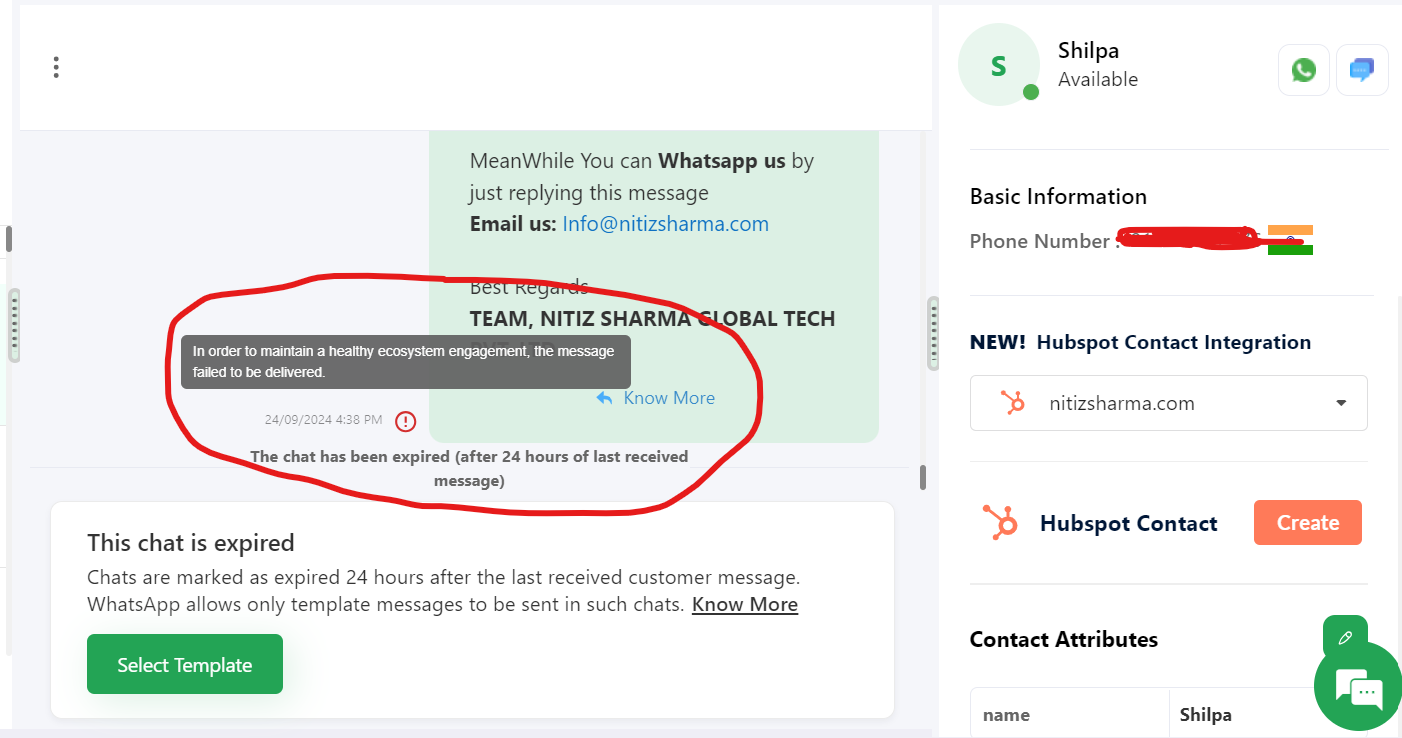
Hello @shilpa@nitizsharma
As we have checked, it seems the error arises due to the mapped data from step 1. Please refer to the attached image for more info.
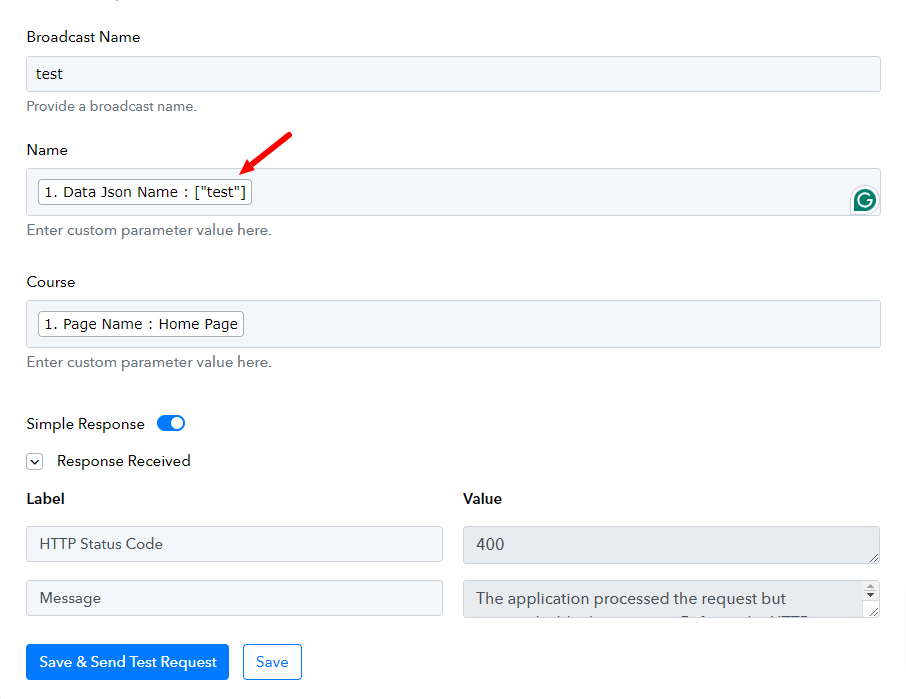
To resolve this issue you can add a free step named "Text Formatter: Text Parser" in your workflow after the trigger application to extract the Data Json Name and then map the response received from step 2 in Wati, refer to the below attached images to better understand the process.
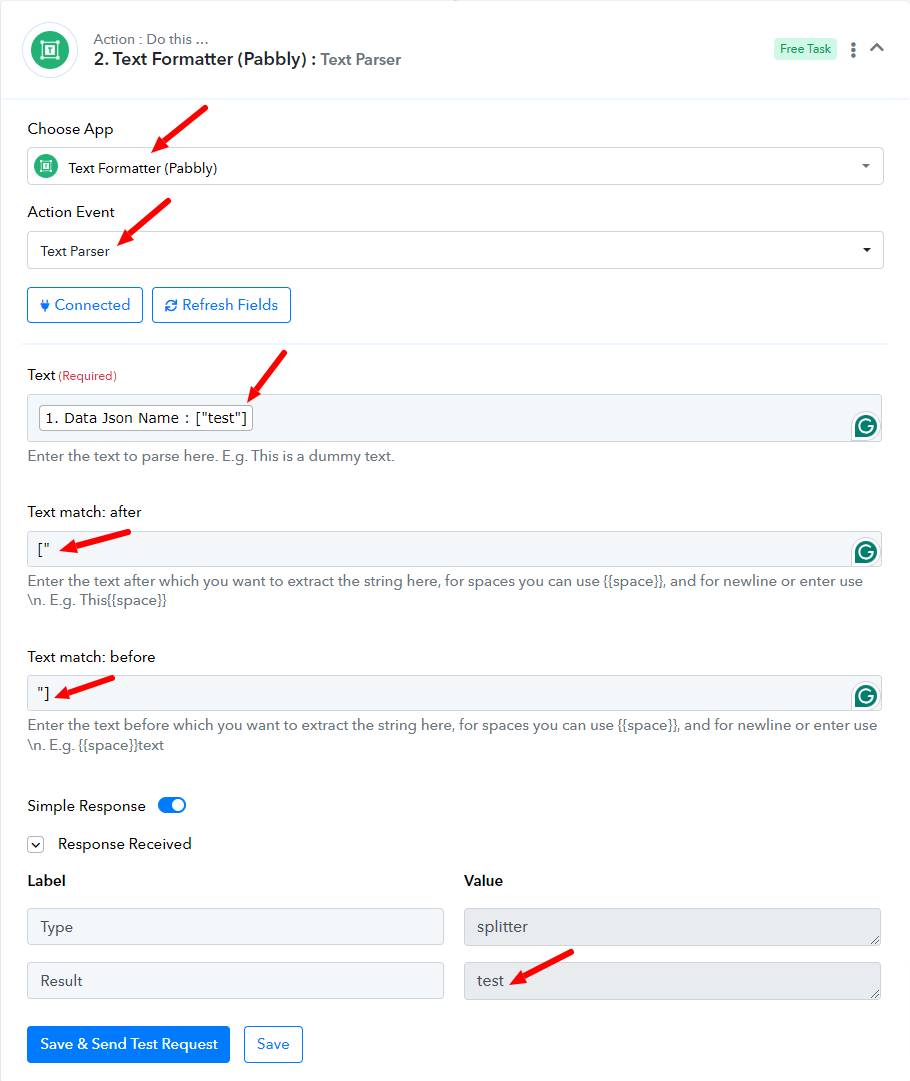
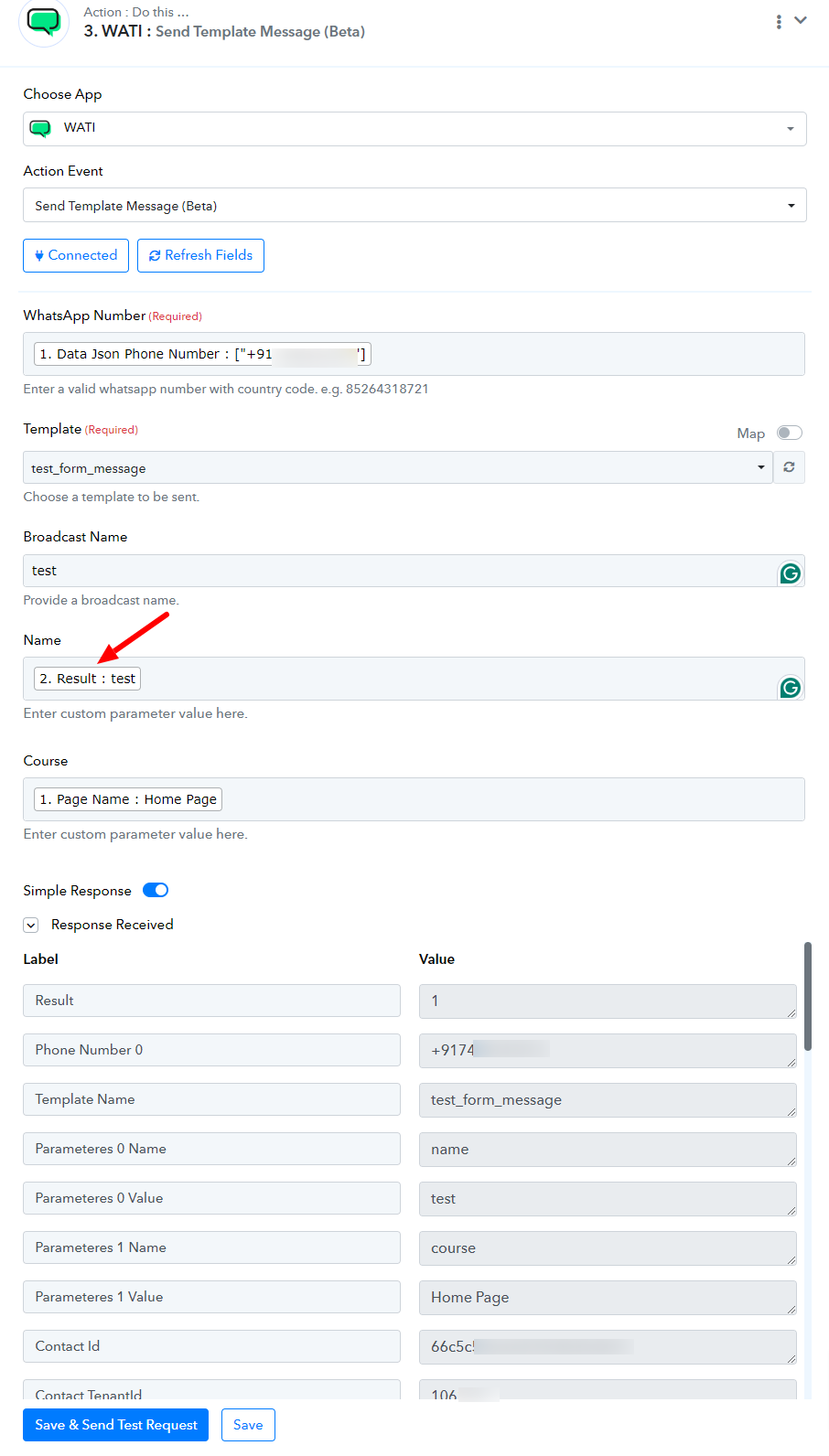
Kindly follow the above mentioned steps and let us know if it works for you.
This solution is for unbounce to wati integrations, I am asking for the HUBSPOT TO WATI INTEGRATIONS
Hello @shilpa@nitizsharma
As we have checked the "hubspot to wati test" workflow is working fine as of now, please refer to the attached screenshot for more info.
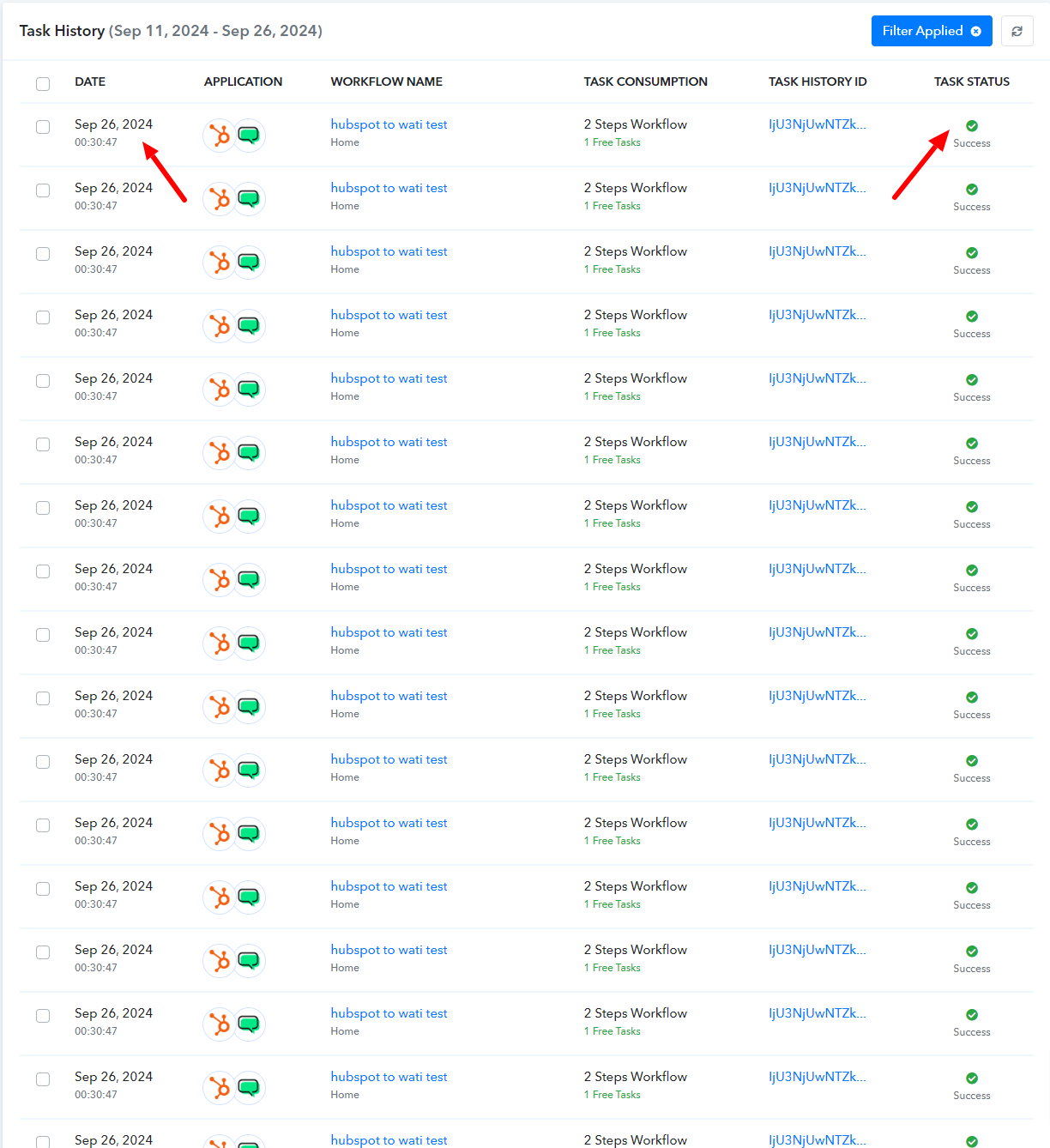
If you are facing any further issues please let us know.
Thank you so much for your help, It's working perfectly.
Hello @shilpa@nitizsharma
Thanks for the update.
Hi Preeti,
Again I am not able to send the automated message, it is not delivering.
HubSpot has a trigger interval of 24 hours, so it may take up to 24 hours for the contacts you added to HubSpot to receive a message.
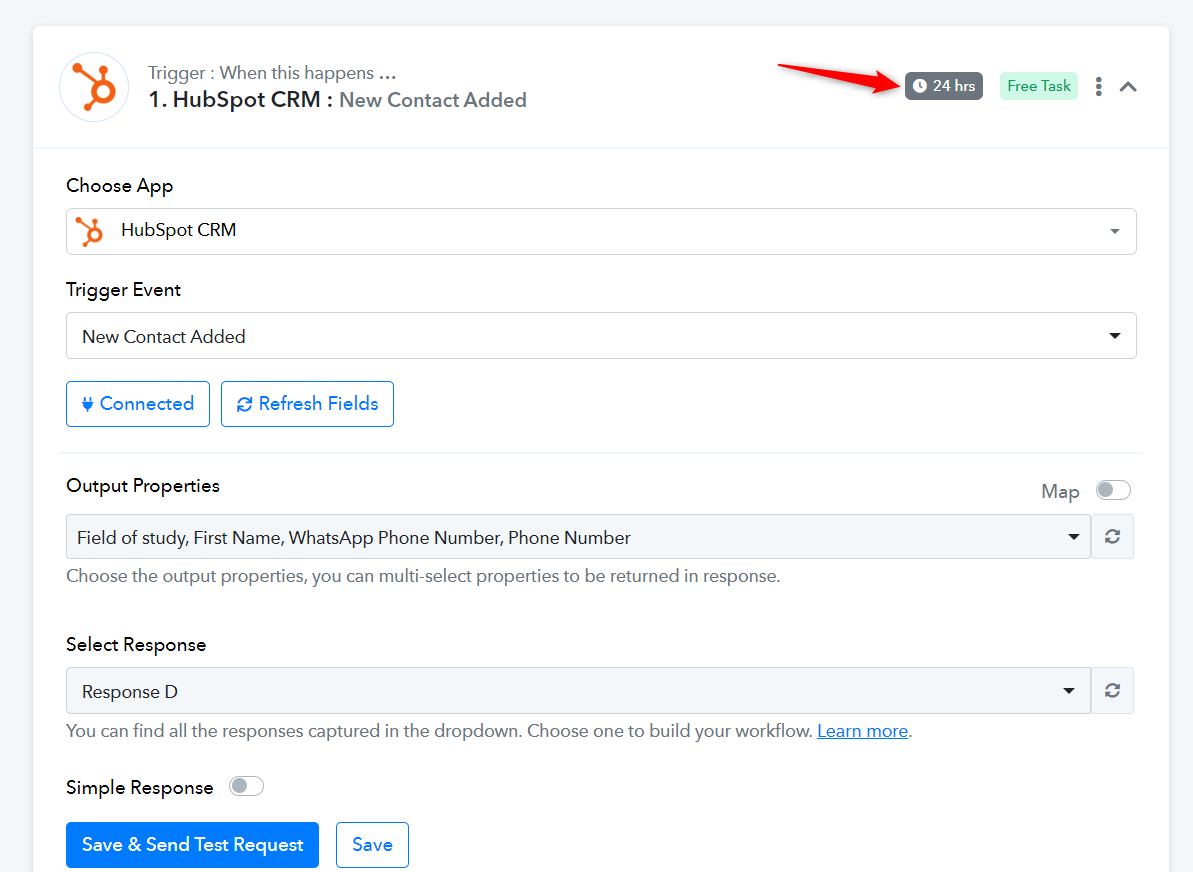
This trigger interval can be reduced to 10 minutes for paid plans. If you wish, you can purchase any of our plans to reduce the trigger interval.
https://www.pabbly.com/connect/
Ok, I got it, Thank you.