Facebook Comment Workflow - Webhook Response Not Accepted in Trigger
Status: Open · Asked by Arun Gayswal on · 0 views
Hello,
I am trying to set up a Facebook comment workflow in Pabbly Connect. However, in the trigger section, it is not accepting the webhook response. When I try to capture the webhook response, it either does not detect any data or shows an error.
Hi @sonuku,
Please establish a new connection with your Facebook account, click on 'Save & Send Test Request', make a post on your Facebook page, and check if that resolves your issue.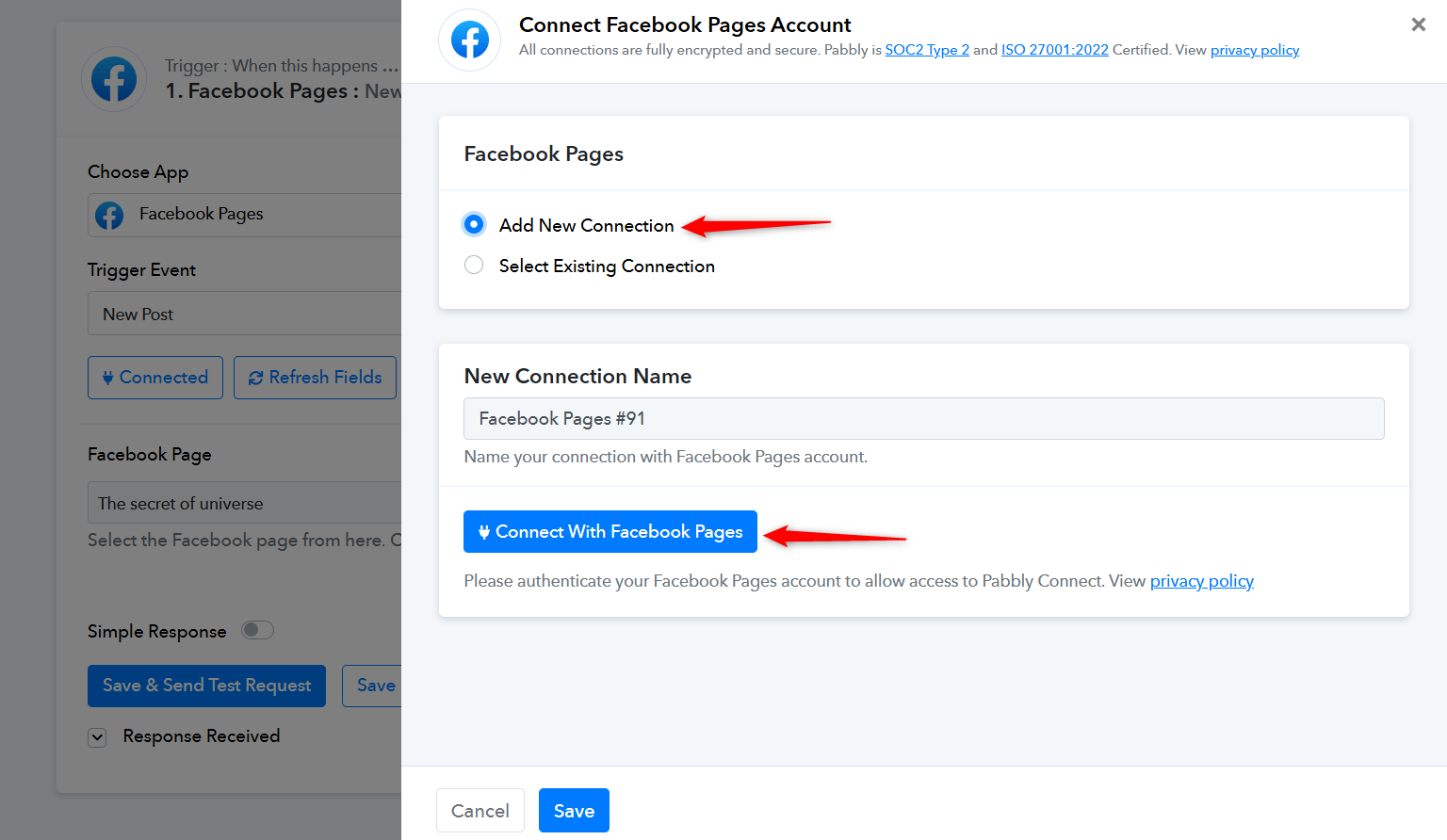
I have tried this but it is not working .
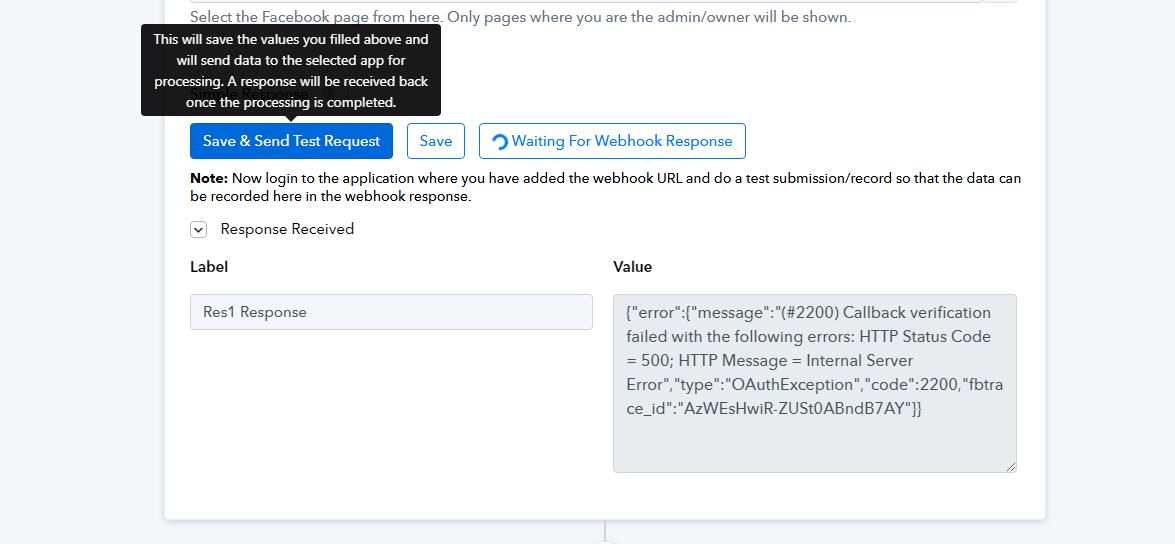
It is showing this error , please resolve this as soon as possible .
As I am clicking on the save and test request.
Hello @sonuku,
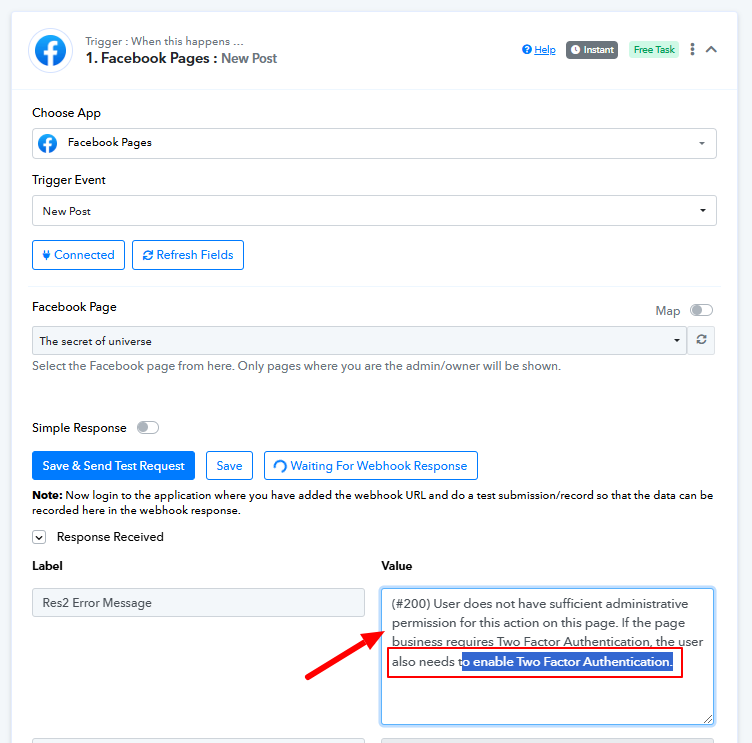
The previous issue has now been resolved. However, we have identified a new error stating that 2FA (Two-Factor Authentication) is not enabled on your account.
Please enable 2FA in your Facebook account and then capture a response again by clicking the Recapture Webhook Response button.
it is not capturing webbook response NOW …
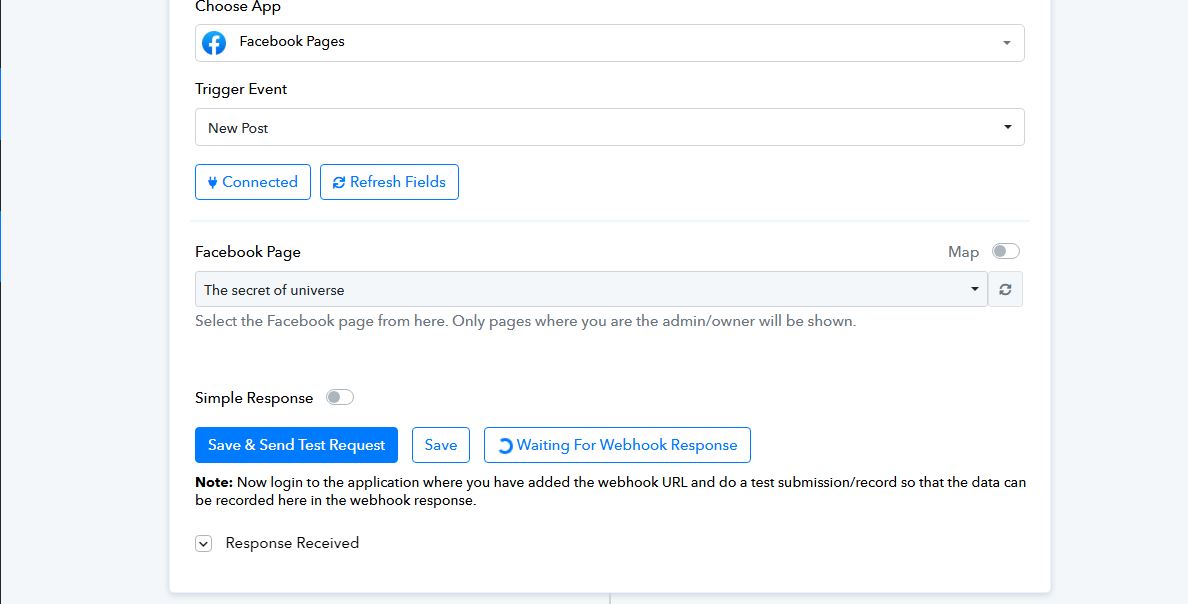
The response has been captured in your trigger step, but you are encountering the 2FA-related issue again. Please disable 2FA in your Facebook account, create a new connection, and then try to capture a new response.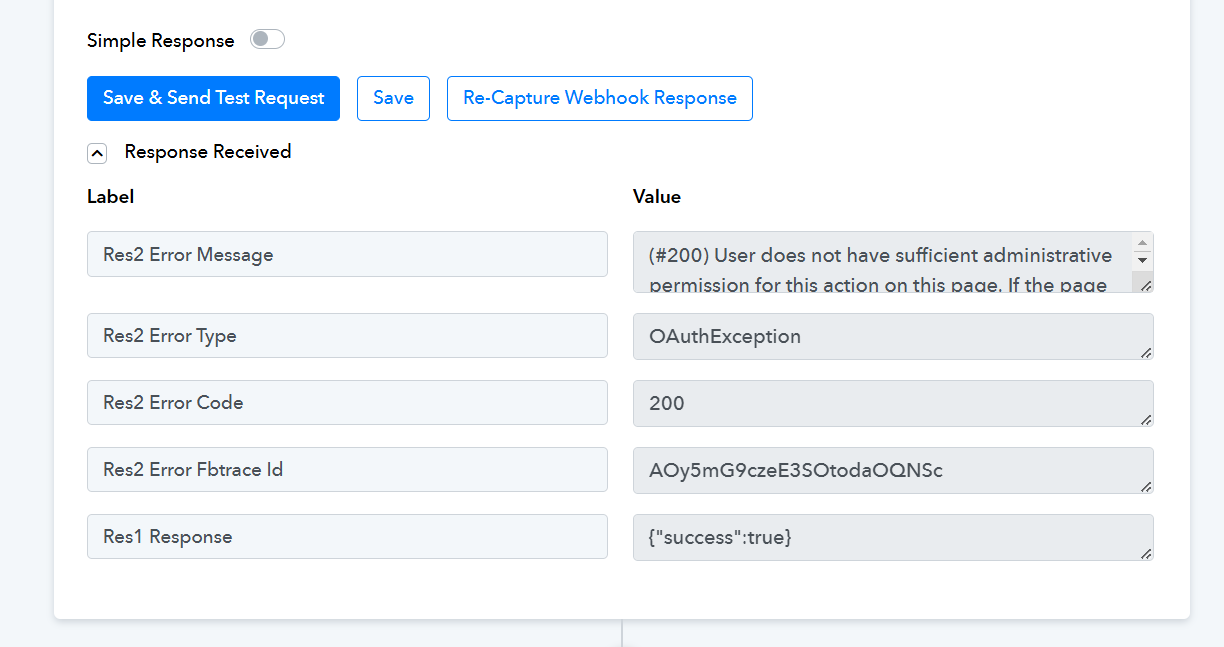
My account is already 2FA .
Hello @sonuku,
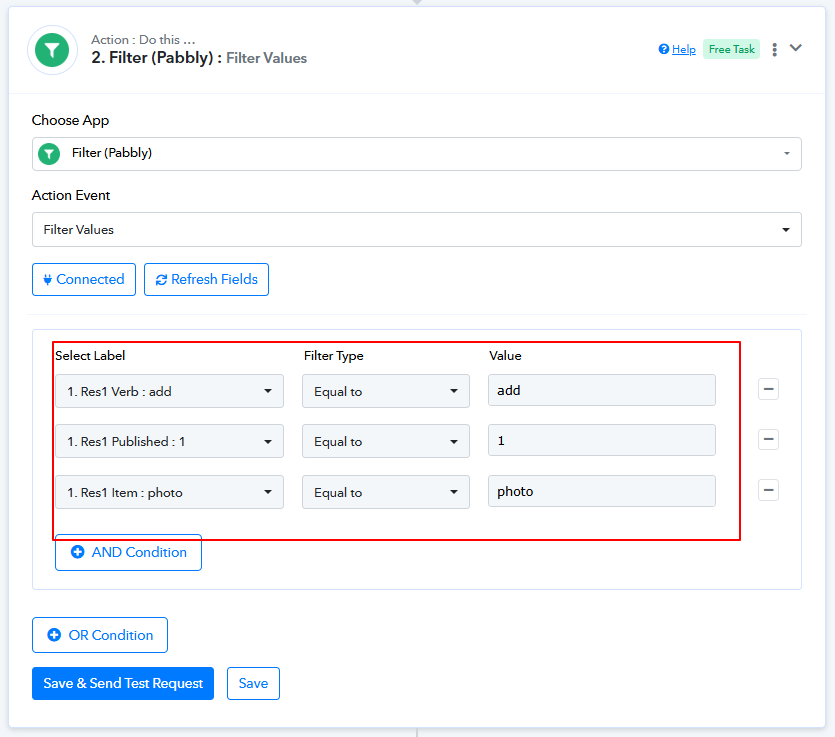
Upon reviewing the workflow, we found that it is functioning correctly, and the trigger responses are being captured as expected. Additionally, the task history indicates that the workflow was triggered successfully with the responses. However, it was unable to proceed further because the filter condition was not met.
Could you please provide more details about the specific issue you are facing? This will help us better understand and assist you accordingly.
Kindly note that the workflow is currently disabled, which is why it is not executing.
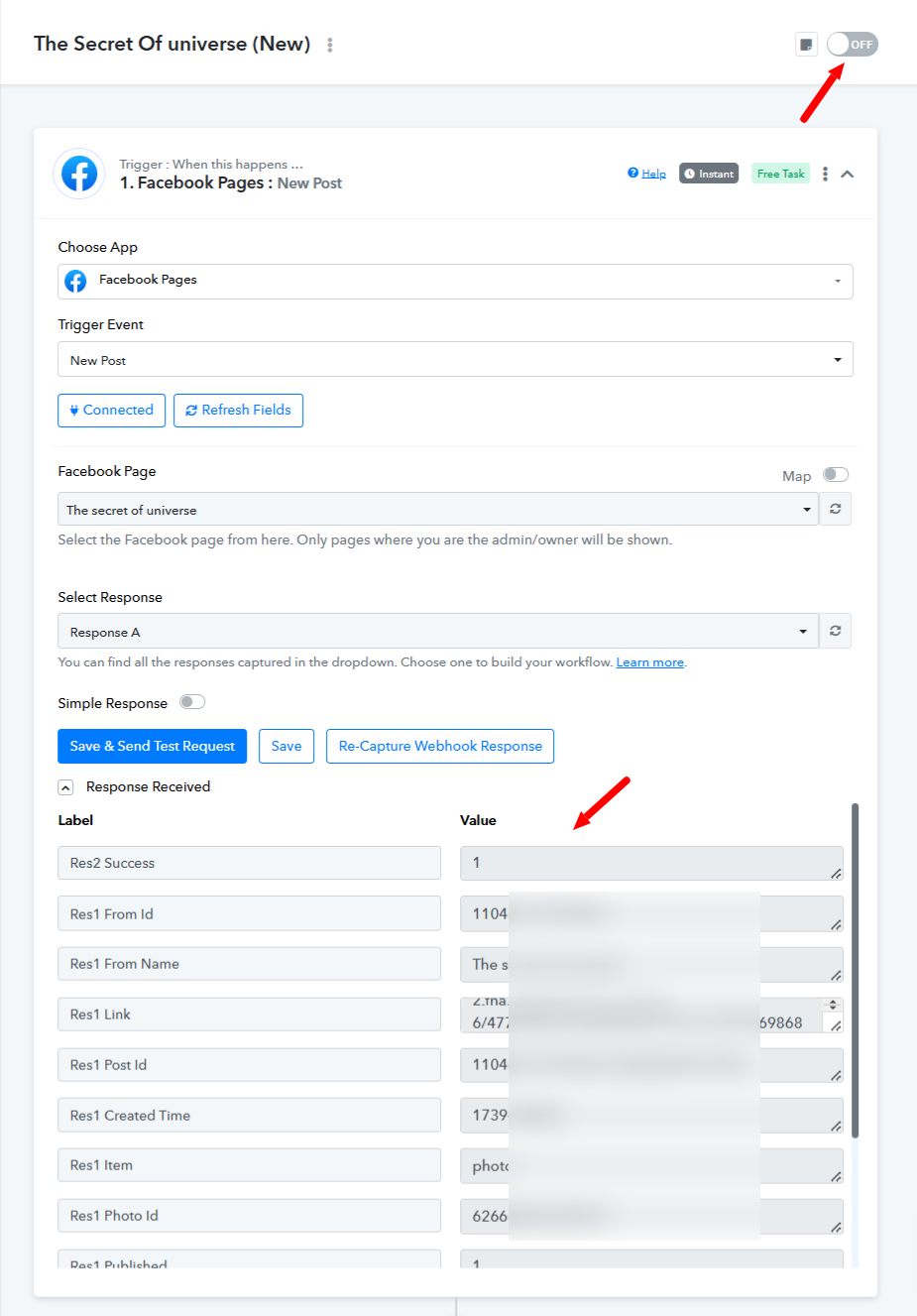
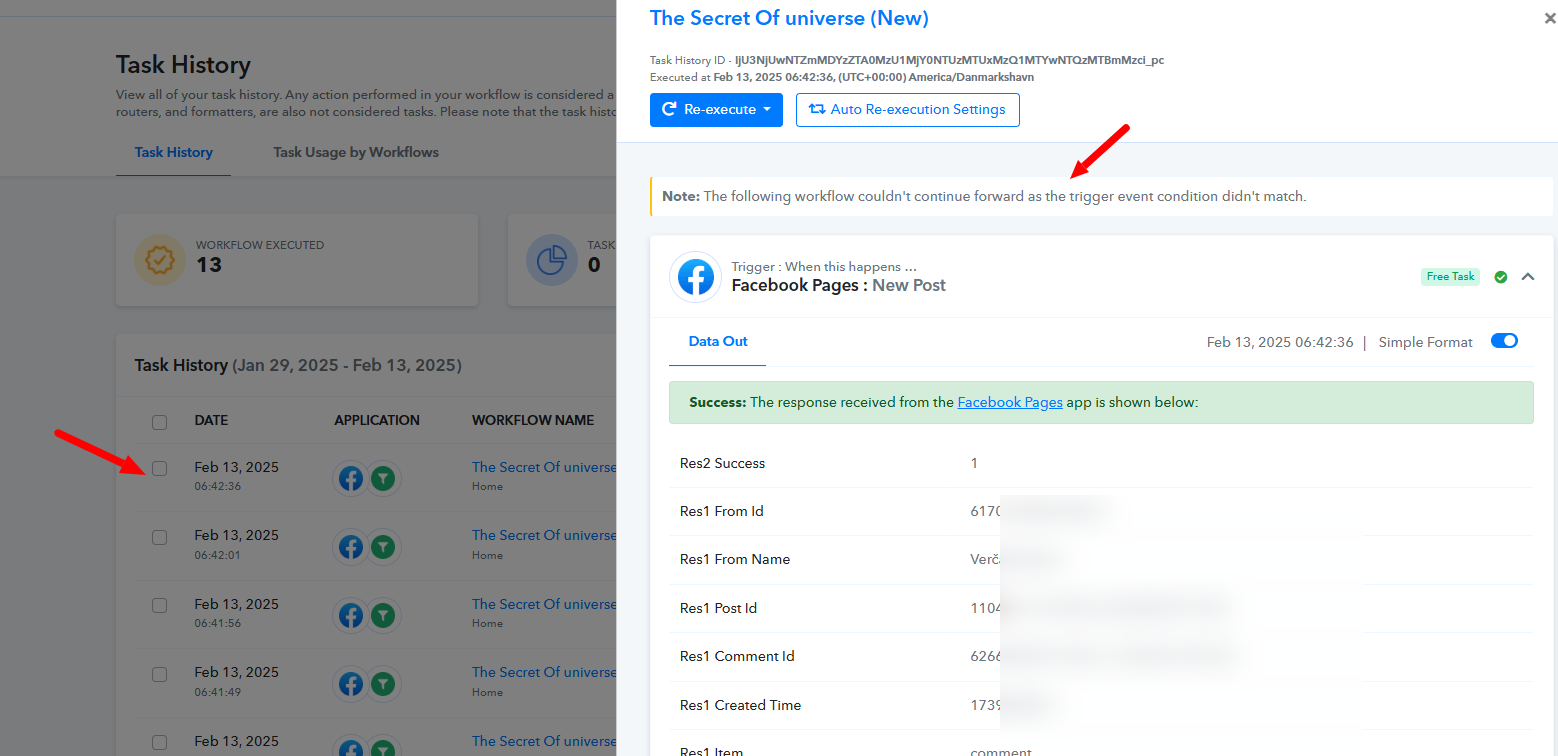
I want to make a workflow for the comment on Facebook page when I upload a new post on Facebook page . its capturing the webbook but some error coming in the action section . It is not commenting .
The issue you have encountered usually occurs when Facebook suspects that someone other than the account owner is attempting to log in.
facebook/comments/y48fcp
Please login to your Facebook and Pabbly Connect account in an Incognito Tab, establish a new connection with your Facebook account and see if that fixes your issue.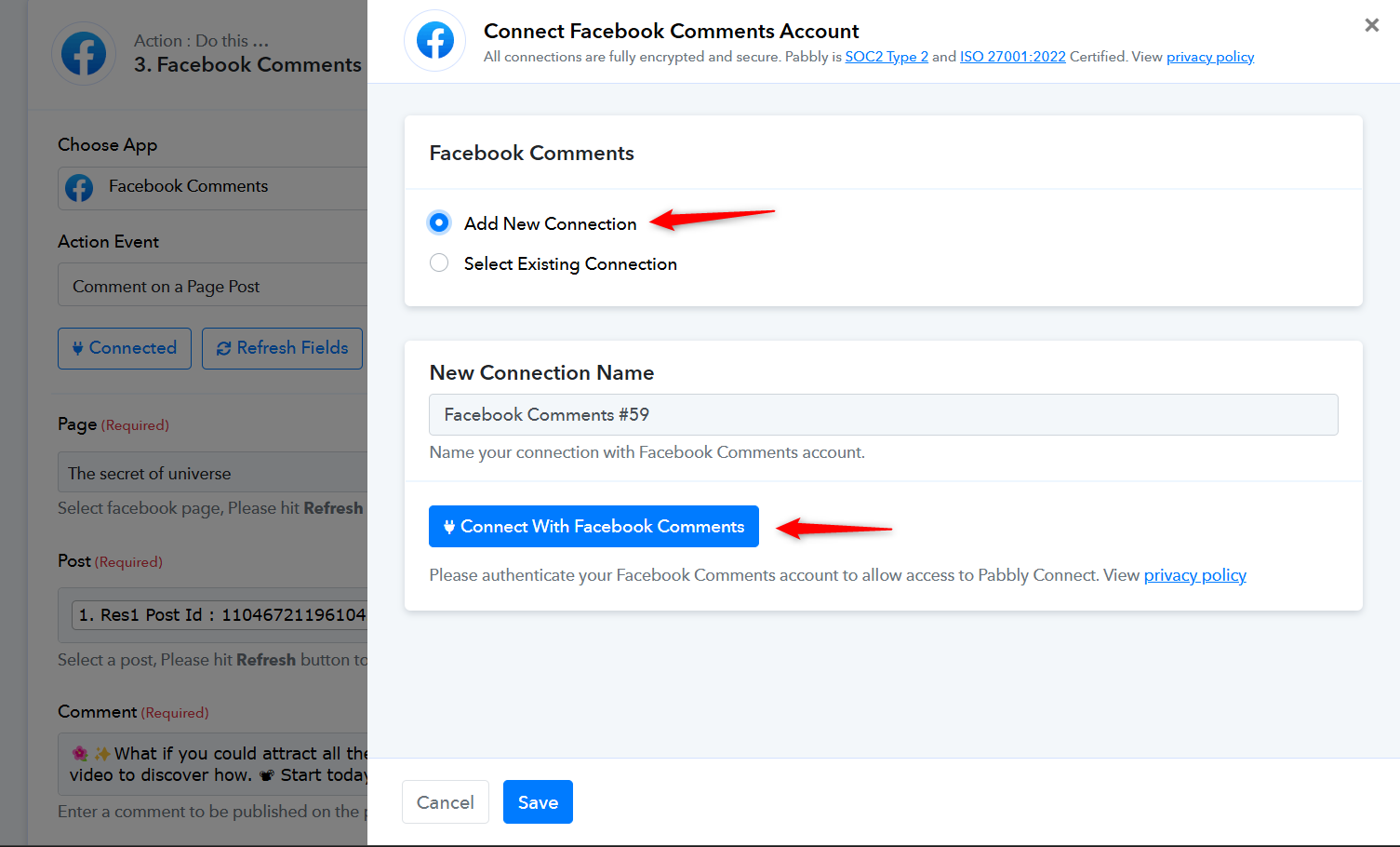
Please ensure that the Pabbly Connect application is added to your Facebook account and has all the necessary permissions.
https://drive.google.com/file/d/1oL8E3WH3SMlfSh-ykJAxpOmN_ObU5yto/view?usp=sharing
These are all things are perfectly fine . what to do now .?
Creating a new connection appears to have fixed your issue.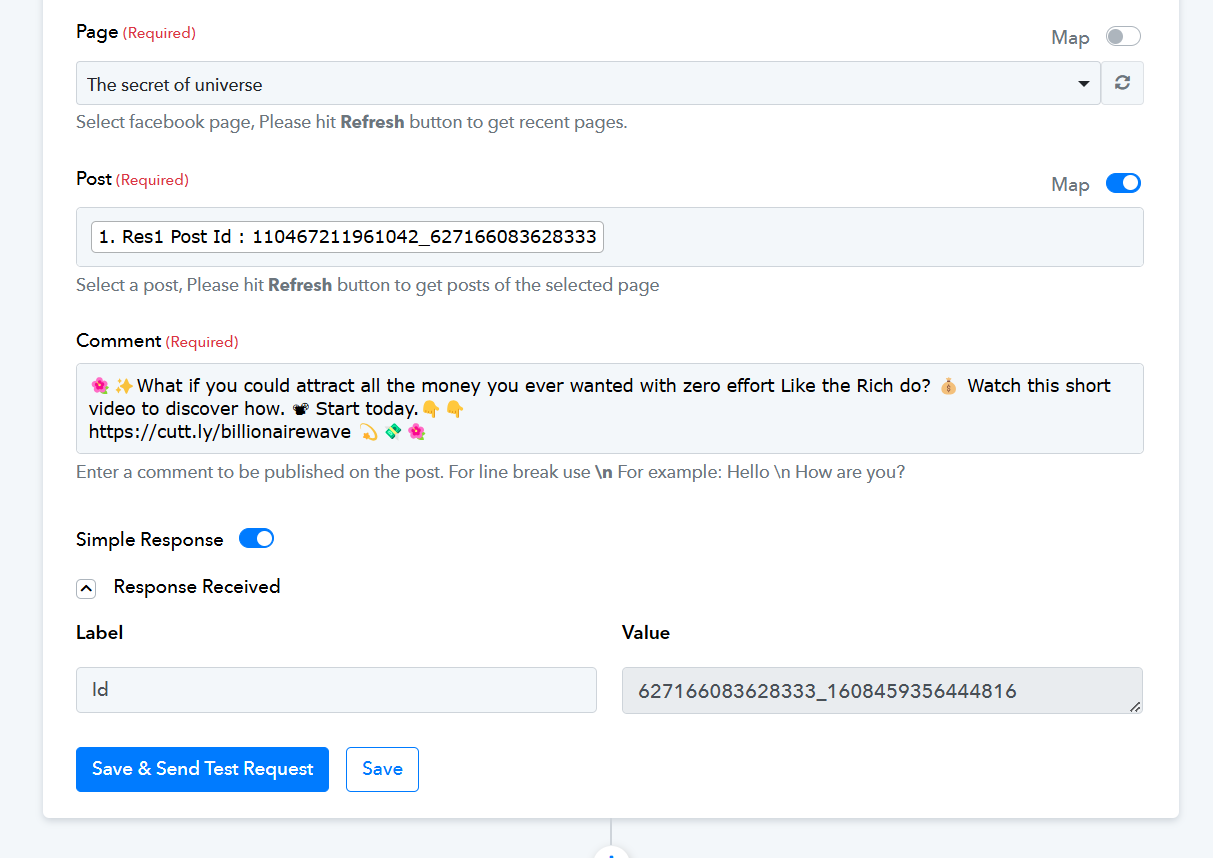
It seems its working fine but why after sometime workflow stopped itself .? In history why its trigger on comment .?
Hello @sonuku,
The 368 error code you are encountering while using the Facebook Comments API/Facebook API typically indicates that the account has been temporarily blocked due to policy violations. This could be why one step of your workflow is failing and why it may not be triggering as expected.
For more details on this error, you can refer to the official API documentation here - https://developers.facebook.com/docs/graph-api/guides/error-handling/#errorsubcodes
Additionally, you may find discussions on similar issues in the Facebook developer community - https://developers.facebook.com/community/threads/395078553059634/

We recommend reaching out to Meta Support for further clarification and to resolve any potential account restrictions. Let us know if you need any assistance in the meantime.
I set up a workflow in Pabbly Connect to automate comments on my Facebook page, but it’s not working as expected. I’ve tried different settings and troubleshooting steps, but nothing seems to fix it.
This is really frustrating because my work depends on this automation. Has anyone else faced a similar issue? How can I get this resolved?
Hello @sonuku,
As previously mentioned, the 368 error code you are encountering while using the Facebook Comments API/Facebook API typically indicates that the account has been temporarily blocked due to policy violations. This could be the reason why one step of your workflow is failing and why it may not be triggering as expected.
For more details on this error, you can refer to the official API documentation here - https://developers.facebook.com/docs/graph-api/guides/error-handling/#errorsubcodes
Additionally, you may find discussions on similar issues in the Facebook developer community - https://developers.facebook.com/community/threads/395078553059634/
We recommend reaching out to Meta Support for further clarification and to resolve any potential account restrictions. Let us know if you need any assistance in the meantime.
I am extremely frustrated with this issue. I have confirmed with the Meta support team over a call, and they have clearly stated that there are no restrictions on my page. Please resolve this problem as soon as possible.
Hi @sonuku,
We understand your frustration regarding this issue. The response you are seeing while using the "Comment on a Page Post" action is being sent directly by the Meta API itself. If Meta Support has confirmed that there are no restrictions on your page, we kindly request you to ask them for an email confirmation stating the same. This will help us better analyze the issue and identify any possible solutions.
Additionally, if you need further assistance, you can schedule a meeting with us, and we’ll be happy to check this together in real time. Let us know how you’d like to proceed.
If this action is blocked from my Page , why I am able to comment manually.? Meta support schedule the call and talked me on call . They clearly said there is no restriction on your page .
Reminder ..?
Hello @sonuku,
We have tested the "Create Comment on Page Post" action, and it executed successfully. Please refer to the attached image for reference.
Kindly review the filter conditions in your workflow, then try adding a Facebook post and monitor the task history to see if the action is executed correctly in automation. Let us know if you encounter any issues.
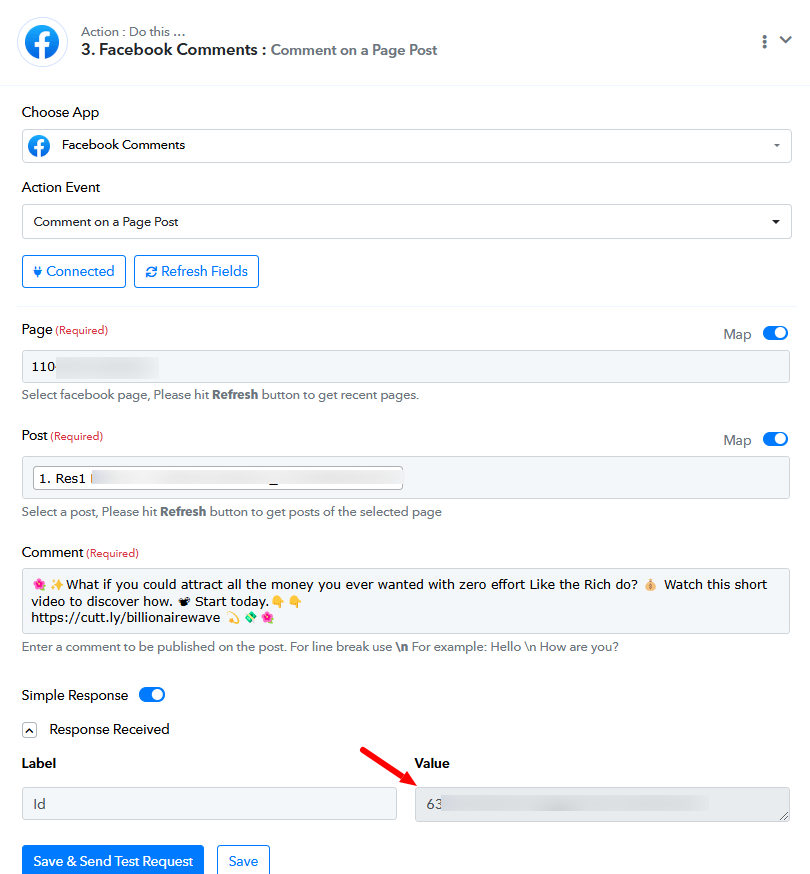
Its working on just workflow in pabbly connect but not doing any comment on Facebook .
Hello @sonuku,
The issue occurred because the filter condition failed. Please review the filter settings and make the necessary corrections, or remove the action if it is not required.
Let us know if you need further assistance.
please correct my filter condition .
Hello @sonuku,
Could you please specify the criteria for filtering the leads? This will help us adjust the filter accordingly to meet your requirements.
Looking forward to your response.
As I upload the new image , text post , reel or a video . on that post comment should be happen .
Hello @sonuku,
In this case, the filter is not required in the workflow since it will capture every new post, whether it's an image, text, or video. Therefore, we have removed the filter for now.
Please try adding a new post to test the workflow and let us know how it works.