Facebook lead Ads to Google Sheet not working
Status: Open · Asked by SupportHubstrat on · 0 views
Hi, we've created a workflow:
Facebook Lead Ads --> Google Sheet
The information from the ads arrives in the trigger. We've mapped the information into the Google Sheet fields, but the information isn't written to the sheet.
Wait for your feedback
Hi @SupportHubstrat,
It appears that you have not mapped the lead details to the Google Sheets action step, which is why the data is not being passed to your spreadsheet. Please remap the data in the Google Sheets action step and check if that resolves the issue.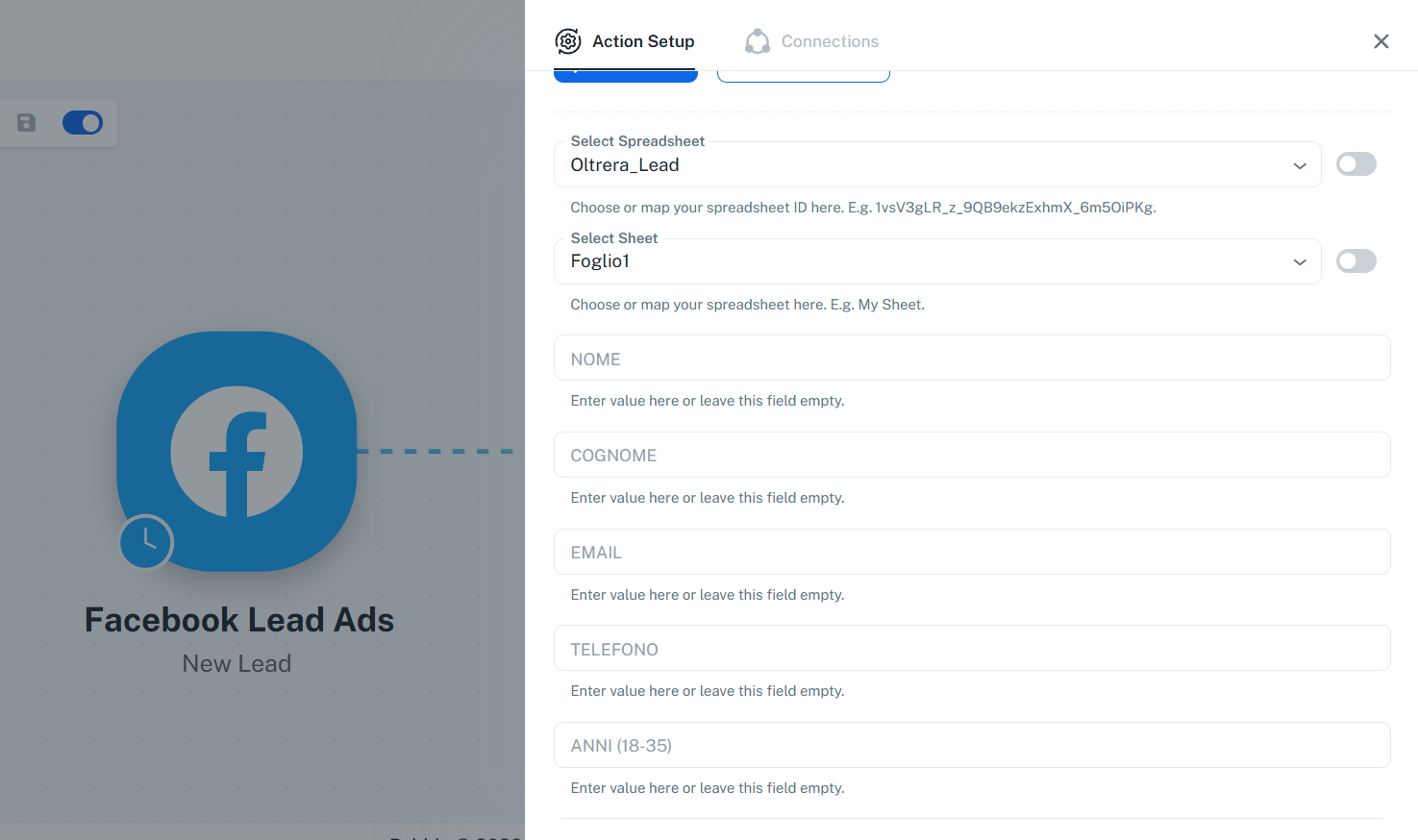
Thanks & Regards,
Arshil Ahmad
Customer Support Associate
? Pabbly.com
?Rate your support
Thanks for your feedback.
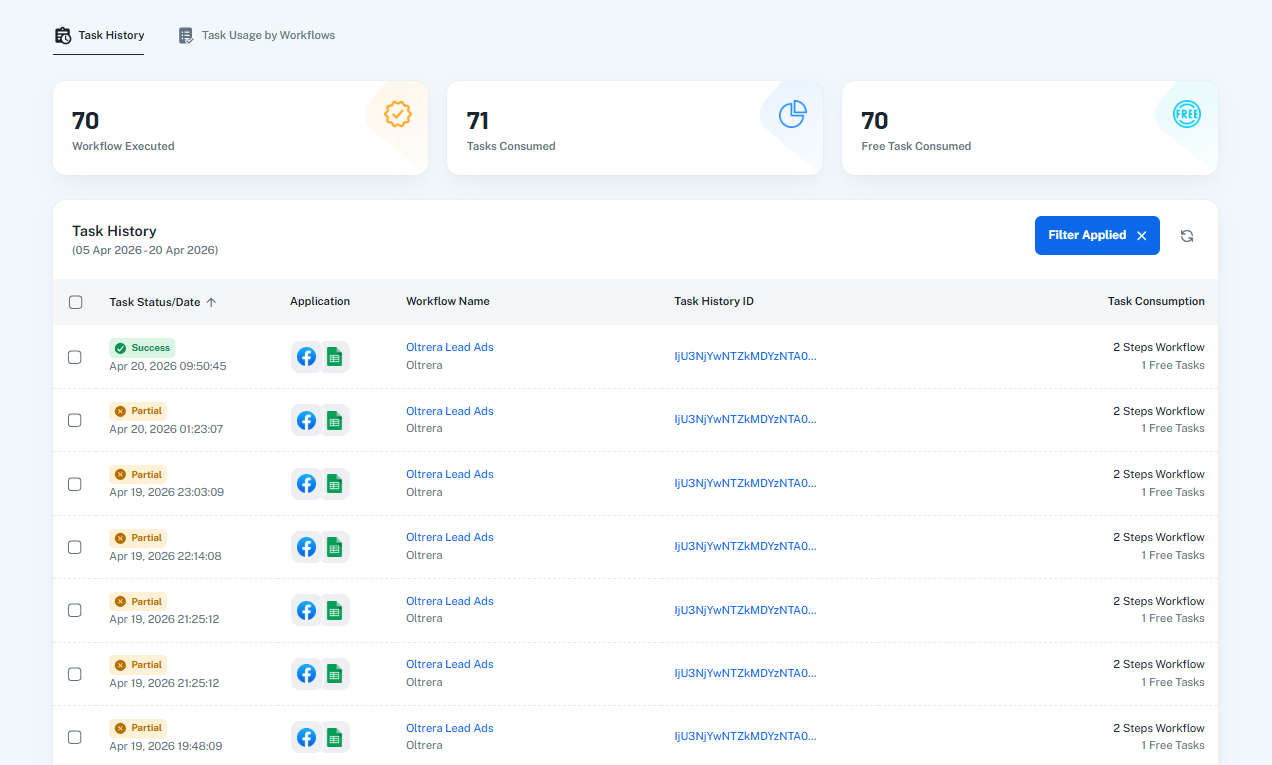
We mapped the fields but task hisory has alert on all flow.
[TABLE]
[TR]
[TH]Key[/TH]
[TH]Value[/TH]
[/TR]
[TR]
[TD]Error Code[/TD]
[TD]400[/TD]
[/TR]
[TR]
[TD]Error Message[/TD]
[TD]Invalid JSON payload received. Unknown name "": Root element must be a message.[/TD]
[/TR]
[TR]
[TD]Error Status[/TD]
[TD]INVALID_ARGUMENT[/TD]
[/TR]
[TR]
[TD]Error Details 0 @type[/TD]
[TD]type.googleapis.com/google.rpc.BadRequest[/TD]
[/TR]
[TR]
[TD]Error Details 0 FieldViolations 0 Description[/TD]
[TD]Invalid JSON payload received. Unknown name "": Root element must be a message.[/TD]
[/TR]
[/TABLE]
We will wait for a feedback
Hello @SupportHubstrat,
Thank you for the update.
It appears that the changes were applied after the earlier task histories had already been executed, which is why those executions failed. We tested by re-executing a failed task, and it worked successfully.
Going forward, new task executions should work fine. For the previously failed ones, you can use the “Re-execute → Failed & Skipped Steps” option to process them again.
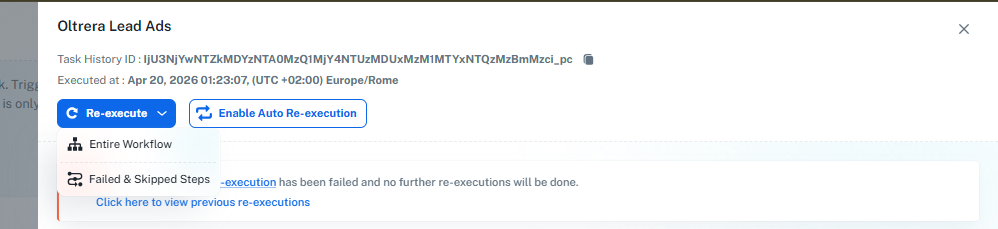
Please let us know if you face any issues.