Facebook lead testing tools or test form se lead pabbly connect par capture nahi ho rahi he please help me
Status: Open · Asked by MUKESH NATH on · 0 views
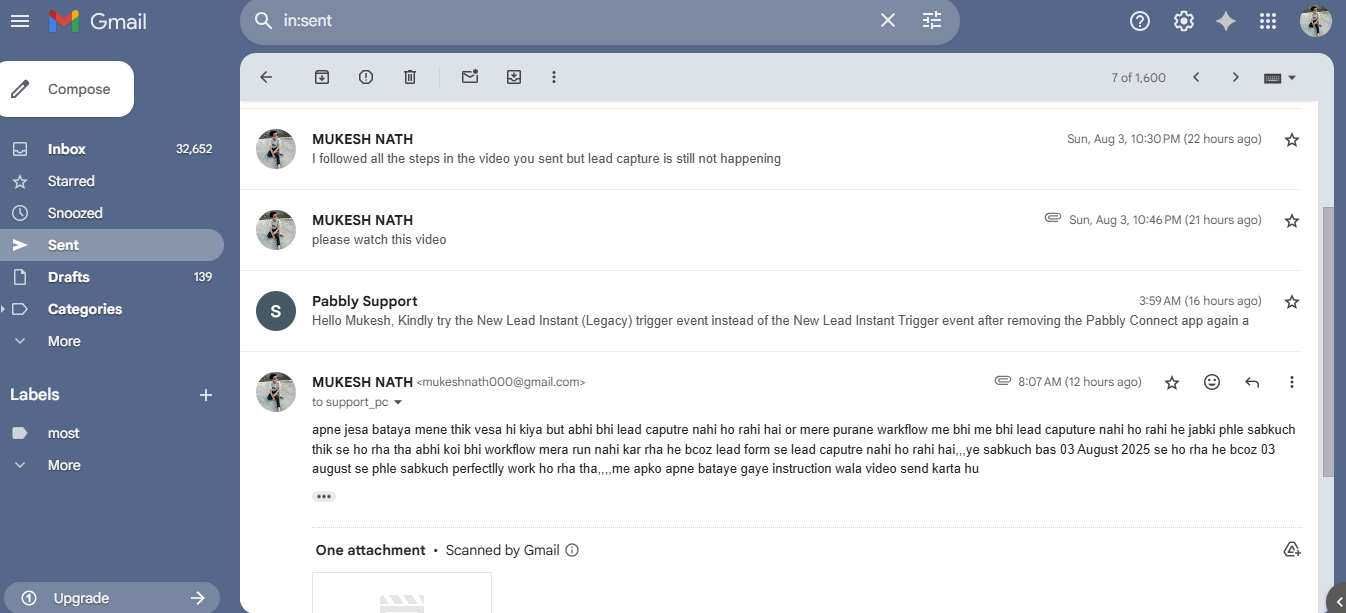
video link - https://drive.google.com/file/d/10tfw4SotP_CVOcECNycTMyj1XCK6y3b5/view?usp=drive_link
(please aap pura video dekhe and mujhe ek suitable solution bataye bcoz mujhe iski need hai and mujhe ye jald se jald sortout krna he
Hello @mukeshnath1984,
Thank you for sharing the video.
It looks like the current approach to capturing the lead might not yield the desired result.
We’d suggest the following steps instead:
- Create a new workflow.
- Select the required Facebook Page and Form before clicking on “Save & Send Test Request.”
- Then, add a test lead from your Facebook Lead Ad form.
- If you need to capture a new response, please use the “Re-capture Webhook Response” button instead of the “Save & Send Test Request” button.
Please give this a try and let us know how it goes or if you need any help along the way.
video shared for email: https://drive.google.com/file/d/1PEKCqQziMckg6Kq0VCZZXso8KG-ERsba/view?usp=drivesdk
Hello @mukeshnath1984,Thank you for sharing the video.
It looks like the current approach to capturing the lead might not yield the desired result.
We’d suggest the following steps instead:
- Create a new workflow.
- Select the required Facebook Page and Form before clicking on “Save & Send Test Request.”
- Then, add a test lead from your Facebook Lead Ad form.
- If you need to capture a new response, please use the “Re-capture Webhook Response” button instead of the “Save & Send Test Request” button.
Please give this a try and let us know how it goes or if you need any help along the way.video shared for email: https://drive.google.com/file/d/1PEKCqQziMckg6Kq0VCZZXso8KG-ERsba/view?usp=drivesdk
https://drive.google.com/file/d/1QFe6x19dGSGGcClHlSbnZObmqH1R0tkM/view?usp=sharing
(mene ye sab karke dekh liya hai but abhi bhi koi response nahi aya he mene vedio ka link share kiya he vedio me voice nahi he )
Hello @mukeshnath1984,
Thank you for sharing the screen recording.
To assist you more effectively, we request you to join us for a quick Google Meet session. You can book a convenient time slot using the link below:
https://pabbly-booking.zohobookings.in/#/preeti
This will allow us to understand and resolve the issue you're facing in real-time.
Looking forward to connecting with you.
Hello @mukeshnath1984,Thank you for sharing the screen recording.
To assist you more effectively, we request you to join us for a quick Google Meet session. You can book a convenient time slot using the link below:
https://pabbly-booking.zohobookings.in/#/preeti
This will allow us to understand and resolve the issue you're facing in real-time.
Looking forward to connecting with
Hello @mukeshnath1984,Thank you for sharing the screen recording.
To assist you more effectively, we request you to join us for a quick Google Meet session. You can book a convenient time slot using the link below:
https://pabbly-booking.zohobookings.in/#/preeti
This will allow us to understand and resolve the issue you're facing in real-time.
Looking forward to connecting with you.
ok thanks