Facebook Leads Ads Issue Updates - Re-Execute doesn't work
Status: Open · Asked by MaxMustermmann on · 0 views
Facebook Leads Ads Issue Updates - Re-Execute doesn't work - same the same error occurs
Hello @MaxMustermmann
Please try recapturing the response from the trigger and then try re-executing the failed steps -
youtube.com/watch v=GOJt-reqvJA
.If you still face the same issues please let us know.
Hello @MaxMustermmann
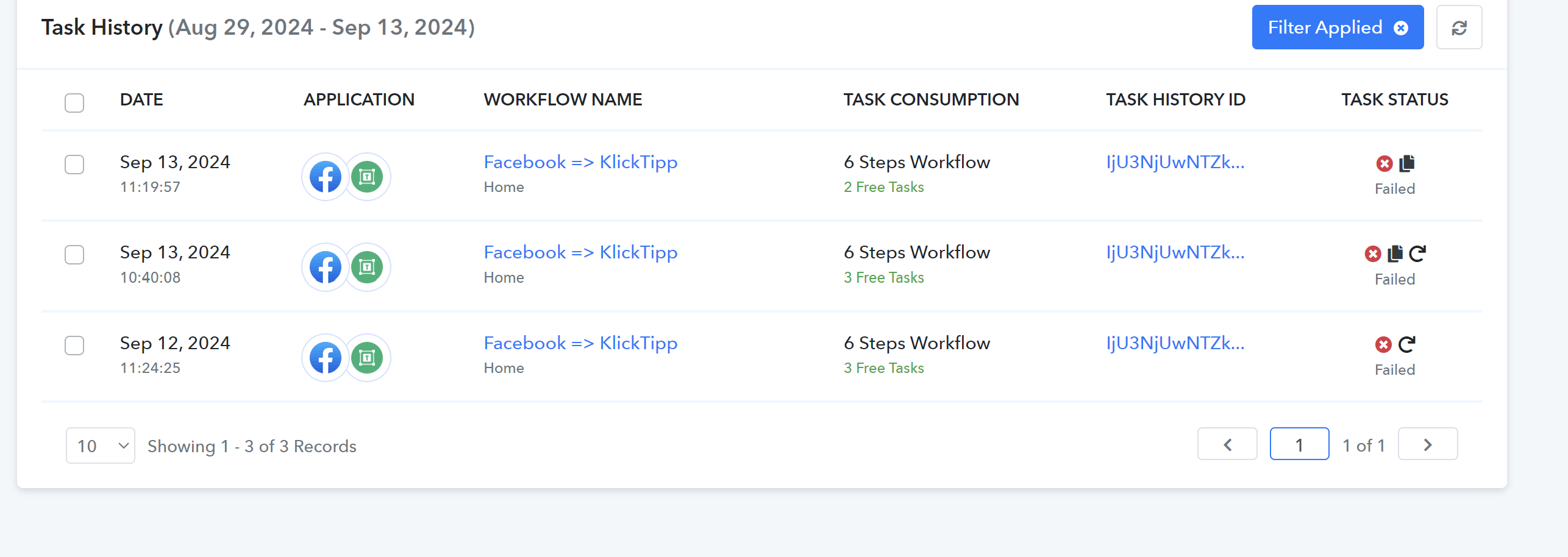
Please re-execute your workflows following the below steps:
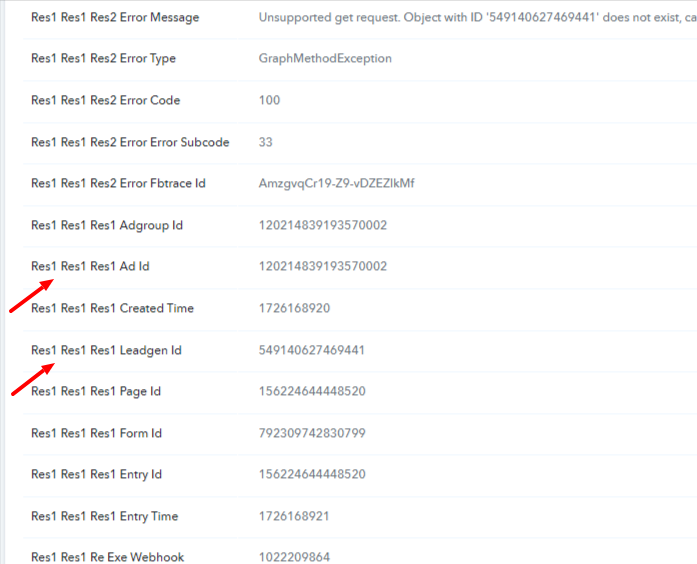
1. Go to the task history, click on the Task History ID, and copy the "Leadgen ID". Please refer to the screenshot to learn where you would find the same: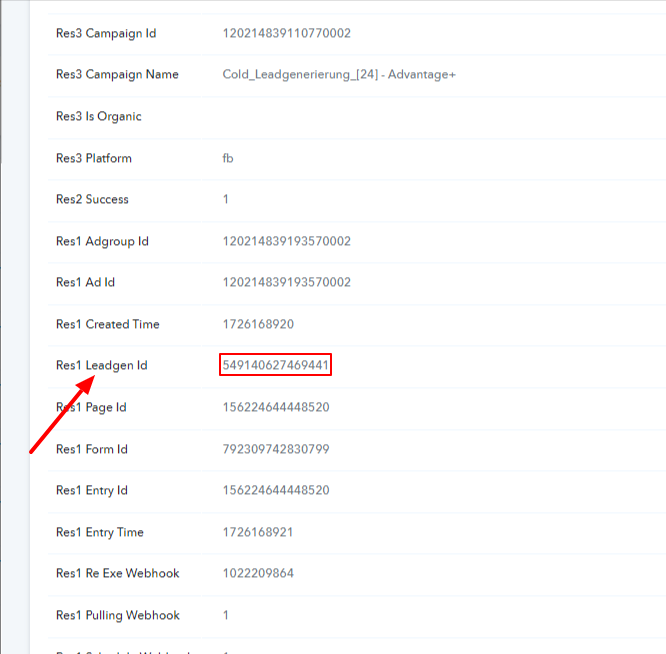
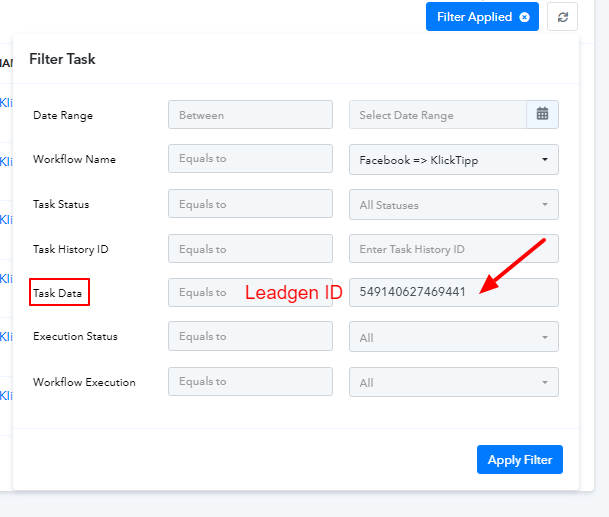
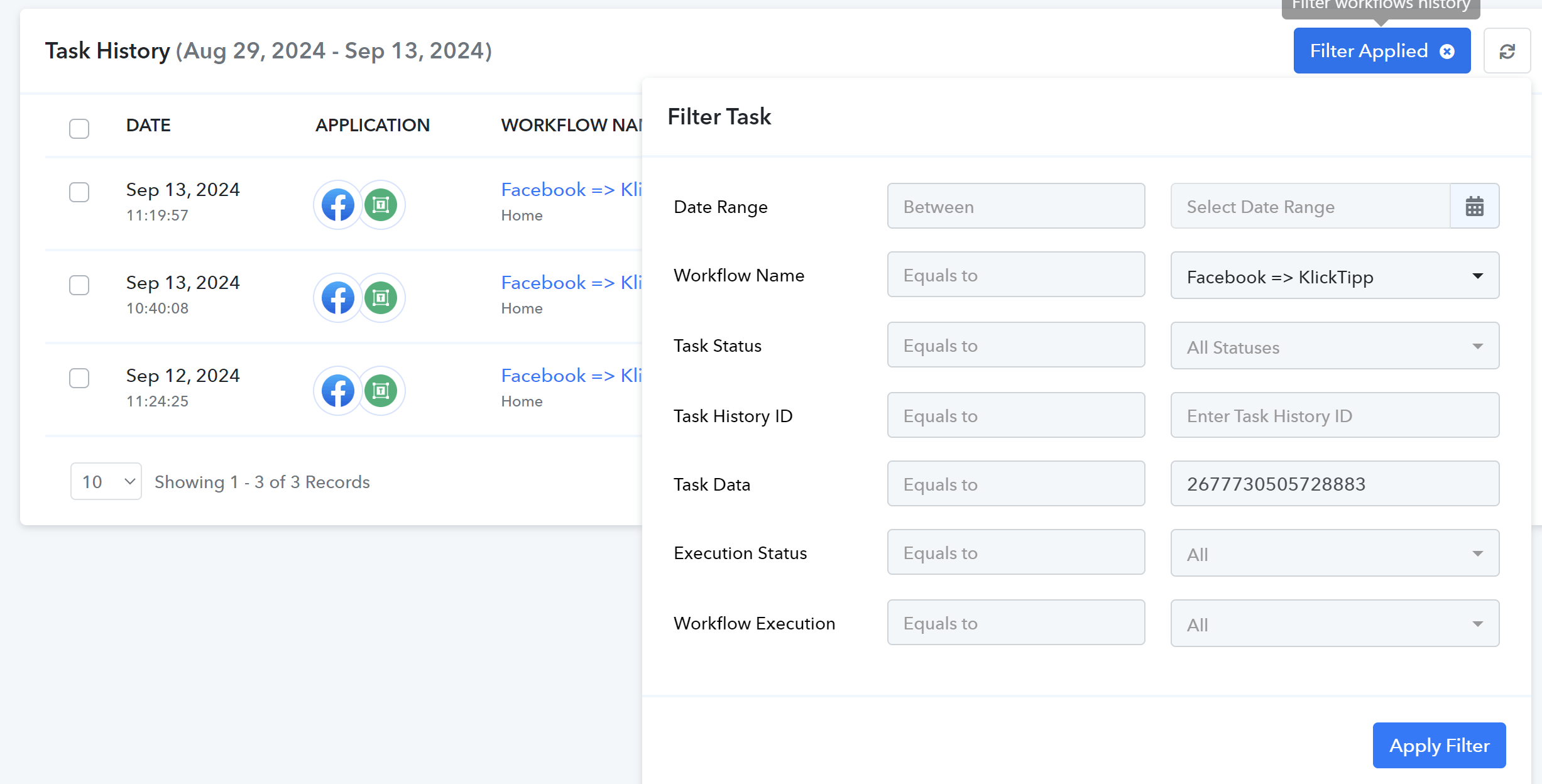
2. Apply a filter on the basis of workflow name and task data, refer to the attached screenshot to apply the filter accordingly.
3. Re-execute the task with responses received as the first attached screenshot, please avoid re-executing tasks with responses received as in below attached screenshot that are with multiple "Res1" in keys:
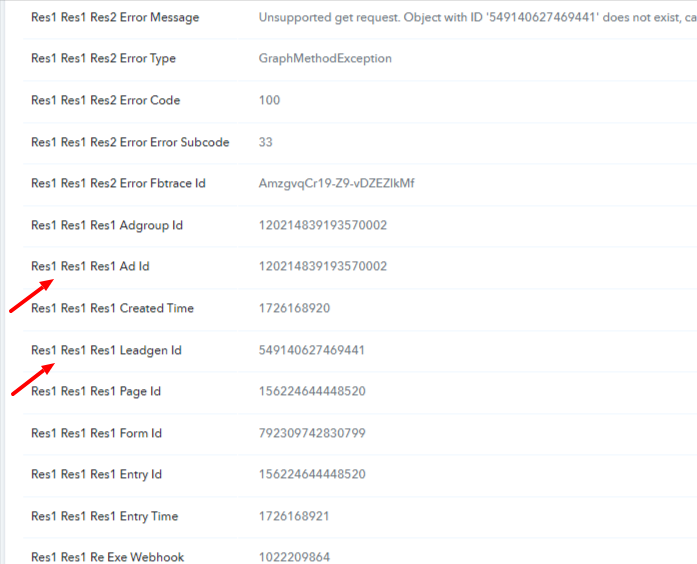
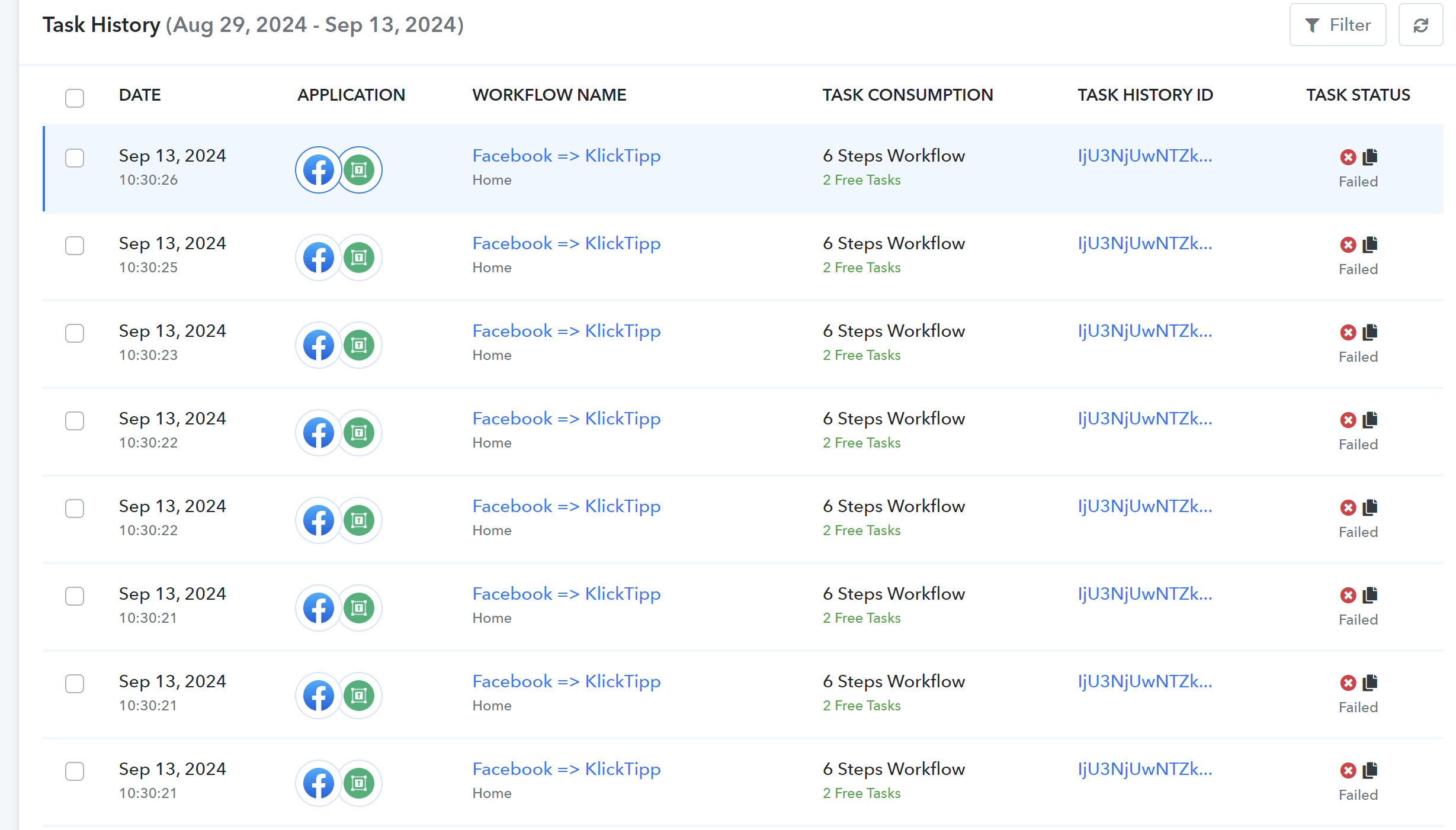
Please avoid re-executing tasks with success status to prevent duplication.
Hello @MaxMustermmann
Kindly follow the steps mentioned above and then if you face any issues please let us know.
I don't understand what I should do? Please send a video of the steps
Hello @MaxMustermmann
I have attached the video for your reference - https://www.loom.com/share/84731f944c224b6791bdccd9da29225a sid=2e31d8ed-9ce8-426a-a70c-d979269d9692
Please make sure to avoid re-executing tasks with responses containing multiple "Res1" in keys, as shown in the below attached screenshot.
But I don't want to do that for every single task. That's over 60 that failed. Why can't I just mark them all and run them again? Why does this work individually but not in batch?
Hello @MaxMustermmann
You will have to follow the mentioned process because re-executing tasks with wrong response (Res1 Res1...), will again result in a failed task increasing your failed tasks count.
Hope I have cleared your query, if you further face any difficulties please let us know.