Facebook test lead response is not showing in the action setup dropdown for HubSpot in Pabbly
Status: Open · Asked by Official Pest on · 0 views
Here's the screen shot of the Facebook test lead data working correctly.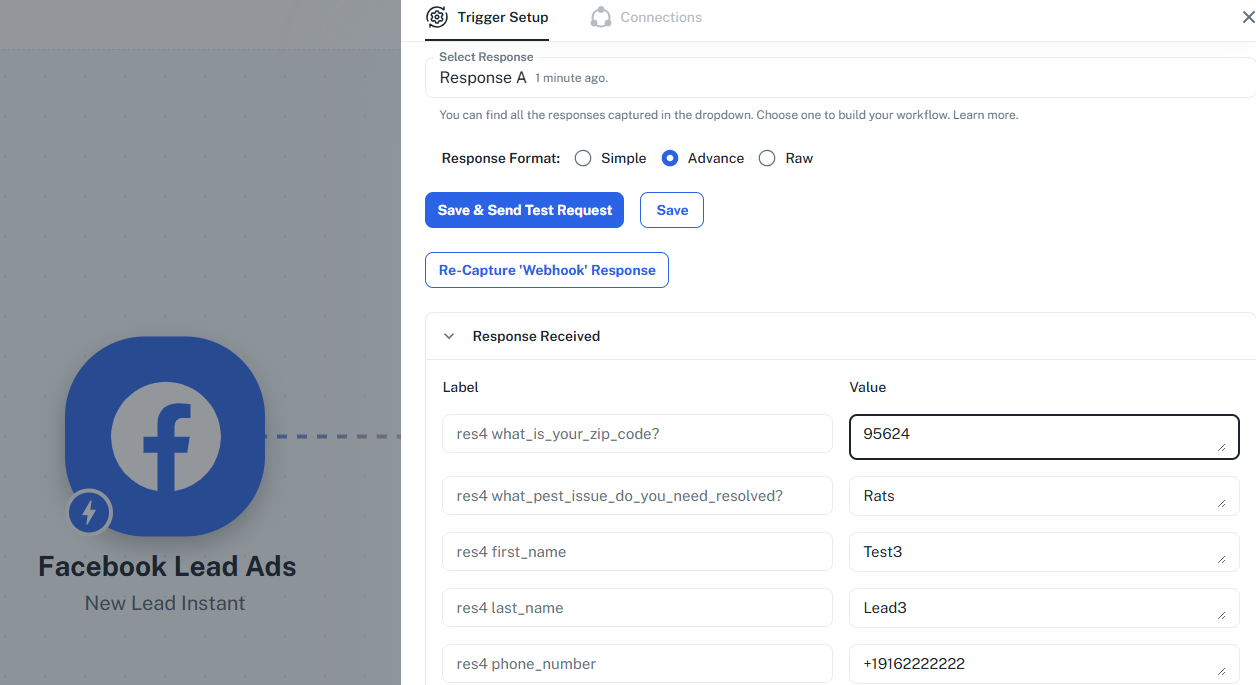 and here's where the field mapping isn't showing up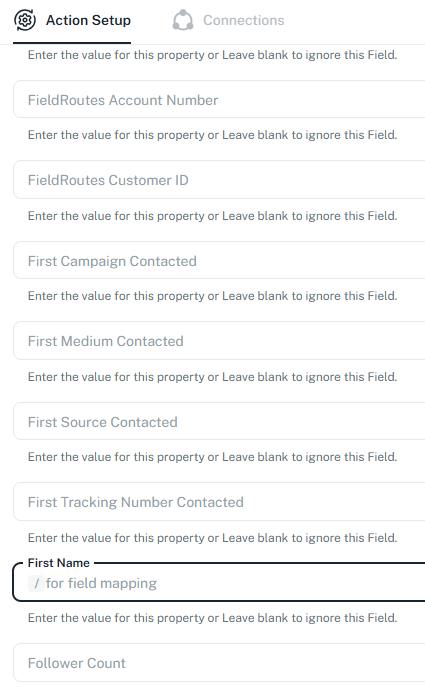
Hi @Official Pest,
Please click on the slash key (/) and the option to map data will appear.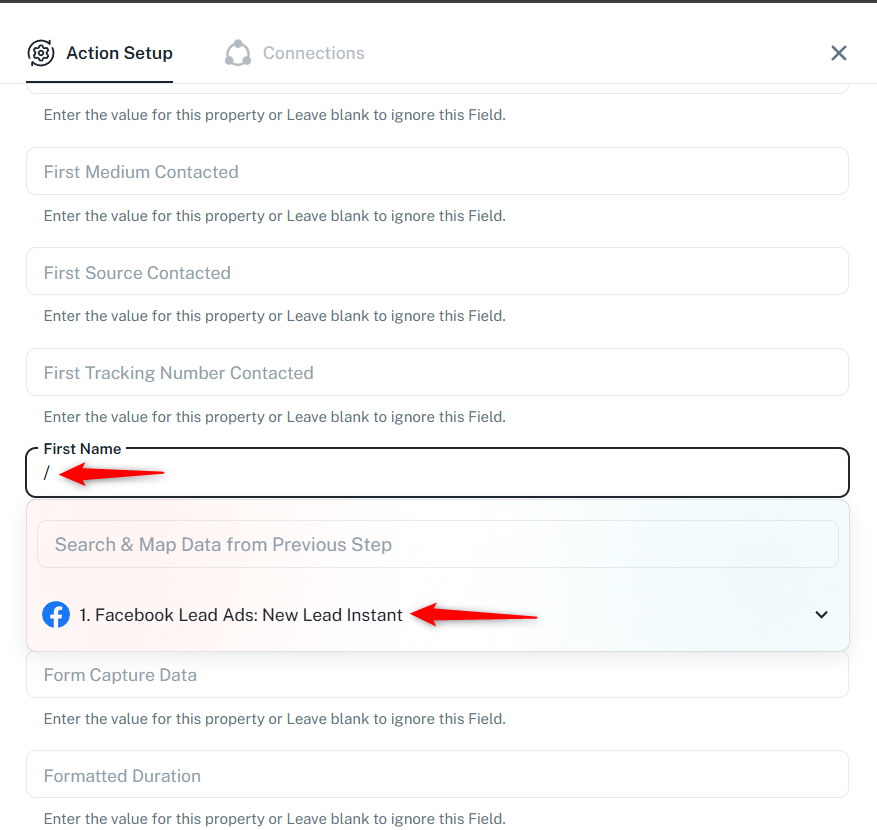
Thanks & Regards,
Arshil Ahmad
Customer Support Associate
? Pabbly.com
?Rate your support
That's pretty simple. Thank you.
I have a follow up question. How do I get the pest problem to show up? I don't know what field to enter it in. The Postal Code is having the same problem.
That's pretty simple. Thank you.I have a follow up question. How do I get the pest problem to show up? I don't know what field to enter it in. The Postal Code is having the same problem.
Could you please elaborate a bit more on this concern?
Thanks & Regards,
Arshil Ahmad
Customer Support Associate
? Pabbly.com
?Rate your support
In the action setup for Hubspot, where do I enter the / and choose the pest problem? I want Rats to show up in HubSpot's contact info, and it doesn't come through. 
Hi @Official Pest,
It appears that the data is being mapped correctly, and it is getting stored under specific HubSpot properties (fields) based on where you are mapping it in the action setup.
From the test response, the value “Rats” is already being passed and saved under the property What Pest Issue Do You Need Resolved?, and the Postal Code is being stored under Postal Code (and also reflected in the default zip property).
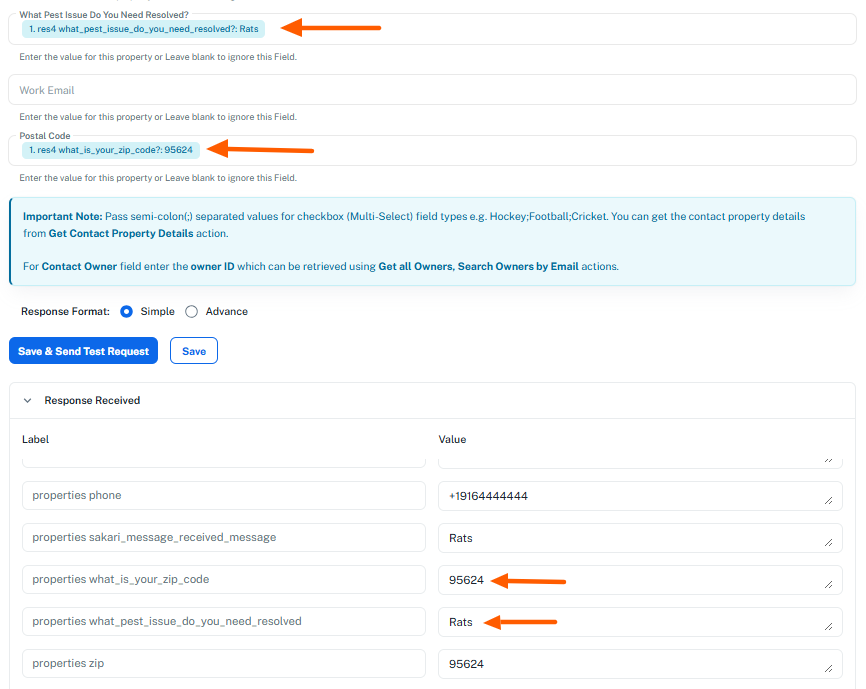
Let us know if you want help mapping it to a different property.
Thanks, I see it now.
We're glad we were able to help. As your issue has been resolved, we’d appreciate it if you could share quick feedback on the support you received:
https://forms.gle/GAjS4wdPYKuhnEYV9
Thank you for your time.
Thanks & Regards,
Arshil Ahmad
Customer Support Associate
? Pabbly.com
?Rate your support