Facebook whatapp ads chatflow with Pabbly ChatFlow
Status: Open · Asked by metalabteam on · 0 views
Hi, i have created a flow with 'User Start Conversation' as the trigger to activate the flow, however it doesn't work when i tested with my personal whatsapp to start a conversation.
This is my flow link
https://chatflow.pabbly.com/api/flows/share/690d641e44407dd7c8773e05
Hello @metalabteam,
Could you please share the email address associated with your Pabbly Chatflow account so that we can investigate the issue further?
Also, note that the User Starts a Conversation trigger will only work for the chat initialization message from the user's end. If the Chat is already there in pabbly chatflow with the number, and you receive a message from that number, it wouldn't trigger the flow.
this is the email associated with my account
[email][email hidden][/email]
Hello @metalabteam,
Thanks for sharing the email.
The concerned flow seems to be disabled. Kindly enable it and let us know once done so that we can test the issue.
i had enabled it
Hello @metalabteam,
i have created a flow with 'User Start Conversation' as the trigger to activate the flow, however it doesn't work when i tested with my personal whatsapp to start a conversation.
The trigger in reported issue seems to be different from the current trigger event.
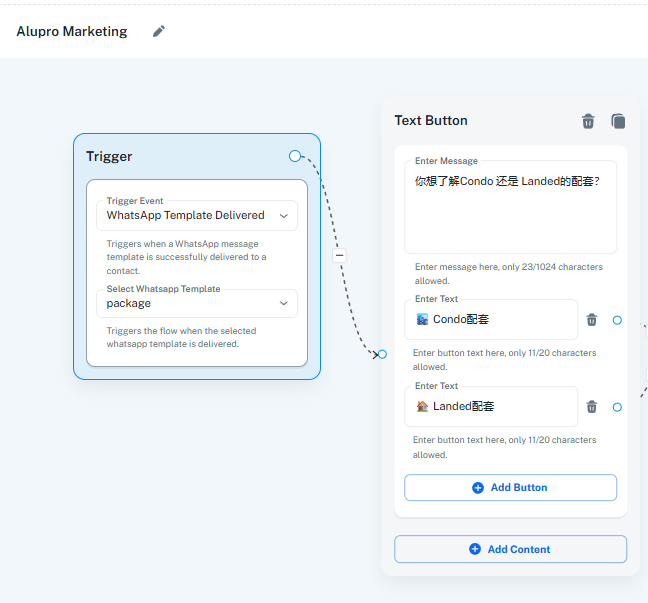
yes i actually changed the trigger, it couldnt be found in my facebook ads.
Hello @metalabteam,
Could you please elaborate on your exact use case and share details about the screenshot you provided? Also, a clearer screenshot would help us understand what you are trying to achieve.
im trying to use Pabbly chatflow to handle my incoming lead from facebook ads (campaign objective: whatsapp).
i have 2 issues here :
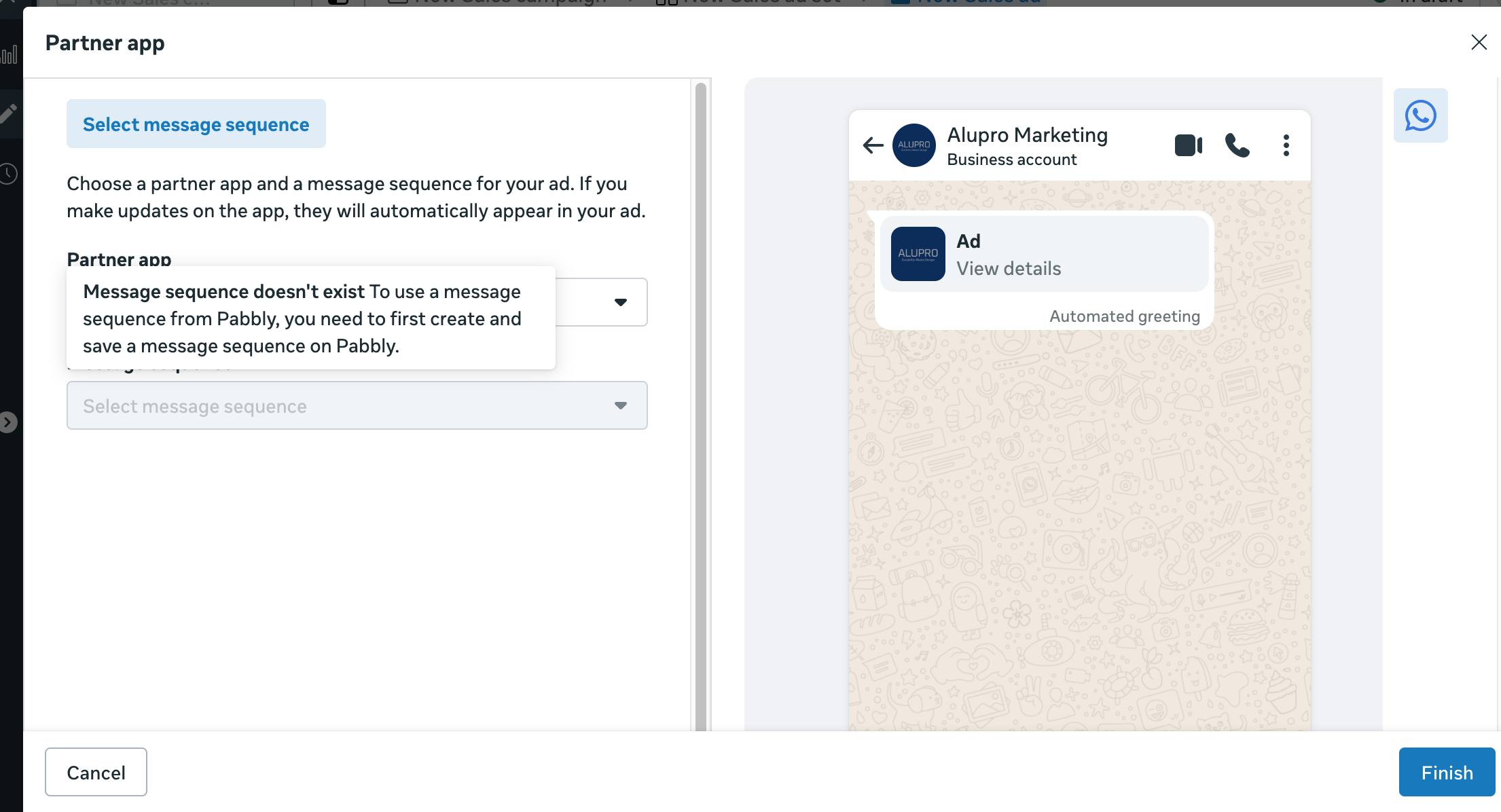
1. how to connect a flow to facebook ads, iamge below showing message sequence doesn't exist when im setting up the ads.
2. how to set up a trigger to fire a chatflow to incoming lead
Hello @metalabteam,
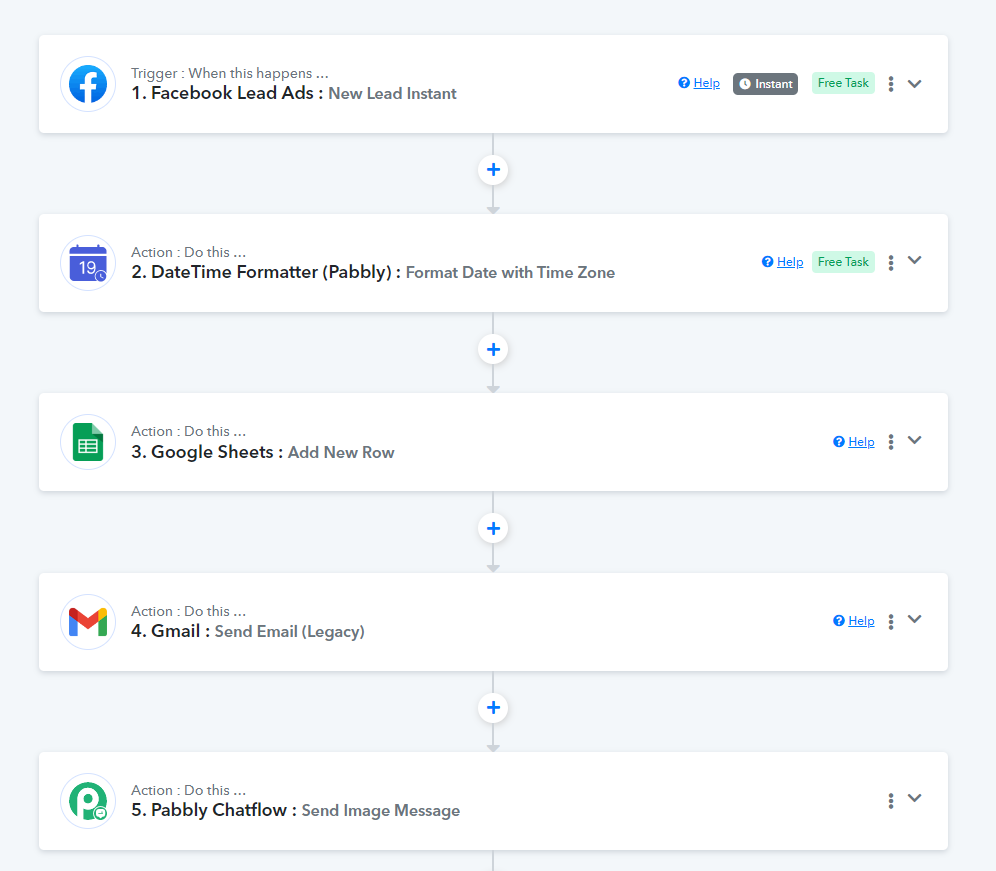
Thank you for sharing the exact use case. The use case in the exact manner you require is currently not feasible; however, you may achieve it as shown in the attached tutorial.
Thank you for your sharing, can i set up a flow that send a message to user who signed up from my facebook instant lead form ?
Step 1: user see my Facebook ads
Step 2: fill up lead form to sign up
Step 3: lead's details recorded in google shet
Step 4: reach out to user via whatsapp
Hello @metalabteam,
Yes, you can set up this workflow to send the message to the user.
But it seems like doesnt work. Message did not send out to user via whatsapp when they submitted a form entry.
Hello @metalabteam,
Could you please share the workflow URL so we can better assist you?
Hello @metalabteam,
Upon checking the workflow, it seems that in the Pabbly Chatflow: Send Image Message action, the Image URL field doesn't contain a valid file URL, causing the action to fail.
Kindly map a file URL to avoid facing this issue.
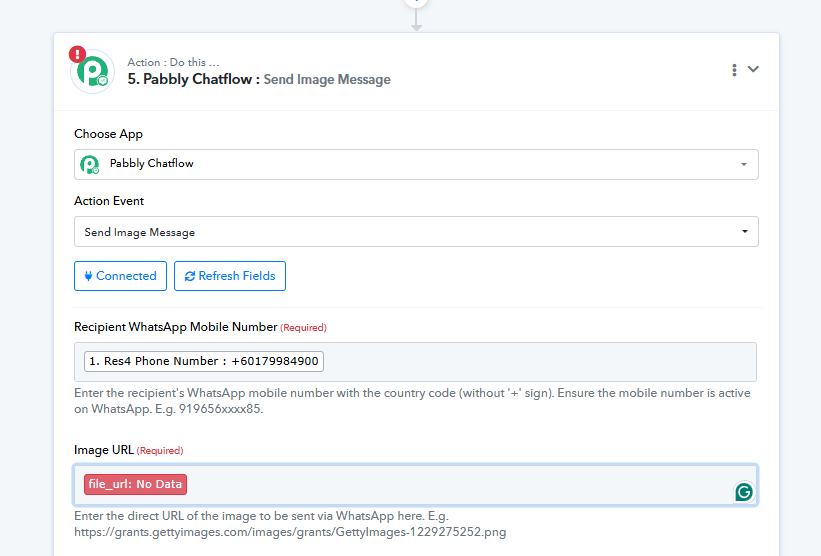
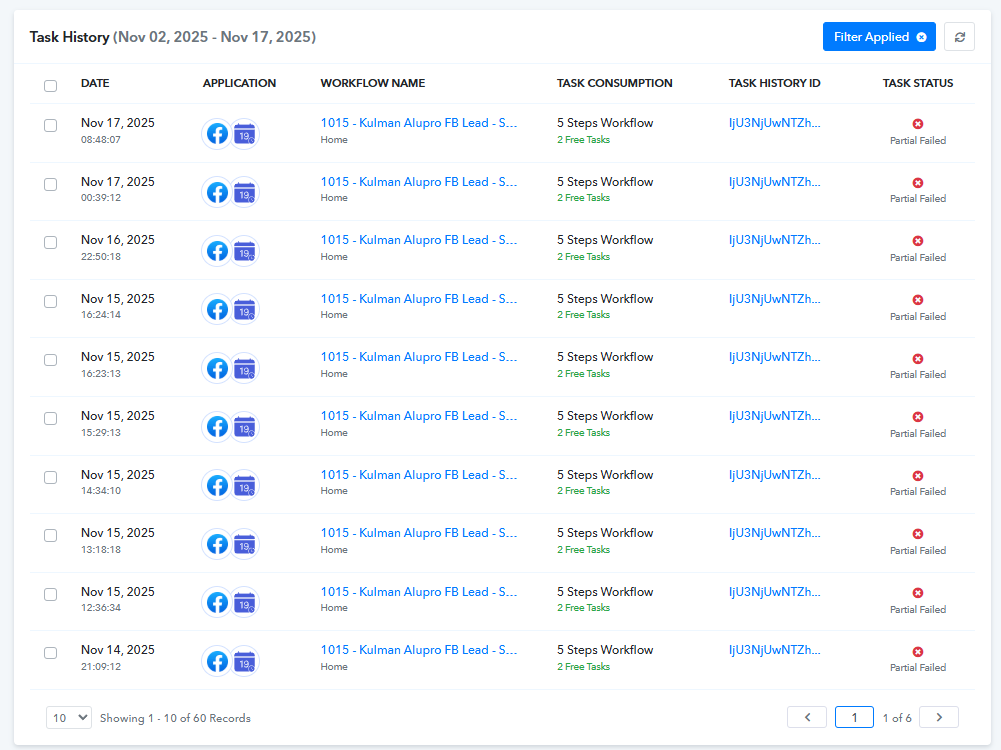
do you mind to share an instruction to build an Image URL
Hello @metalabteam,
The image field appears because your Chatflow template includes media. To make it work, you need to add a valid public image URL.
You can upload your image to any public image-hosting tool or simply use the “Share with anyone” link from Google Drive for that specific file and paste it into the Image URL field.
This is my image url from “Share with anyone” link from Google Drive
https://drive.google.com/file/d/1yAxxhCx_4rkjq4meG5eybCNPv2Ga_eOh/view?usp=sharing
the status is Invalid media link
Hello @metalabteam,
I have added an action to your workflow, which seems to have resolved the issue.
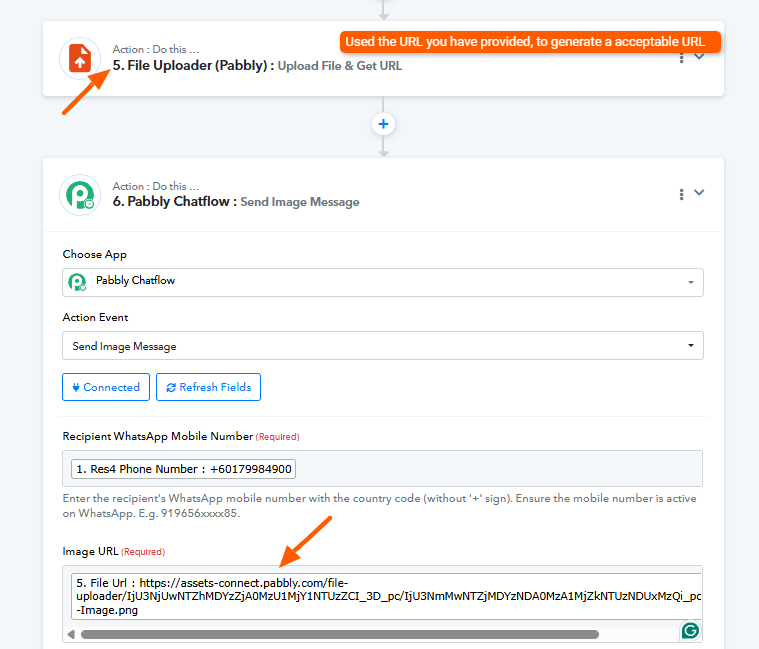
Hi Preeti,
thank you for your assist, the flow setup succesfully, however the flow doesnt work as the message did not send out.
much appreciate if you could advice me.
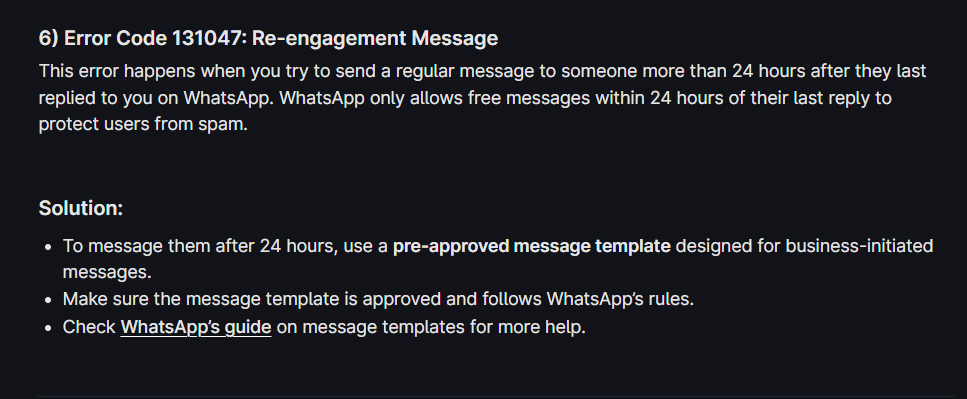
i got this status : Failed due to META policy.
do you have a solution to solve this error ?
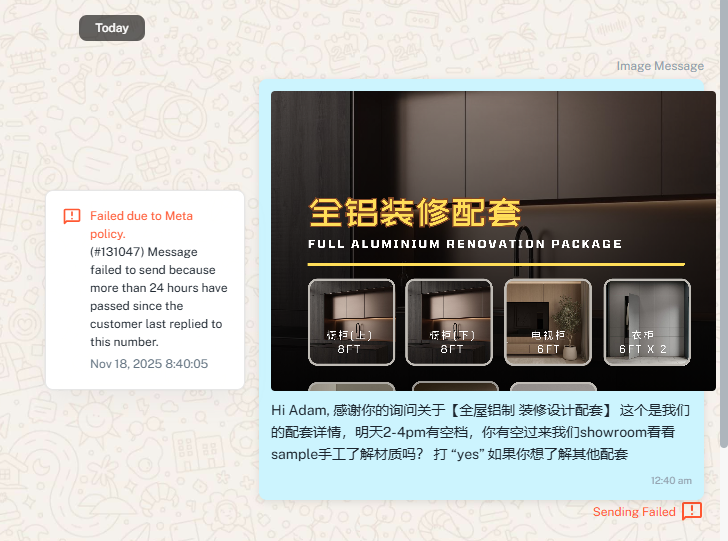
Hello @metalabteam,
Please refer to the following document and the attached image to learn more about the error you're getting and the solution too the same.