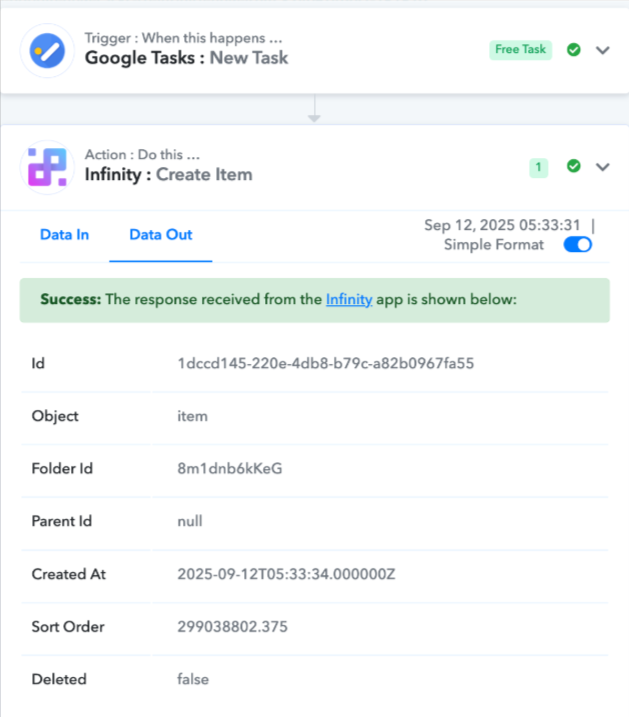
Fail in workflow form google new tasks to infinity new item.
Status: Open · Asked by henrylau on · 0 views
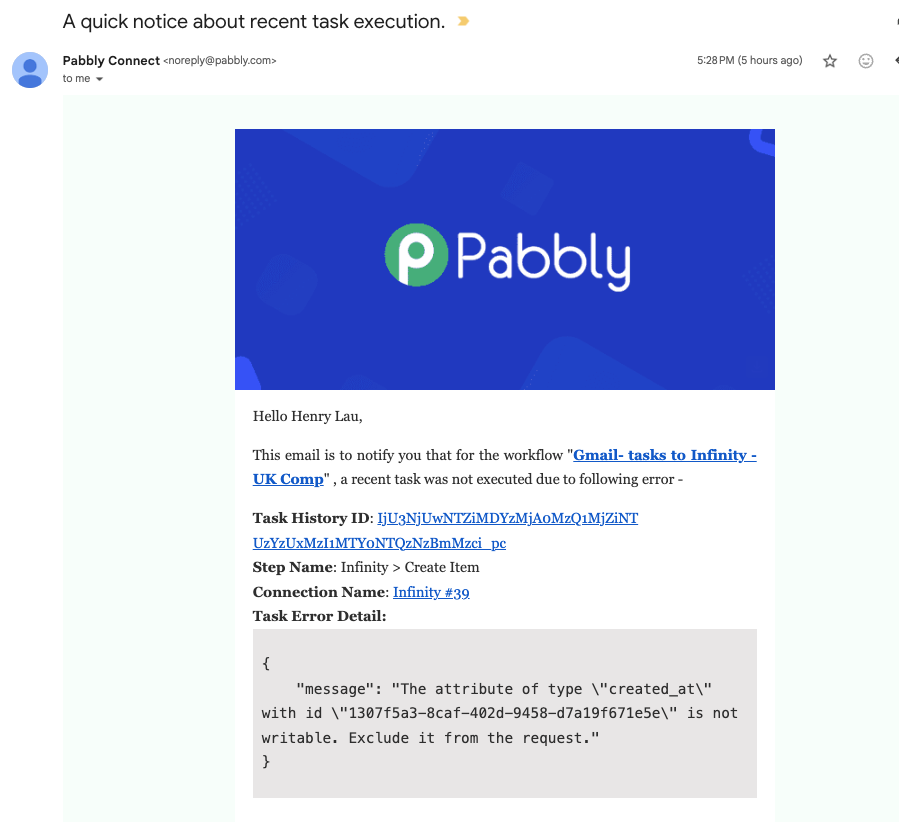
We have log in google task , and infinity separately. It fails. It works very good 8 days ago for over year. Is your server unstable?
Please try to fix it, and inform me the solution. my email is [email hidden]
Hi @henrylau,
https://connect.pabbly.com/workflow/mapping/IjU3NjUwNTY5MDYzNDA0MzY1MjY4NTUzMzUxMzAi_pc
Please establish a new connection with your Infinity account and see if that fixes your issue.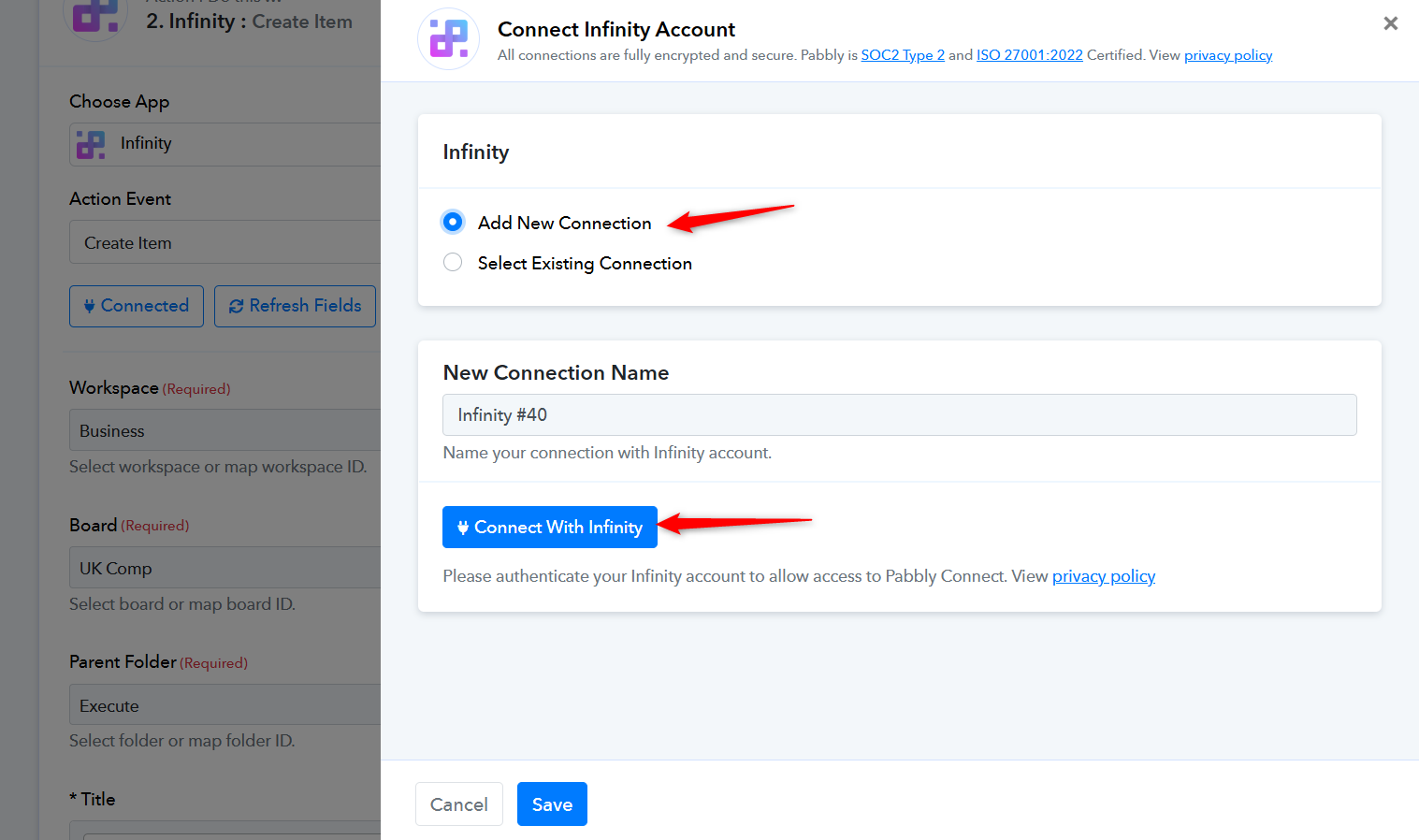
I have added infinity new connection, and connect with new connection 40, and come back to the end with "save and send test request" with the below message indication PDF.
Please allow us some time to look into this concern. We will get back to you with an update soon.
I have checked in the same google task to infinity work flow. One workflow onto infinity folder - executive ( Failure). Another workflow onto infinity folder - Personal (Sucess).
This problem is not from google tasks.
I have added new connection of infinity "new task". It does not work.
We understand that the issue is not related to Google Task. Please allow us some time to investigate why you are encountering the error in the 'Infinity: Create Item' action step. We will get back to you as soon as we have any updates.
Hello @henrylau,
Thank you for your question. Upon testing, our team found that the Submit Day field is a non-editable field, which is causing the issue. We recommend updating your Infinity account to make this field editable. Once the changes are made, please refresh the fields in Pabbly Connect and then try running the action again.
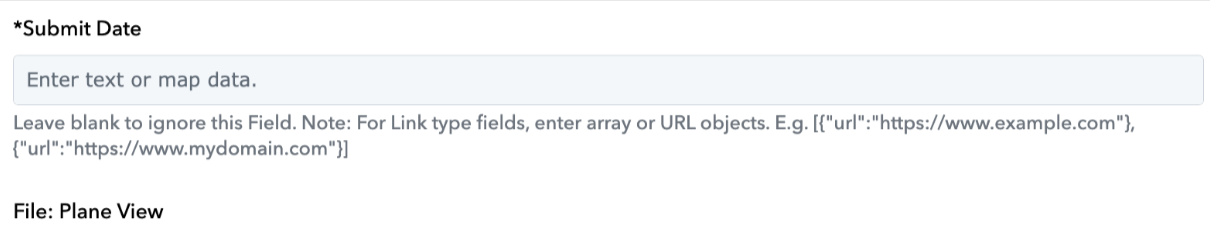
Our team also executed a test without editing this particular field, and the item was created successfully.