FB ads (instant lead trigger) not receiving (test) submissions
Status: Open · Asked by Amministrazione Dominanza.it on · 0 views
Please i have the same problem what is happening to the lead flow?
yes please all clientss have active ads
Hello @Capex,
Could you please provide us with the Workflow URL where you are facing this issue? This will help us investigate the problem more effectively and assist you accordingly.
Please be aware that to assist you effectively, we may need to access your Pabbly Connect account. If you're comfortable with this, please grant us permission by stating in your next reply:
"You have my permission to log into my Pabbly Connect account and edit the workflow, if required. Here is the registered email address associated with it."
Looking forward to assisting you further.
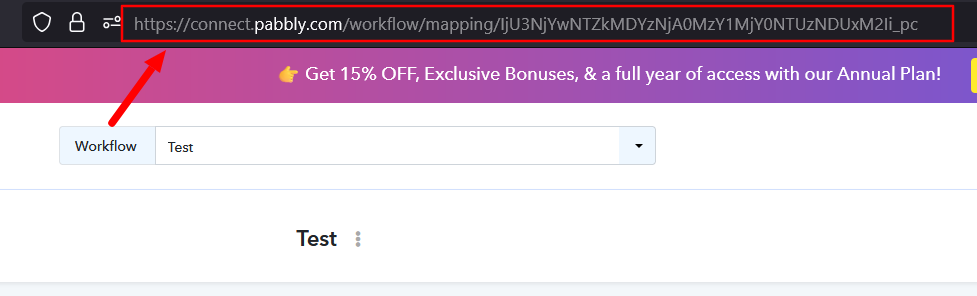
You have my permission to log into my Pabbly Connect account and edit the workflow, if required. Here is the rgistered email address associated with it [email hidden]
Hello @Capex
As we checked, you are currently using the trigger event “Facebook Lead Ads: New Lead Instant (Legacy).” We recommend switching to “Facebook Lead Ads: New Lead Instant,” which is more efficient.
Additionally, could you please confirm whether you are the admin or owner of the Facebook Page?
Please note:
- For “Facebook Lead Ads: New Lead Instant,” if you are capturing a test lead, the owner’s Facebook account must be connected.
- If you are connecting the admin account, the trigger event should be “Facebook Lead Ads: New Lead.”
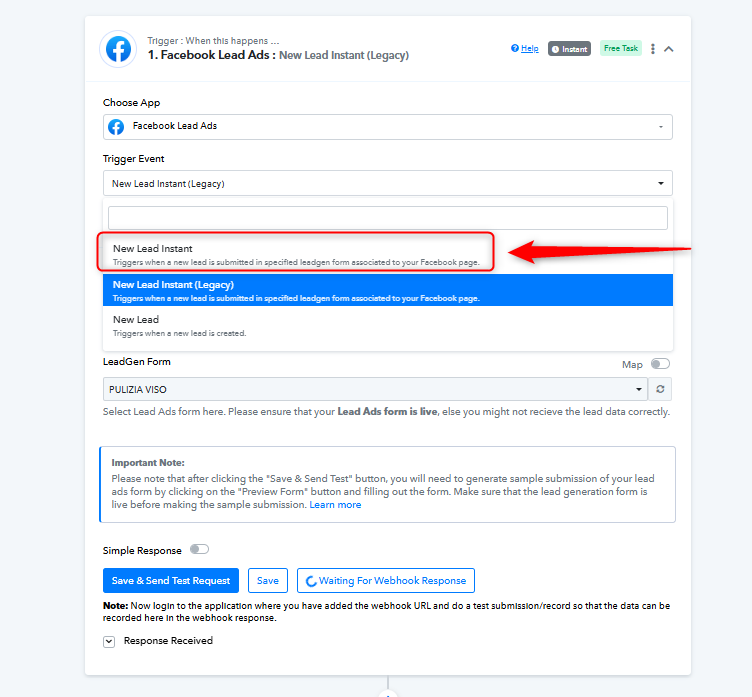
i changed to instanst and got a positive feedback frome the form (something pulled out but still no valid data out - like namne and number)
https://connect.pabbly.com/workflow/mapping/IjU3NjYwNTY1MDYzMDA0M2M1MjY1NTUzMTUxMzIi_pc
You have my permission to log into my Pabbly Connect account and edit the workflow, if required. Here is the rgistered email address associated with it [EMAIL][email hidden][/EMAIL]
Please clone this workflow, establish a new connection with your Facebook account by following the steps shown in the video below, ensure that you grant all necessary permissions, and then try capturing a new lead in the trigger step to see if that resolves your issue.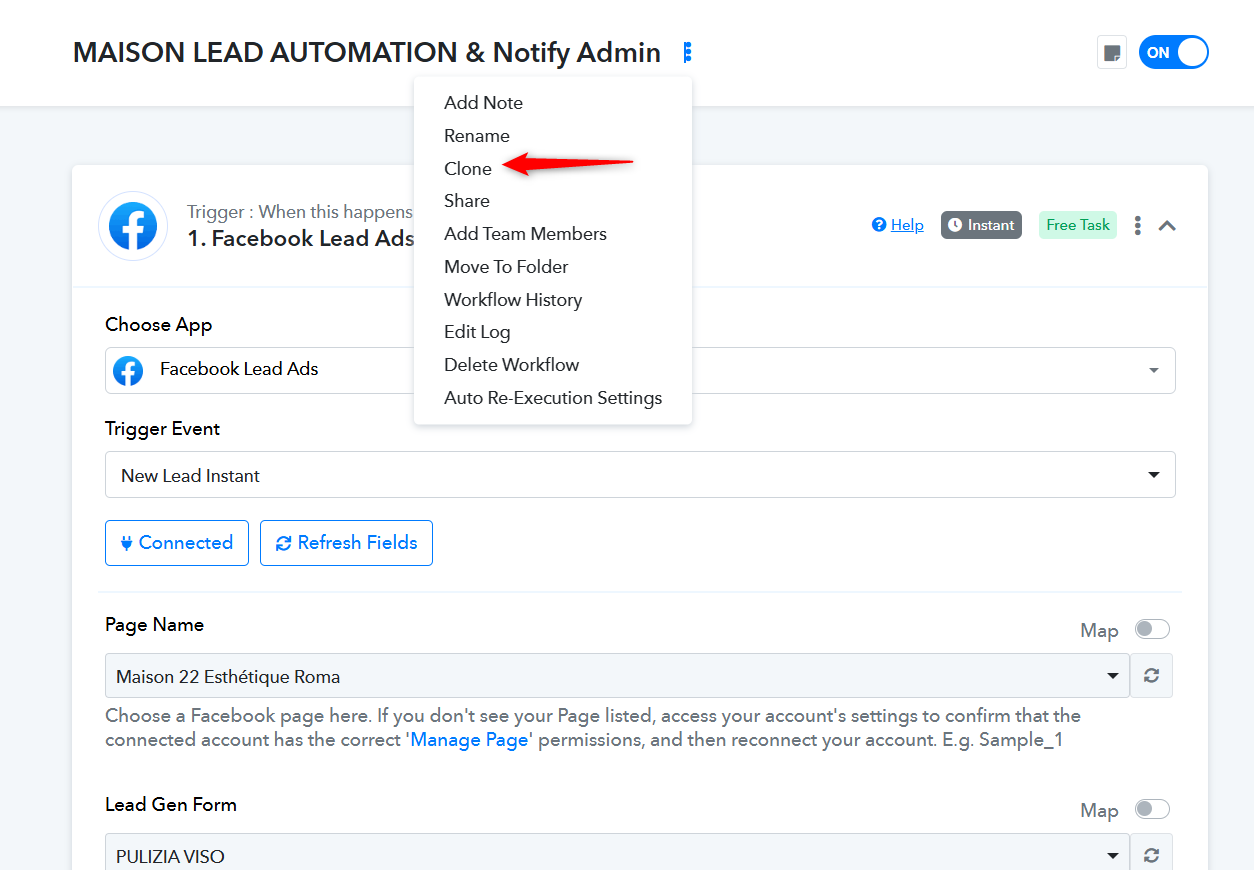
youtube.com/watch?v=HDauRE3BtxI
Thanks & Regards,
Arshil Ahmad
Customer Support Associate
? Pabbly.com
?Rate your support
CLONED AND DONE IT GETS A FEEDBACK SUCCCESS BUT NO LEAD CAPTURED
https://connect.pabbly.com/workflow/mapping/IjU3NjYwNTY1MDYzZjA0MzI1MjY1NTUzNjUxMzEi_pc
You have my permission to log into my Pabbly Connect account and edit the workflow, if required. Here is the rgistered email address associated with it [EMAIL][email hidden][/EMAIL]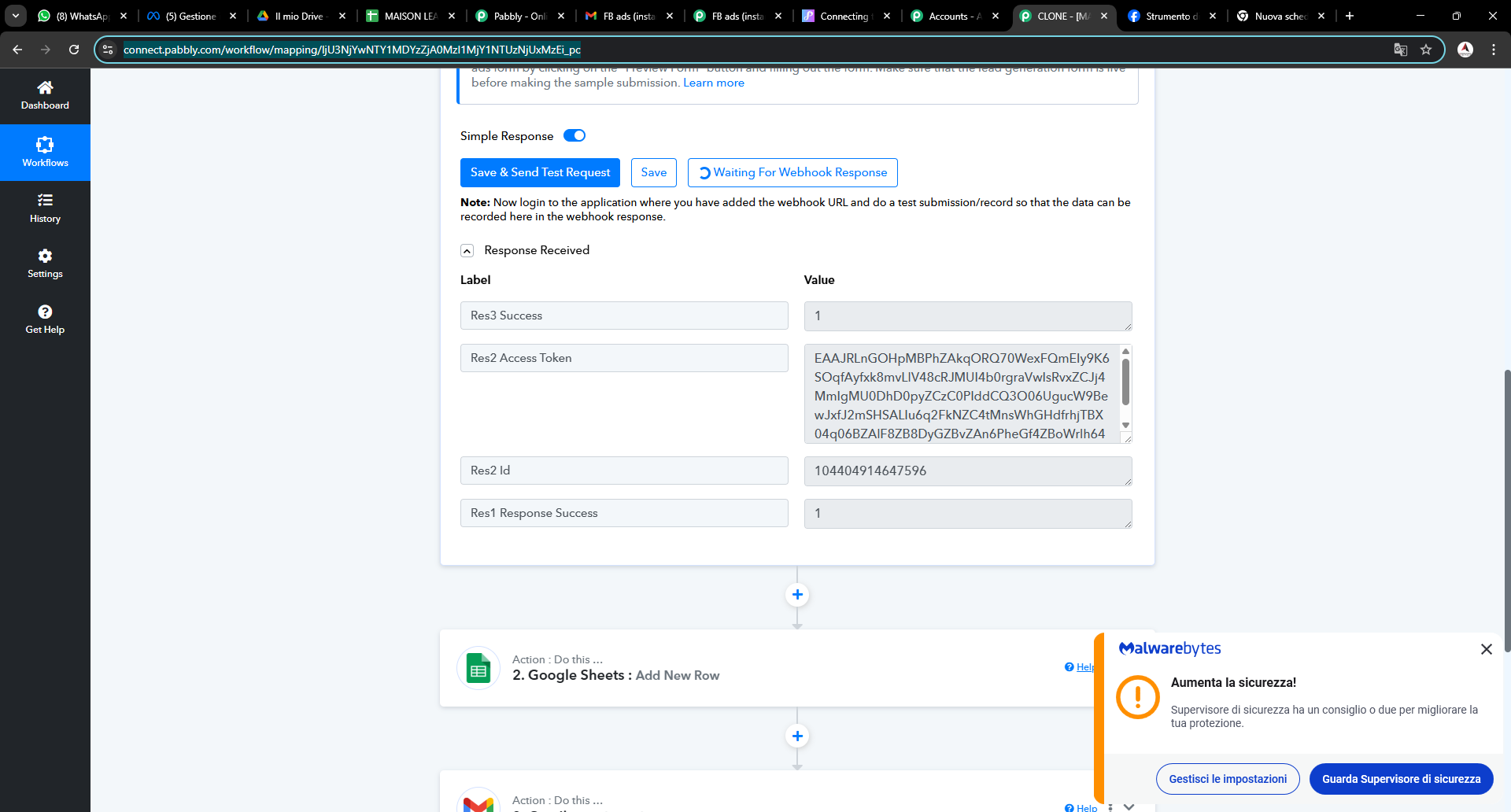
Thank you for the update. Please try following these instructions and see if that fixes your issue:
- Go to the Meta Business Suite and select your Business Portfolio.
- Navigate to Settings (gear icon).
- Find Integrations → Leads Access.
- Find your Page, click Assign CRM on the right, and select Pabbly Connect.
Thanks & Regards,
Arshil Ahmad
Customer Support Associate
? Pabbly.com
?Rate your support