Field Mapping Errors on Zoho CRM Contacts to Zoho Books Contacts automation
Status: Closed · Asked by GSG on · 0 views
Please see attached image and workflow URL listed below
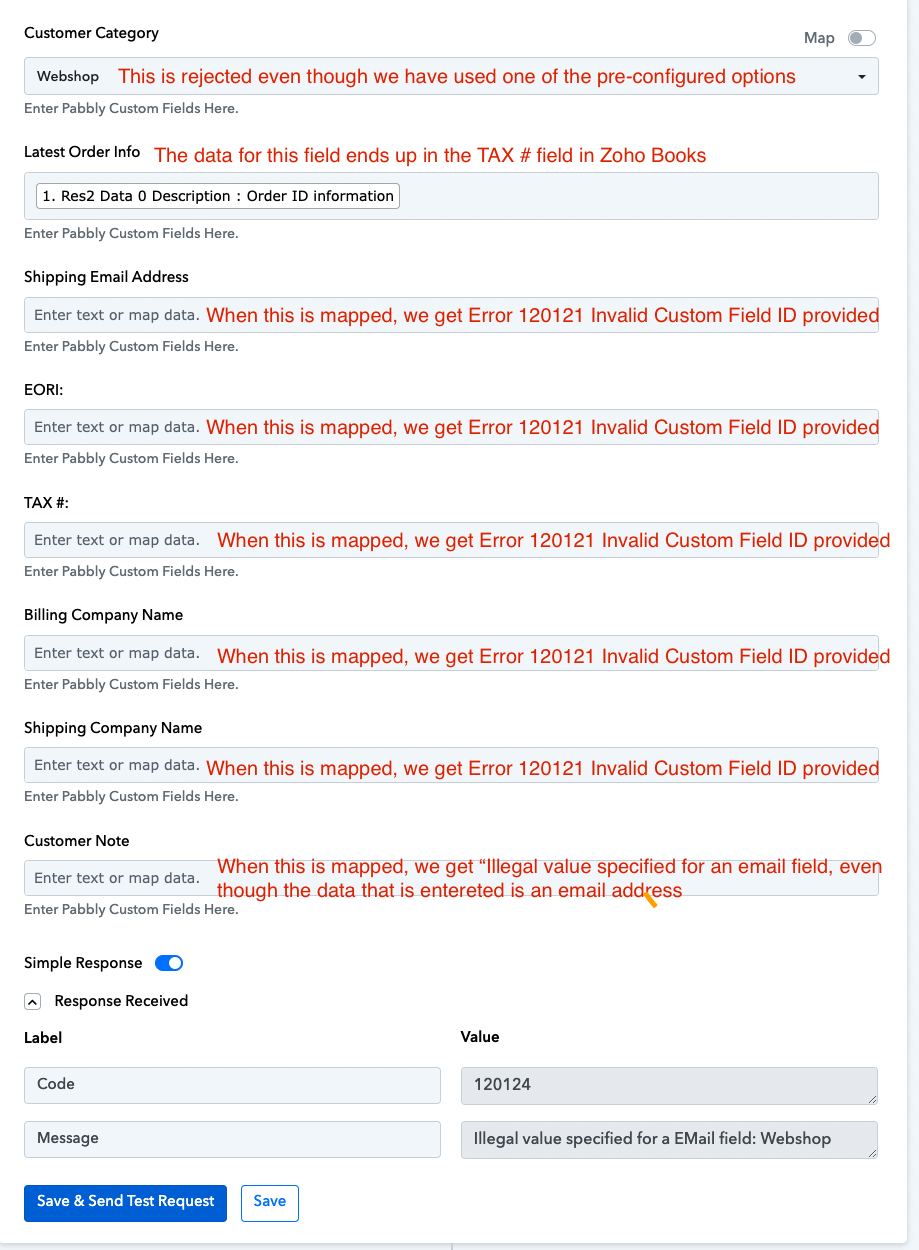
All fields from "Customer Category" and below and not mapping correctly (or at all) with Zoho Books fields. I have listed the errors in the attached graphic.
I cannot add any details in any of these fields due to the Invalid Custom Field ID error / illegal value specified error
Please advise the solution
Thanks
Graham
Attachments
Hey @GSG
Can you please record a short video on the issue you are getting in the action step so that we can check on it?
Hi
Actually, I cant get the workflow to run at all in live mode. When setting it up testing it, the workflow triggered and ran - albeit with the issues indicated in my original mail.
Now in live mode, when a new contact is added into Zoho CRM, the workflow does not trigger at all.
Would it be best in this scenario to trigger the workflow by Webhook instead as clearly the automation I set up is not being triggered by Zoho CRM (for whatever reason)? Zoho Servers can be very fickle and we always have issues with it.
Thanks for your help and guidance
Graham
I have switched the trigger module from instant to the 10 minute trigger and the Flows are now working . I will send video of the field mapping issues next week. Thank you
Actually, I cant get the workflow to run at all in live mode. When setting it up testing it, the workflow triggered and ran - albeit with the issues indicated in my original mail.Now in live mode, when a new contact is added into Zoho CRM, the workflow does not trigger at all.
Due to the authentication process of Zoho CRM, which revokes tokens after 24 hours, we recommend our users utilize the non-instant version of the trigger event in Zoho CRM-"New Module Entry".
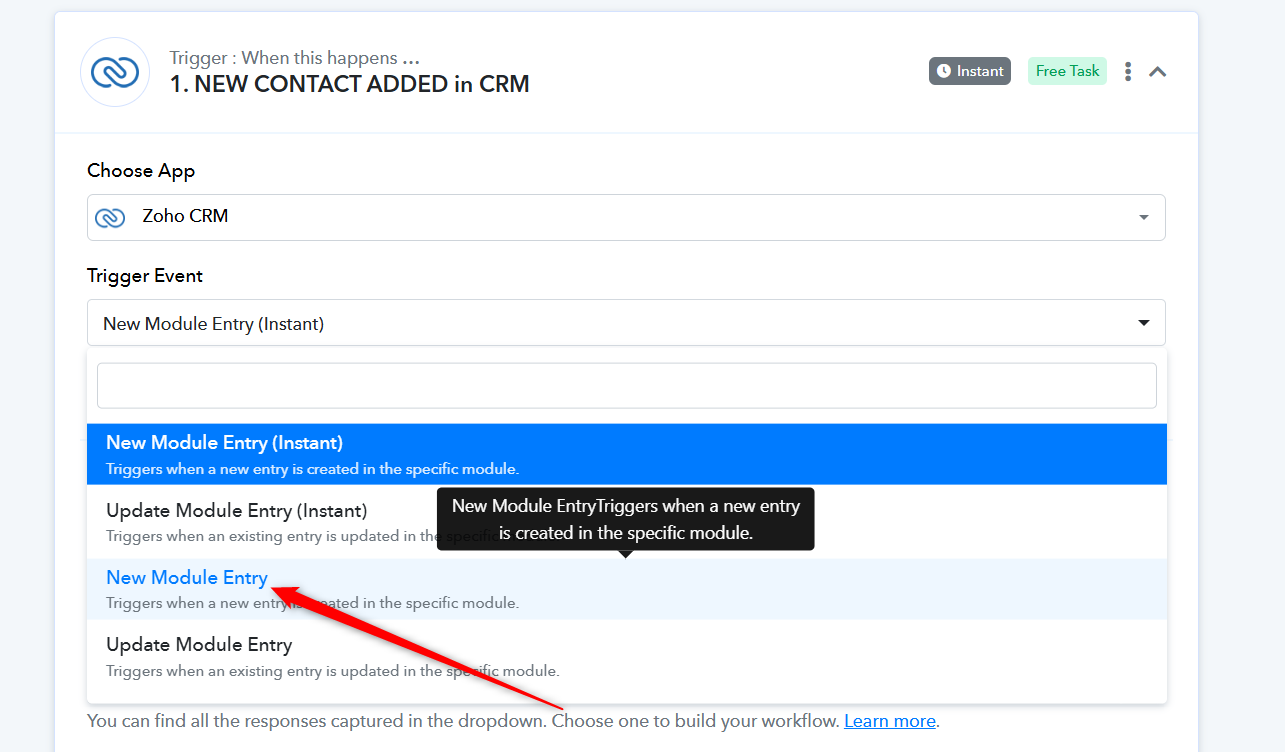
I have switched the trigger module from instant to the 10 minute trigger and the Flows are now working . I will send video of the field mapping issues next week. Thank you