Fields cannot be mapped
Status: Open · Asked by dennisp on · 0 views
Hi
I have a google sheet with a few columns, including one for phone number (my trigger action is a new row)
But when I need to map the response to the ACTION app, that column does not come up for mapping.
Consequently, when I send a test request, it fails (400) because that column has no data. I have tried to remove the column altogether because phone is not required, but that also does not work
Hi @dennisp,
The issue you encountered with the Task History ID shared above occurred because the First Name was not passed. Please ensure that you enter the First Name in your spreadsheet, as it is a required field.
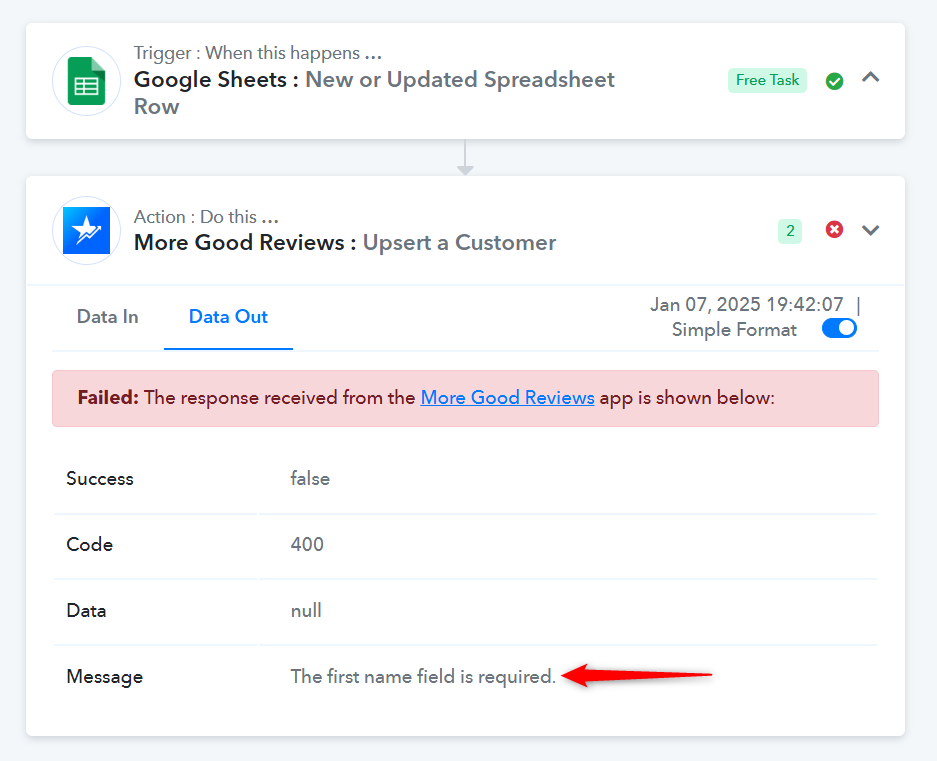
It seems that you removed the 'Create or Update a Customer' action step from your workflow. We have added it back to test the action step, and it appears to be working correctly when the first name is passed. Please test it on your end as well.
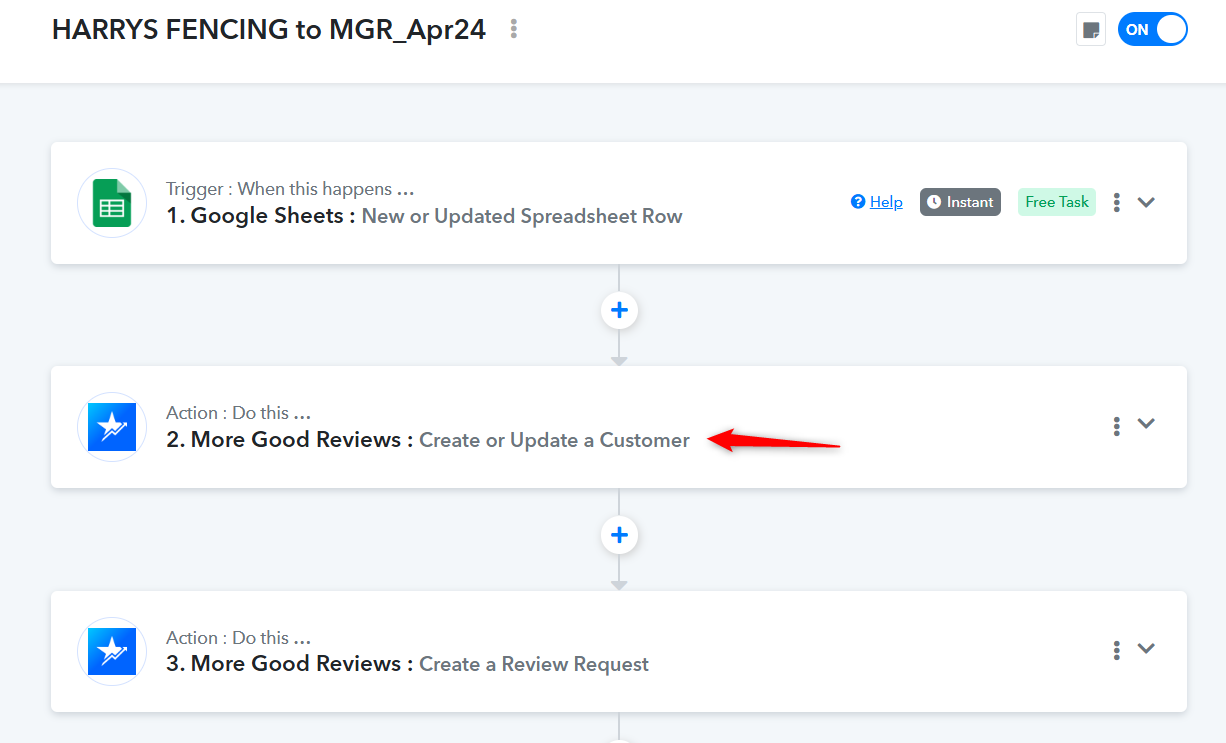
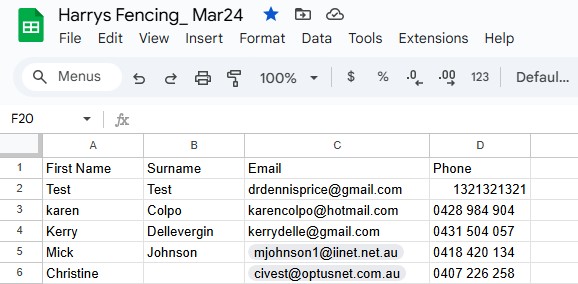
This is what sheet looks like. Fields are all there, but it does not get a response from trigger? Not sure why it does not pick it up?
The MGR app has deprecated the 'Upsert Customer' and now I am not sure what to do with that - but that is why I made those changes.
Hi @dennisp,
Could you please share the Google Sheet associated with your workflow so we can review the issue more thoroughly? Additionally, let us know whether the data in your sheet is being entered manually, or added by a third-party source.
For security purposes, this thread has been moved to private discussions. You can share the Google Sheet here or grant us access by sending it to [email protected].
Looking forward to your response.
It is a live client sheet, so I can't share . I will ask client tomorrow (it is 6pm) and get back to you. Thanks
Hello @dennisp,
Sure, please let us know if you have any updates.
I have shared the sheet to : [EMAIL][email protected][/EMAIL]
Hello @dennisp,
Upon checking it seems you haven't enabled the Send on Event option which is why your workflow isn't getting triggered.
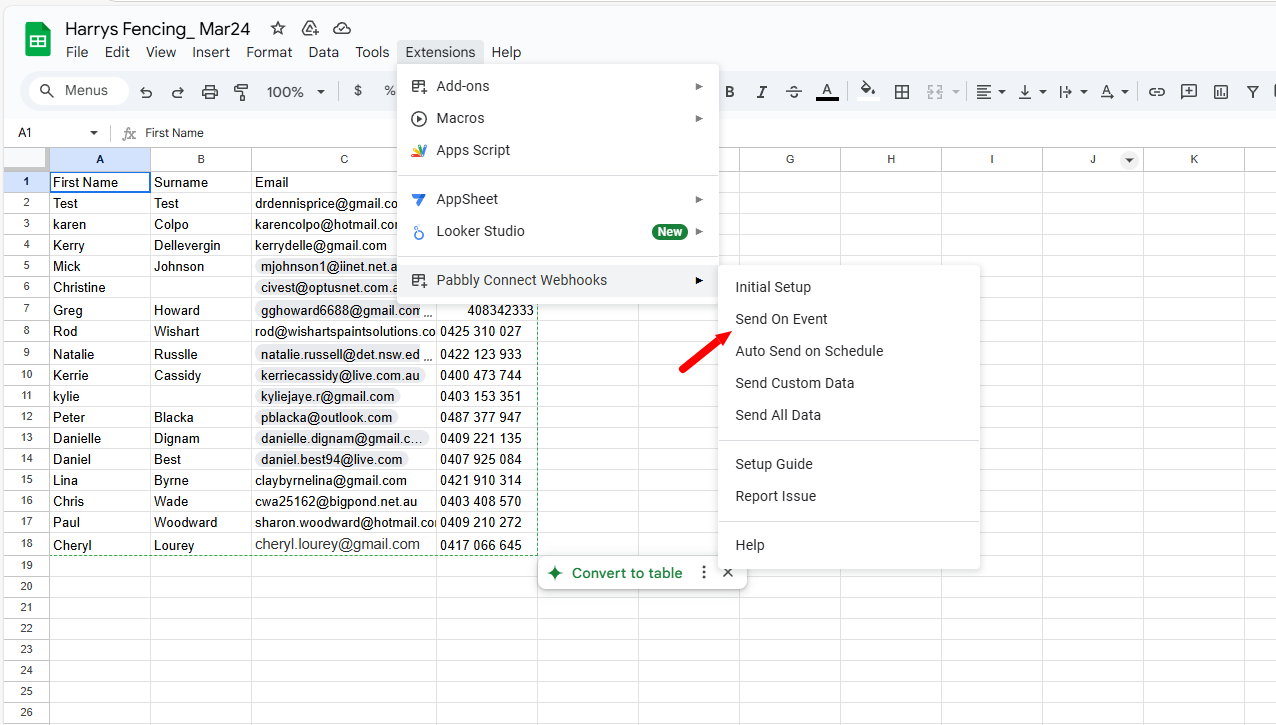
To make automation work, you need to enable 'Send On Event' if you're manually entering data into your Google Sheets. If the data added to your Google Sheets comes from another API or third-party application, you also need to enable 'Auto Send on Schedule'.
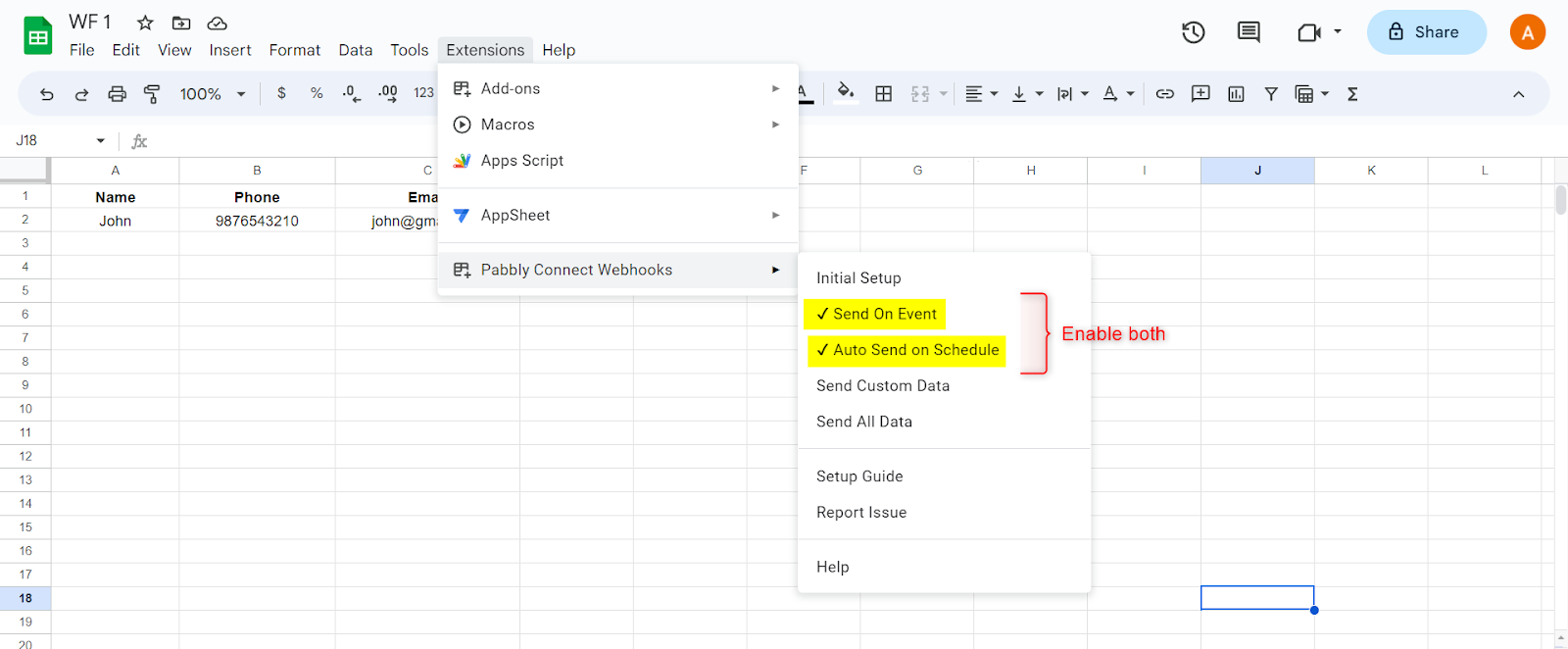
Note: If your data is being added from an external source/API, your workflow will take up to 1 hour to get triggered.
Please if in the 2nd step, configure MGR, if you can map the spreadsheet column D (Phone). It does not appear for me as a mapping option and the error comes up thatphone is invalid
Hello @dennisp
It seems the trigger column is incorrectly set to C. If you want to capture the phone number in column D, update the trigger column to D and re-submit the initial setup.
Additionally, the Send on Event option is disabled, which is why responses are not being captured in the task history. Please enable this option, recapture the response, and map the details in the required action step.
Refer to this tutorial for guidance on setting up the trigger step. Let us know if this resolves the issue!