Filter ELSE
Status: Open · Asked by e0979d on · 0 views
I have a Router condition where IF ID = a certain number, it will follow a trigger, but I wanted to have an ELSE alternative for "anything else that doesnt match these ID" to that.
But so far it triggers in both ways, since I'm using "OR" to evaluate 3 differnt ID I do not want to be triggered. Can I have all 3 ID separated by comma?
When I use the approach in the image, it eventually triggers and that is not what I want 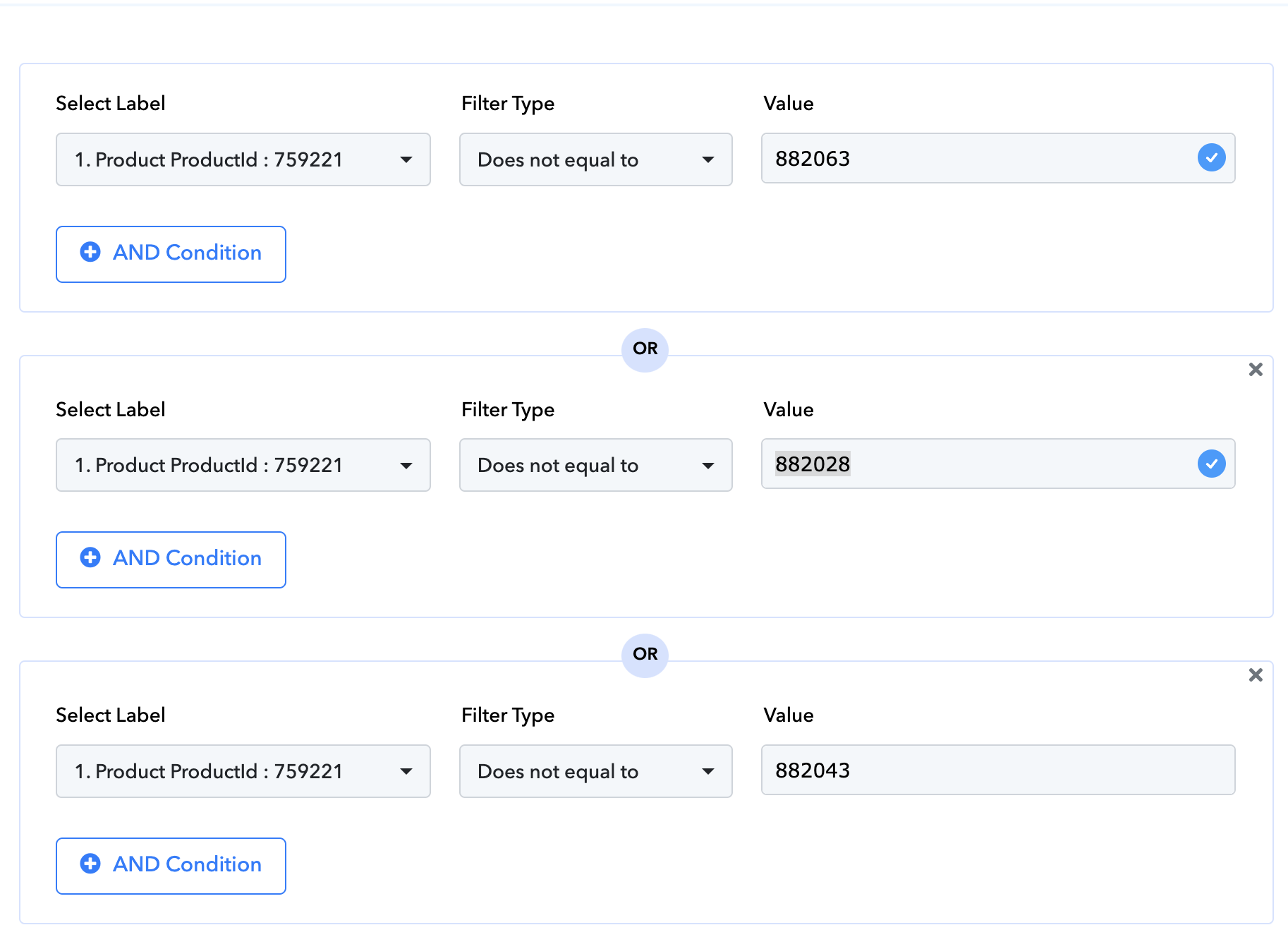
Hi @e0979d,
It seems that you have added 'AND' conditions to your Router, which appears to give you the desired result.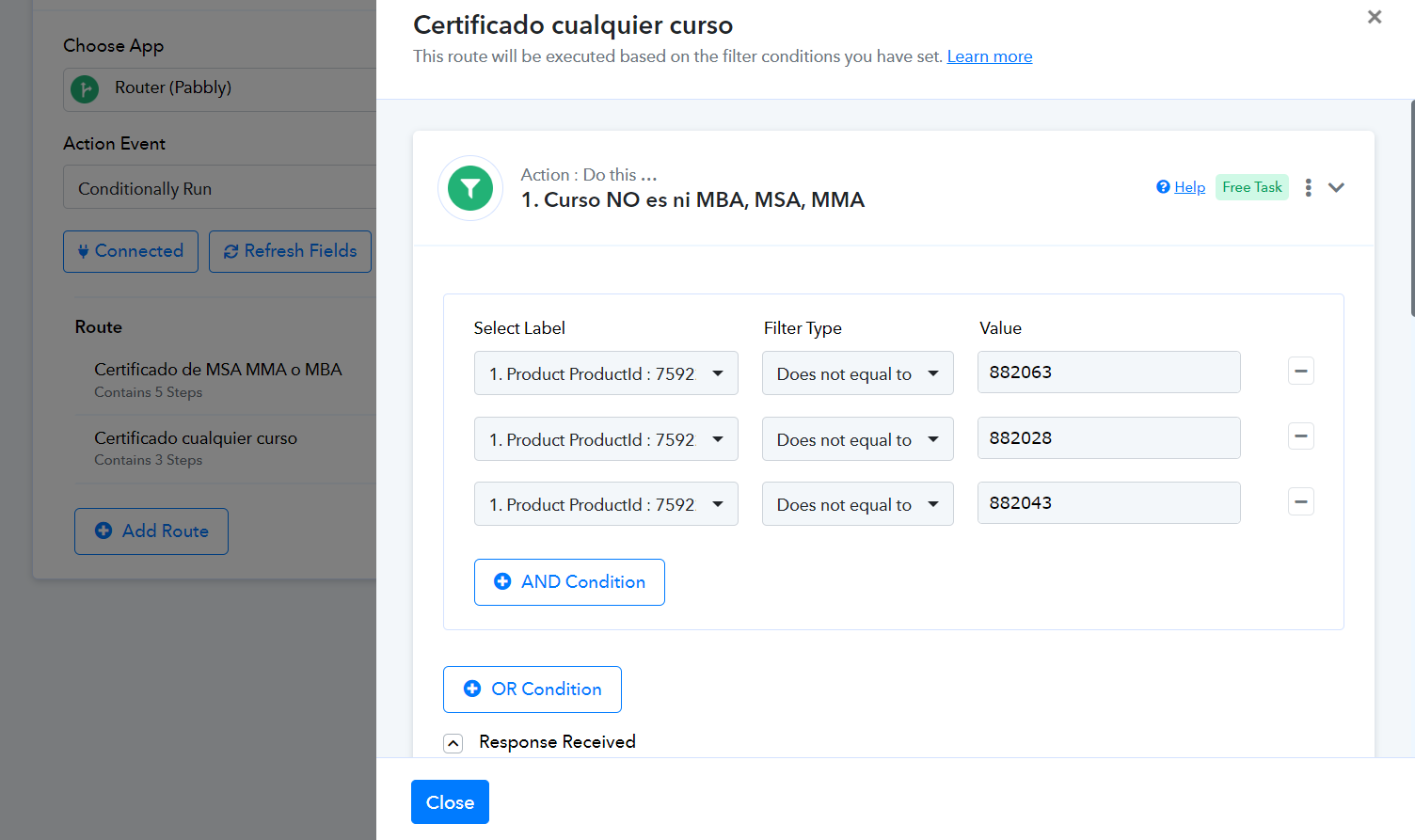
Hi @e0979d,It seems that you have added 'AND' conditions to your Router, which appears to give you the desired result.
Thank you, it works, but for some reason, probably related to the or else analysis, still sending email action 4 times.
Can you please check what the error is?
Hello @e0979d
As we have checked your workflow, its getting triggered multiple times with the same details. Please try setting up the trigger setup again and remove the previously added webhook from the trigger application and add the newly created webhook.
Please let us know if the issue persists after setting up the trigger step again.
e details. Please try setting up the trigger setup again and remove the previously added webhook from the trigger application and add the newly created webhook.Please let us know if the issue persists after setting up the trigger step again.
Do you mean I should remove trigger in my external application (samcart)
duplicate workflow to obtain a new trigger and in Samcart add the new workflow?
Could you please share the Workflow URL in which you have this concern?
Could you please share the Workflow URL in which you have this concern?
Do you mean I should remove trigger in my external application (samcart)
duplicate workflow to obtain a new trigger and in Samcart add the new workflow?
Yes, remove the current webhook from your Samcart account, create a new workflow, and set up Samcart as your trigger step. You will receive a new webhook in the new workflow, which you can then add to Samcart.
Yes, remove the current webhook from your Samcart account, create a new workflow, and set up Samcart as your trigger step. You will receive a new webhook in the new workflow, which you can then add to Samcart.
I did this, but email still is sent multiple times
This is the new workflow history, I believe the issue is in the logic still
Workflow:
https://connect.pabbly.com/workflow/mapping/IjU3NjYwNTZkMDYzMDA0MzE1MjY0NTUzYzUxMzAi_pc
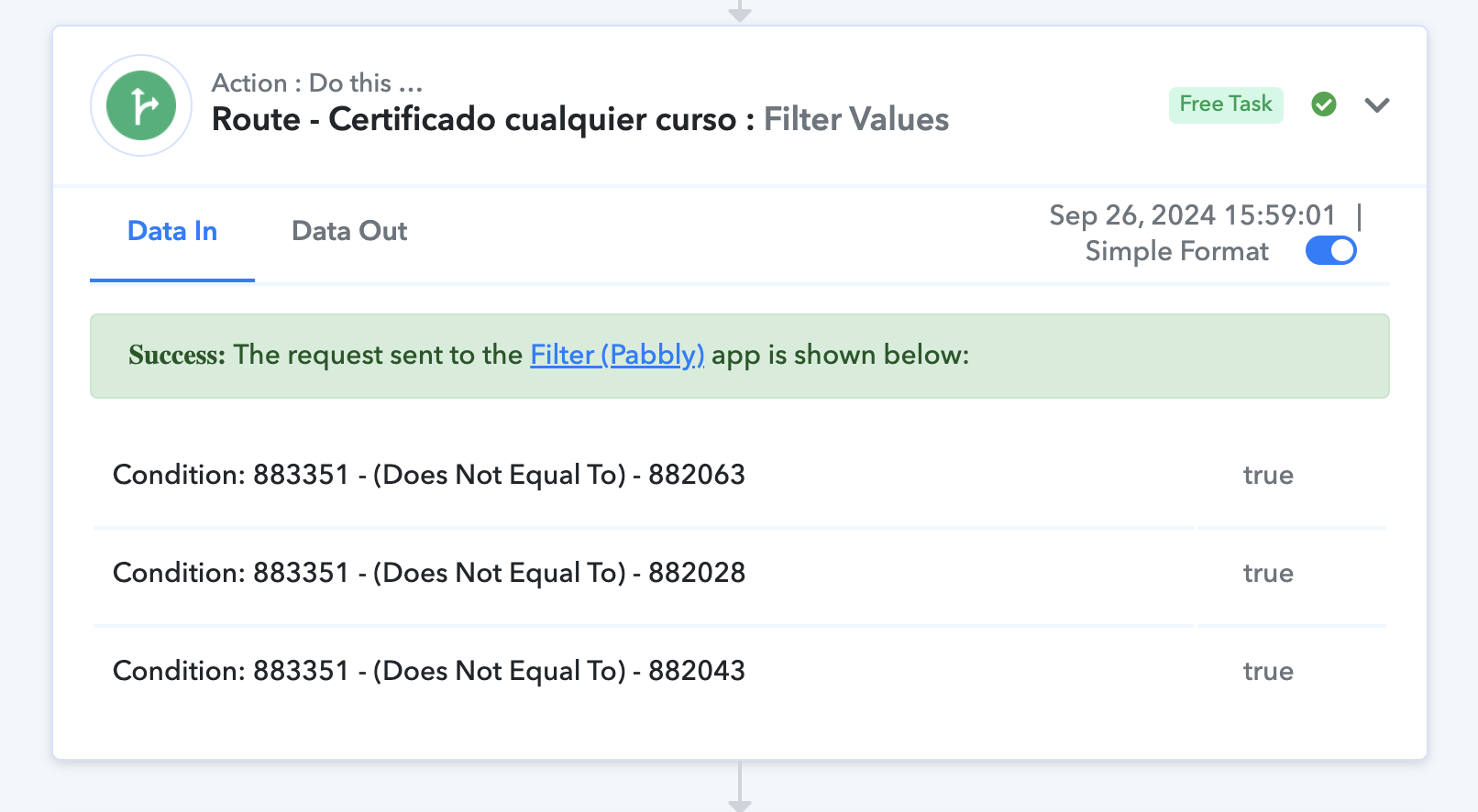
Based on your task history, we can see that your workflow triggers each time a student (even if it's the same student) finishes a course.
For example:
1. Task History ID - IjU3NjUwNTZkMDYzMjA0MzY1MjZhNTUzNDUxM2E1MTY3NTQzMzBmMzki_pc
Was triggered on completion of 'Aprende Automaquillaje (899825)'.
2. Task History ID - IjU3NjUwNTZkMDYzMjA0MzY1MjZhNTUzNDUxM2E1MTY3NTQzNDBmMzMi_pc
Was triggered on completion of 'Workshop Automaquillaje 2.3 (759221)'.
3. Task History ID - IjU3NjUwNTZkMDYzMjA0MzY1MjZhNTUzNDUxM2E1MTY3NTQzNDBmMzAi_pc
Was triggered on completion of 'Full Access MA - Pago a 3 Partes (885025)'.
4. Task History ID - IjU3NjUwNTZkMDYzMjA0MzY1MjZhNTUzNDUxM2E1MTY3NTQzNTBmMzQi_pc
Was triggered on completion of 'MUSU ACADEMY - Full Access (883351)'.
Keeping this in mind, please specify your exact use case.
Yes, but why are they simultaneous? We dont have a problem with the trigger being activated by the same user several times, as they finish several courses, but in this case we're seeing them being sent all at once, that's why I'm convinced the issue might be in the router analysis
The SamCart trigger is based on descriptive webhooks, and it sends all course completion data simultaneously. We don't have any control over this. Since in none of those workflow executions was the Product ID equal to 882063, 882028, or 882043, Route 2 was executed on each occasion. That's just how your workflow is set up.
I understand, thank you for pointing that out, makes sense. What would you suggest is the best approach for my case scenario?
based on what we have
We can add the 'Google Sheets: Lookup Spreadsheet Rows' and 'Google Sheets: Add New Row' action steps to your workflow, which will allow you to send only one email to a user for one course completion (whichever triggers the workflow first). However, the same student will not receive any further emails if they complete a course in the future.
Mmm, I'm not sure about that approach. I'm interested in them receiving the PDF per course, right now the issue they sometimes get multiple emails for the same course.
I’m ok with them getting several emails if they have multiple courses, but I'd like them to get just one if they only finish one course. Because right now I fear they even get certificates (PDF in the email that's repeating) format they are not applying to
The 'Course CourseName' is the same in all four executions, so it may look identical, but they are actually different.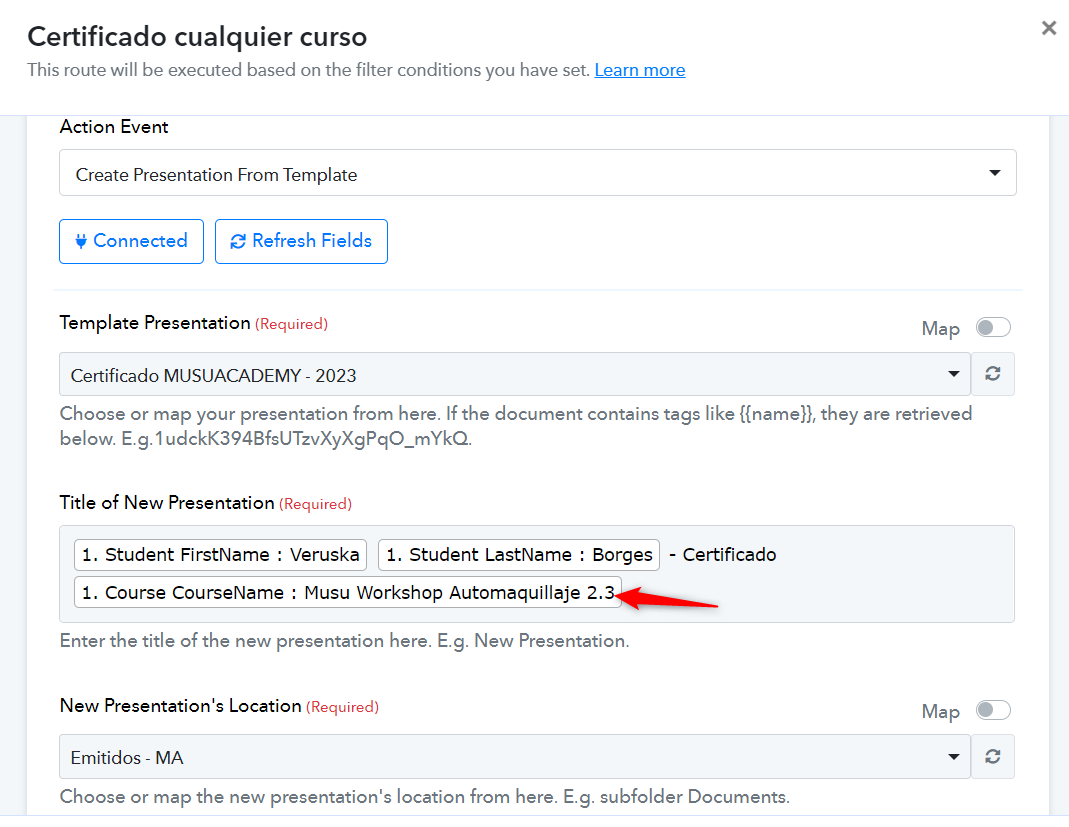
You can try mapping the 'Product ProductName' instead, so at least the certificates will have some distinction.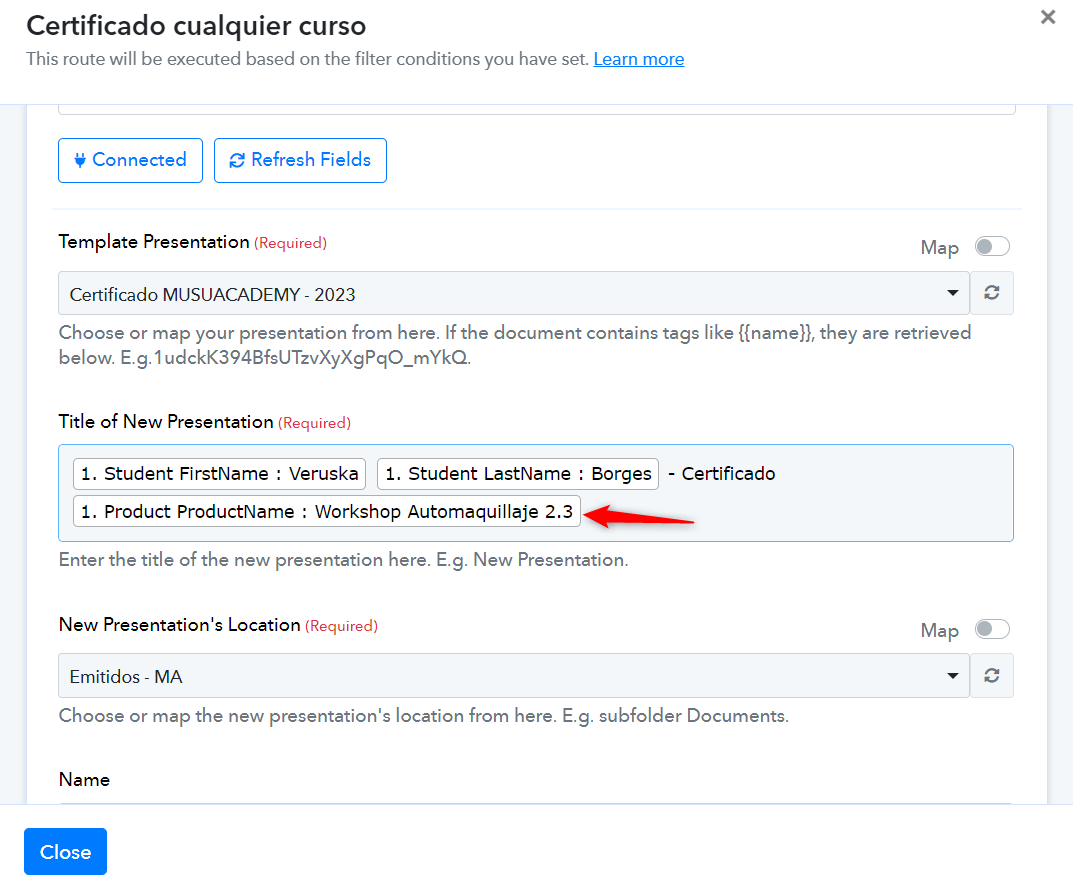
Other than that, I am afraid there is no workaround for your specific use case.