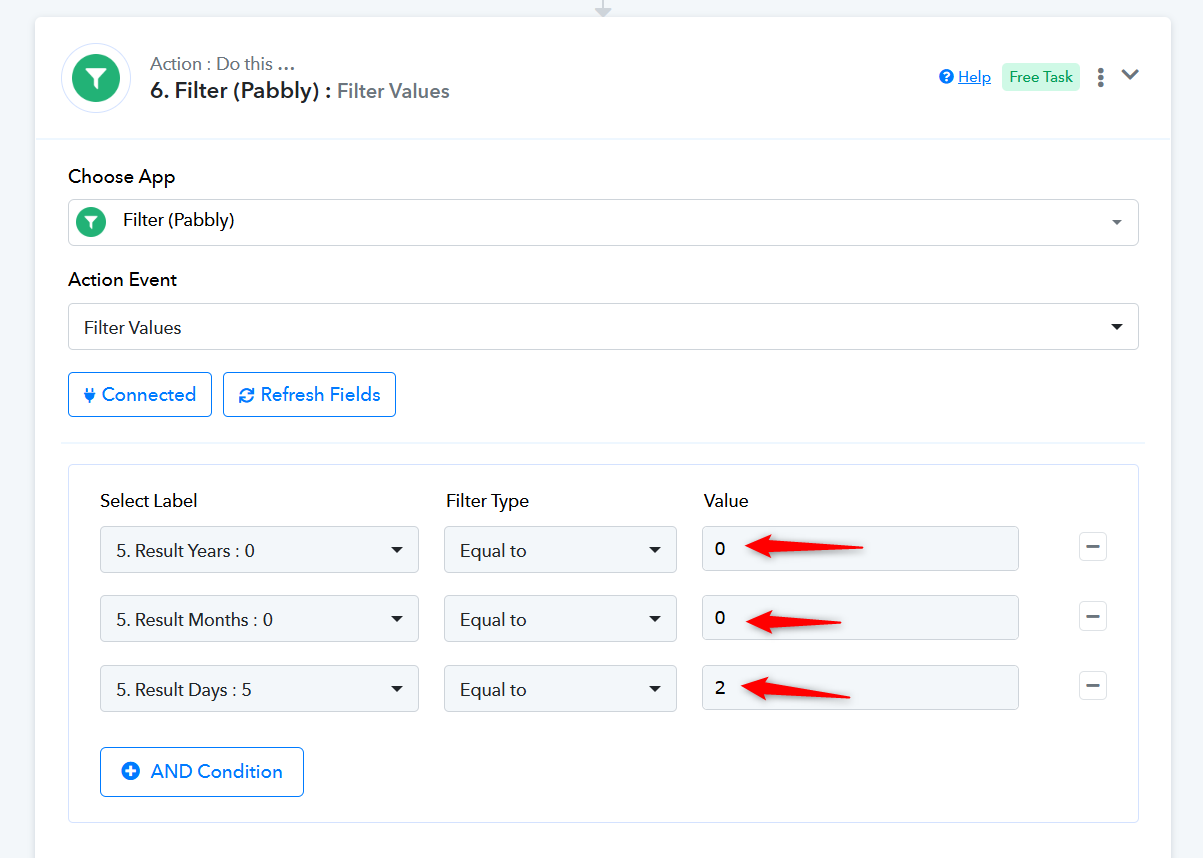
Filter not working
Status: Open · Asked by digimarketmoz on · 0 views
Workflow link - https://connect.pabbly.com/workflow/mapping/IjU3NjYwNTZlMDYzMTA0MzM1MjY0NTUzZDUxMzQi_pc
I want to send email reminder before 2 days of my deadline date in the sheet. as soon as i enter 2 value in filter, it shows error and condition false
Hello @digimarketmoz,
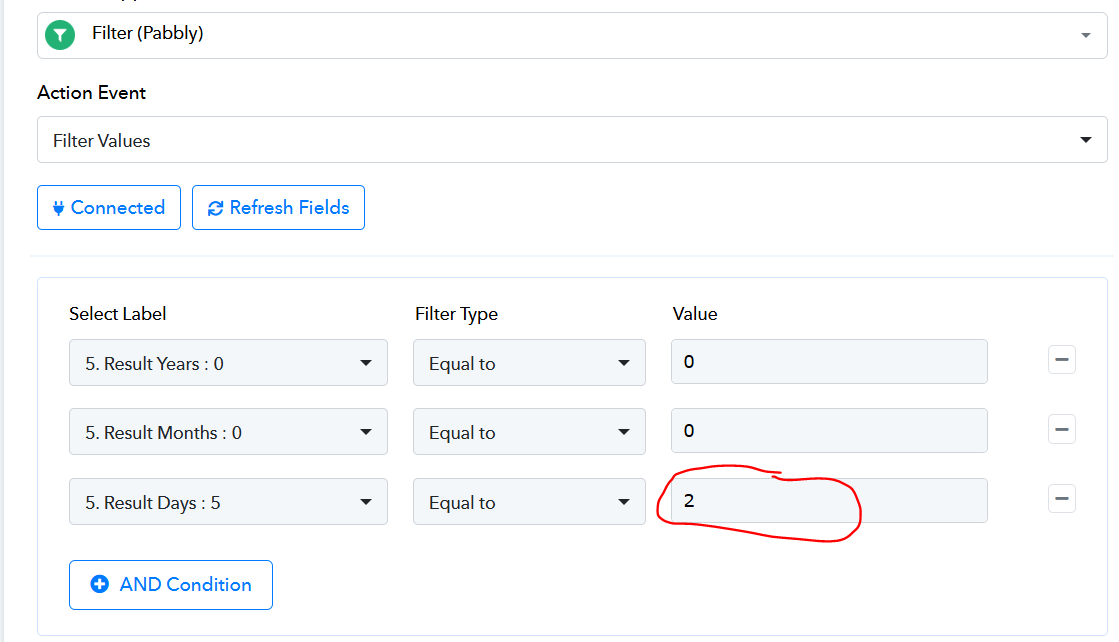
The filter is set up correctly; however, please note that there are two components in the filter step: the Select Label and the Value. In your screenshot, the Result Days label currently has a value of 5, but you’ve set the filter to equal to 2, which is why the condition shows false.
When you run the automation, if the Result Days value is actually 2, the filter condition will be met, and you’ll see a success response. I hope this clarifies how the filter works!
Value of 5 is just a test input.
Followed this video -
youtube.com/watch?v=YY94Jv3A1hI:1153
BASICALLY I WANT TO SEND EMAIL REMINDER BEFORE 2 DAYS OF MY DEADLINE DATE IN THE SHEET. NOW SUGGEST ME WHAT CHANGES SHOULD I DO IN THE PABBLY FLOW
The filter conditions you set previously were correct. You don't need to make any changes to the workflow—just set the filter condition in this manner, and it will work during automation. It may show up as false during setup, but you can ignore that, it will work correctly during automation.