Find or Create Person not working correctly
Status: Open · Asked by Mattia Gnemmi on · 0 views
Hello,
It seems like the Pipedrive "Find Or Create Person" is not working as expected.
Even if an user is present and detected by an unique email, a new person is created every time causing an huge amount of duplicated contacts.
Here a couple of screens
Hey @Mattia
Can you please share the workflow URL since the task history is not accessible?
The best you can use in your workflow is a router action step where you can create routes where you can create 2 routes whereas in the first route, you can create a person and add the person accordingly if the person is not available via "PipeDrive: Find Person" action step on another route you can simply assign the corresponding details accordingly.
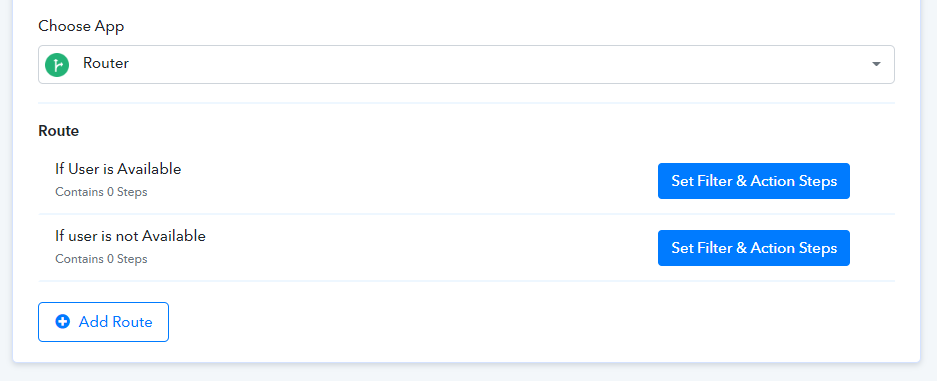
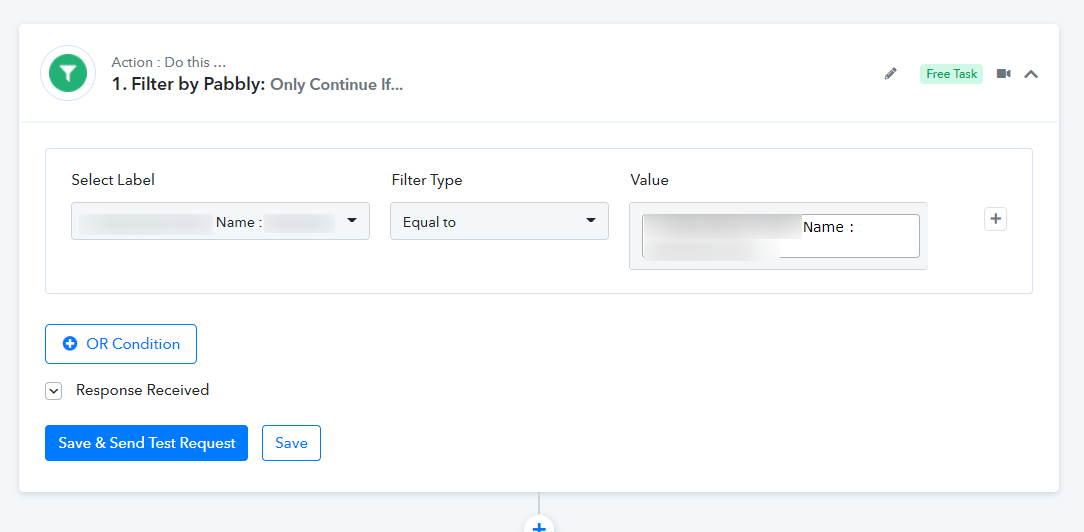
The Filter condition which you can use -
For a better understanding of the router step you can refer to the following video -
I tried this way but that's not a viable solution.
When using the Router I have to map a field that exist in the find person action in any case (person exists or not exists).
The response of the action shows a very different data set in each case, this way the iterator will not work because there are not common fields in the two responses.
Also Filter is not a possible way for the same reason.
I attach a couple of screens.
As you can see the response data set is very different.
In you example you're using "Name" field. But this field will appears only if Person is present, if not the field could not be mapped by fileter or iterator action and results in an error in the workflow.
The stragest thing is that the very same action is working correctly with Organizations (Action Find or create organization).
I'm totally sure that there is a bug in Pabbly in the Find or create person action. I tried to fix this in every possible way: with filters, Iterators, Default values in Text Formatter. Every possible thing, BUT the issue is that if an action response show different data sets, any field mapping will fail.
If not clear I will provide you a video.
he stragest thing is that the very same action is working correctly with Organizations (Action Find or create organization).
I'm totally sure that there is a bug in Pabbly in the Find or create person action. I tried to fix this in every possible way: with filters, Iterators, Default values in Text Formatter. Every possible thing, BUT the issue is that if an action response show different data sets, any field mapping will fail.
As we can see from the Pipedrive action steps to Find or Create a Person, if there is a person exists it shows the Id in different Res and if the person is now available the action event passes in different Res which is why the person Id got lost in some execution.
So, we would recommend you use the Router action step if the person exists and if the person doesn't exist you can set the individual route.
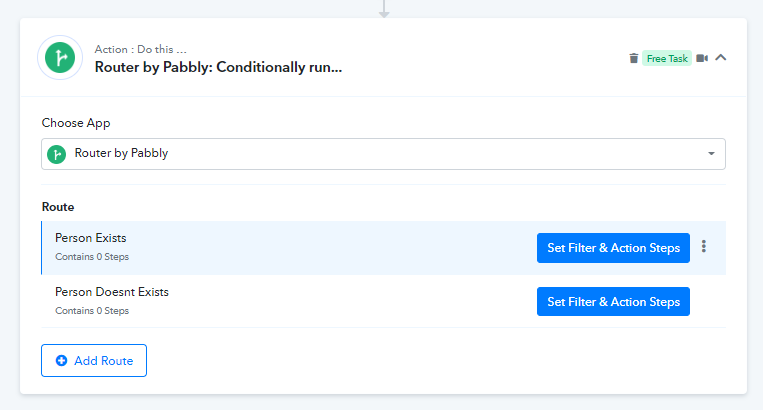
Yes, we are experiencing the same technical issue that Mattia. It seems that there is a problem in the Pabbly command "Find or Create a Person" in Pipedrive. Could you check it please?
When using Pipedrive to Find or Create a Person, sometimes the system shows the person's ID in a different result when the person already exists. However, if the person isn't available, the action event might pass through a different result, causing the person's ID to be lost during certain executions.
To address this issue, we strongly recommend utilizing the Router action step. By doing so, you can set up a route for situations where the person exists, and alternatively, establish an individual route for scenarios where the person doesn't exist.
You can refer to the following video lesson on the Router action step to create the Routes to Create the Person or Update the Person as per the requirement.
We are having this exact same issue. Creating a router isn't a feasible option as the remaining actions all have to be duplicated, which is impractical. We tried using Javascript but because one or the other value doesn't exist, Pabbly throws an error saying the Javascript has invalid data. Pabbly needs a better way to handle undefined or missing variables.
We are having this exact same issue. Creating a router isn't a feasible option as the remaining actions all have to be duplicated, which is impractical. We tried using Javascript but because one or the other value doesn't exist, Pabbly throws an error saying the Javascript has invalid data. Pabbly needs a better way to handle undefined or missing variables.
You can set up a route and then clone it, so you don't have to configure the remaining steps again.