Gdrive new file to shared drive trigger
Status: Open · Asked by MidSouthPabbly on · 0 views
I am trying to monitor a GDrive Shared Drive Folder for new files. I can only get a 0 as a response or it is completely blank. Any advice as to what I am doing wrong?
Here is the workflow:
Attachments
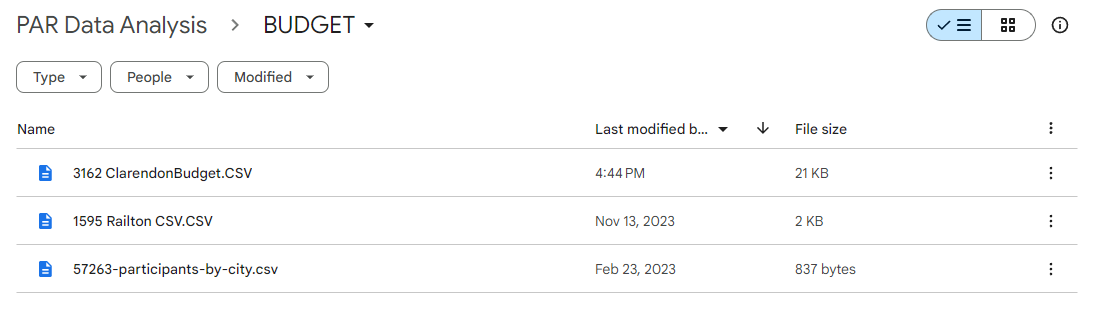
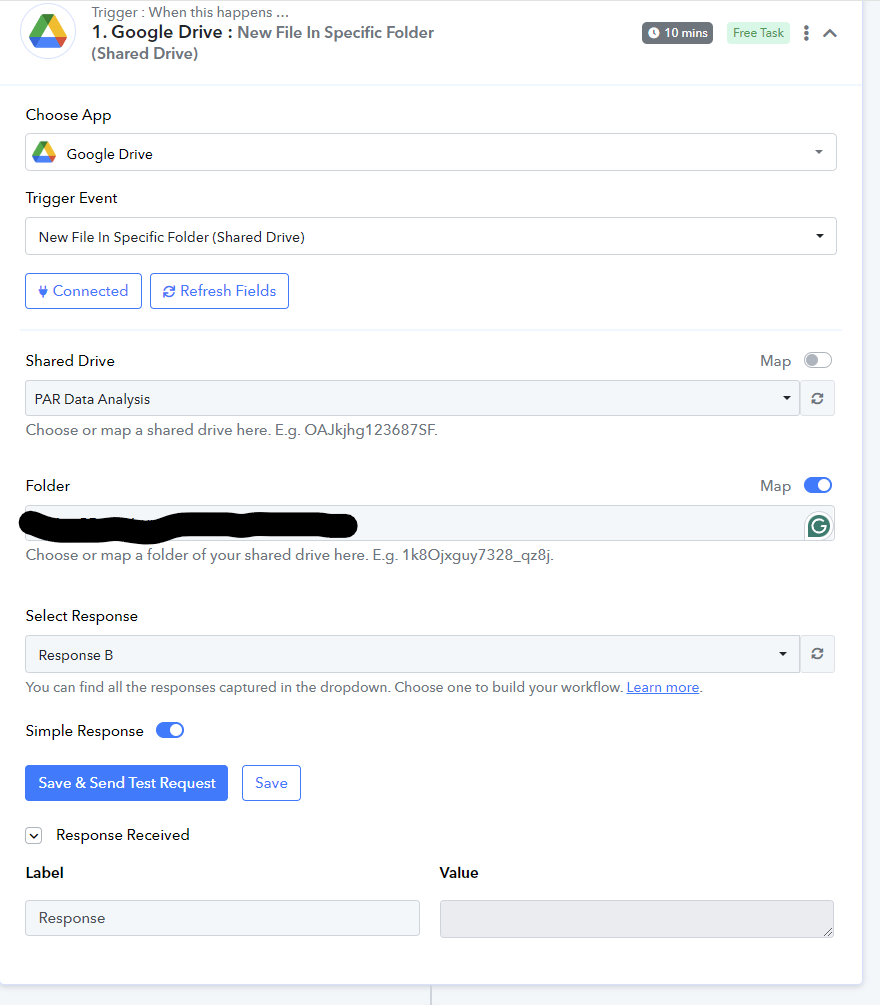
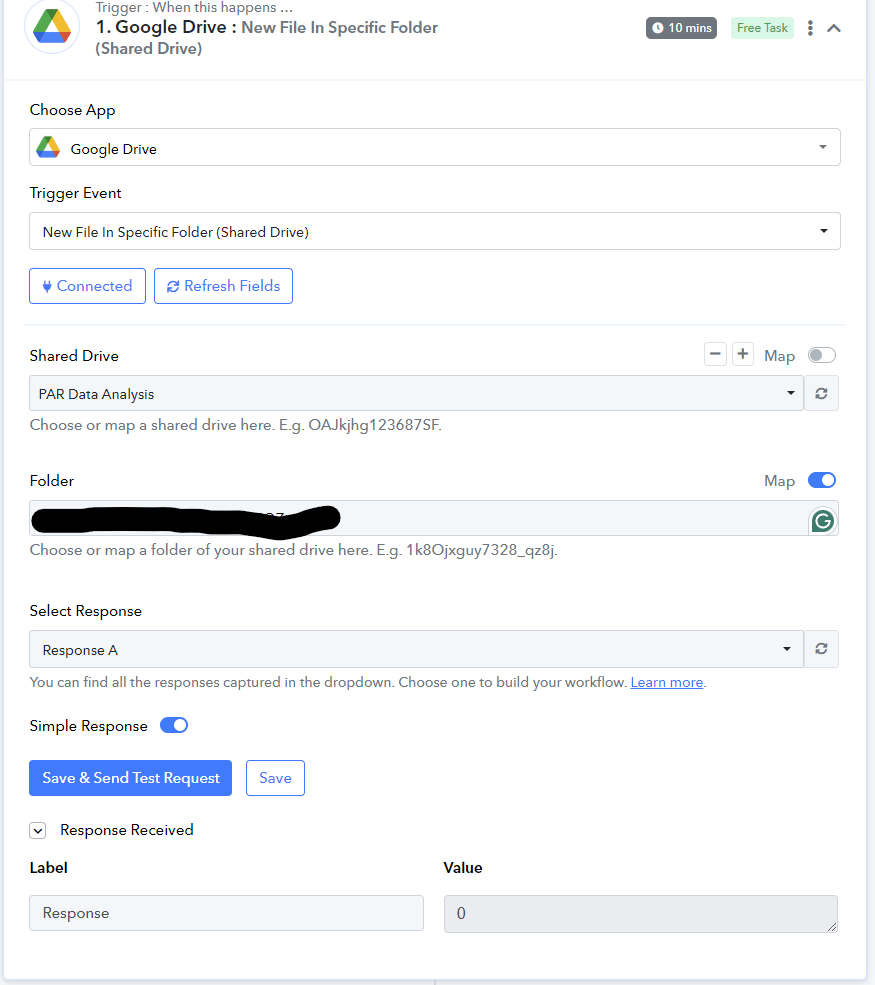
Hey @MidSouthPabbly
Can you please add a new file in your Google Shared Drive folder once and then try hitting the "Save & Send Test Request" button?
It seems that I have a similar problem, when I put a new file on the shared drive, the trigger is not activating, what could be happening?
Here's the link to my flow:
https://connect.pabbly.com/workflow/mapping/IjU3NjYwNTZkMDYzMjA0MzY1MjZmNTUzMTUxMzAi_pc
Hello @Marcos Assis
As we have checked the shared workflow, it seems to be working fine as the workflow is last executed on Sep 23, 2024. Please refer to the attached screenshot for more info.
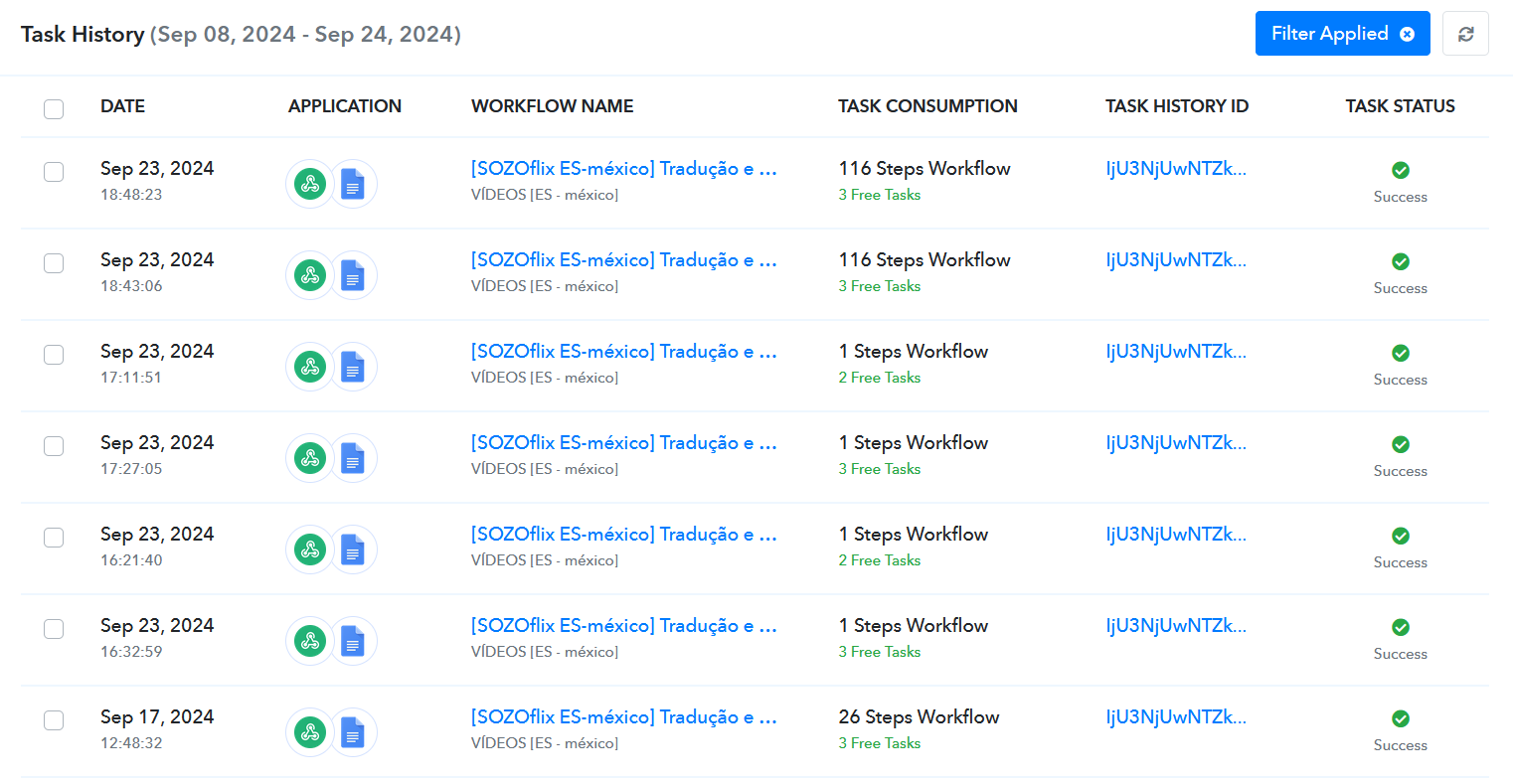
Kindly check and let us know if any new files were added in the shared folder after the last time the workflow got executed.
Hello @Marcos AssisAs we have checked the shared workflow, it seems to be working fine as the workflow is last executed on Sep 23, 2024. Please refer to the attached screenshot for more info.
Kindly check and let us know if any new files were added in the shared folder after the last time the workflow got executed.
Yes, it is working because I had to change the trigger, before I was using the trigger for a new file in a specific folder on the shared drive. I did several tests and the trigger didn't activate...
I switched to webhook and created a script on Google so that when there is a new file in the folder, I send the data to this webhook and it worked!
But I confess that: I prefer to use a native Pabbly trigger instead of using a Google script.
And as you can see here in the community, this error happens to many people, could you resolve it once and for all?
Hello @Marcos Assis
Kindly confirm that you trying to connect with a main Business account or a sub-account.