[GHL] LeadConnector v1 & v2 contact creation differences
Status: Open · Asked by gjpab on · 0 views
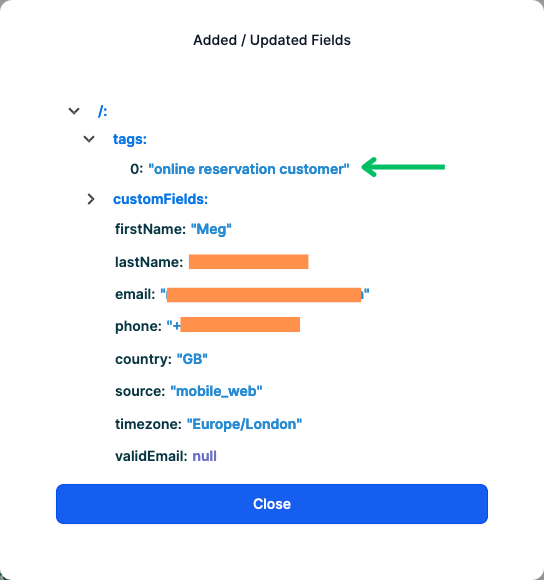
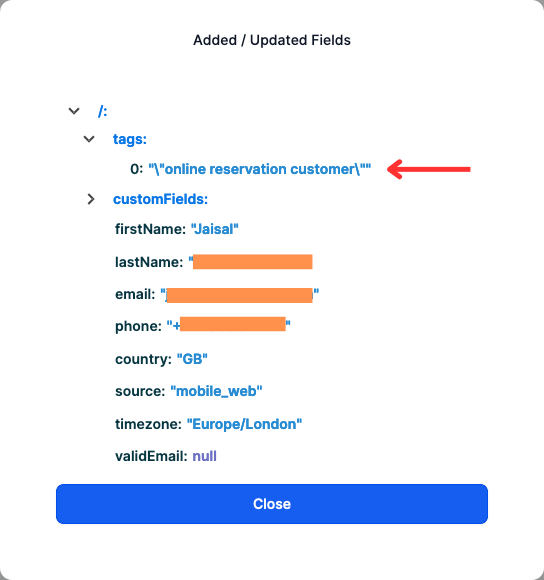
Hey, I'm using separate Pabbly workflows for client sub-accounts in GHL and recently started noticing that my workflows in GHL are not firing after contact creation. After investigating I found it to be with how the tags are created. So for example, when using the LeadConnector v1 app in Pabbly, double quotes are not added to the tags but added when using the v2 app.
We'll be using the LeadConnector v2 app going forward as v1 could be phased out soon. I could simply switch my workflows to include the double quotes for tags, but that doesn't solve the purpose as we're deploying sub-accounts using snapshots and would like to maintain consistency in our assets and configuration.
Workflow using LC v1 app:
Task History ID: IjU3NjUwNTZjMDYzNjA0MzQ1MjY4NTUzMzUxMzU1MTY0NTQzNDBmMzUi_pc
Executed at: Nov 03, 2024 23:42:07, (UTC+00:00) Europe/London
Workflow using LC v2 app:
Task History ID: IjU3NjUwNTZjMDYzNjA0MzQ1MjZmNTUzNjUxM2E1MTZhNTQzNTBmMzAi_pc
Executed at: Nov 03, 2024 19:39:12, (UTC+00:00) Europe/London
I've also attached screenshots of contacts created in separate accounts showing the differences when using the LC v1 and v2 apps. Can this be resolved asap since it is impacting live customer orders?
Attachments
Hello @gjpab
Since via both the workflow contact is created, hence the workflow to be triggered at contact creation should get triggered in any case. To check the issue related to that we would need to check that workflow too. Please share the workflow URL of the workflow with contact created as the trigger step.
my workflows in GHL are not firing after contact creation.
Can you please let us know what you refer to by maintaining consistency in your assets Does it mean by how tags are been added
would like to maintain consistency in our assets and configuration.
Also, please let us know how you want the tags to be added, as per LC v1 or LC v2, and whether it would maintain the consistency.
Here's the link to my workflows.
Using LC v2 app:
https://connect.pabbly.com/workflow/mapping/IjU3NjUwNTY1MDYzMjA0MzQ1MjY5NTUzZDUxMzAi_pc
Using LC v1 app:
https://connect.pabbly.com/workflow/mapping/IjU3NjUwNTZhMDYzNjA0M2Q1MjZlNTUzNDUxMzQi_pc
I need the contact tagged without double quotes when using the LC v2 app. (i.e. customer, not "customer")
Hello @gjpab
You have again shared the same workflows. We have asked you to share the workflow which is not getting triggered as contact gets created by the above workflows.
Please share the workflow URL of the workflow with the contact created as the trigger step.
That's a GHL workflow. It has the trigger 'contact created' with a tag filter that Pabbly adds on every run but doesn't fire since the tag contains double quotes.
Hello @gjpab
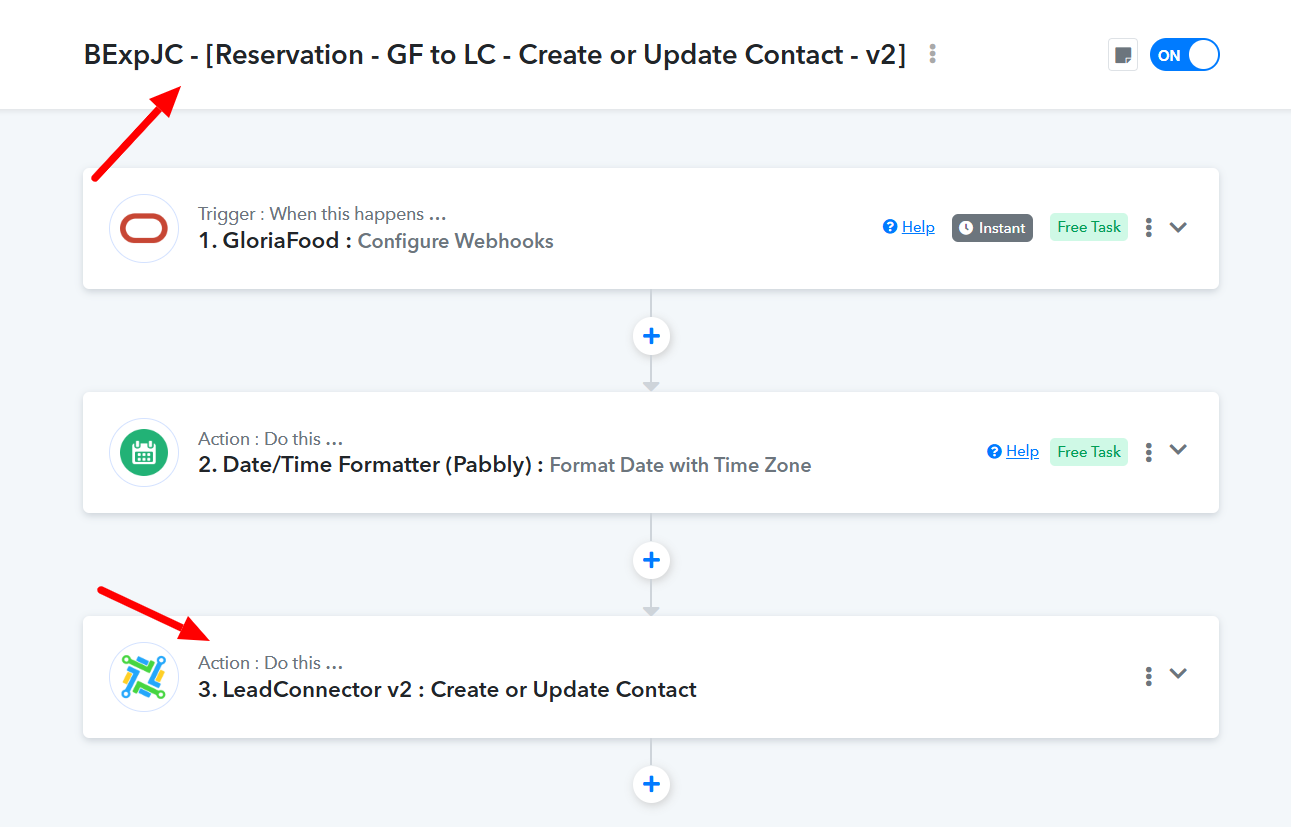
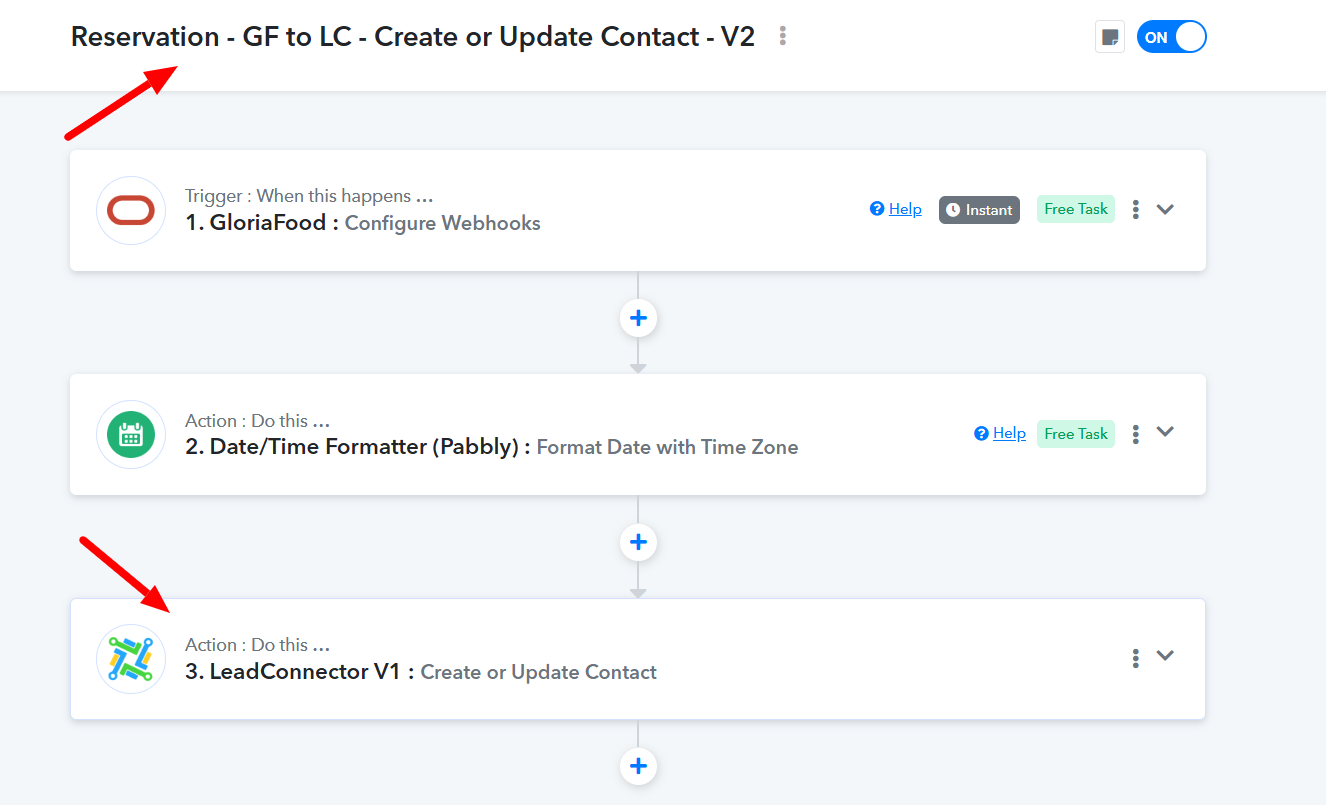
Please try to remove the double quote from the Tag in the Lead Connector v2:Create or Update Contact action step and let us know if it works for you.

Attachments
Done. I will need to test the step before confirming the fix.
Cheers