GHL Sub-Account Configuration
Status: Open · Asked by Chris Moltz on · 0 views
Is it possible to use Pabbly Connect to look up a GHL sub-account location based on email and then update some custom values in that account?
I have a white label GHL SaaS in which new accounts are created via GHL SaaS configurator. Then I have them fill out an onboarding form that triggers a Zap which then looks up their sub-account and updates custom values with input from the onboarding form.
I would like to replace Zapier with Pabbly for this process, but Im finding info on this forum that points to it not being possible.
Thank you!
Hi @ApexFD3S,
Could you please share a screenshot of the steps in Zapier that help you achieve this use case?
Is it possible to use Pabbly Connect to look up a GHL sub-account location based on email and then update some custom values in that account?I have a white label GHL SaaS in which new accounts are created via GHL SaaS configurator. Then I have them fill out an onboarding form that triggers a Zap which then looks up their sub-account and updates custom values with input from the onboarding form.
I would like to replace Zapier with Pabbly for this process, but Im finding info on this forum that points to it not being possible.
Thank you!
Yes it's possible, Please refer these possible actions which you can use in your workflow.
https://www.pabbly.com/connect/integrations/leadconnector-v2/
If you are still not able to solve this on your own feel free to DM me and we can do a free zoom call. FYI I'm not from Pabbly Connect team, just a freelancer who helps other Pabbly users.
Hi @ApexFD3S,Could you please share a screenshot of the steps in Zapier that help you achieve this use case?
Here you go.
Thank you for sharing the screenshot.
You can try setting up the workflow in Pabbly Connect this way to achieve your use case.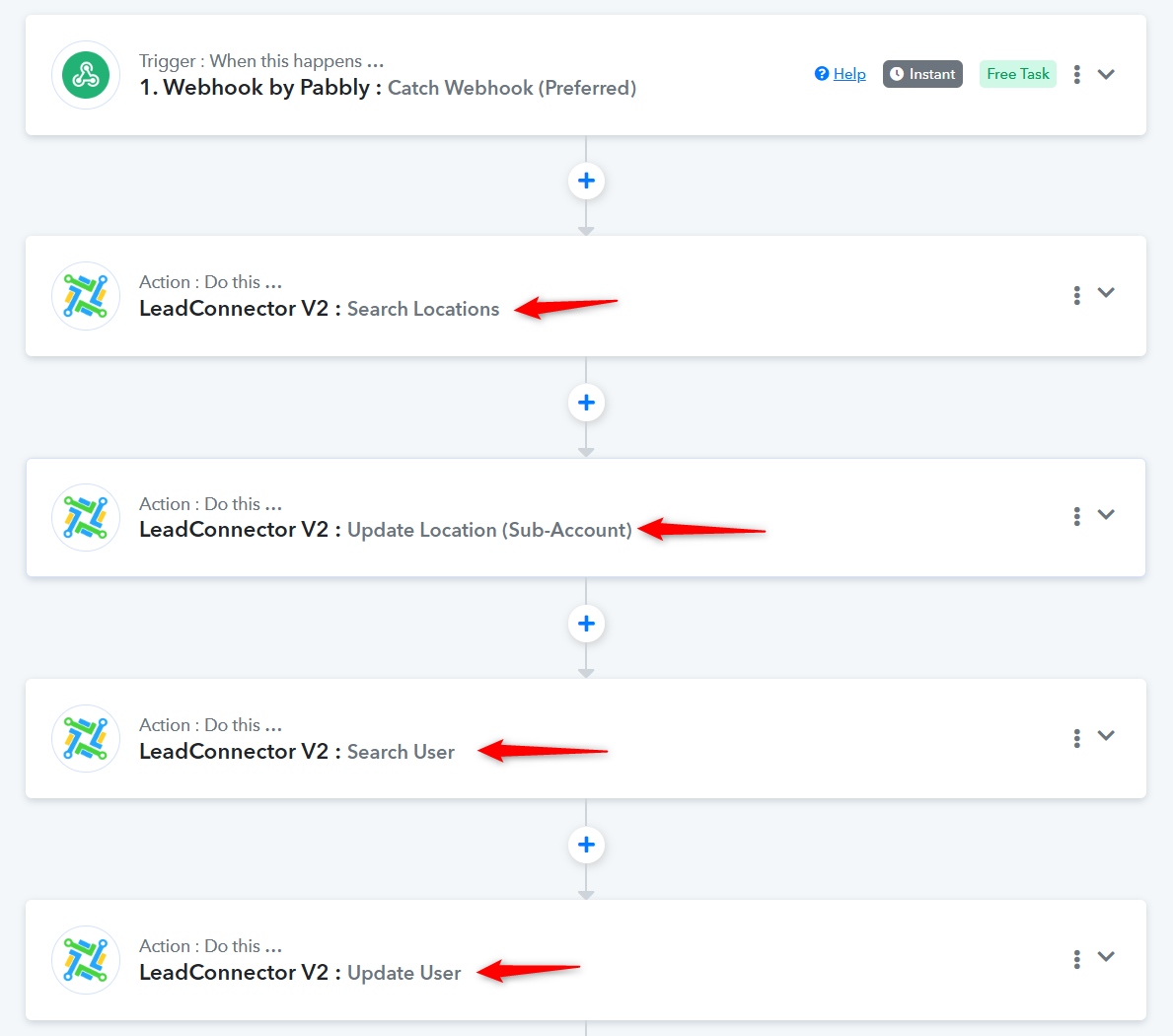
Thank you for sharing the screenshot.You can try setting up the workflow in Pabbly Connect this way to achieve your use case.
I attempted this but there is a problem. The "search locations" action simply allows me to access the full list of all locations in my agency and choose one as the target of the search. I need this workflow to dynamically search and find the specific location of the client who just filled out the onboarding form - hence it needs to search the location based on the location's email (I made sure to emphasize to the user they MUST input the SAME email in the onboarding form that they used to create their account).
So this led me to try the "search location by email (beta)" action. Unfortunately this action only responds with a trace ID...which we cannot use in the next step to update the location.
To be ultra clear, here is what I would like to do:
1. Client submits onboarding form > this triggers GHL workflow that sends webhook to Pabbly.
2. Pabbly catches webhook.
3. Pabbly searches/finds client's sub-account based on the email provided in the onboarding form.
4. Pabbly updates custom values in client's subaccount with data provided from onboarding form.
5. Pabbly creates a user on client's subaccount using name, address, and phone number from onboarding form.
6. Pabbly sets user permissions for user created in step 5 (in order to show/hide features).
Currently I am doing all of this via Zapier and would like to use Pabbly instead.
Could you please specify the account you used while making the connection? Are you connected to an agency (owner) account or a sub-account?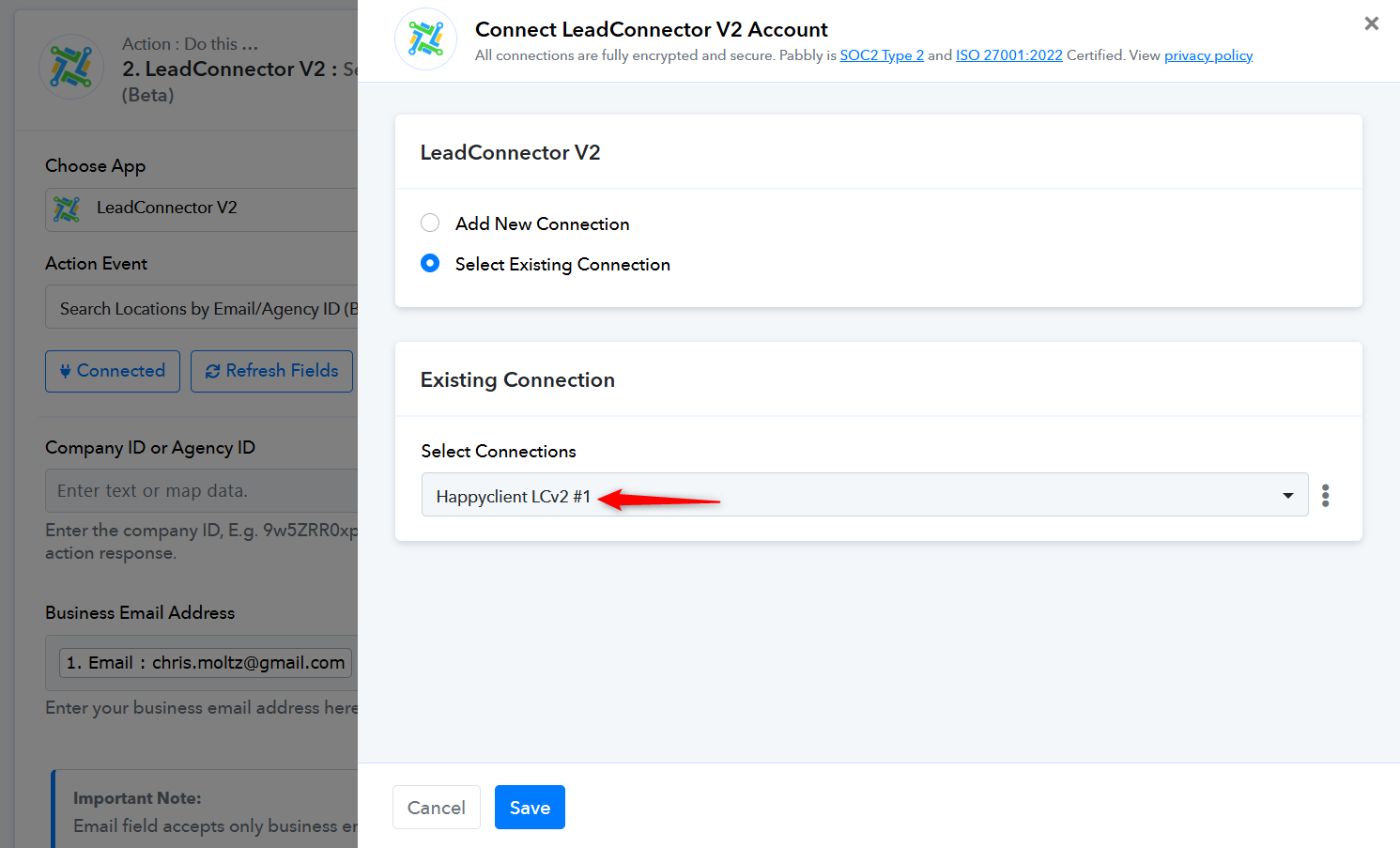
https://connect.pabbly.com/workflow/mapping/IjU3NjYwNTY4MDYzNTA0M2Q1MjZjNTUzNjUxMzAi_pcCould you please specify the account you used while making the connection? Are you connected to an agency (owner) account or a sub-account?
Agency acct
I jsut ran a test. using "search location by email id". It returned location id along with various other data points.
What are you seeing in your response? You mentioned it only give traceid which doesn't seem right.
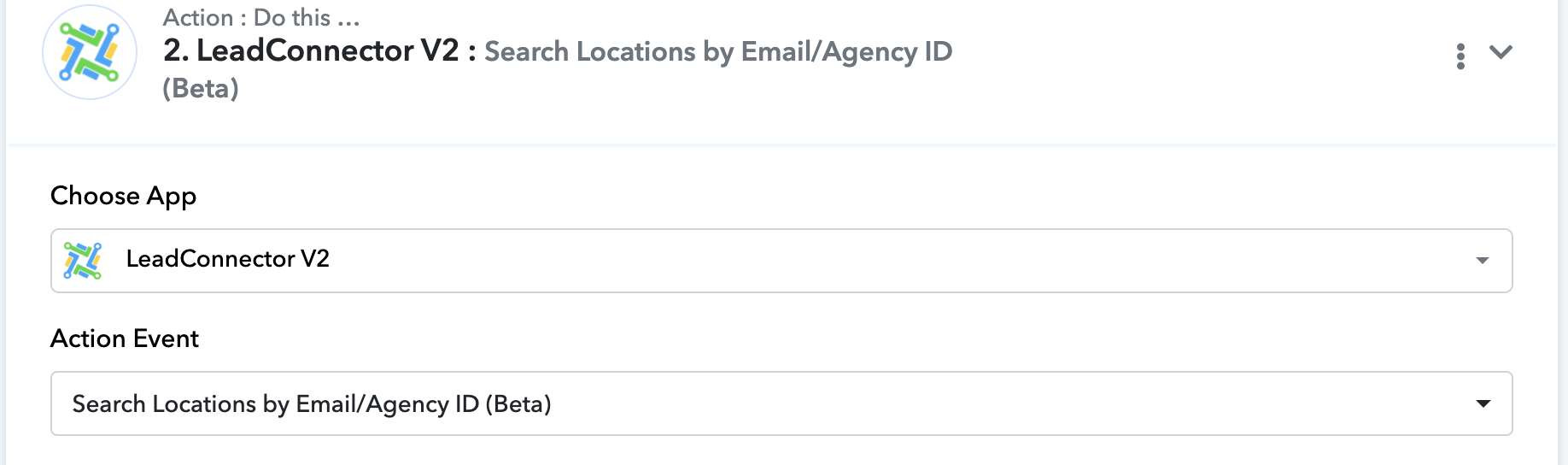
Response:
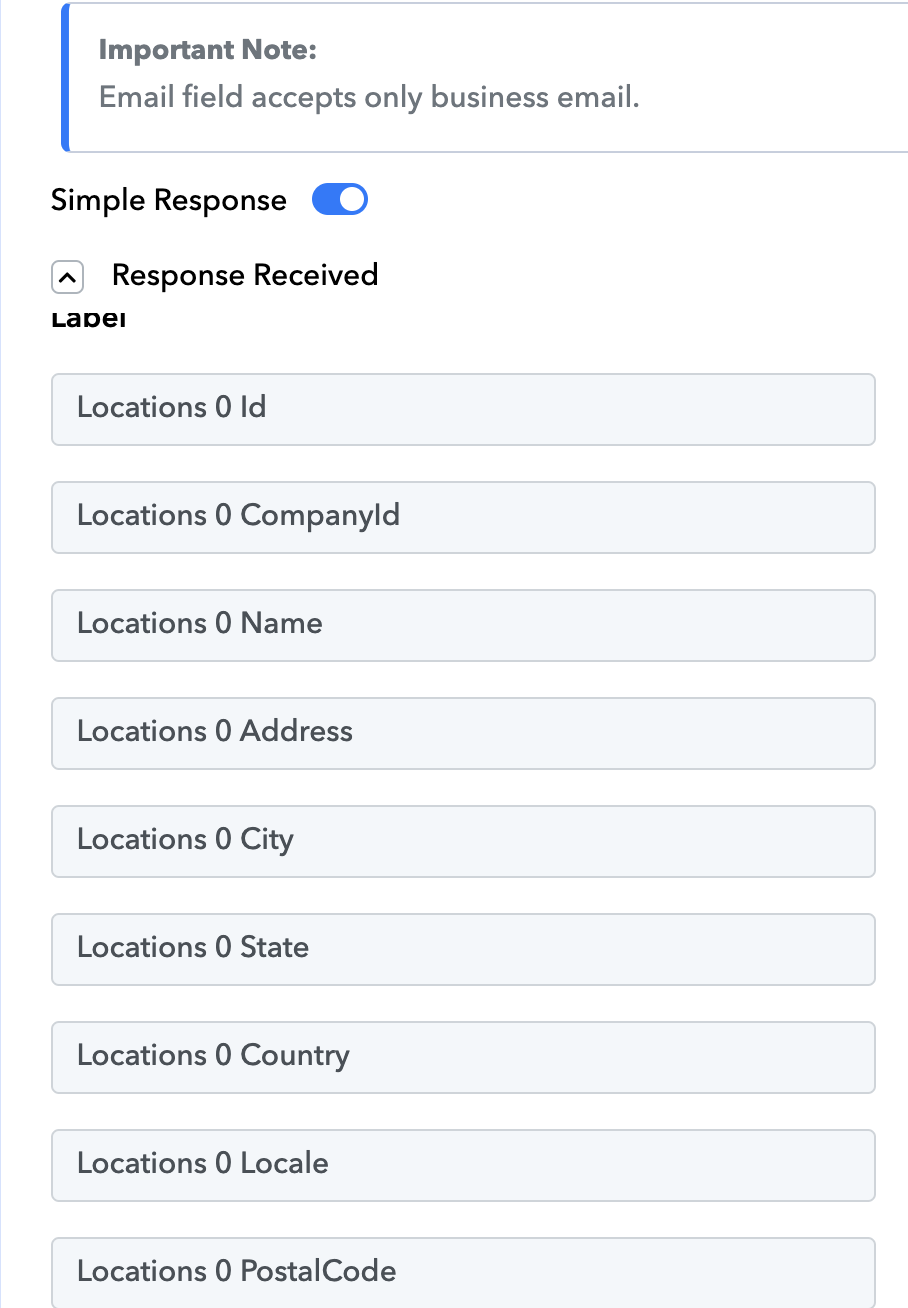
I jsut ran a test. using "search location by email id". It returned location id along with various other data points.
What are you seeing in your response? You mentioned it only give traceid which doesn't seem right.
Response:
Thanks for looking into that. Yes, I can replicate your result if I leave the "Business Email" field empty. When left empty the result will return all locations that exist within the agency.
What I am trying to do is search/find the specific location correlated to the client who filled out the onboarding form. Therefore, I am pulling the business email (the email address the client used to create the location) from step 1 (the onboarding form webhook in which the client supplied the email). When I do it this way, the result is simply a TraceID.
I am starting to think that the problem is due to the Pabbly LeadConnectorv2 connection. In Zapier, I can connect to GHL at the AGENCY level, then search for a location based on the location's email, then have the ability to access that location and update/modify things within it. It seems that with Pabbly, when I connect via LeadConnectorv2 to the Agency account, I can only do things at the agency level (such as CREATE locations) but I cannot do things at the location level (such as create/update custom values).
It seems that in order to update custom values within a location I would need to have Pabbly connect LeadConnectorv2 to the exact location, not agency. Unfortunately, for my use case this would not work as I need the workflow to be able to dynamically search and update the location based on the email provided in the onboarding form. The need to have a dedicated LeadConnectorv2 connection for EVERY location individually is not reasonable for my use case.
I'm hoping I am wrong about this as I would prefer to use Pabbly over Zapier.
you might want to double check that your connection to ghl is indeed on the agency level...
you also need to put in your agency id. (to find your agency ID) In ghl under agency view. go to setting > company - it is the relationship id in the top right corner.
When I did my test using an email (make 100% certain it is the business email used in the sub account (not a user) from the sub account it gave me all of the data on that sub account. You said it was... just making sure that is the case.
You should be able to do exactly what you want to do, maybe it is just because you don't have the agency id in there.
Update: I was able to get the Search Location by Email step to function correctly.
The next step is to update the Custom Values within that sub-account. I am getting a 401 error.
Found this thread that suggests that you cannot update sub-account custom values when connected through LeadConnector v2 at the agency level. Hope this is not true, as it would be silly to have to connect Pabbly to each sub-account individually in order to update them.
Here you go.
In the screenshot you shared, you used the 'Update Location' action step to achieve your use case. Please try using the same action event in Pabbly Connect as well.
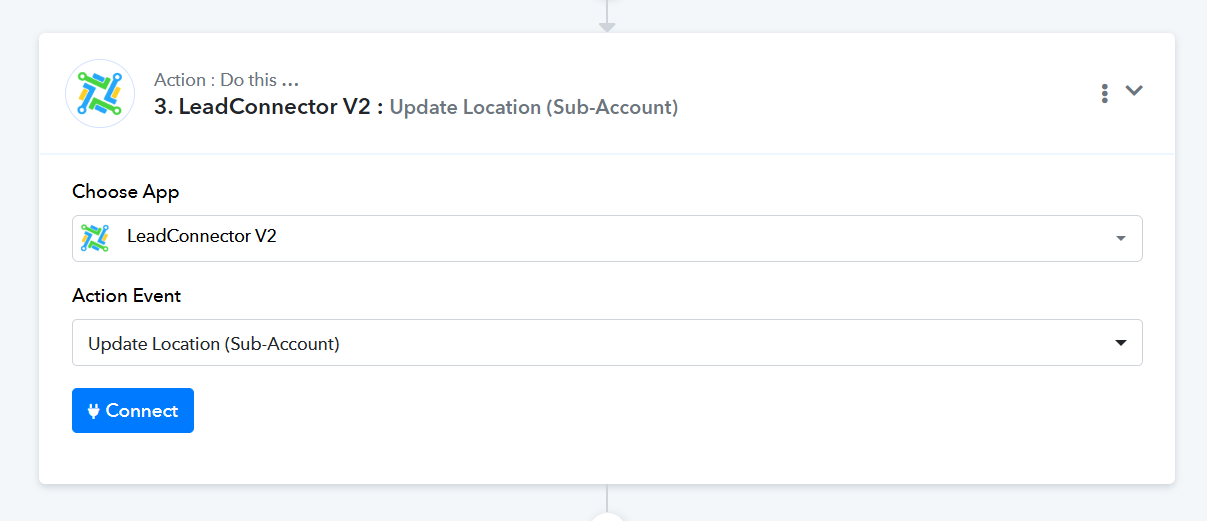
In the screenshot you shared, you used the 'Update Location' action step to achieve your use case. Please try using the same action event in Pabbly Connect as well.
Yes, in Zapier there is a field in the "Update Location" action that allows you to update custom values.
In Pabbly's Update Location action there is no provisions for updating custom values. However, I see Pabbly has a "Update Custom Values" action, which doesnt seem to work.
Is there the option to update custom values in the Pabbly Update Location action?
Hello @ApexFD3S
We have forwarded your request to our integration team to check the possibility of updating custom values through the "Update Location" action and to investigate the issue with the "Update Custom Values" action not working as expected.
Please allow us some time to look into this. We’ll get back to you with an update as soon as we have more information.
Hello @ApexFD3S
We have forwarded your request to our integration team to check the possibility of updating custom values through the "Update Location" action and to investigate the issue with the "Update Custom Values" action not working as expected.Please allow us some time to look into this. We’ll get back to you with an update as soon as we have more information.
Thank you.