GHL to Stripe Connect Payment Routing
Status: Open · Asked by karrem on · 0 views
hi, how to do the Stripe connect payment routing? The goal of this automation is when someone successfully pay from our Gohiglevel website or store, the payment should be routed to the correct Stripe account under our main company Stripe account using the "Stripe connect" This is the workflow I created at the moment https://connect.pabbly.com/workflow/mapping/IjU3NjYwNTY5MDYzMTA0MzQ1MjY0NTUzMjUxMzIi_pc
Hello @karrem,
Could you please provide more details on how you want the payments to be filtered or separated? This will help us better understand your requirements and suggest the most suitable solution.
Please check this document https://docs.google.com/document/d/1wE9cEKfcDZ6O0-IU6qQOmqOsd6qOoZFL6doLbKyPT-8/edit?usp=sharing
Hello @karrem,
You can separate the payment flows for each of your websites by utilizing the website information received from the trigger, as it will be unique for each website. By capturing and processing the response for each website separately, you should be able to achieve your use case effectively.
However, assisting with the detailed setup of the workflow based on your specific requirements is beyond our support scope. We recommend consulting an expert for step-by-step guidance on setting up this use case.
You can find experts through our Pabbly Connect Experts and Consultants forum and in our Facebook group.
Can you help me implement this section?
*Option A: Use Zapier (Simpler) or any similar tools
1. **Create a Zap**:
- Trigger: Webhook from GHL (e.g., form submission with payment details).
- Action: Filter by `Website Source` (e.g., "Website A").
2. **Call Stripe API**:
- Add a **Code by Zapier** step (JavaScript or Python).
- Use Stripe’s API to create a Payment Intent for the correct connected account:
```javascript
const stripe = require('stripe')('your-secret-key');
const paymentIntent = await stripe.paymentIntents.create({
amount: 1000, // Amount in cents, pull from GHL
currency: 'usd',
payment_method_types: ['card'],
on_behalf_of: 'acct_12345', // Connected account ID for Website A
transfer_data: { destination: 'acct_12345' },
});
```
I just send the documents so that you will have idea, the only steps on Pabbly is the section 5, although Zapier is our example but I know Pabbly can do the same.
I have already workflow here https://connect.pabbly.com/workflow/mapping/IjU3NjYwNTY5MDYzMTA0MzQ1MjY0NTUzMjUxMzIi_pc and I am stuck with the action steps for javascript
Please check also this document https://docs.google.com/document/d/1wUTFssGss_O3mgOpCqKGQnU86tdJ9eW6BO_ksfU4xPw/edit?usp=sharing maybe you can help me setup this to my workflow https://connect.pabbly.com/workflow/mapping/IjU3NjYwNTY5MDYzMTA0MzY1MjZmNTUzMjUxMzAi_pc
I have already workflow here https://connect.pabbly.com/workflow/mapping/IjU3NjYwNTY5MDYzMTA0MzQ1MjY0NTUzMjUxMzIi_pc and I am stuck with the action steps for javascript
Are you able to execute this code successfully in an online JavaScript compiler? If you are facing issues with the online compiler as well, then I'm afraid we won't be able to assist you with coding-related issues, as it is beyond our scope of expertise.
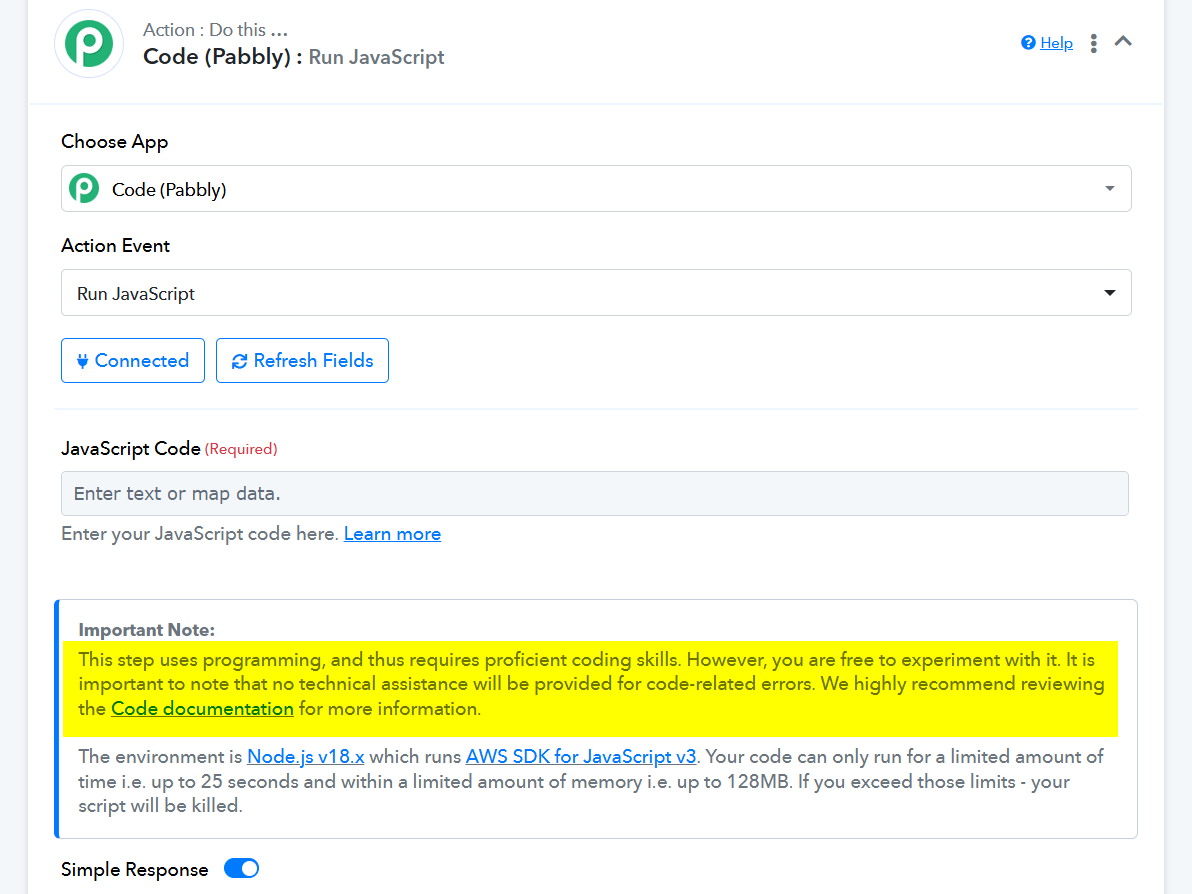
Please check also this document https://docs.google.com/document/d/1wUTFssGss_O3mgOpCqKGQnU86tdJ9eW6BO_ksfU4xPw/edit?usp=sharing maybe you can help me setup this to my workflow https://connect.pabbly.com/workflow/mapping/IjU3NjYwNTY5MDYzMTA0MzY1MjZmNTUzMjUxMzAi_pc
Try using 'Stripe: Custom API Request' for this use case.
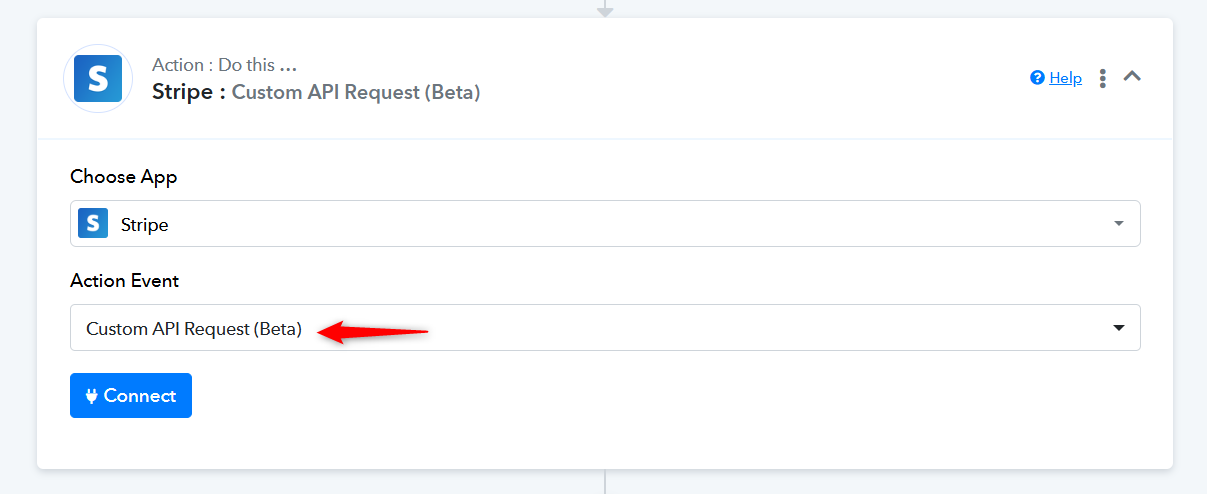
Watch this video to understand how you can establish a new connection with your Stripe account.