Gives me 204 status quote, why?
Status: Open · Asked by Silvan Kurras on · 0 views
Hi team,
I get a 204 status message as soon as I try to execute something in Brevo.
The lead comes into FB, and the data should be transferred to Brevo.
I have two other automations with the same workflow, but a different lead form in FB and a different target list in Brevo, and they work perfectly. It's only this process that I can't get to work.
Who can help me?
Hey @flowyze,
Thanks for reaching out.
Upon checking your workflow, it looks like the field mapping in the Brevo action step has been affected, which may be causing the issue.
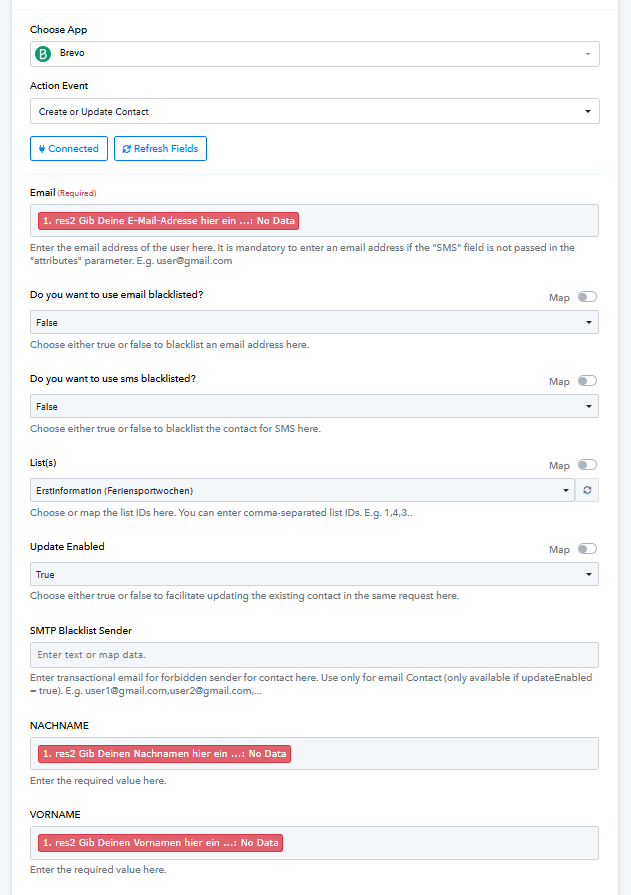
We recommend re-mapping the correct fields in that action step and then running a test execution to check if it works properly.
Let us know how it goes.
Ok it worked one time, now its showing again the same status 204 issue, why?
Hey @flowyze,
Thanks for getting back to us.
Upon checking the latest task history execution, it looks like the action is working fine. Also, please note that you are using the Create/Update action in Brevo.
So, in cases where a new contact is created, the API generally returns details like an ID in the response. However, when the contact already exists and it performs an update, Brevo may return a 204 (No Content) status, which still indicates a successful request.
Since 200/201/204 are all considered successful status codes depending on the action result, it appears to be working correctly.
We recommend monitoring the upcoming executions in Task History and verifying if the contacts are being created/updated in Brevo as expected.
Ok, lets check it.
I dont know why but the automation is not taking all facebook leads into brevo, why?
Sometimes its working sometimes not.
I need to check daily and do it manually if not.
Please try using the Facebook Lead Ads: New Lead trigger event instead. Monitor your workflow for some time and check whether it adds all the leads to your Brevo account.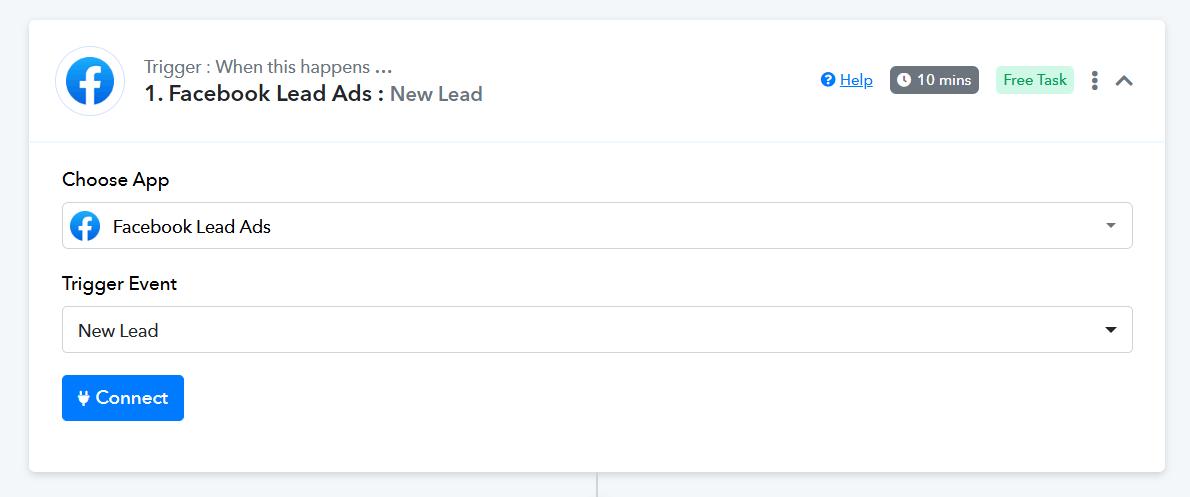
Thanks & Regards,
Arshil Ahmad
Customer Support Associate
? Pabbly.com
?Rate your support
The the 1st of february I didnt get sent any Lead to my brevo newsletter tool, impossible because there are new leads during sonday in facebook as well. Whats going wrong here?
If I choose "new lead" as trigger Iam not even able tho choose any facebook page, there is just nothing.
Hey @flowyze,
It appears that your Facebook Lead Ads connection has expired, which is why you’re unable to proceed. Please set up a new connection, and this should resolve the issue.
Let us know if you need any assistance while reconnecting.
15 minutes ago I got a new lead form facebook to brevo again, so the current trigger works sometimes, sometimes not, why is that?
Should I change the trigger now, or not?
Hey @flowyze,
Could you please share the workflow URL under which you received this lead? This will help us check why the trigger is behaving inconsistently and advise whether a trigger change is required or not.
Workflow in Brevo?
Hey @flowyze,
No, I’m asking for the Pabbly workflow URL, not the Brevo workflow.
Also, please note that you’ll need to set up a new Facebook Lead Ads connection first. After that, use the Facebook Lead Ads: New Lead (Instant) trigger, as it will fetch the latest leads directly from Facebook.
Once this is done, please monitor the workflow and share the Pabbly workflow URL with us so we can review it further.
Its shared here: Your Workflow URLhttps://connect.pabbly.com/workflow/mapping/IjU3NjYwNTZmMDYzMjA0M2Q1MjZmNTUzMTUxMzUi_pc
Please follow this suggestion.
please note that you’ll need to set up a new Facebook Lead Ads connection first. After that, use the Facebook Lead Ads: New Lead (Instant) trigger, as it will fetch the latest leads directly from Facebook.
So I need toe create a new conncection with the same trigger, right?
Yes
Ok I think I did it now.
I couldn't send a test lead on Facebook because the Facebook form doesn't restart, but only shows the “sent” page of the form.
There are two variables which have the mail address behind it, why? Which one shall I use correctly?
Same with the other Variables like name and first name.
Hi,
It looks like a test lead has already been created, which is why the form is only showing the “sent” page and not allowing you to submit another test lead.
Please go to the Facebook Lead Ads Testing Tool, delete the existing test lead, and then create a new one. After doing this, try again and check if your workflow gets triggered.
You can access the testing tool here:
https://developers.facebook.com/tools/lead-ads-testing
You can use the details coming under the fields with Res4 in it.
Let us know if it works or if you need any further help.
Ok test data is sent
And it was sent via your flow into brevo as well.
Hello @flowyze,
Thanks for the update.
Please monitor the workflow for any new leads and let us know if they trigger the workflow correctly. We’ll be happy to assist further if needed.
The first lead got correctly into brevo but I had this working the other day as well suddenly the flow did is work only random anymore and I needed to check every day if it worked properly or not ... lets see now. Thanks for your support.
Sure, please monitor your workflow for some time, and if the issue occurs again, do let us know.
Thanks & Regards,
Arshil Ahmad
Customer Support Associate
? Pabbly.com
?Rate your support