Gmail + router
Status: Open · Asked by Tamosukas on · 0 views
Hi,
My workflow starts with a Gmail trigger and then goes into a Router with two routes.
I want the Router to split emails based on the email subject:
- Route 1: emails from Company 1 (subject contains a specific value)
- Route 2: emails from Company 2 (subject contains a different value)
However, it seems that after the Router the workflow does not continue to the next steps, even though the emails are being received by Gmail.
Could you please help me identify what might be wrong with my Router or Filter configuration?
Thank you.
I found a solution created 2 separates so not need help here anymore, problems was because og not possible to disconect easy gmail from your system, any sugestion here in formum not works Gmail action 'Remove Trigger' not available
Hi @Tamosukas,
You won't be able to use the Gmail trigger step in more than one workflow. You can either add a Router to the workflow that already uses Gmail as the trigger step, or use the Email Parser trigger step in all workflows instead.
youtube.com/watch?v=GL4GDONwSdE
Could you please share the workflow URL again? The one you previously shared appears to be invalid, or may have been deleted. This will allow us to analyze the filter conditions configured in your account.
=====================================================
Regarding the Gmail issue, please use the "Gmail: Remove New Email Trigger" action step. Please note that this is an action step, not a trigger step.
Add the "Gmail: Remove New Email Trigger" action step to your workflow. Then, copy the Trigger ID from the other workflow where Gmail is currently configured as the trigger step and paste it into this action step. After that, click "Save & Send Test Request."
This will disconnect the Gmail trigger from the other workflow, allowing you to use it in your current workflow. You can then delete this step from your workflow.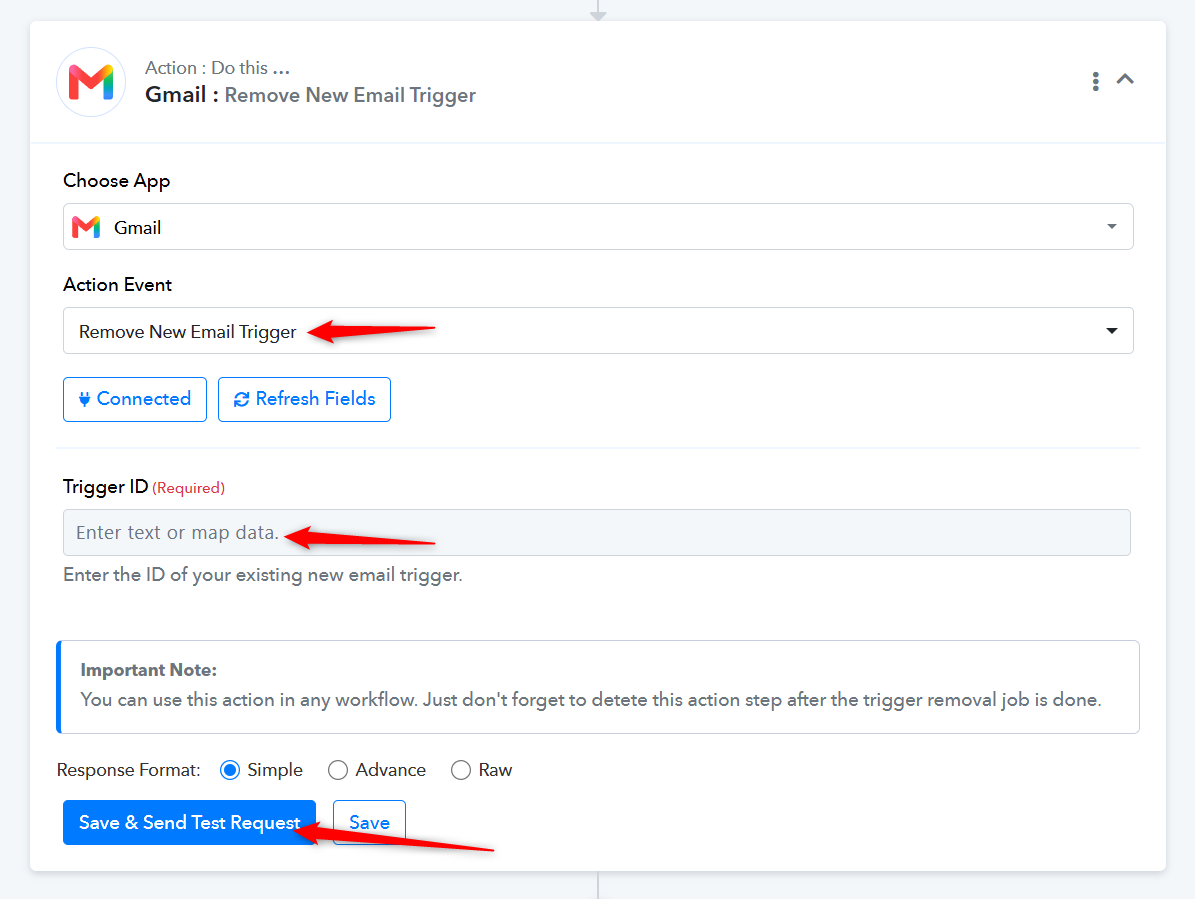
Thanks & Regards,
Arshil Ahmad
Customer Support Associate
? Pabbly.com
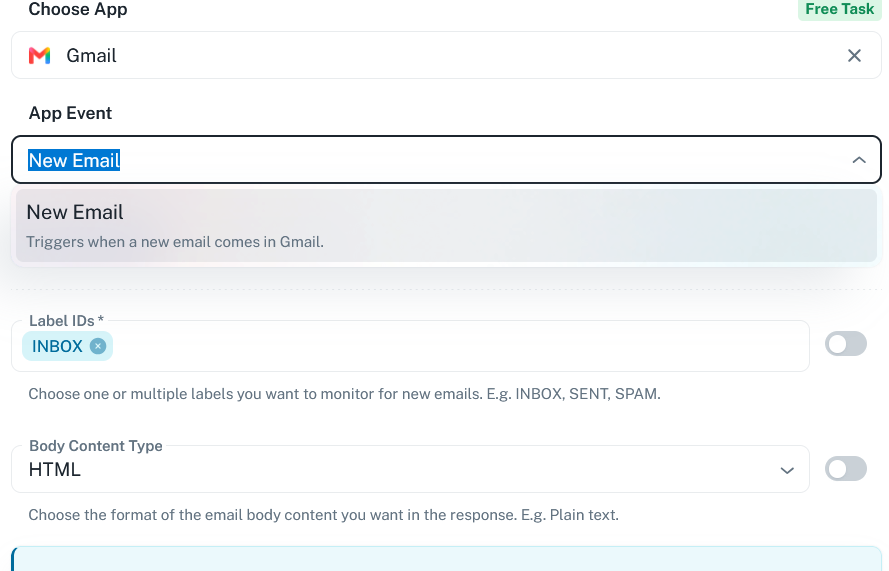
I told olready ther eare no such step
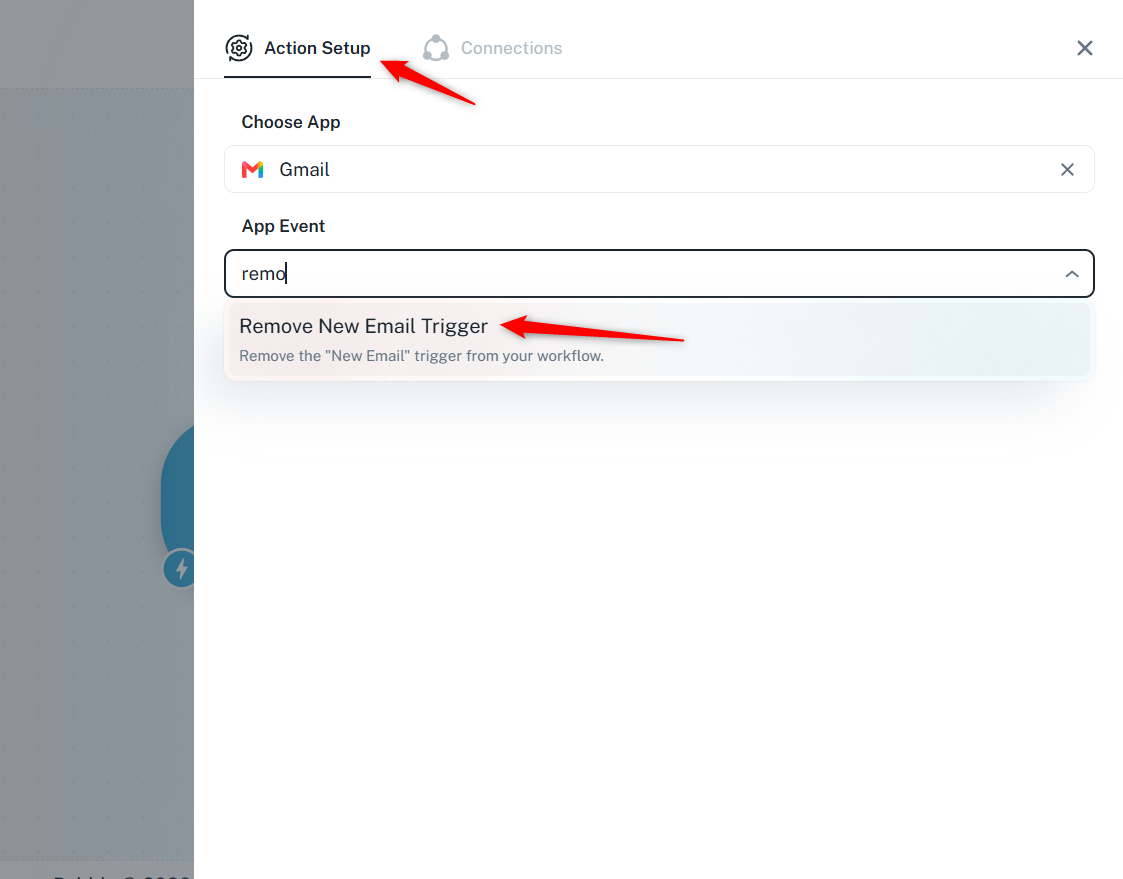
You are searching for it under trigger steps. However, "Gmail: Remove New Email Trigger" is an action step, not a trigger step.
Please refer to the screenshots shared below to see where you can find it.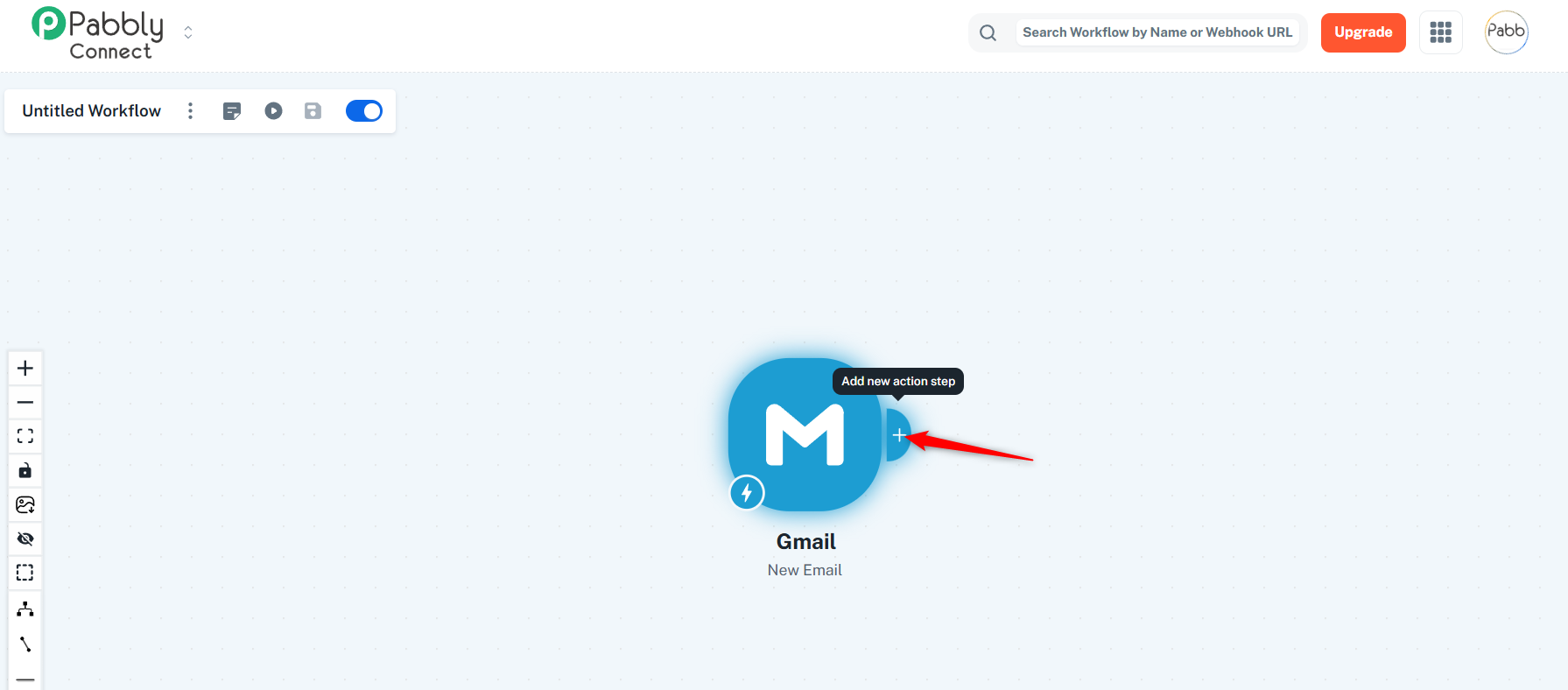
Thanks & Regards,
Arshil Ahmad
Customer Support Associate
? Pabbly.com