Gmail Send Email sends email back to sender instead of recipient
Status: Open · Asked by Juliana Frank on · 0 views
Hi Pabbly Support,
I'm experiencing a very unusual issue with the Gmail → Send Email action in one specific workflow.
Here's what's happening:
I'm using the Gmail → Send Email action.
The sender is [email hidden].
The recipient is a completely different email address (I've tested multiple Gmail addresses).
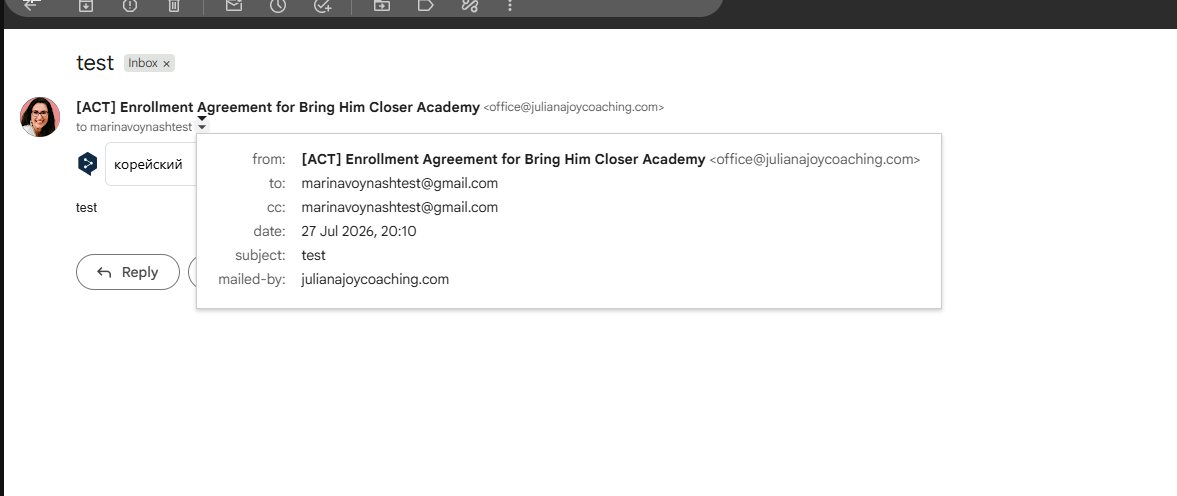
The email headers correctly show the recipient under the To field.
However, the email never arrives at the recipient's mailbox.
Instead, it appears in the Inbox of [email hidden] (the sender's account).
What I've already verified:
Created a brand new Gmail step from scratch.
Reconnected the Gmail account.
Tested with multiple recipient email addresses.
Removed CC/BCC.
Cleared the Labels field.
The Gmail connection works correctly in other Pabbly workflows using the same account.
This issue occurs only in this workflow.
The response from the Gmail step shows both SENT and INBOX labels for the created message.
Could you please check whether this is a known issue or if there is anything specific in this workflow that could cause Gmail to deliver the email back to the sender instead of the specified recipient?
Thank you!
Hello Juliana,
Thanks for contacting us.
Could you please share the Workflow URL so that we can look into it and provide information accordingly?
Please be aware that to assist you effectively, we may need to access your Pabbly Connect account. If you're comfortable with this, please grant us permission by stating in your next email: "You have my permission to log into my Pabbly Connect account, and edit workflow {If required}. Here is the registered email address associated with it."
Thanks & Regards,
Adeel Akhtar
🌐 Pabbly.com
Hi. You have my permission to log into my Pabbly Connect account, and edit workflow. Here is the registered email address associated with it - [email hidden]
https://connect.pabbly.com/v2/app/workflow/mapping/IjU3NjcwNTY5MDYzZTA0MzY1MjY1NTUzMTUxMzci_pc
Hello Juliana,
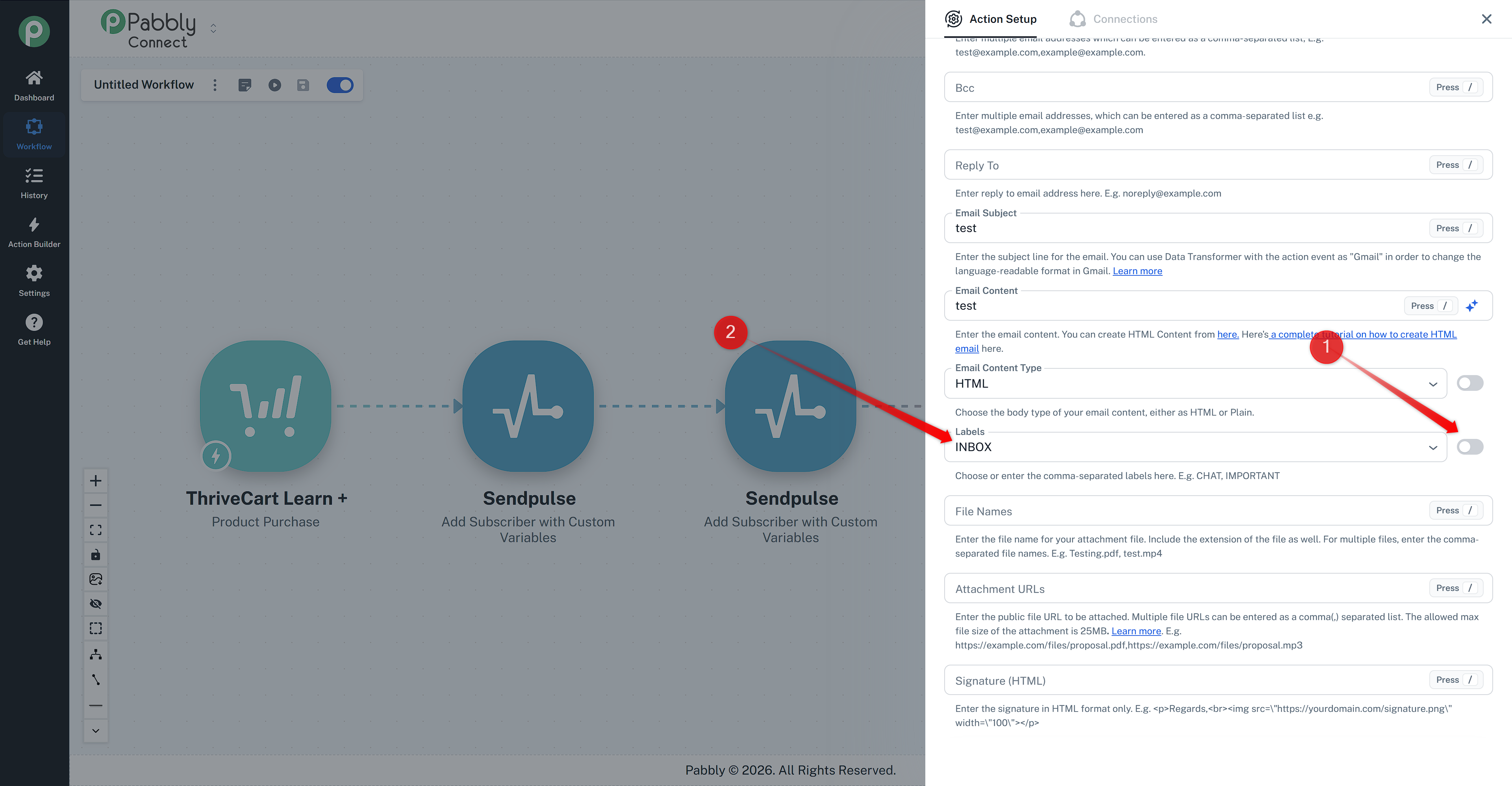
Kindly turn on the dynamic mapping button and then remove the INBOX text from the Labels field, as shown in the screenshot below, and then send a test email by hitting the Save & Send Test request button.
Thanks & Regards,
Adeel Akhtar
🌐 Pabbly.com
Hi. I removed the INBOX label as you suggested. The email is now being delivered to the correct recipient, but it is going to the Spam folder.
How can I prevent emails sent through this Gmail action from being marked as spam?
Hello Juliana,
I would like to inform you that an email landing in any of the folders does not have anything related to sending an email through an API request. The receiving email service provider analyzes the content and subject line of the email, based on which they land the email.
Thanks & Regards,
Adeel Akhtar
🌐 Pabbly.com