Gmail (send ) not working
Status: Open · Asked by Doc Alvarez on · 0 views
Hello,
My gmail v1 is not sending. Is it down? All other saas work in the pabbly automation, just not google gmail v1.
The blue button just spins in the attachment.
Hi @DocApply,
If you're on Windows, try pressing CTRL + Shift + R to perform a hard refresh in your browser and check if that resolves the issue. For Mac users, press Command + Shift + R to hard refresh the browser and see if that fixes your issue.
No it does not work. I cleared cache and browser and then tried on my other imac and no luck. I even tried to add outlook and send that email and all it does it turns. And I have sent many emails in Pabbly since 2020. Please help this is vital
Please try clicking the 'Save' button instead.
Please try clicking the 'Save' button instead.
Neither of them work. Please see video https://media.publit.io/file/error-1.o.html?player=ZMG
We clicked the 'Save & Send Test Request' button, and it worked without any issues.
https://drive.google.com/file/d/1MsGJ6ivTyddp7bHY9TSVmnspdH2hrkri/view?usp=sharing
Yes looks good. Not sure why it would not work on my side.
Try using a different device—it should work.
I'm having the same problem on my Gmail sends. It says:
401
Request had invalid authentication credentials. Expected OAuth 2 access token, login cookie or other valid authentication credential. See https://developers.google.com/identity/sign-in/web/devconsole-project.
UNAUTHENTICATED
This is happening for all of my workflows that include gmail: https://connect.pabbly.com/workflow/share/DEQHNQNUVDcCSFc9BllTdA0ZAARTClEwXEUFF11SAXlWGAN4DE0PZQFNU3FQF1Q1AktQOgZZVjMIHFJWAFYIewEbVGhTUFAqBktTKFQBCToMUgcvA2I#
CAN YOU HELP PLEASE?
Please establish a new connection with your Gmail account and see if that fixes your issue.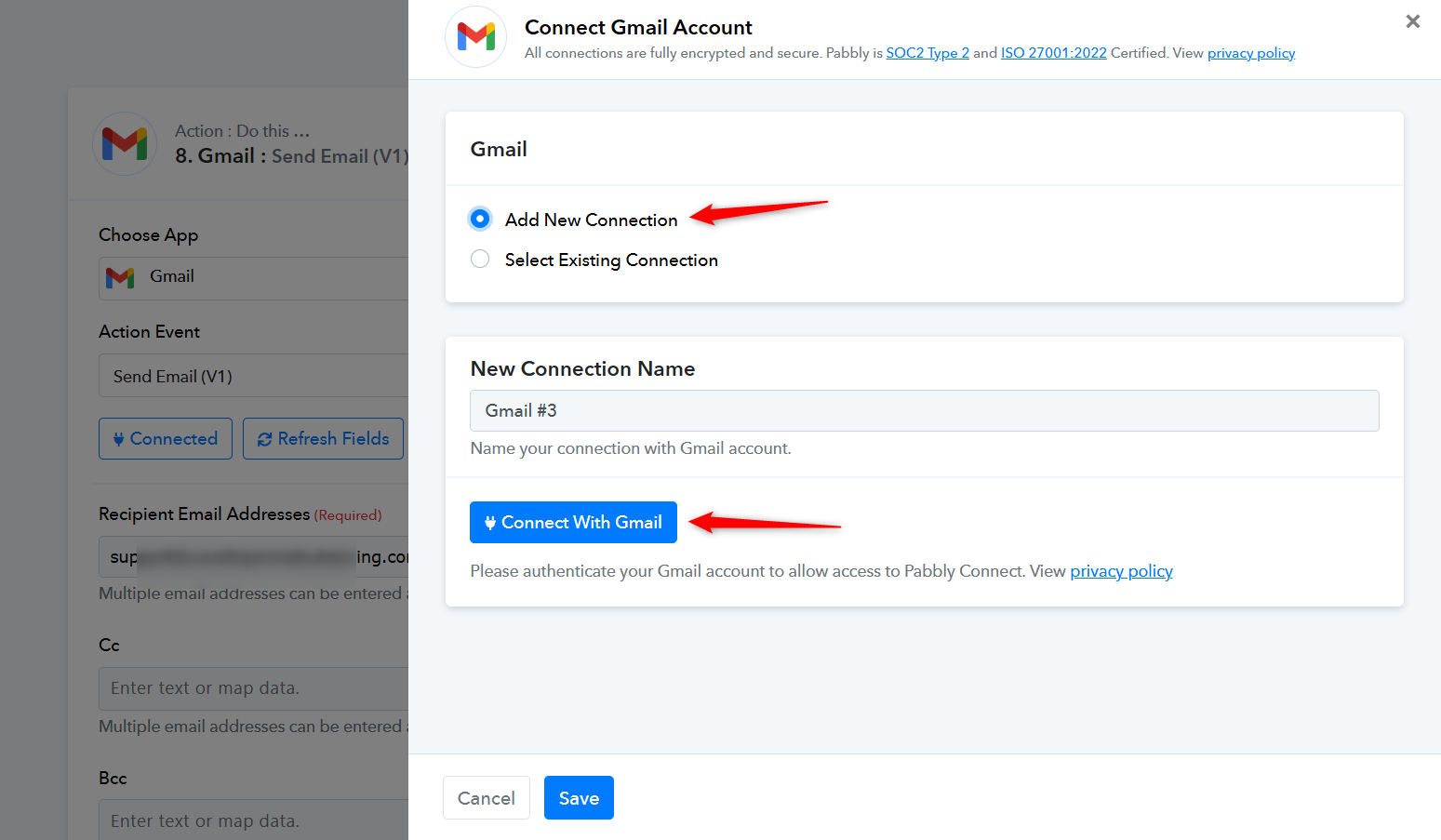
Do I have to do that for each workflow?
No, you don't have to individually add new connections to all the workflows. Instead, you can go to Settings and update the Gmail connection from there. This will update the connection in all your workflows at once.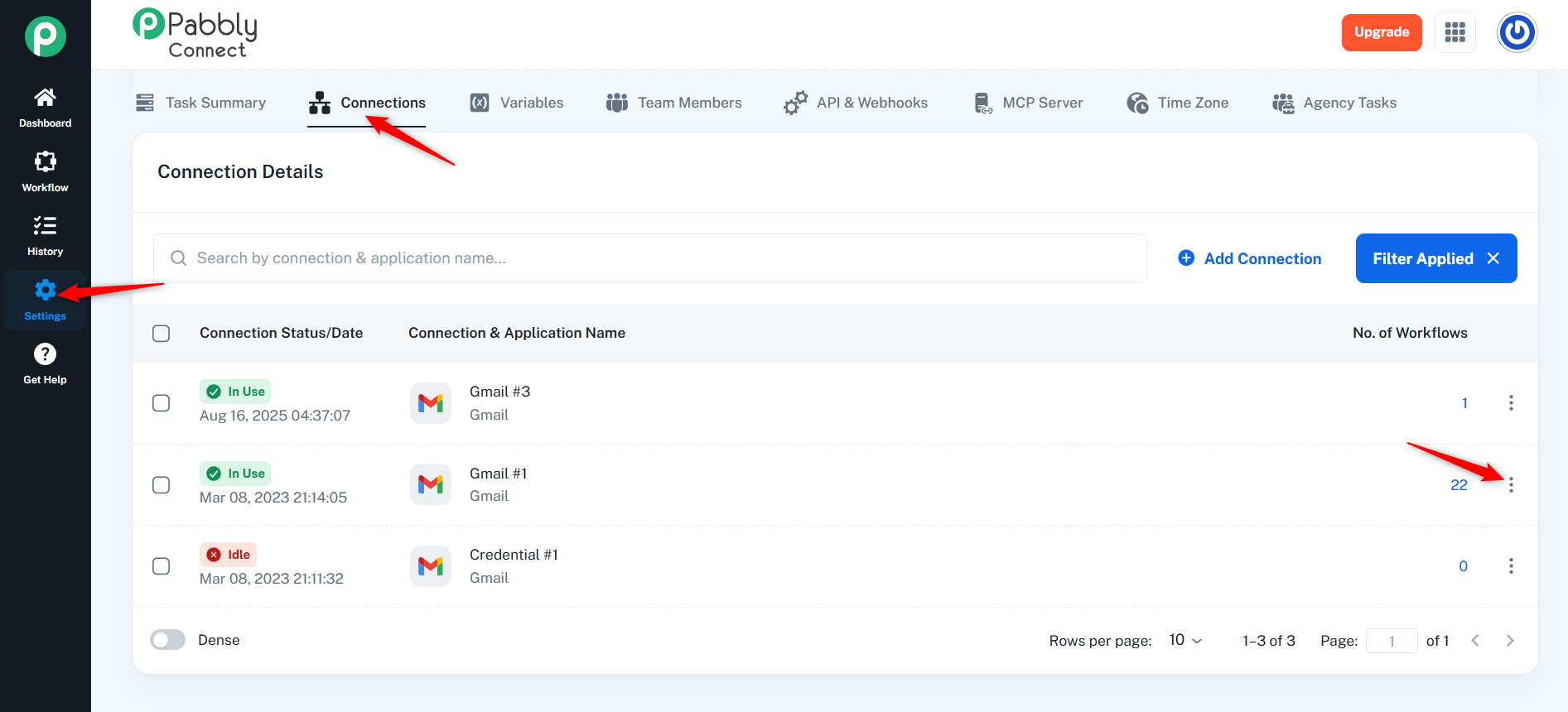
Please see what happens. When I select the new connection, the save button disappears: https://www.loom.com/share/9576918f9d9045a2ae047e1f32256c05?sid=4bbd8097-170e-43e5-b073-755616382827
Please check out the video shared below:
https://drive.google.com/file/d/1rBgzOrQybW845WIpre3fxsUESinK913Q/view?usp=sharing
wow, you guys might want to re-think that UI / UX. Very hidden.
It's not saving, even though I'm following your instructions. See vid: https://www.loom.com/share/8cb49fab58704029a5b66c6ca2db046f?sid=afe4bfce-d445-416a-b57b-1aa52a42b134
Hello @alexthearmo,
It seems the connection update was attempted in an incorrect way. Please refer to the attached screen recording for the correct steps to update it successfully.
Hello @alexthearmo,
Please refer to this video https://www.awesomescreenshot.com/video/43223883?key=9e370f8bf539d5d2539f3ab4e8064242