Google Analytics Metric/ Field Issue
Status: Closed · Asked by Robert S on · 0 views
I keep getting this error message:
Did you mean itemRevenue? Field itemName is not a valid metric. For a list of valid dimensions and metrics, see https://developers.google.com/analytics/devguides/reporting/data/v1/api-schema
but if you check on that link, "itemName" is a valid metric.
Thanks!
Hi I am trying to automate adding Google Analytics Data to Google Sheet. The information I wanna add on the sheet are:
Date
ItemName
itemsViewed
totalUsers
sessions
totalPurchasers
userEngagementDuration
totalRevenue
Note that those information are all I need on the report but I keep getting an error message saying:
"Did you mean itemRevenue? Field itemName is not a valid metric."
I also tried adding itemName on the dimensions but here's the error:
"Please remove itemName to make the request compatible for example."
Item Name is the most important data we wanna get.
Thanks!
Hey @Alex0101
Can you please share the workflow URL where you experienced this issue so that we can investigate?
Hey @Alex0101Can you please share the workflow URL where you experienced this issue so that we can investigate?
Here:
https://connect.pabbly.com/workflow/mapping/IjU3NjUwNTY0MDYzZjA0MzU1MjZkNTUzNzUxM2Ei_pc
Regarding your concern, we recommend you use the "Google Analytics: Run Report (GA4) Advance" action step where you need to pass the custom JSON request in the action step according to your required metrics and report which you can get with the help of Query Explorer.
After getting the JSON request you can pass it in the action step.
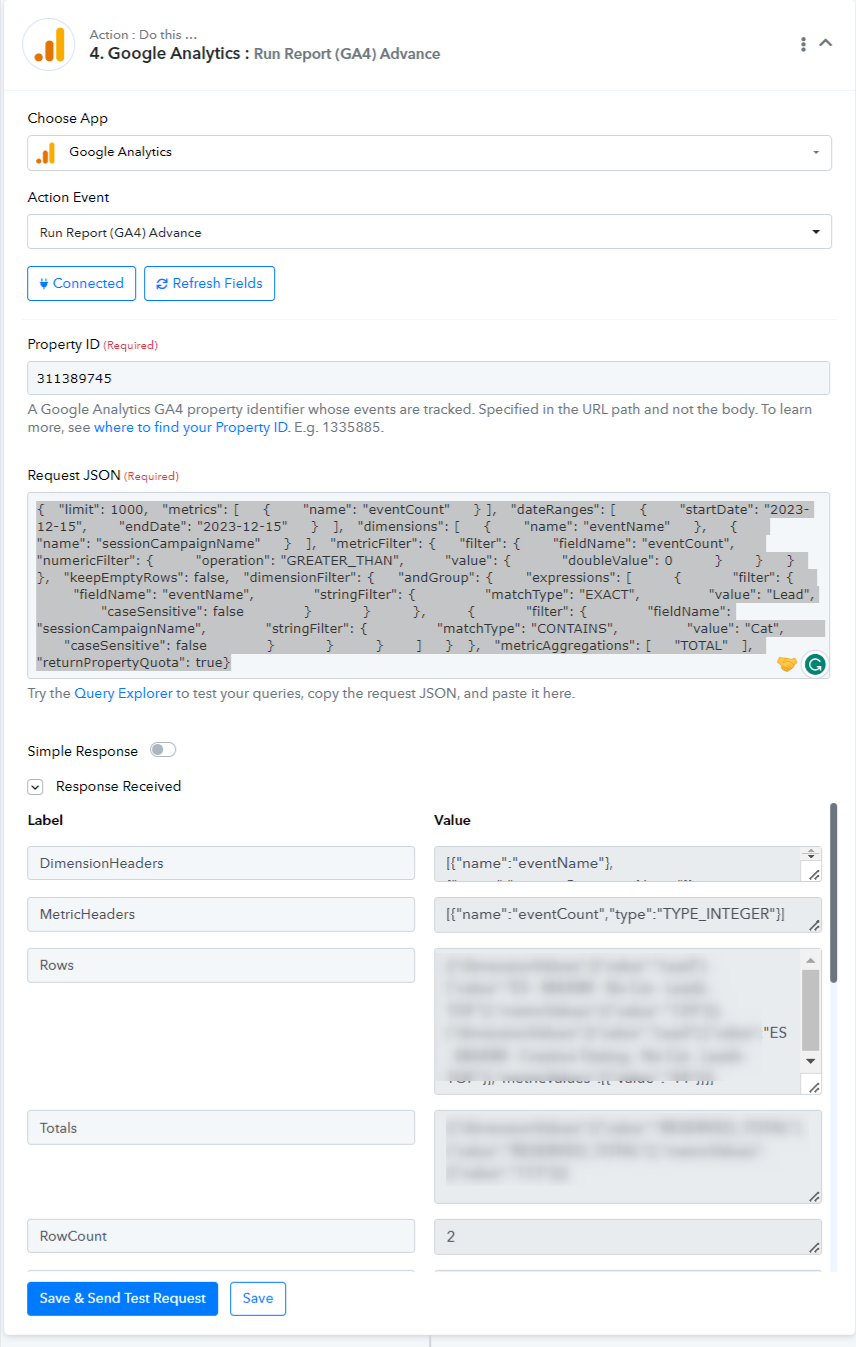
You can also use the Query Explorer tool to get the desired report with the help of Run ReportGA4 Advance action step accordingly.