Google Business Profile – Random 404 Errors When Replying to Reviews (Legacy Create Reply Step)
Status: Open · Asked by Mohammed Usman on · 0 views
### Problem Description
Hello Pabbly Team,
I’ve set up an automation workflow in Pabbly Connect where:
1. **Trigger**: *Google Business Profile → New Review (Multi Location)*
2. **Action**: *Google Business Profile → Create Reply (Legacy)*
The flow generally works, but intermittently the **Create Reply step fails with a 404 NOT_FOUND error** even though the review details are being pulled correctly from the trigger step.
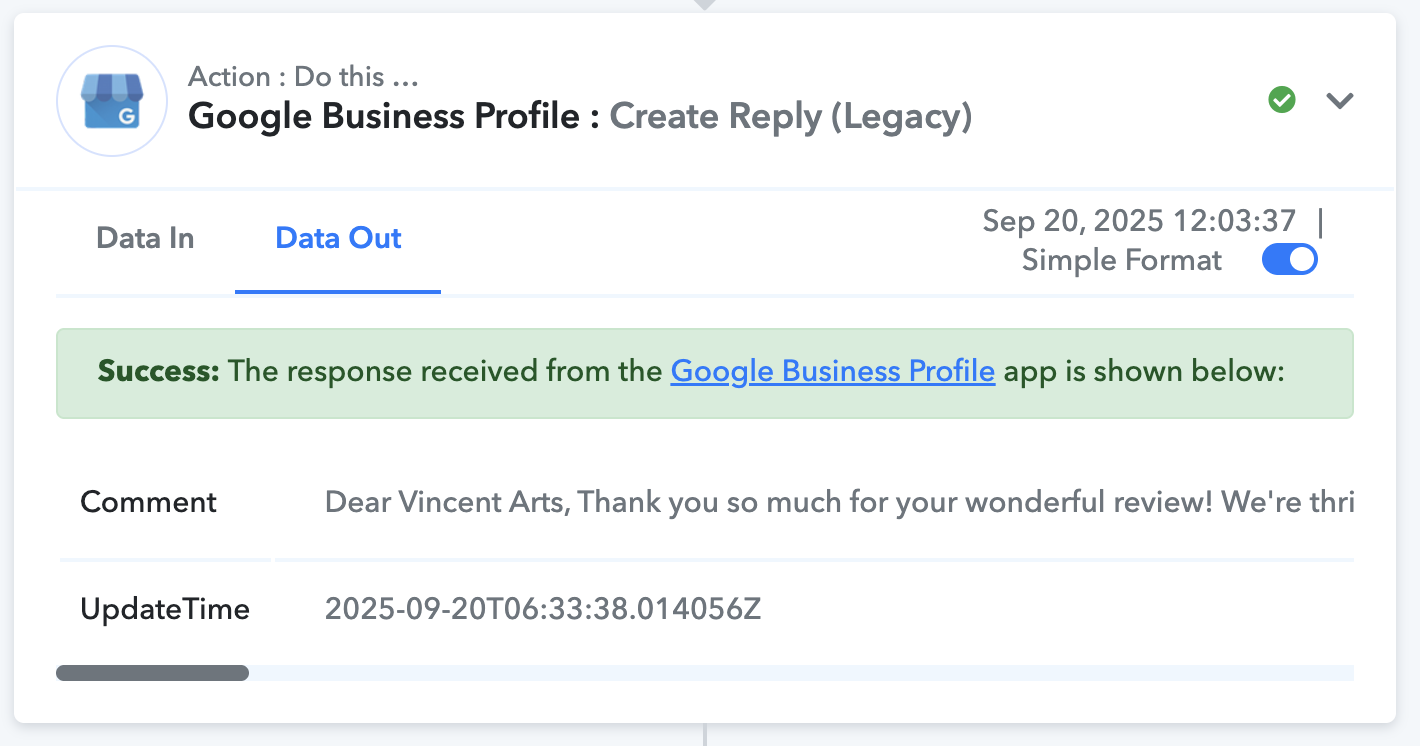
- In some runs, the reply is created successfully.
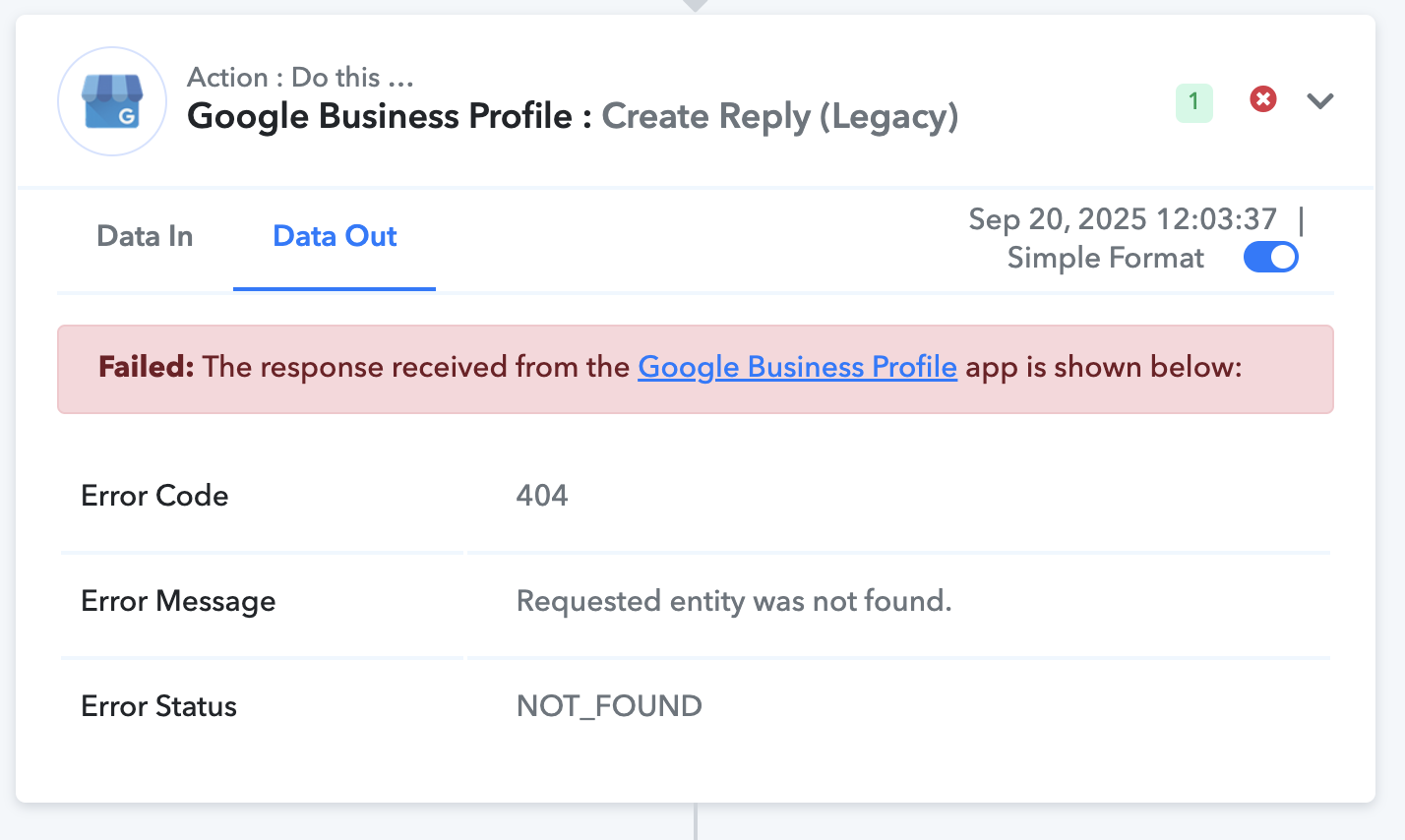
- In other runs, I see:
Error Code: 404
Error Message: Requested entity was not found.
Error Status: NOT_FOUND
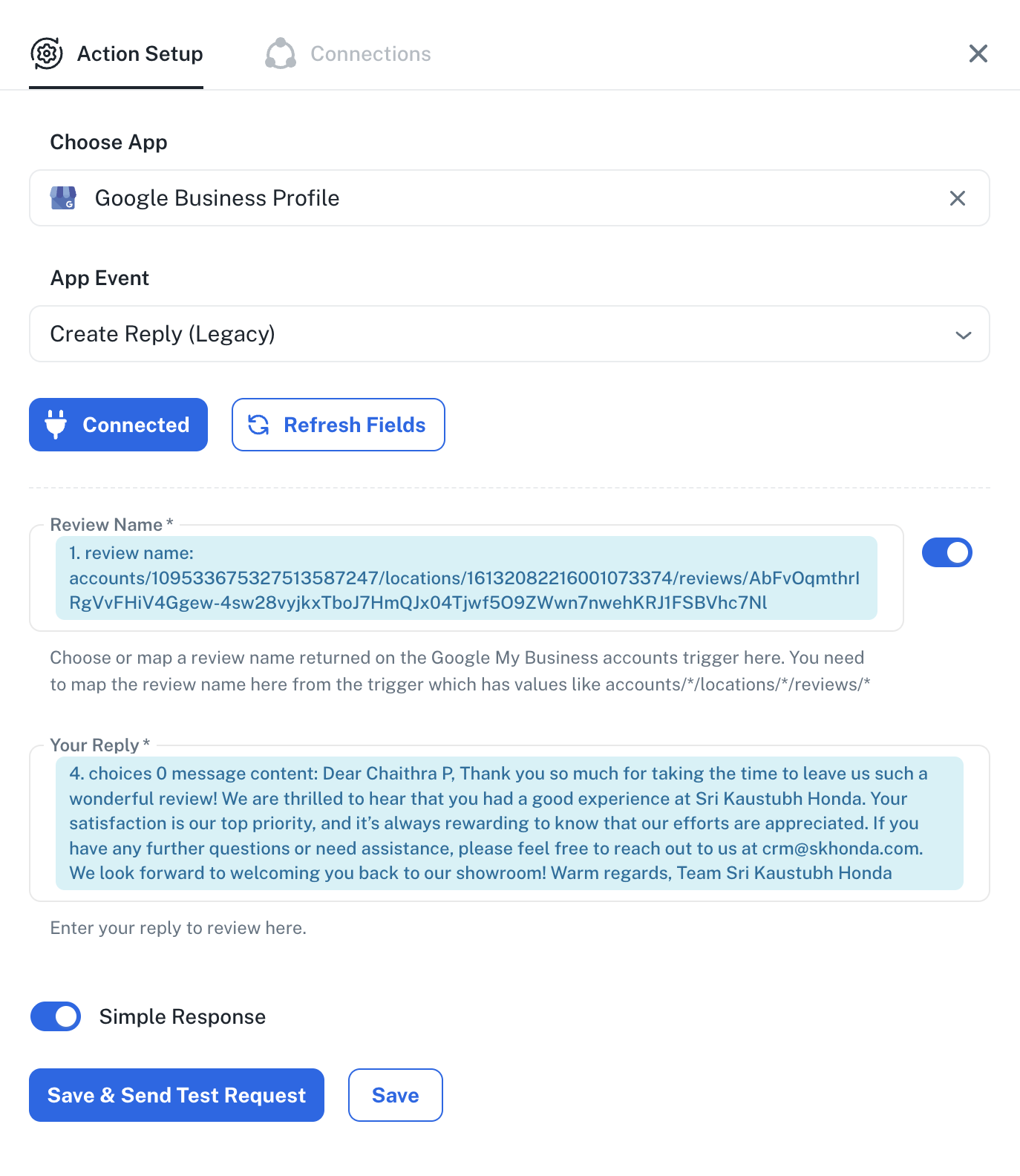
I am mapping `review.name` directly from the trigger output into the Reply step. I am **not hardcoding account or location IDs**. The same setup works for most reviews, but fails randomly for others.
---
### Actuals / Observations
- Trigger step provides `review.name` like:
accounts/{accountId}/locations/{locationId}/reviews/{reviewId}
- The failing reply step endpoint matches the above, but still throws 404.
- It looks like the connector might be attempting the reply **before the review is fully available via the API**, or there’s an issue when handling multiple locations.
- In production, only some reviews fail, others succeed under the exact same setup.
---
### Request
Could you please:
1. Check why the **Google Business Profile → Create Reply (Legacy)** action intermittently returns 404 despite correct mapping.
2. Suggest a reliable workaround (e.g., retry, delay, or using “API by Pabbly” with custom request).
I have attached screenshots of:
- Successful run
- Failed run (404 error)
- My workflow setup showing how I mapped `review.name`
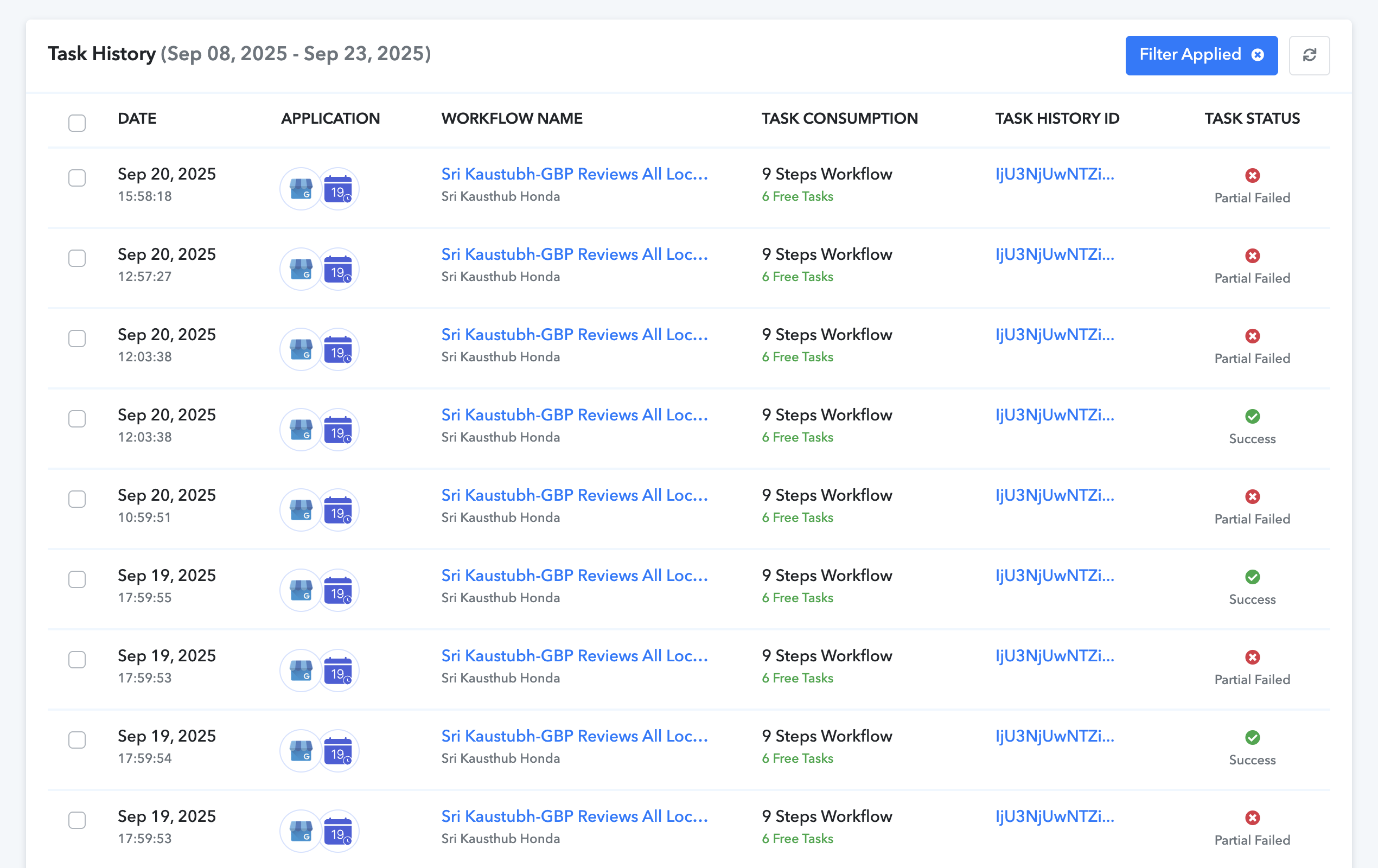
- Task history showing both successful and failed executions 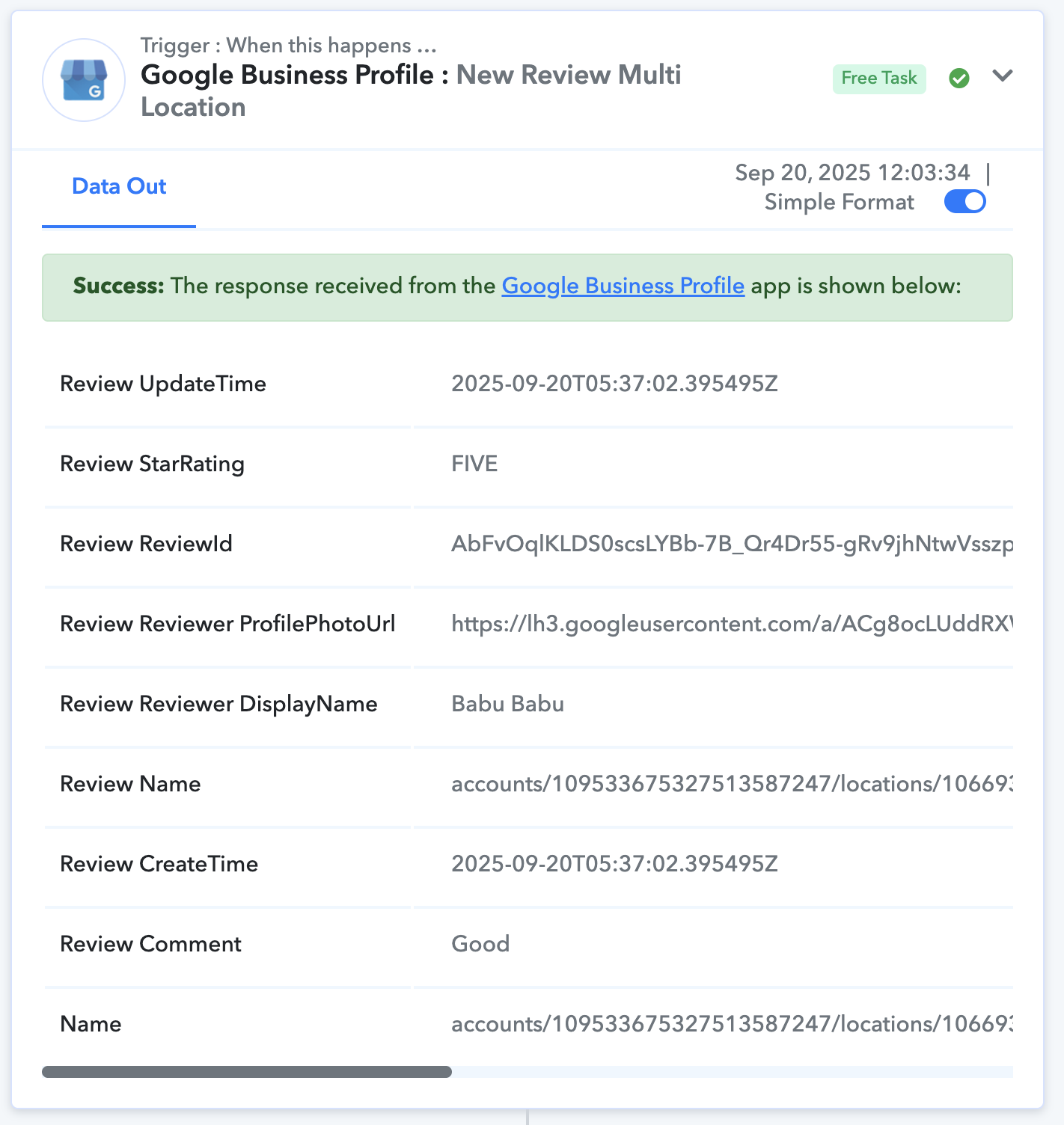
Hello @usman,
It appears that you are using the legacy version of the “Create Reply” action. We recommend using the updated “Create Reply” version instead, as it is more stable and should help reduce issues.
Please try using this updated action and let us know how it works for you.
How do i map the Locatio ID as that is not Not available to map from the trigger. 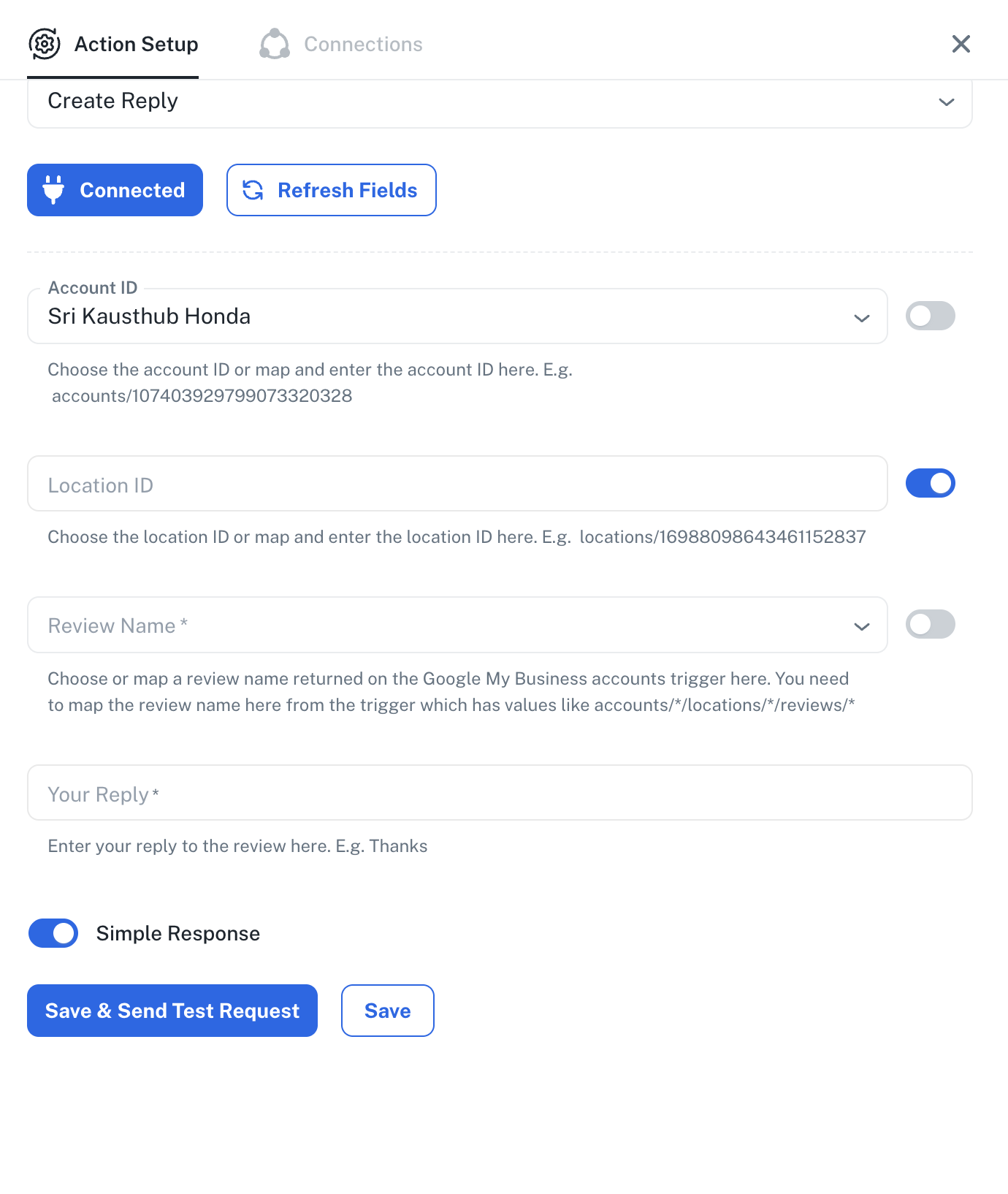
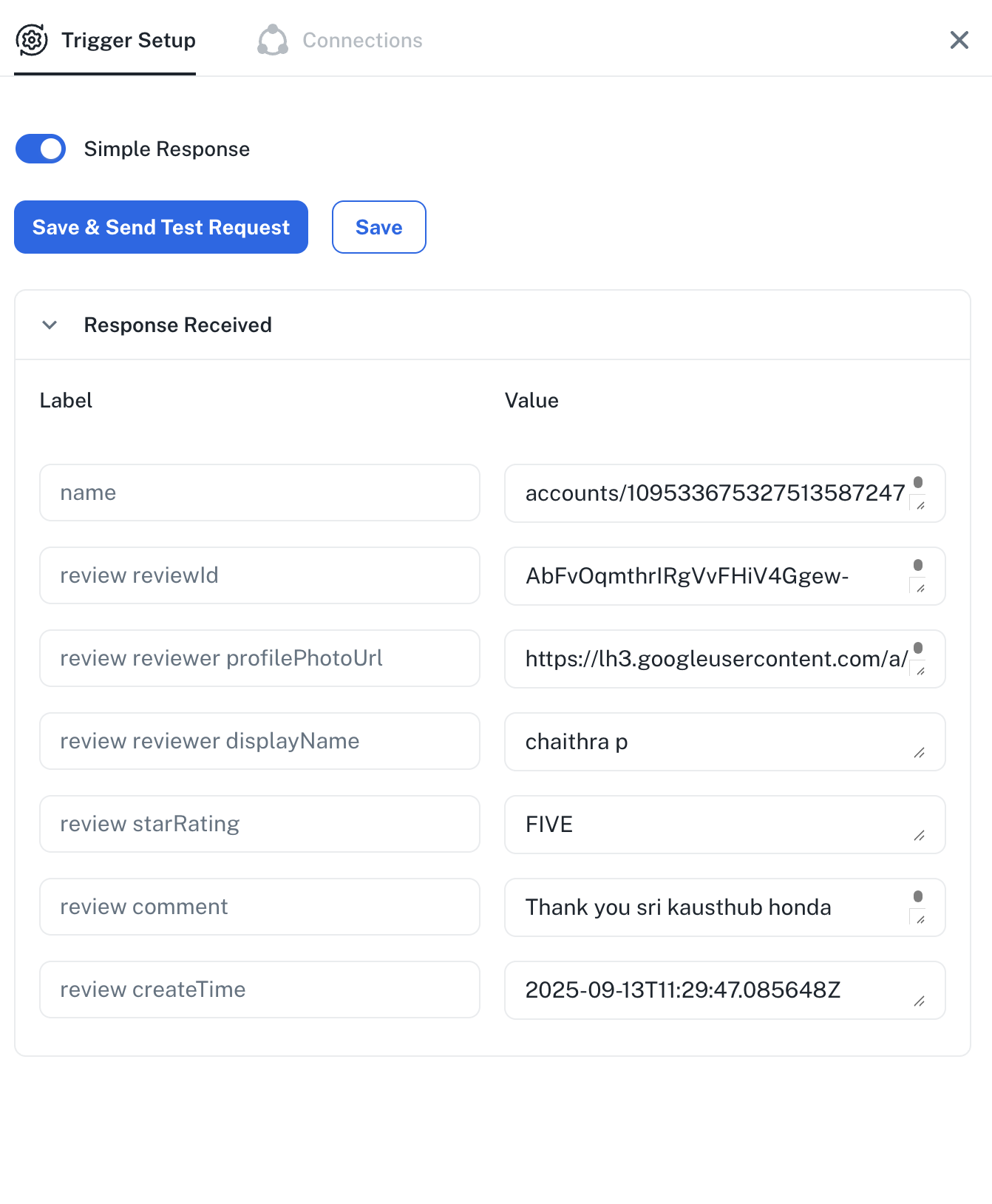
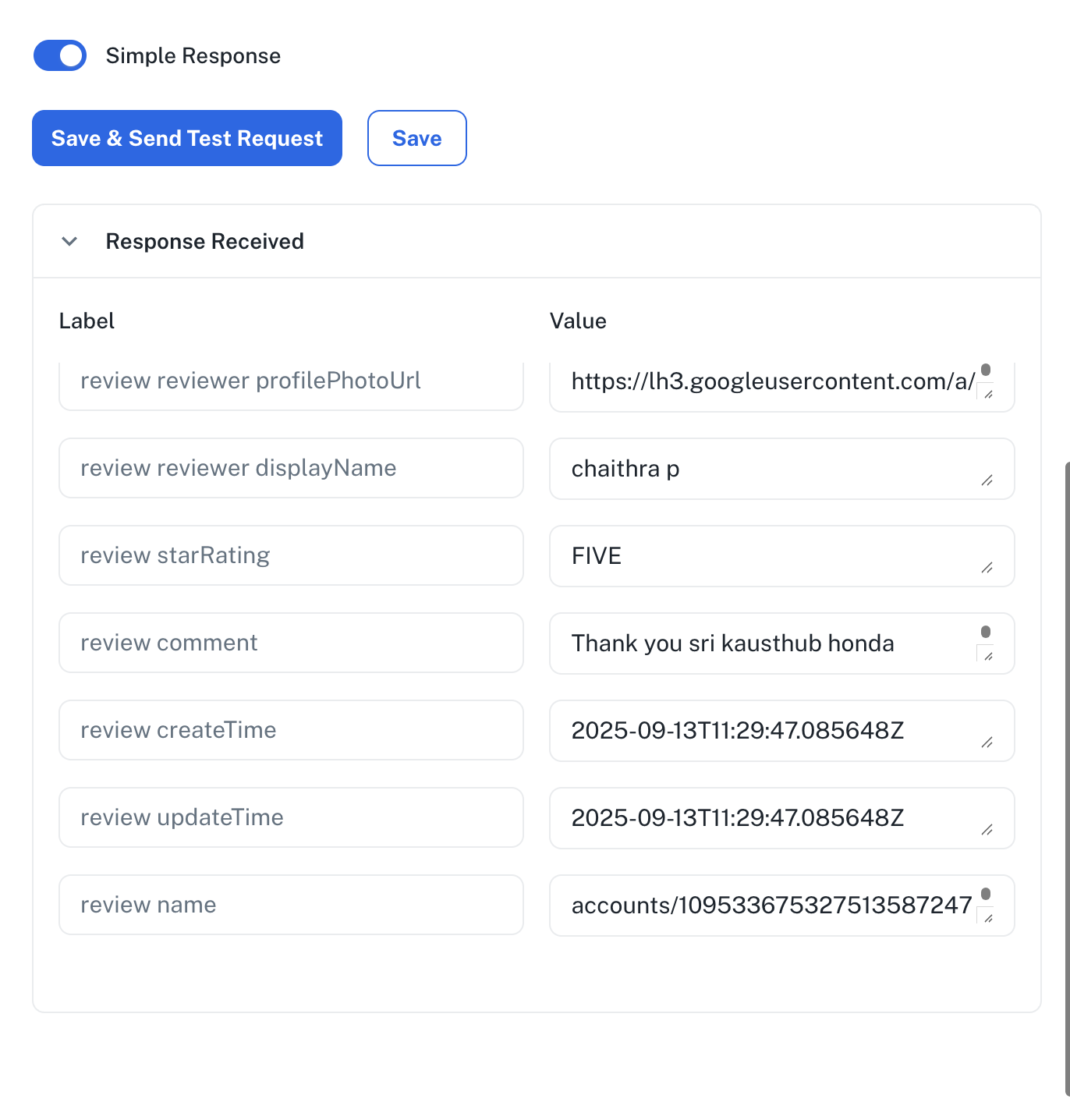
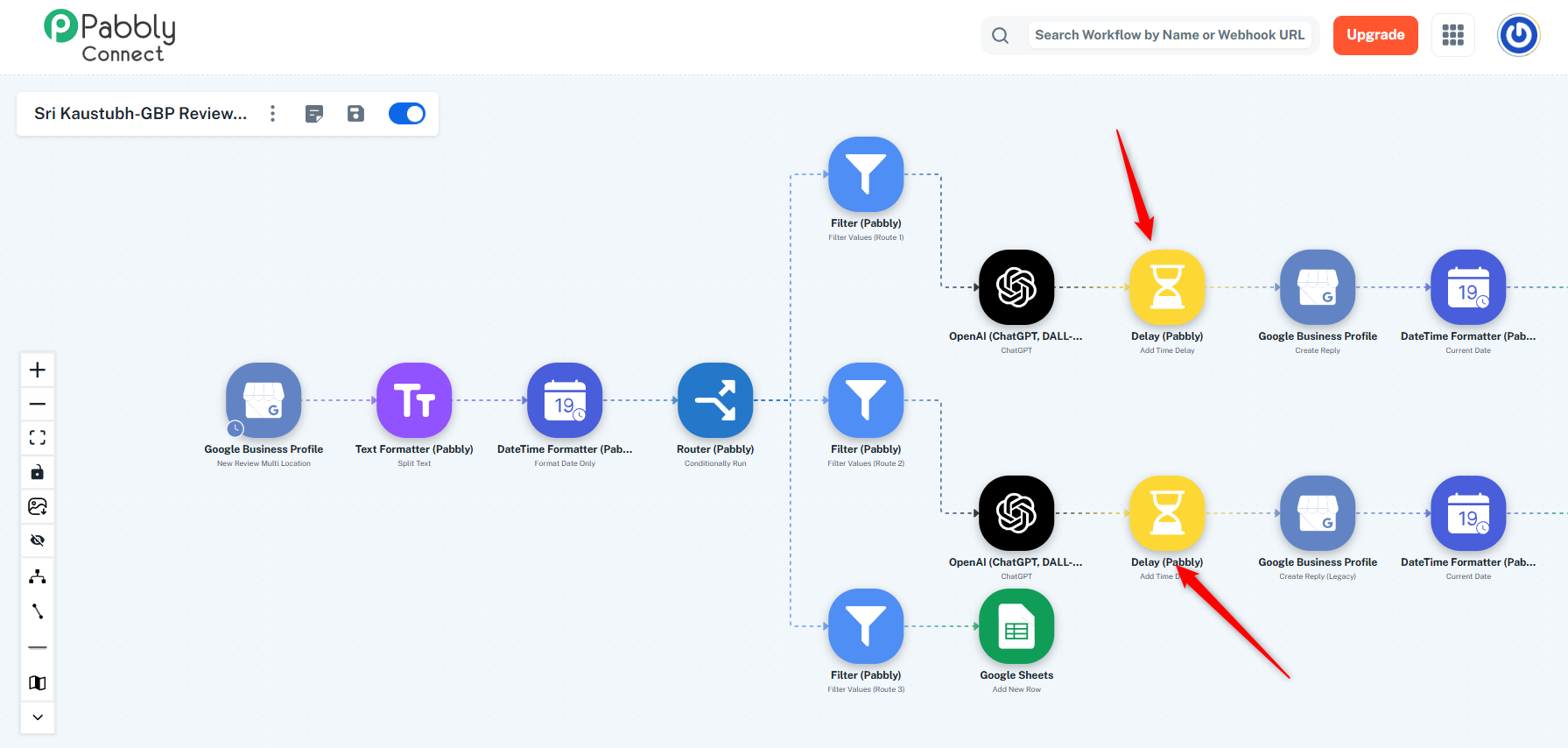
We have mapped the Location ID on your behalf and configured the 'Create Reply' action step in one of your routes. You can set up the action step in a similar manner in your other route. We have also added a Delay step to your workflow, which should resolve the issue you are encountering.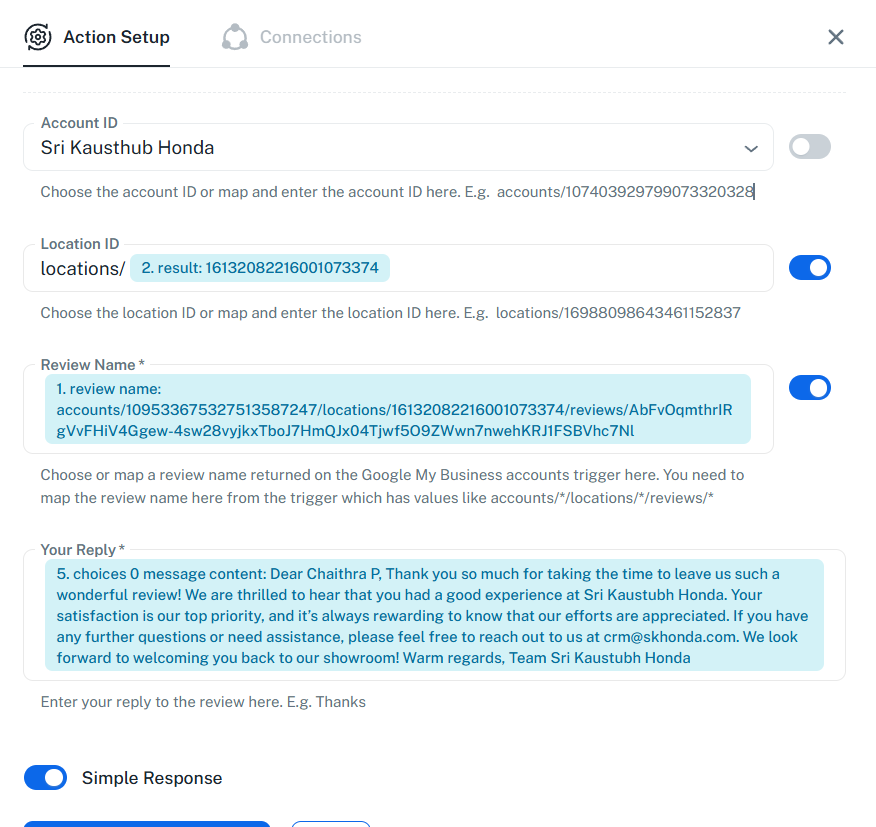
Thanks & Regards,
Arshil Ahmad
Customer Support Associate
? Pabbly.com
?Rate your support
Thank you so much for the previous resolution. Facing another issue where form random executions, there is an oauth issue for the response to the review. This is for two separate accounts where it has occurred in different workflows.one of thank is the above. But there are successful executions of these workflows before and after these failed executions.
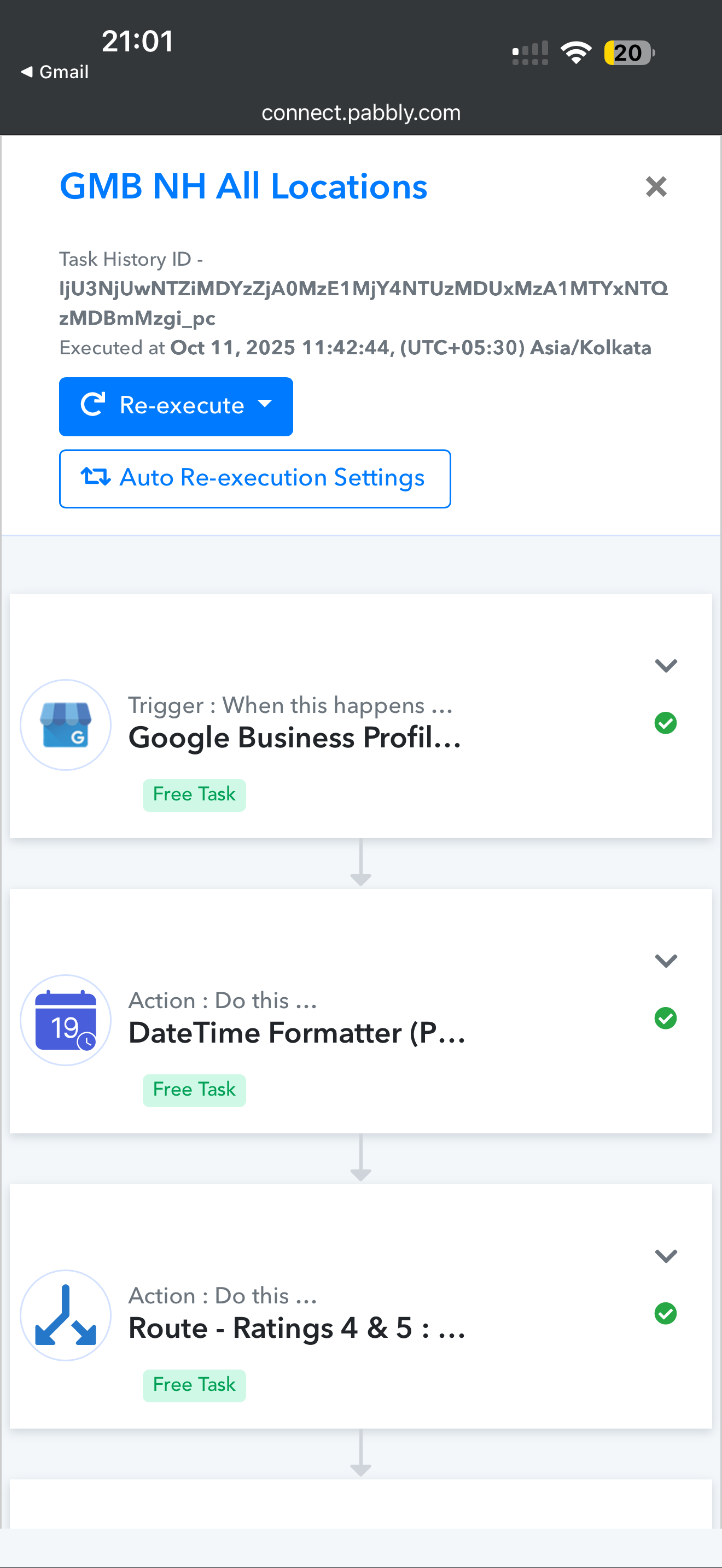
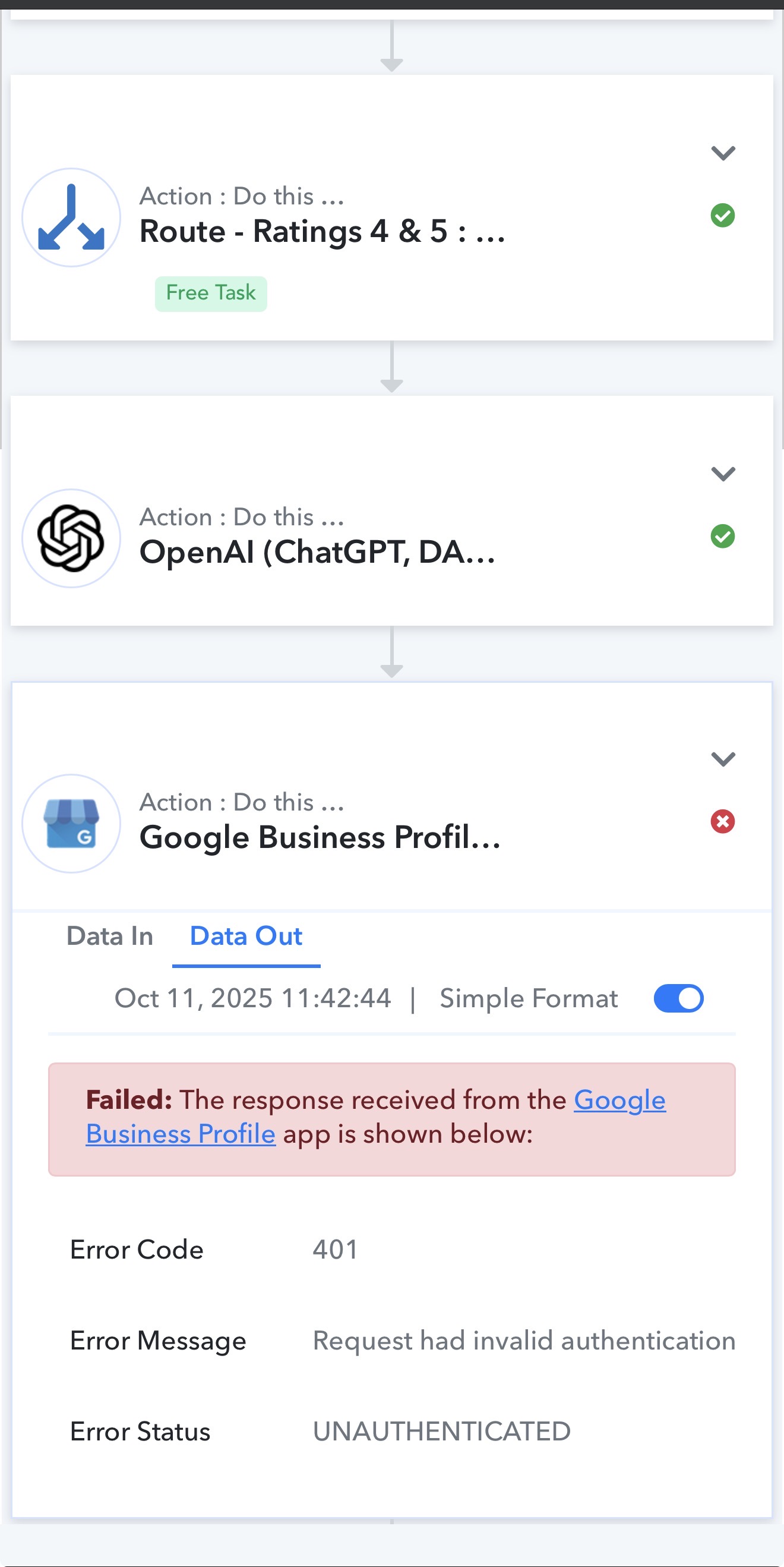
Please share the Task History ID where you encountered this issue.
Sorry for the late reply as i was travelling.
Please find the task history id link: https://connect.pabbly.com/task/history?filter_status=applied&filter_by_task_id=IjU3NjUwNTZiMDYzZjA0MzM1MjY0NTUzNzUxMzA1MTYwNTQzNzBmMzAi_pc
Also the earlier issue is occuring with the new Create Reply step as well at random times. Most of the time successful but randomly the issue is recurring.
Hello @usman,
We have escalated this concern to our technical team for further review. Please allow us some time and we will get back to you with the updates as we have some.
Hello @usman,
Greetings for the day.
Regarding the two issues you reported:
- 404 Error – "Requested Entity Not Found":
This error should no longer appear in the task history if the particular task has been re-executed. There were some issues related to re-execution, which have now been resolved by our team. You should not see the 404 error in the task history anymore. We recommend checking your task history to confirm if any errors disappear after re-execution. - 401 Error – Unauthorized:
This error occurs because the token was not refreshed within the required time. This issue is currently under escalation, and our team is actively investigating it.
Please review your task history and let us know if the auto re-executions help with the 404 errors.
Hi Preeti,
Since the above message sent by you, the error has occurred twice on 25th October and once on 26th October And twice on 27th of October And once on 29th of October and twice on 31st of October. All were 404 errors . Also they have been re-executed and no more further executions will happen even if the re-execution has failed. Request if you can help me out on getting this resolved as soon as possible.
Hello @usman,
Thanks for sharing the details.
We have escalated this to the team for further review.
In the meantime, could you please provide us with the permission to re-execute the failed tasks manually?
Hi, yes, you have my permission to go ahead and re-execute the failed executions.
Hello @usman,
Thanks for sharing the access.
We will get back to you once we hear an update from our team.
Hello @usman,
Thank you for sharing the details. We’ve reviewed the case, and it appears that the issue occurs only for the location “Sri Kausthub Honda – Service.” Since your replies are working fine for other locations under the same connection, this suggests that your current Google My Business (Business Profile) connection may not have the required permission to post replies for this specific location.
To confirm and resolve this, please follow these steps:
Check your location access:
Log in to Google Business Profile Manager using the same Google account connected in Pabbly.
Locate “Sri Kausthub Honda – Service” in the list of locations.
If it appears under “Managed locations” (and not “Owned locations”), it means the account doesn’t have full permissions.
Fix the permission:
Request the primary owner of the location to grant your connected Google account Owner or Manager (with reply permissions) access.
Once access is granted, reconnect your Google My Business app inside Pabbly Connect using that account to refresh the permissions.
After completing these steps, please try replying to the review again — it should work without any issues.
If you’ve already verified ownership and the issue still persists, please let us know. We’ll be happy to run an additional check from our end.
Hello @usman,
Thank you for sharing the details. We’ve reviewed the case, and it appears that the issue occurs only for the location “Sri Kausthub Honda – Service.” Since your replies are working fine for other locations under the same connection, this suggests that your current Google My Business (Business Profile) connection may not have the required permission to post replies for this specific location.
To confirm and resolve this, please follow these steps:
Check your location access:
Log in to Google Business Profile Manager using the same Google account connected in Pabbly.
Locate “Sri Kausthub Honda – Service” in the list of locations.
If it appears under “Managed locations” (and not “Owned locations”), it means the account doesn’t have full permissions.
Fix the permission:
Request the primary owner of the location to grant your connected Google account Owner or Manager (with reply permissions) access.
Once access is granted, reconnect your Google My Business app inside Pabbly Connect using that account to refresh the permissions.
After completing these steps, please try replying to the review again — it should work without any issues.
If you’ve already verified ownership and the issue still persists, please let us know. We’ll be happy to run an additional check from our end.
Hello @usman,
Thank you for your patience.
We would like to inform you that the issue related to the OAuth errors encountered in certain task histories has now been resolved. This was occurring due to a temporary conflict during the token refresh process, where some tasks were executed while the token was still being refreshed or had just expired.
Our team has addressed and fixed this behavior.
We recommend that you kindly monitor your task histories for some time and check if everything is working as expected. If you continue to face any OAuth-related issues, please feel free to reach out to us with the relevant task history details, and we will assist you further.