Google Calendar Event Updated Stopped Working
Status: Open · Asked by turksavas on · 0 views
Hi, I used to have this workflow with the deprecated google calendar module. I realized it stopped working, so I updated to the new one, but it turns out it doesn't pull the updated task, it pulls other tasks, but not the updated one.
I tried the same thing in Make.com, it pulls the data properly.
I had to stop the workflow just because of this. I don't understand how these updates are made without testing, it breaks workflows, please test before making these breaking changes. And please fix this so I can run my workflow again.
Hello @turksavas,
Apologies for the inconvenience caused.
Please note that the new Google Calendar trigger works only for newly created calendars, and this is mentpdated or previously existing events are not captured by this trigger.
Could you please confirm whether you have tested the workflow for a new calendar? This will help us verify if the trigger is functioning as expected.
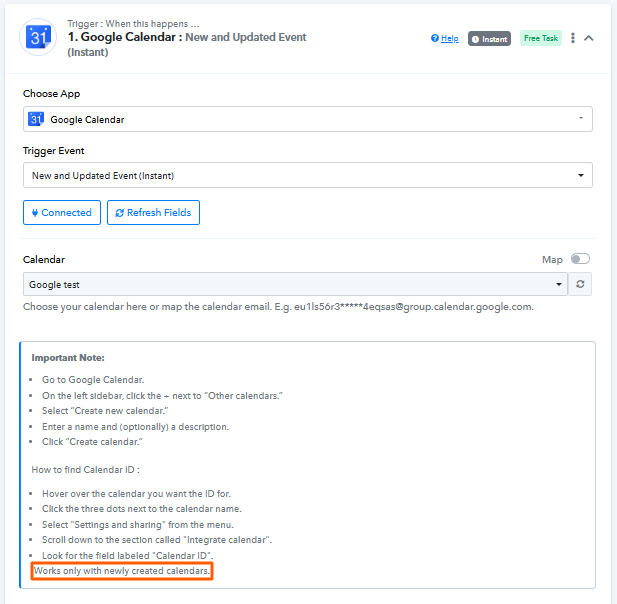
We look forward to your confirmation so we can assist you further.
Hi, that notice exists for "New and Updated Event (Instant)" trigger, but it is not there for the Updated Events trigger. Also, I want to use and existing calendar, don't want to create a new calendar.
To test like you asked, created a new caledar, created 6 events. When I try to get events for that calendar, it doesn't work either.
It worked when I tried the New and Updated Event (Instant)" trigger but didn't work with the "Updated Events".
What I want, is to be able to use my old calendar, and keep triggering the workflow when an event is updated, how can I do that?
Hello @turksavas,
Thank you for the clarification.
Please note that polling-based triggers are no longer recommended, and the “Updated Events” trigger is not recommended for use at this time. Currently, capturing updated events is supported only via the “New and Updated Event (Instant)” trigger, and that too only for newly created calendars.
I don't see in anywhere that update events trigger is not recommended, there is no notification or something. I want to be able to use my workflow for a calendar that I have been using for years. Pabbly shouldn't be causing for my workflow to stop for no reason, I should be able to have it keep working. What options do I have right now?
I’m afraid that currently there is no workaround to capture events from an existing calendar; you would need to create a new calendar.
Thanks & Regards,
Arshil Ahmad
Customer Support Associate
? Pabbly.com
?Rate your support
I’m afraid that currently there is no workaround to capture events from an existing calendar; you would need to create a new calendar.Thanks & Regards,
Arshil Ahmad
Customer Support Associate
? Pabbly.com
?Rate your support
I was struggling with this and this answered the question. I was able to do it with on another automation platform, but I prefer to use Pabbly, will there be a an update to be able to use existing (old) calendars?
Hey @mario312,
Unfortunately, at the moment, it is not possible to capture new events from old or existing calendars using the Google Calendar trigger in Pabbly Connect.
I was struggling with this and this answered the question. I was able to do it with on another automation platform, but I prefer to use Pabbly, will there be a an update to be able to use existing (old) calendars?
How recent does it have to have been created? On what date does the calendar need to have been created?
Just trying to figure out how to get this trigger to work
How recent does it have to have been created? On what date does the calendar need to have been created?
Just trying to figure out how to get this trigger to work
You need to create the calendar while setting up the Google Calendar trigger step.
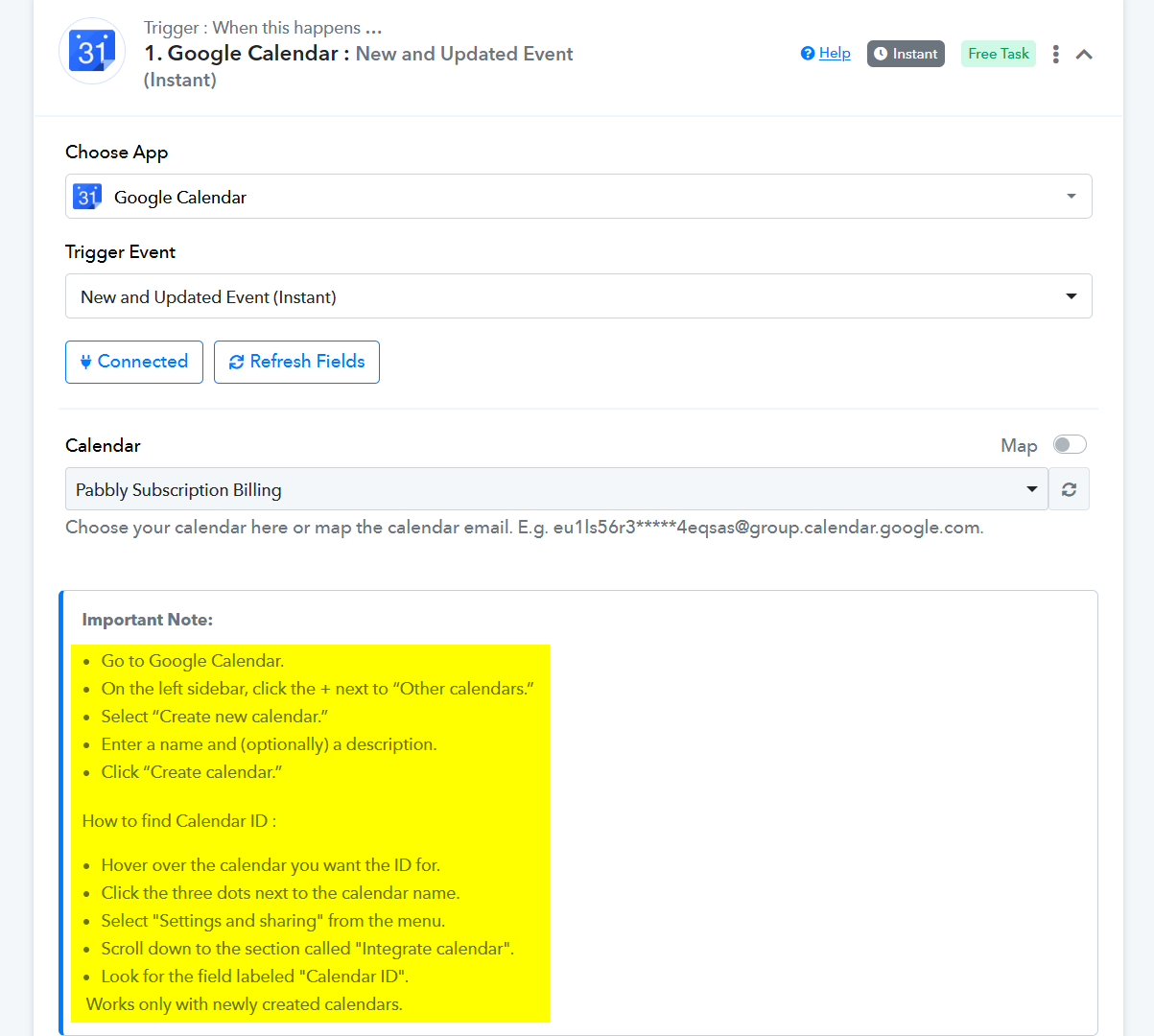
Thanks & Regards,
Arshil Ahmad
Customer Support Associate
? Pabbly.com
?Rate your support
So I need to create the flow first before I create the calendar? Or the other way around?
Hi @tboy123 ,
To ensure the trigger works correctly, you should follow this specific order:
- Create the New Calendar First: Go to your Google Calendar settings and create a brand-new calendar.
- Update the Workflow: Once the calendar is created, go back to Pabbly Connect and set up the trigger.
- Establish a New Connection: It is often best to create a fresh connection to your Google account within the trigger step to ensure the new calendar is indexed and visible in the dropdown menu.
As mentioned, the "New and Updated Event (Instant)" trigger is specifically designed to work with calendars created at the time of or after setting up this new module.